3OM-1075-002.pdf - 第114页
4.2.4 "Setup Data" T ab • Sheet Layout When the "Setup Data" tab is pressed in the "Operation Data" tab sheet, the following tab sheet appears. Fig. 3B161 "Setup Data" T ab Sheet •…
4.2.3 "P.E.C. Recognition Mark Data" Tab
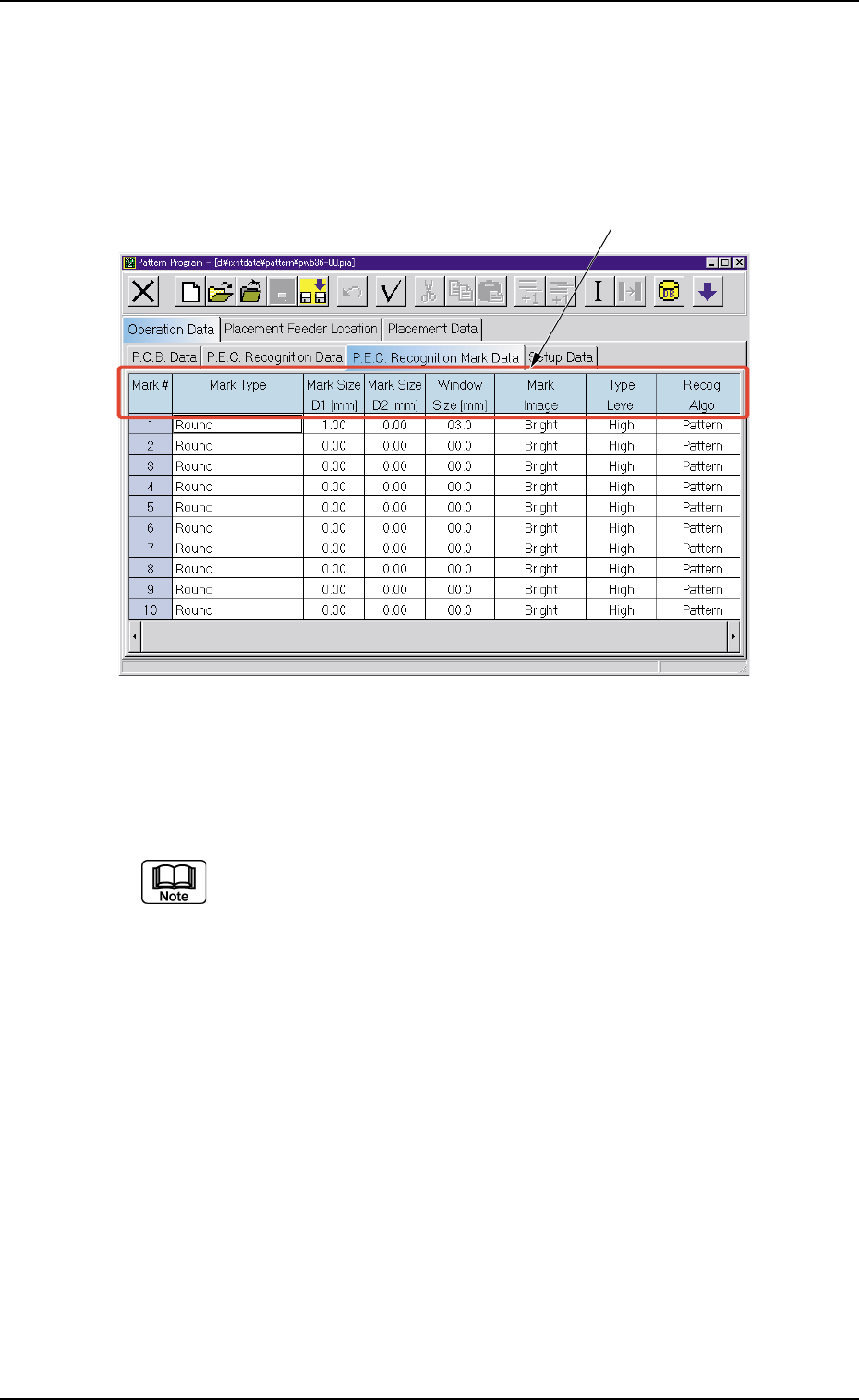
• Sheet Layout
When the "P.E.C. Recognition Mark Data" tab is pressed in the "Op-
eration Data" tab sheet, the following tab sheet appears.
Fig. 3B160 "P.E.C. Recognition Mark Data" Tab Sheet
• Sheet Composition
Each parameter is displayed or can be entered.
Refer to "4.1.3 Basic Usage of Text Boxes" for the detailed in-
formation on how to enter parameters.
*1 Mark Type, Mark Size D1 [mm], Mark Size D2 [mm], Window
Size [mm], Mark Image, Type Level, Recog Algo
0206-001 2-94
AHB01EDTP
4.2 "Operation Data" Tab
*1
4.2.4 "Setup Data" Tab
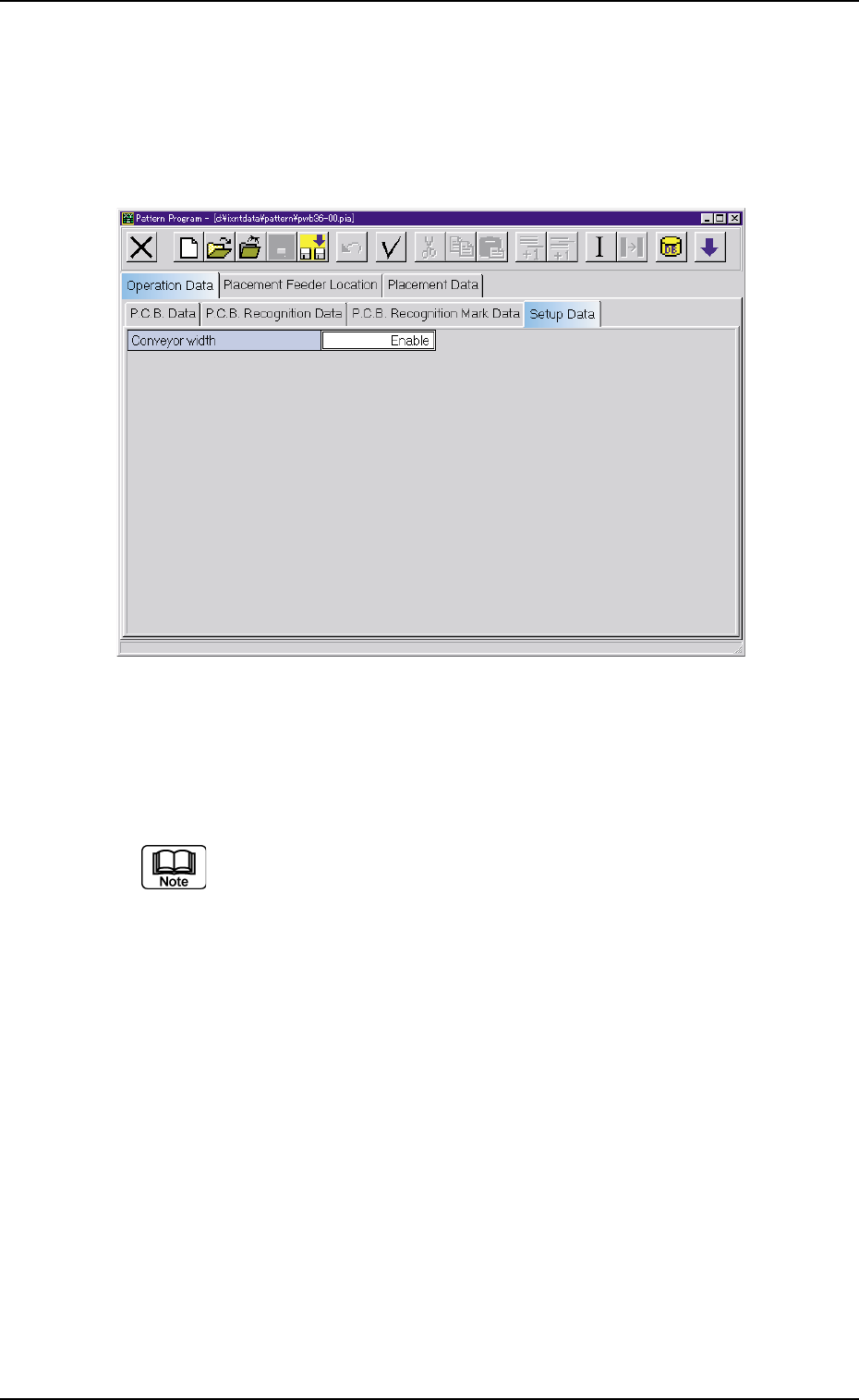
• Sheet Layout
When the "Setup Data" tab is pressed in the "Operation Data" tab
sheet, the following tab sheet appears.
Fig. 3B161 "Setup Data" Tab Sheet
• Sheet Composition
Each parameter is displayed or can be entered.
Refer to "4.1.3 Basic Usage of Text Boxes" for the detailed in-
formation on how to enter parameters.
*1 Conveyor width
0206-001 2-95 AHB01EDTP
4.2 "Operation Data" Tab
4.3 "Placement Feeder Location" Tab
4.3.1 "Feeder Base #1", "Feeder Base #3", and "Feeder Base #4"
Tabs
The tape feeders are allocated to Feeder Bases #1, #3, and #4.
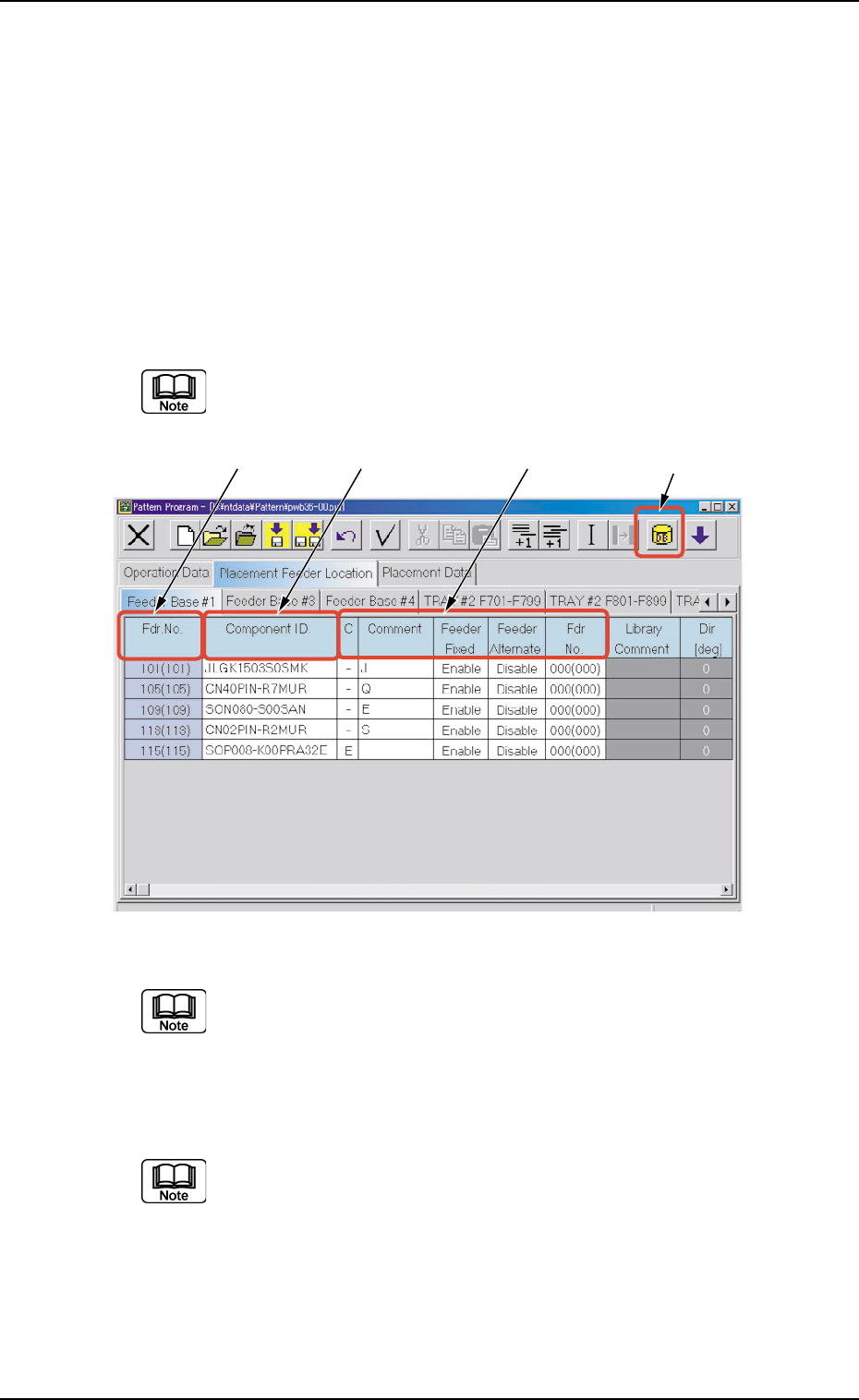
• Sheet Layout
When the "Feeder Base #1" tab is pressed in the "Placement Feeder
Location" tab sheet, the following tab sheet appears.
Follow the same procedure to make the "Feeder Carriage #3"
or "Feeder Carriage #4" tab sheet visible.
Fig. 3B162 "Feeder Base #1" Tab Sheet (Provided with Multi-Layer Tray Feeder 2)
The tab sheet may look different, depending on which options
are selected.
• Sheet Composition
Each parameter is displayed or can be entered.
Refer to "4.1.3 Basic Usage of Text Boxes" for the detailed in-
formation on how to enter parameters.
*1 [Component ID List] Icon
When this icon is pressed, the "Component ID List" window opens.
This window enables you to select a component ID from the com-
ponent library and allocate it to an arbitrary feeder (Fdr. No.).
Refer to "4.3.2 "Component ID List" Window" for details.
*1*2 *3 *4
0308-002 2-96 AHB01EDTP
4.3 "Placement Feeder Location" Tab