3OM-1075-002.pdf - 第194页
3.1.2 Navigations in "manage (T ype #)" Windows (1) How to close the "mange (T ype #)" window When the " " icon is pressed, the "Management Data" window closes. (2) How to select a…
3.1 Basic Operations in "Management Data" Window
3.1.1 Toolbar and Icons
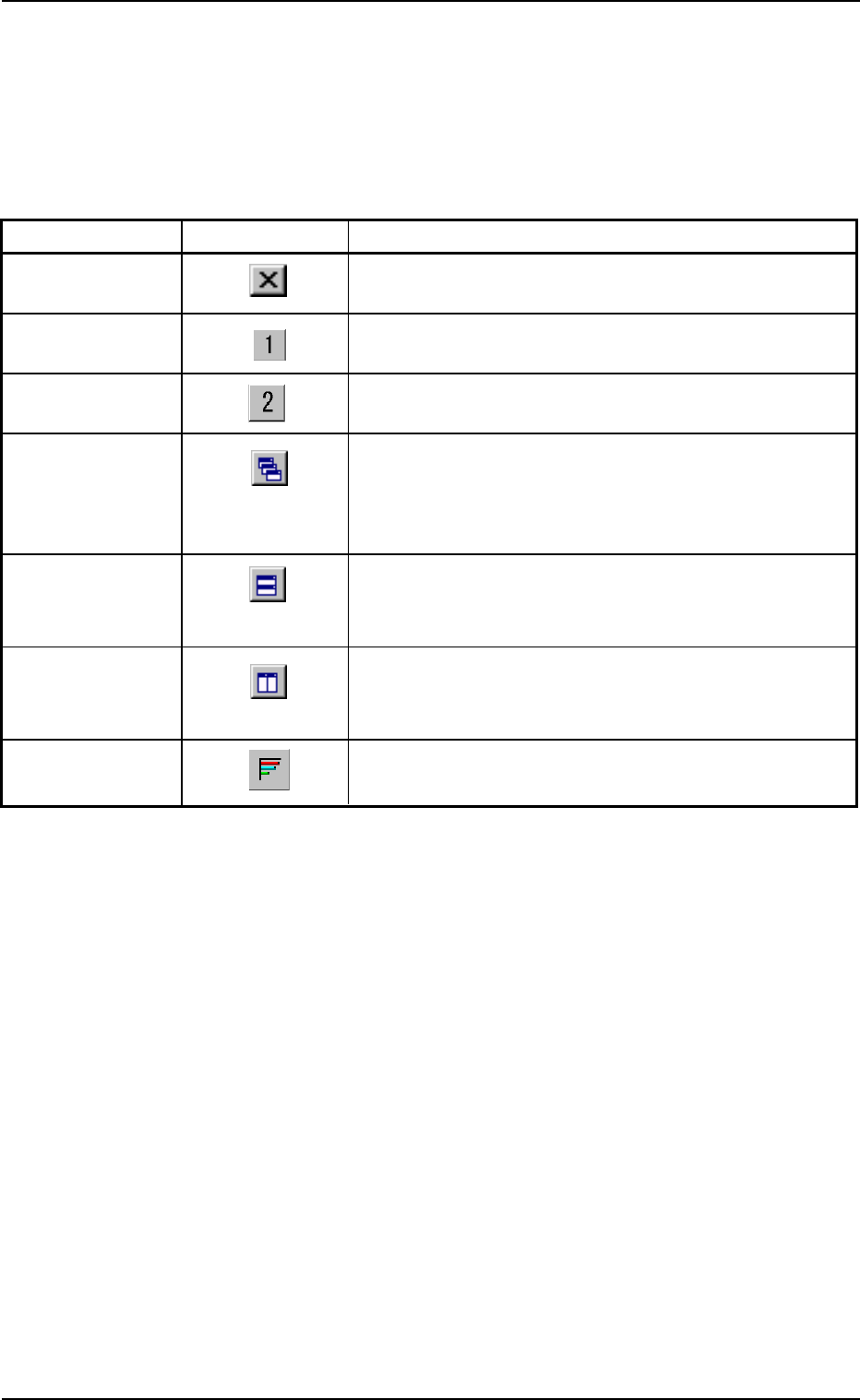
The following table shows the functions of the icons on the toolbar.
Table 3D4
Commands Icons Functions
Close When pressed, this button closes the "Management
Data" window.
Type1 When pressed, this button opens the "Management
Data - [manage (Type1)" window.
Type2 When pressed, this button opens the "Management
Data - [manage (Type2)" window.
Cascade When the "manage (Type1)" and "manage (Type2)"
windows are opened at the same time, cascading the
windows overlays them so that you can see each title
bar.
Tile Horizontally When the "manage (Type1)" and "manage (Type2)"
windows are opened at the same time, each window
is re-arranged up and down.
Tile Vertically When the "manage (Type1)" and "manage (Type2)"
windows are opened at the same time, each window
is re-arranged side by side.
Show Chart A chart appears.
3.1 Basic Operations in "Management Data" Window
0308-003 4-10 AHB01EDTP
3.1.2 Navigations in "manage (Type #)" Windows
(1) How to close the "mange (Type #)" window
When the "
" icon is pressed, the "Management Data" window
closes.
(2) How to select a "manage (Type #)" window
When the " " icon is pressed, the "Management Data -
[manage(Type1)" window opens.
When the " " icon is pressed, the "Management Data -
[manage(Type2)" window opens.
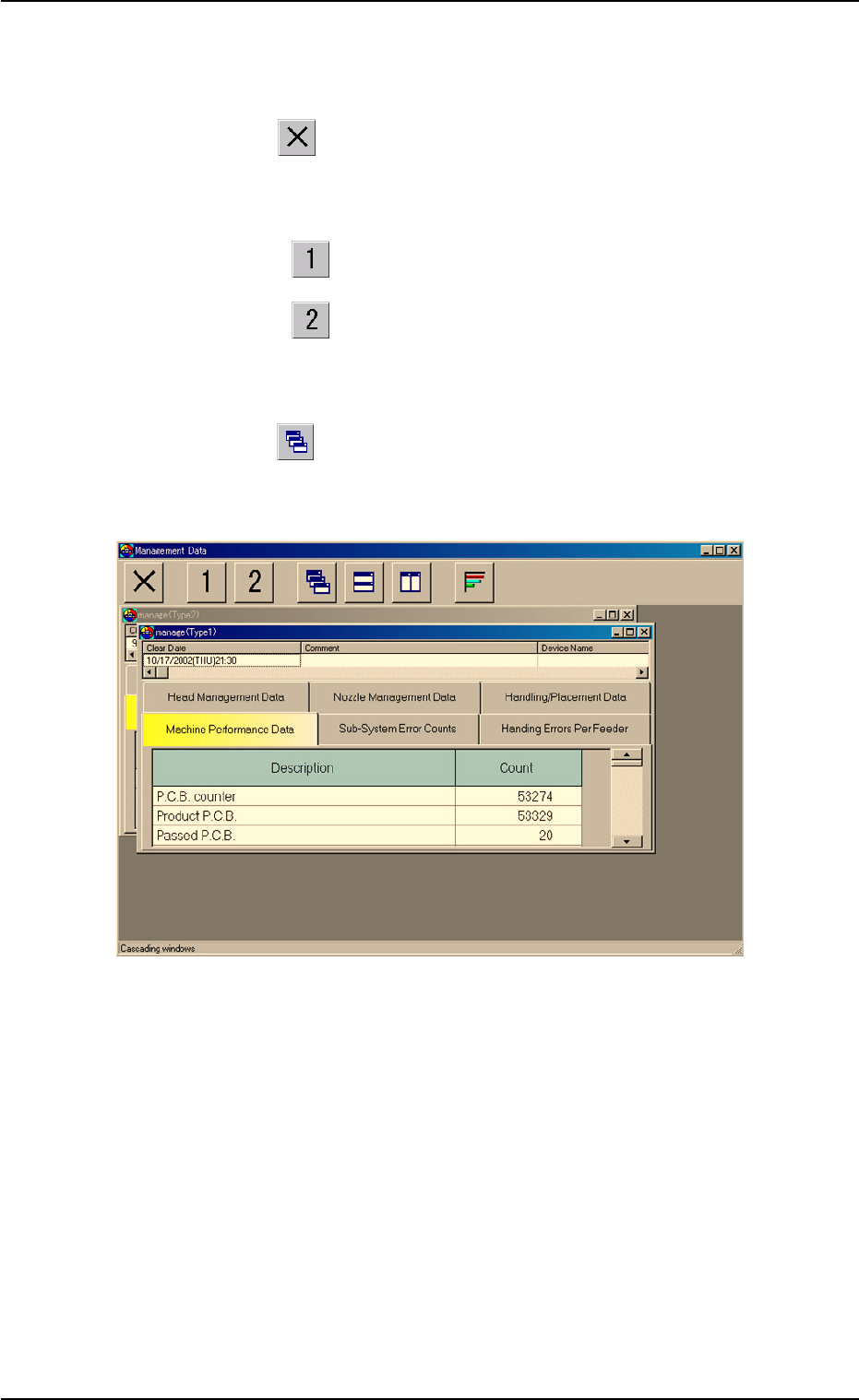
(3) How to cascade two "manage (Type #)" windows
When the "
" icon is pressed, the "manage (Type1)" and "man-
age (Type2)" windows are cascaded (overlaid), making each title
bar visible.
Fig. 3D6 Cascaded Window
3.1 Basic Operations in "Management Data" Window
0308-003 4-11 AHB01EDTP
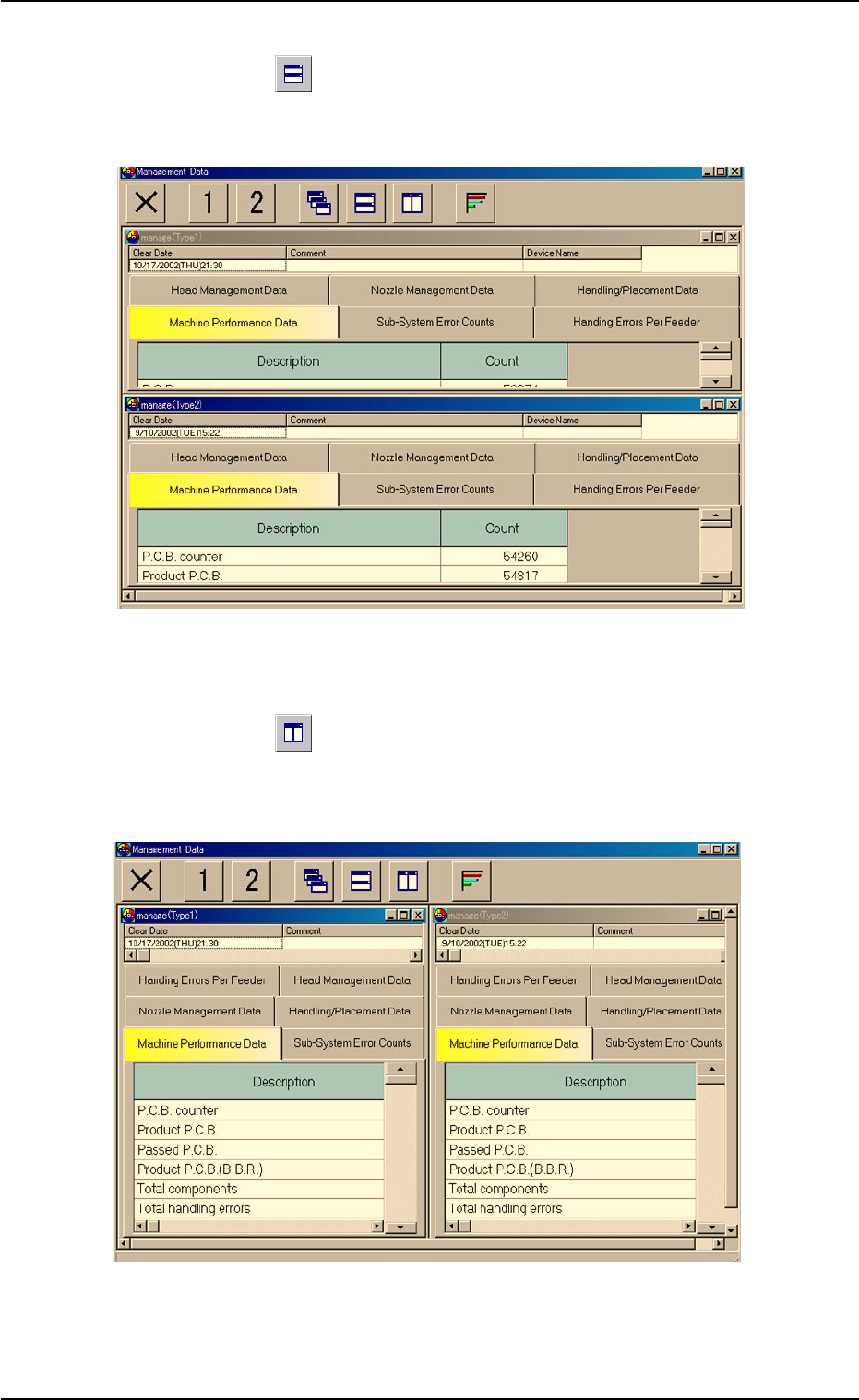
(4) How to tile two "manage (Type#)" windows horizontally
When the "
" icon is pressed, the "Management Data - [manage
(Type1)]" and "Management Data - [manage (Type2)]" windows are
re-arranged up and down.
Fig. 3D7 Horizontally Tiled Windows
(5) How to tile two "manage (Type#)" windows vertically
When the "
" icon is pressed, the "Management Data - [manage
(Type1)]" and "Management Data - [manage (Type2)]" windows are
re-arranged side by side.
Fig. 3D8 Vertically Tiled Windows
0308-003 4-12 AHB01EDTP
3.1 Basic Operations in "Management Data" Window