3OM-1075-002.pdf - 第122页
4.3.3 "Vibratory Feeder" T abs The vibratory stick feeders can be allocated to Feeder Bases #3 and #4. • Sheet Layout When the "FB #3 VIB Feeder #1" tab is pressed in the "Placement Feeder Locati…
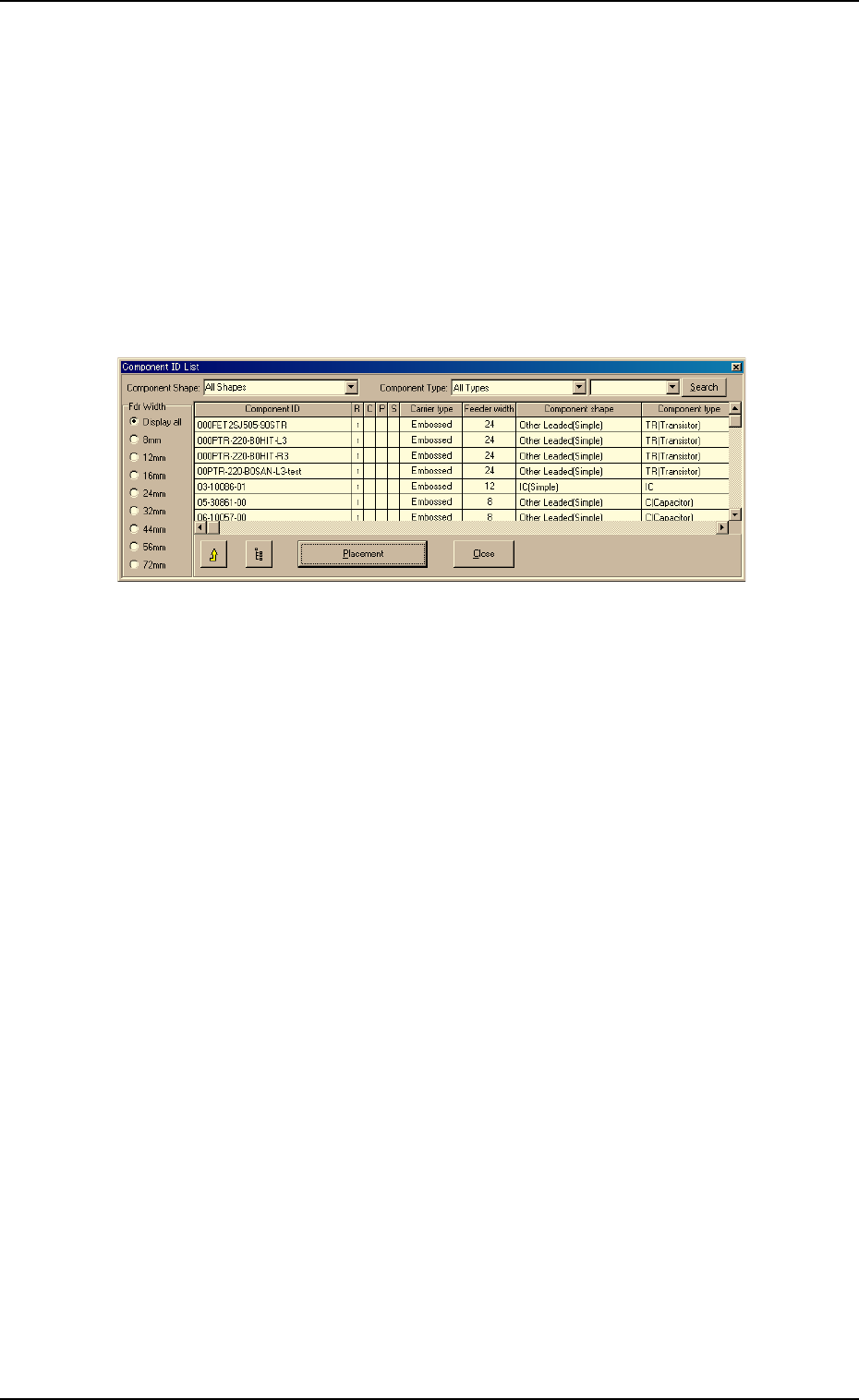
Deletion of Allocated Component ID
(1) Select the desired "Feeder Base #" tab and the feeder No. (Fdr. No.)
of the component to be deleted.
The selected line (Fdr. No.) turns blue, indicating that it is selected.
(2) Select the [Cut] icon on the toolbar. The selected feeder No. (Fdr.
No.) is deleted and the subsequent feeder Nos. are shifted up.
To search for component IDs
(1) Enter the component ID to be searched for, using the wild cards "*"
or "?".
Fig. 3B168
Example: (a) When "AB
∗∗
∗∗
∗" is entered, all component IDs starting with
"AB" can be found and displayed.
(b) When "
∗∗
∗∗
∗CD" is entered, all components ending with
"CD" can be found and displayed.
(c) "AB?DE" is entered, all component IDs substituting "?"
for one of many other characters can be found and dis-
played.
(2) Press the [Search] button.
Only the component IDs that meet the requirements are displayed.
To clear the results of the search operation
(1) Make blank the drop-down list box beside the [Search] button.
(2) Press the [Search] button.
The original condition resumes.
4.3 "Placement Feeder Location" Tab
0308-002 2-102 AHB01EDTP
4.3.3 "Vibratory Feeder" Tabs
The vibratory stick feeders can be allocated to Feeder Bases #3 and #4.
• Sheet Layout
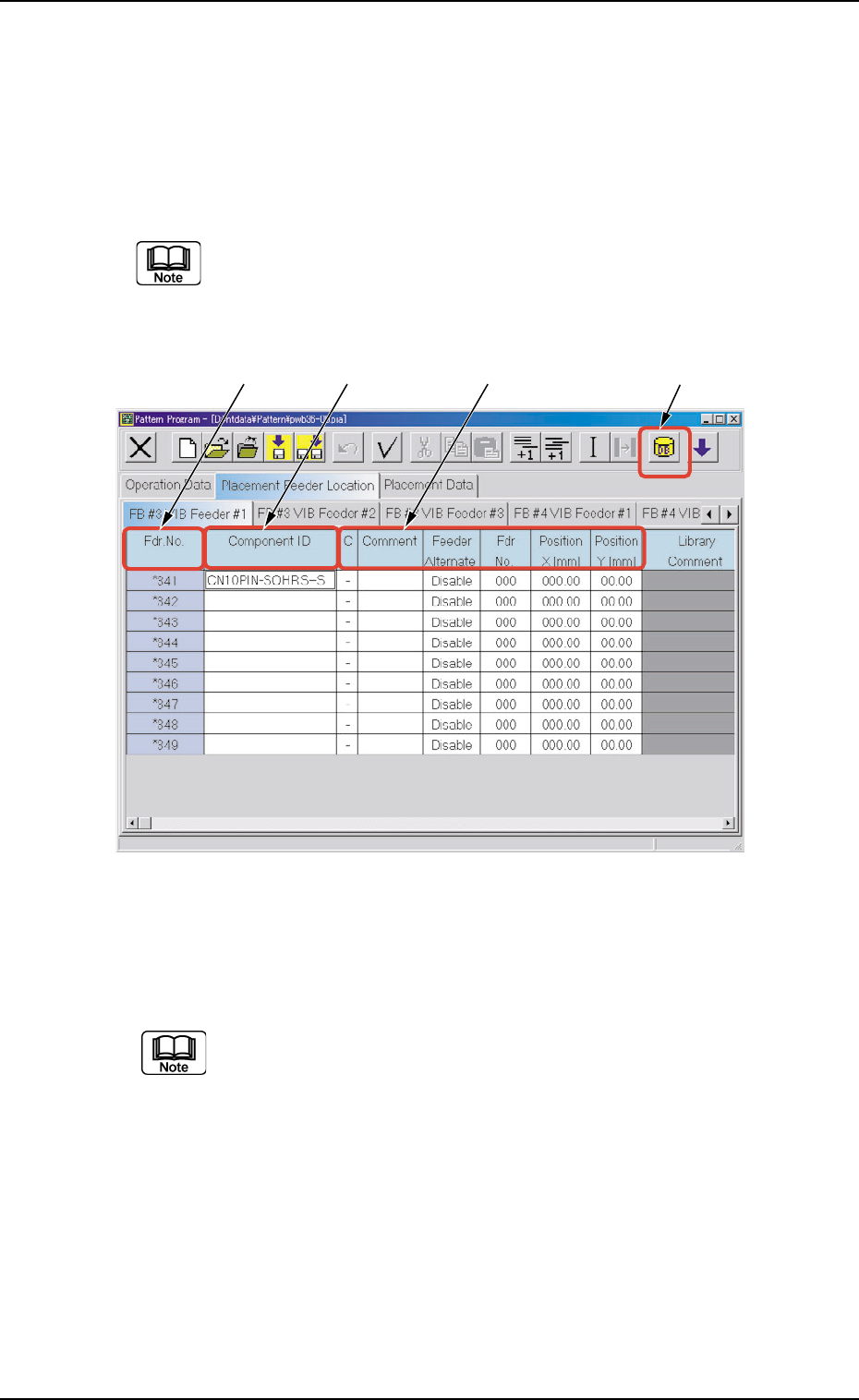
When the "FB #3 VIB Feeder #1" tab is pressed in the "Placement
Feeder Location" tab sheet, the following tab sheet appears.
Follow the same procedure to make visible the "FB #3 VIB
Feeder #2", "FB #3 VIB Feeder #3", "FB #4 VIB Feeder #1", "FB
#4 VIB Feeder #2", and "FB #4 VIB Feeder #3" tab sheets.
Fig. 3B169 "FB #3 VIB Feeder #1" Tab Sheet
• Sheet Composition
Each parameter is displayed or can be entered.
Refer to "4.1.3 Basic Usage of Text Boxes" for the detailed in-
formation on how to enter parameters.
*1 "Component ID List" Icon
When this icon is pressed, the "Component ID List" window opens.
This window enables you to select a component ID from the com-
ponent library and allocate it to an arbitrary feeder (Fdr. No.).
Refer to "4.3.2 "Component ID List" Window" for details.
4.3 "Placement Feeder Location" Tab
0308-002 2-103 AHB01EDTP
*1
*2
*3 *4
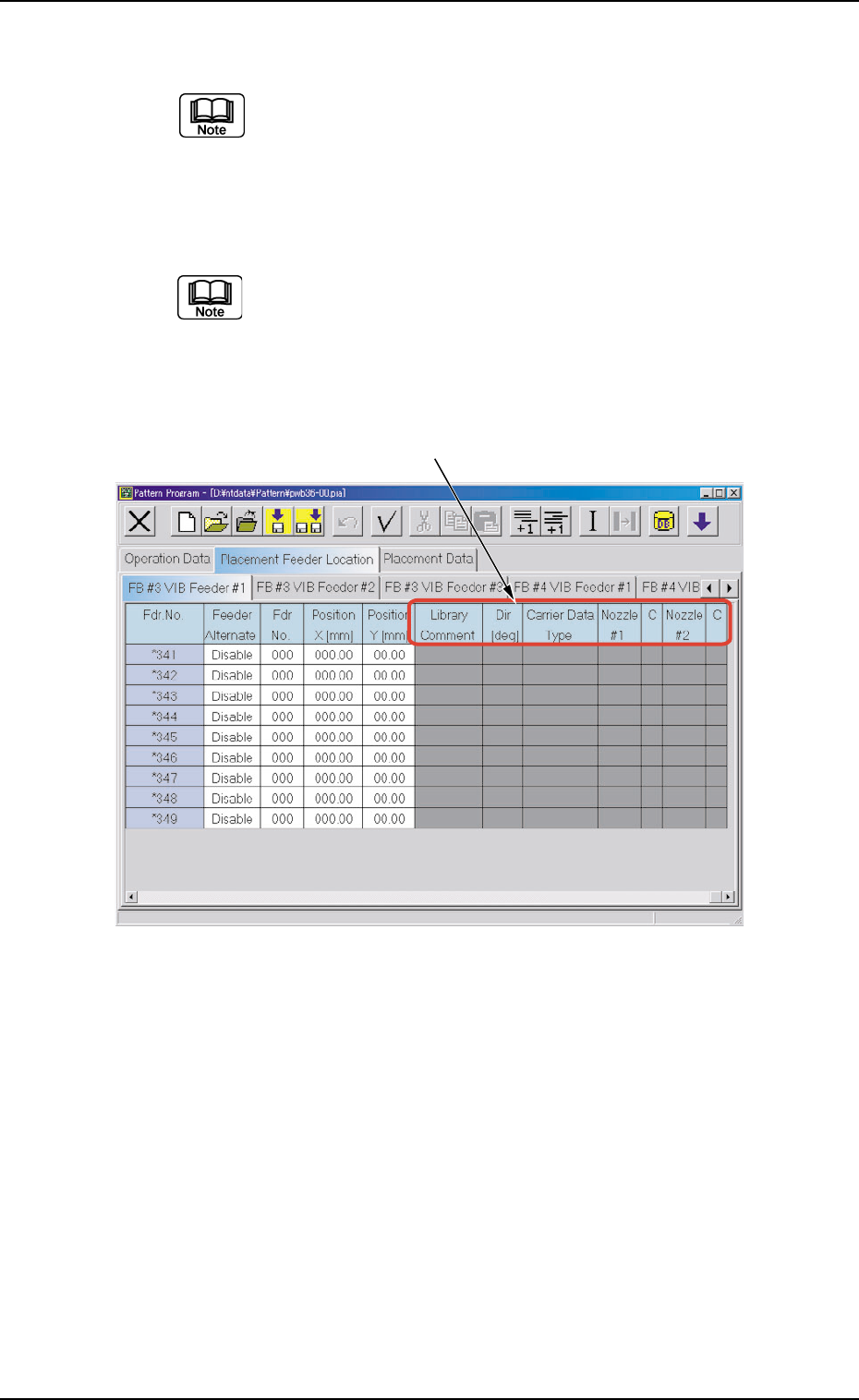
*2 Fdr. No.
Shown under this title are the feeder Nos.
Refer to "4.3.1 "Feeder Base #1", "Feeder Base #3", and
"Feeder Base #4" Tabs" for operations such as addition,
deletion, etc., of the feeder Nos. (Fdr. No.).
*3 Component ID
Displayed are the currently allocated component IDs.
Refer to "4.3.2 "Component ID List" Window" for how to
enter or delete a component ID.
*4 C, Comment, Feeder Alternate, Fdr No.,
Position X [mm], Position Y [mm]
Fig. 3B170 "FB #3 VIB Feeder #1" Tab Sheet
*5 Library Comment, Dir [deg], Carrier Data Type, Nozzle #1, C,
Nozzle #2, and C
Displayed are the parameters specified in the component library.
*5
4.3 "Placement Feeder Location" Tab
0308-002 2-104 AHB01EDTP