3OM-1075-002.pdf - 第332页
0206-002 5-99 AHB01EDTP How to delete a nozzle type (1) Select the nozzle data to be deleted. (2) Press the [ ] icon. The following "Confirmation" dialog box opens. Fig. 3E89 (3) When the [YES] button is presse…
0206-002 5-98 AHB01EDTP
••
••
• Operation Procedure
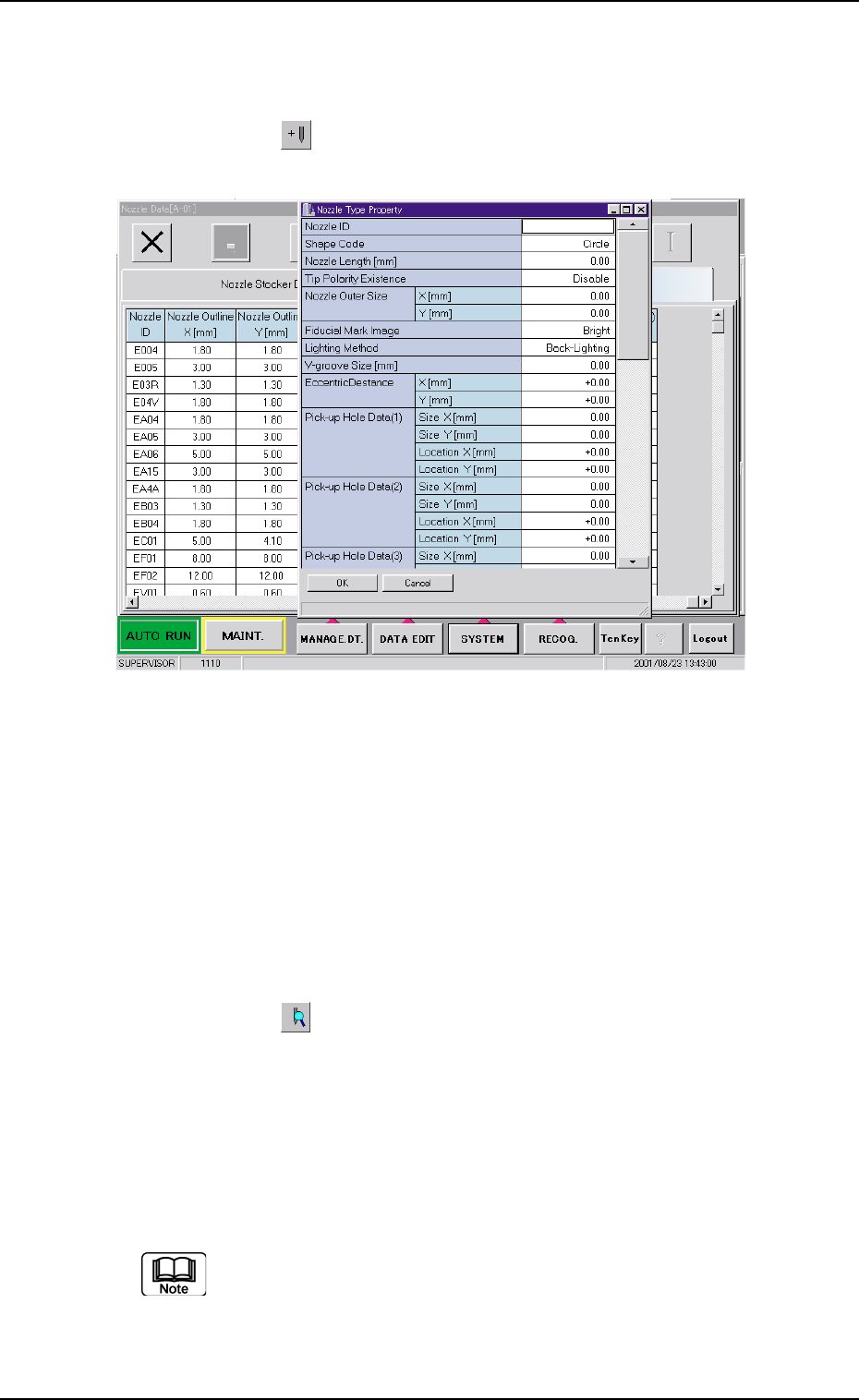
How to add a nozzle type newly
(1) Press the [ ] icon.
The "Nozzle Type Property" window opens.
Fig. 3E88
(2) Enter parameters (nozzle data) in the text boxes.
(3) Press the [OK] button.
The nozzle data is added as new one.
How to change a nozzle type
(1) Select the nozzle data to be changed.
(2) Press the [
] icon.
The "Nozzle Type Property" window opens.
(3) Change the data.
(4) Press the [OK] button.
The nozzle data is changed.
When the [Cancel] button is pressed in the "Nozzle Type Prop-
erty" window, the "Nozzle Type Property" window closes with-
out newly adding or modifying the data.
3.2 "Nozzle Data" Tab
0206-002 5-99 AHB01EDTP
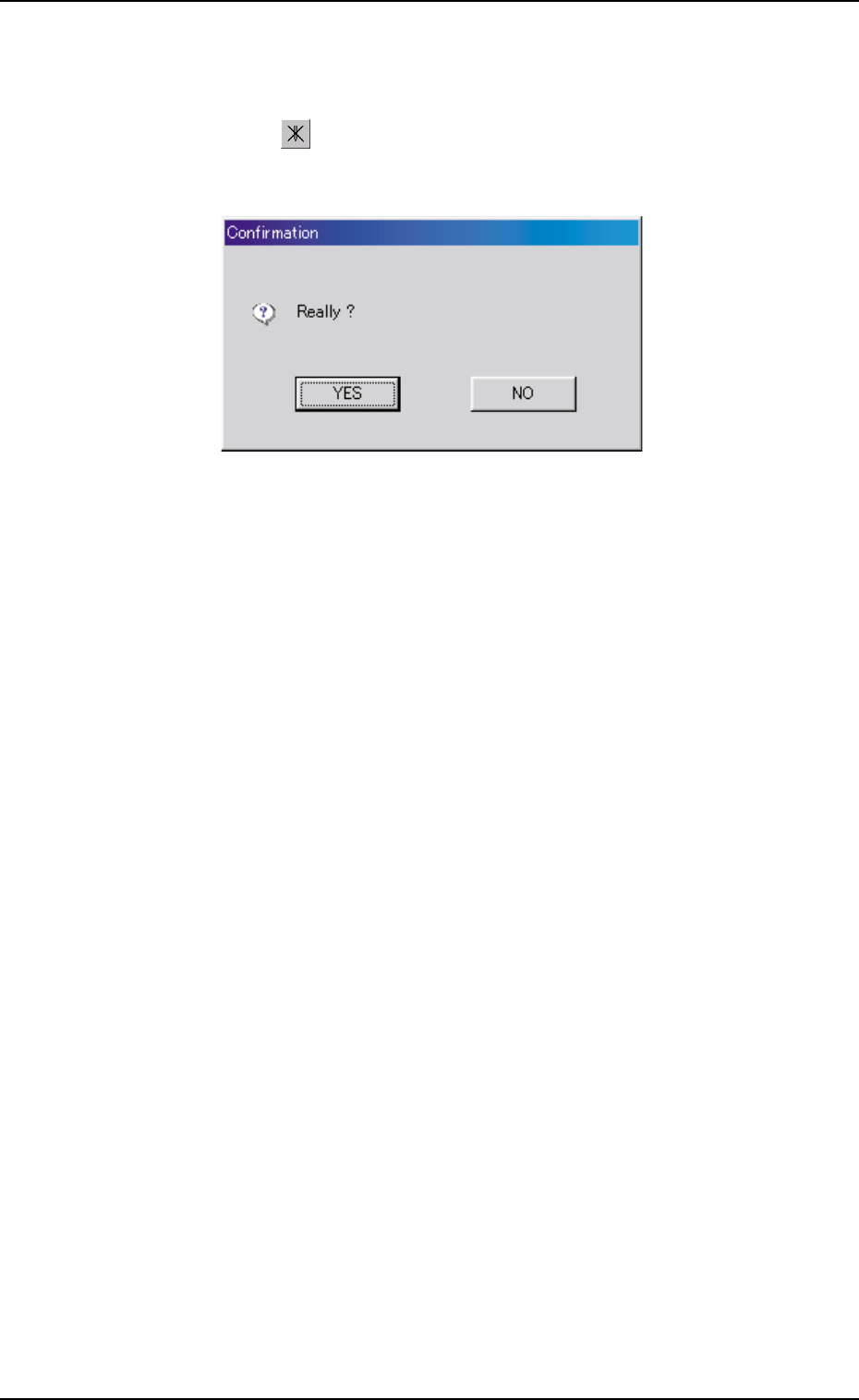
How to delete a nozzle type
(1) Select the nozzle data to be deleted.
(2) Press the [ ] icon.
The following "Confirmation" dialog box opens.
Fig. 3E89
(3) When the [YES] button is pressed, the selected nozzle data is de-
leted.
When the [NO] button is pressed, the deletion of the selected nozzle
data is canceled.
3.2 "Nozzle Data" Tab
0206-002 5-100 AHB01EDTP
4. "MACH SETUP" Window
••
••
• Window Layout
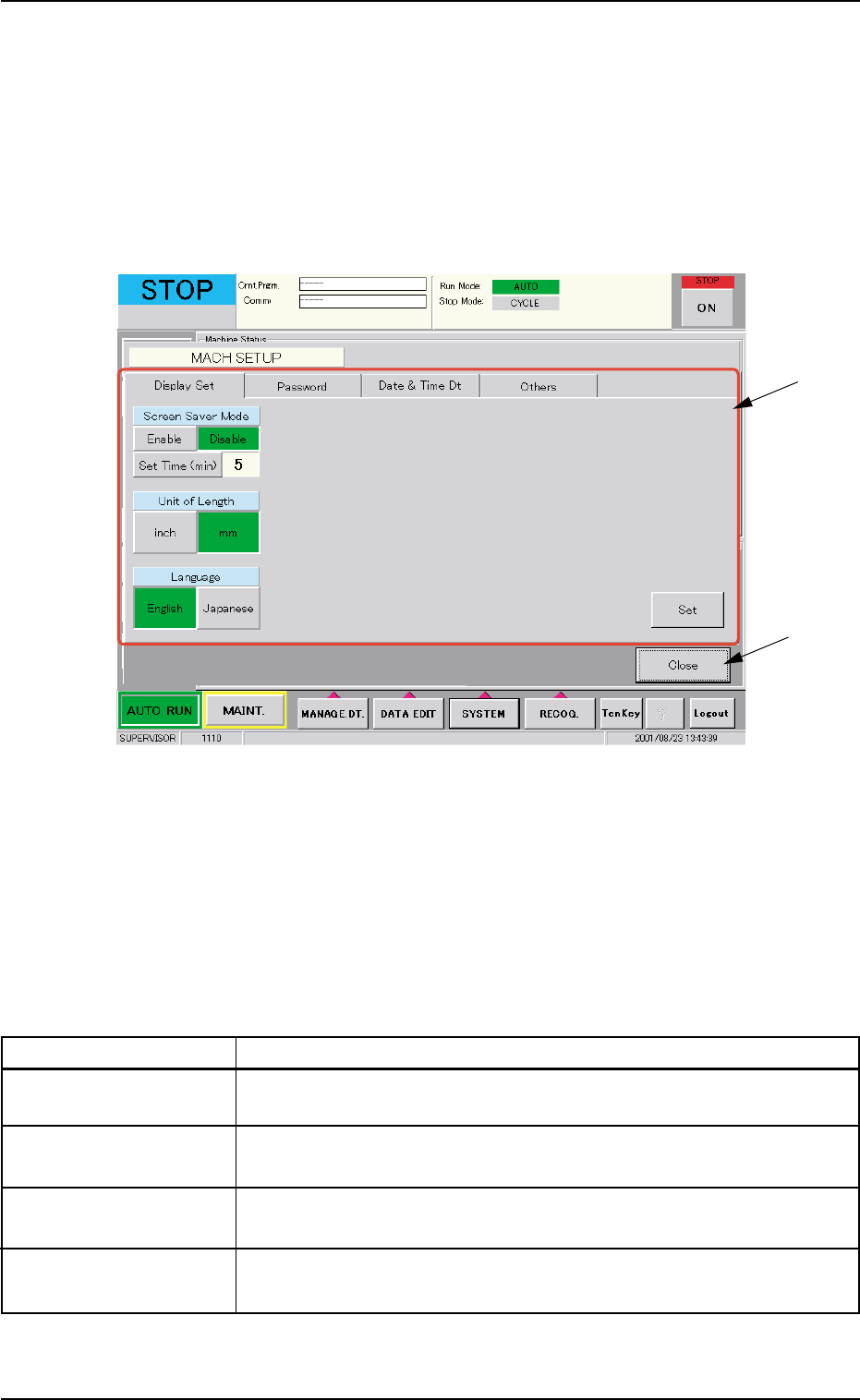
When the [SYSTEM] button on the main menu bar is pressed, the "SYS-
TEM SEL." menu opens. When the [MACH SETUP] button is selected,
the following window opens.
Fig. 3E90 "MACH SETUP" Window
••
••
• Window Composition
*1 Tabs and Tab Sheets
The "MACH SETUP" window is provided with the following 4 tab
sheets. When a tab is pressed, the corresponding tab sheet ap-
pears inside the window.
Table 3E14
Tabs Description
Display Set The corresponding tab sheet enables the operator to set the screen
saver function and specify the unit of length and a language.
Password The corresponding tab sheet enables the operator to set a password
and the scope of authority according to the given authority.
Date & Time Dt The corresponding tab sheet enables the operator to set the system
clock (year, month, day, hours, minutes, and seconds) of the machine.
Others The corresponding tab sheet enables the operator to connect the com-
puter system of the machine to the local network.
*2 [Close] Button
When this button is pressed, the "MACH SETUP" window closes.
4. "MACH SETUP" Window
*1
*2