3OM-1075-002.pdf - 第123页
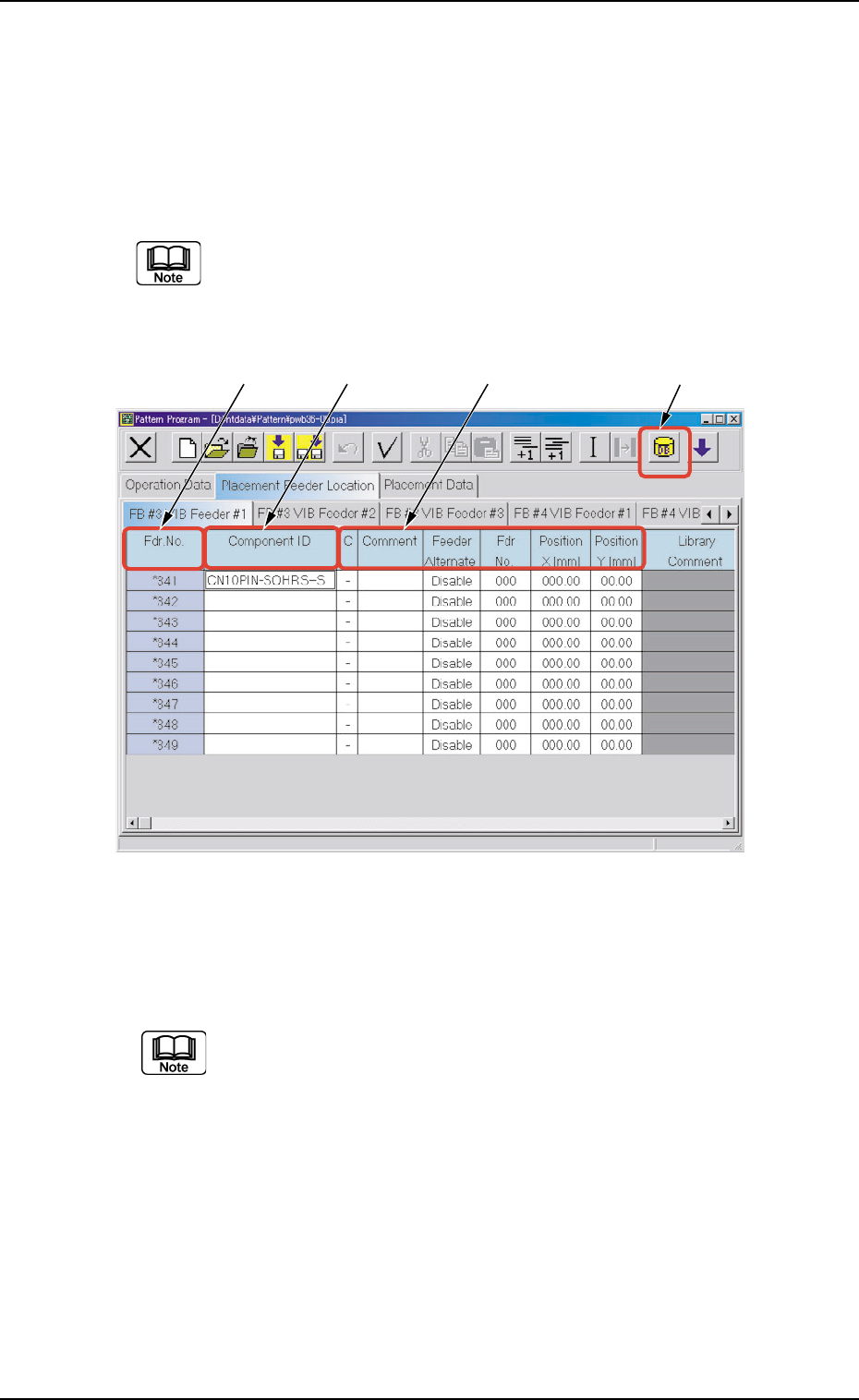
*2 Fdr . No. Shown under this title are the feeder Nos. Refer to "4.3.1 "Feeder Base #1", "Feeder Base #3", and "Feeder Base #4" T abs" for operations such as addition, deletion, e…
4.3.3 "Vibratory Feeder" Tabs
The vibratory stick feeders can be allocated to Feeder Bases #3 and #4.
• Sheet Layout
When the "FB #3 VIB Feeder #1" tab is pressed in the "Placement
Feeder Location" tab sheet, the following tab sheet appears.
Follow the same procedure to make visible the "FB #3 VIB
Feeder #2", "FB #3 VIB Feeder #3", "FB #4 VIB Feeder #1", "FB
#4 VIB Feeder #2", and "FB #4 VIB Feeder #3" tab sheets.
Fig. 3B169 "FB #3 VIB Feeder #1" Tab Sheet
• Sheet Composition
Each parameter is displayed or can be entered.
Refer to "4.1.3 Basic Usage of Text Boxes" for the detailed in-
formation on how to enter parameters.
*1 "Component ID List" Icon
When this icon is pressed, the "Component ID List" window opens.
This window enables you to select a component ID from the com-
ponent library and allocate it to an arbitrary feeder (Fdr. No.).
Refer to "4.3.2 "Component ID List" Window" for details.
4.3 "Placement Feeder Location" Tab
0308-002 2-103 AHB01EDTP
*1
*2
*3 *4
*2 Fdr. No.
Shown under this title are the feeder Nos.
Refer to "4.3.1 "Feeder Base #1", "Feeder Base #3", and
"Feeder Base #4" Tabs" for operations such as addition,
deletion, etc., of the feeder Nos. (Fdr. No.).
*3 Component ID
Displayed are the currently allocated component IDs.
Refer to "4.3.2 "Component ID List" Window" for how to
enter or delete a component ID.
*4 C, Comment, Feeder Alternate, Fdr No.,
Position X [mm], Position Y [mm]
Fig. 3B170 "FB #3 VIB Feeder #1" Tab Sheet
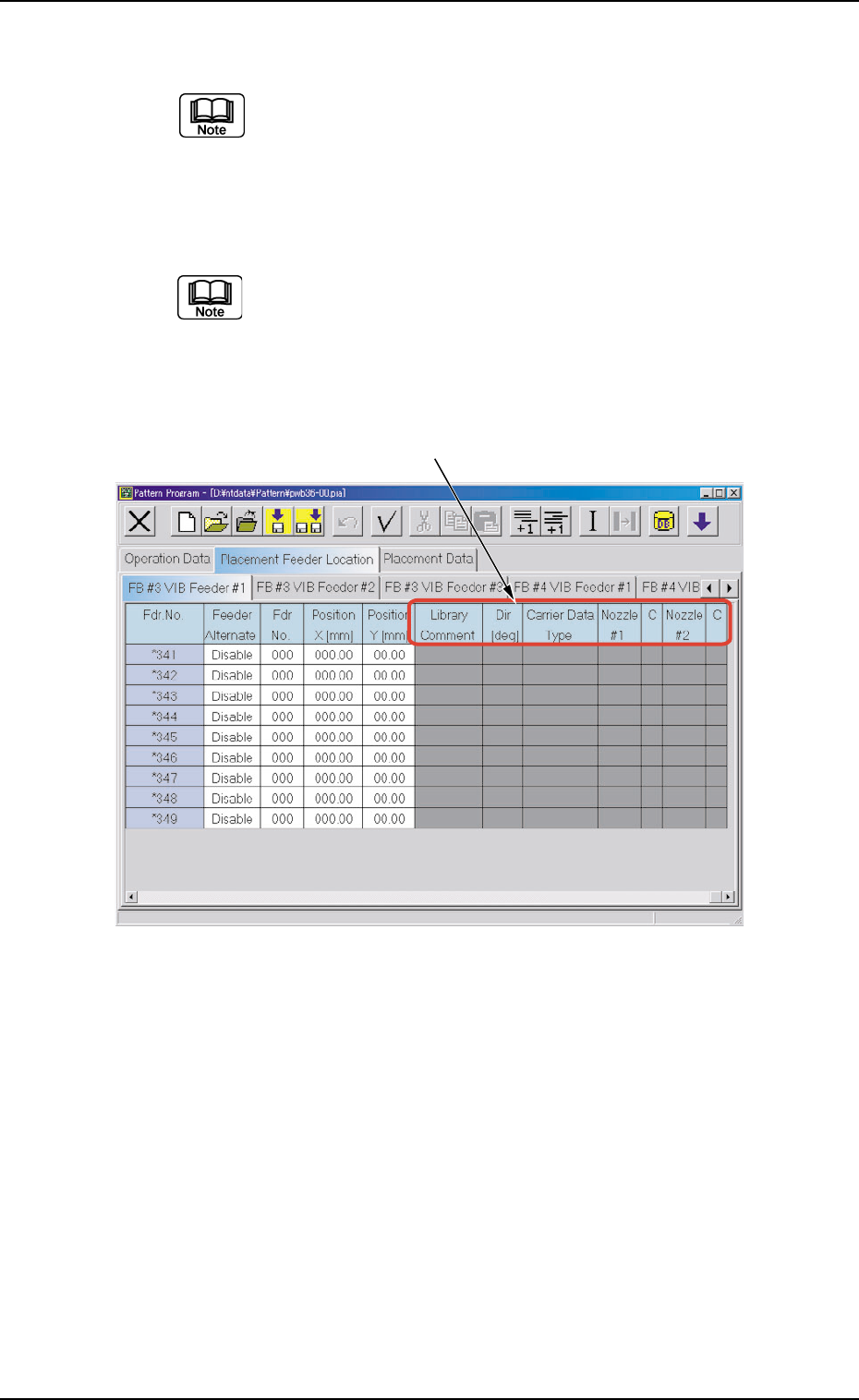
*5 Library Comment, Dir [deg], Carrier Data Type, Nozzle #1, C,
Nozzle #2, and C
Displayed are the parameters specified in the component library.
*5
4.3 "Placement Feeder Location" Tab
0308-002 2-104 AHB01EDTP
0308-002 2-105 AHB01EDTP
4.3 "Placement Feeder Location" Tab
• Operation Procedure
(1) Select the tab corresponding to the feeder base where the vibratory
stick feeders should be allocated.
The vibratory stick feeders can be allocated to Feeder Base #3 or
#4.
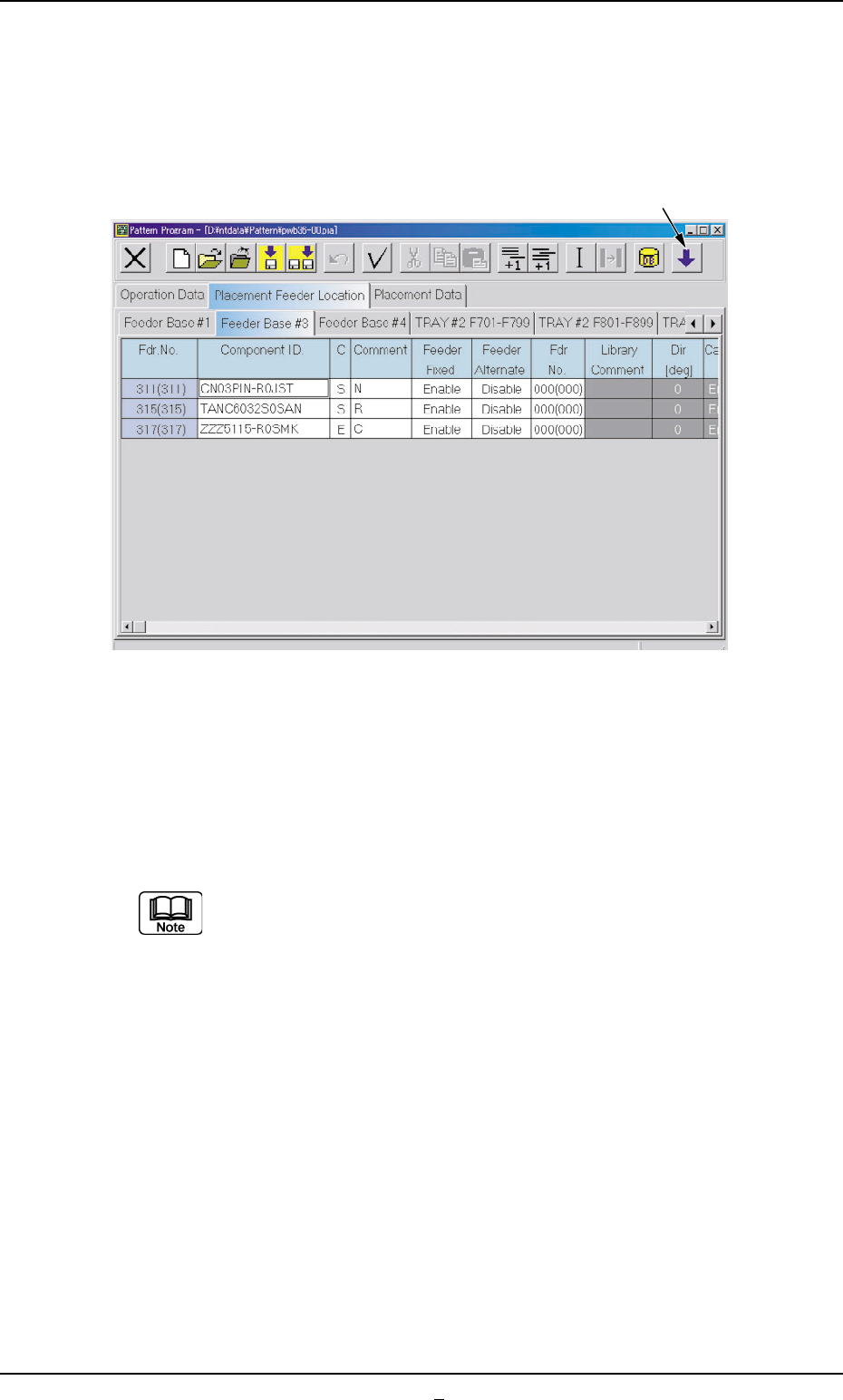
Fig. 3B171
(2) Press the [Open 2nd. Toolbar] icon.
(3) Select the feeder No. (Fdr. No.) where the vibratory stick unit should
be allocated and press the [VIB. STK. UNIT] icon.
"<VIB.STK.UNIT>" appears in the "Component ID." text box of the
reference feeder No. (Fdr. No.).
(a) In the case of a feeder No. (Fdr. No.) where no vibratory
stick unit can be allocated, "The number of feeders has
reached the maximum counts." appears in the corre-
sponding text box.
(b) Up to 3 vibratory feeders can be installed on one feeder
base.
[Open 2nd. Toolbar] Icon