3OM-1075-002.pdf - 第319页
2.3.2 "Alarm Setup" T ab When "Optl Snd" is selected in a "Buzzer" text box of the "Light T ower Setup" tab sheet, a pattern of the buzzer sounds must be specified. • • • • • Sheet…
2.3 "Configuration Setup" Tab
2.3.1 "Light Tower Setup" Tab
The corresponding tab sheet enables the operator to allocate the lamp
colors for the light tower and the buzzer sounds.
••
••
• Sheet Layout
When the "Light Tower Setup" tab is pressed in the "Configuration Setup"
tab sheet, the following tab sheet appears.
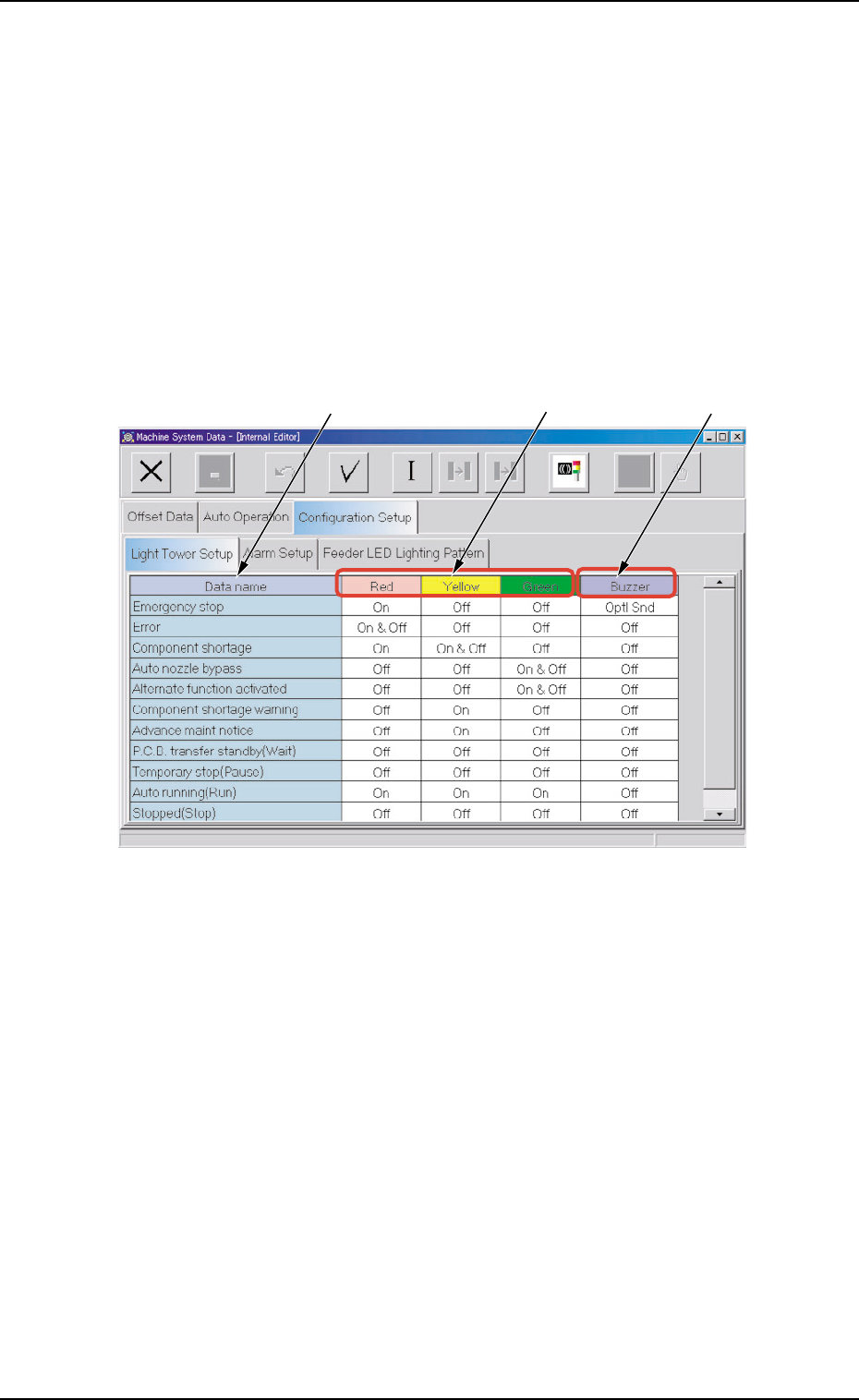
Fig. 3E76 "Light Tower Setup" Tab Sheet
••
••
• Sheet Composition
*1 Data name
Displayed are the items for which the colors (red, yellow, and
green) of the tower lights and the types of alarm sounds should
be specified.
*2 Red, Yellow, Green
Set "On", "On & Off", or "Off" in each text box to specify the tower
lights (red, yellow, and green).
*3 Buzzer
Set "Off", "Intmt Snd", "Cont Snd", or "Optl Snd" in each text box
to specify the types of alarm sounds.
The desired sound patterns can be made, using the "Alarm Setup"
tab sheet.
*1
*2
*3
0308-003 5-86 AHB01EDTP
2.3 "Configuration Setup" Tab
2.3.2 "Alarm Setup" Tab
When "Optl Snd" is selected in a "Buzzer" text box of the "Light Tower
Setup" tab sheet, a pattern of the buzzer sounds must be specified.
••
••
• Sheet Layout
When the "Alarm Setup" tab sheet is pressed in the "Configuration Setup"
tab sheet, the following tab sheet appears.
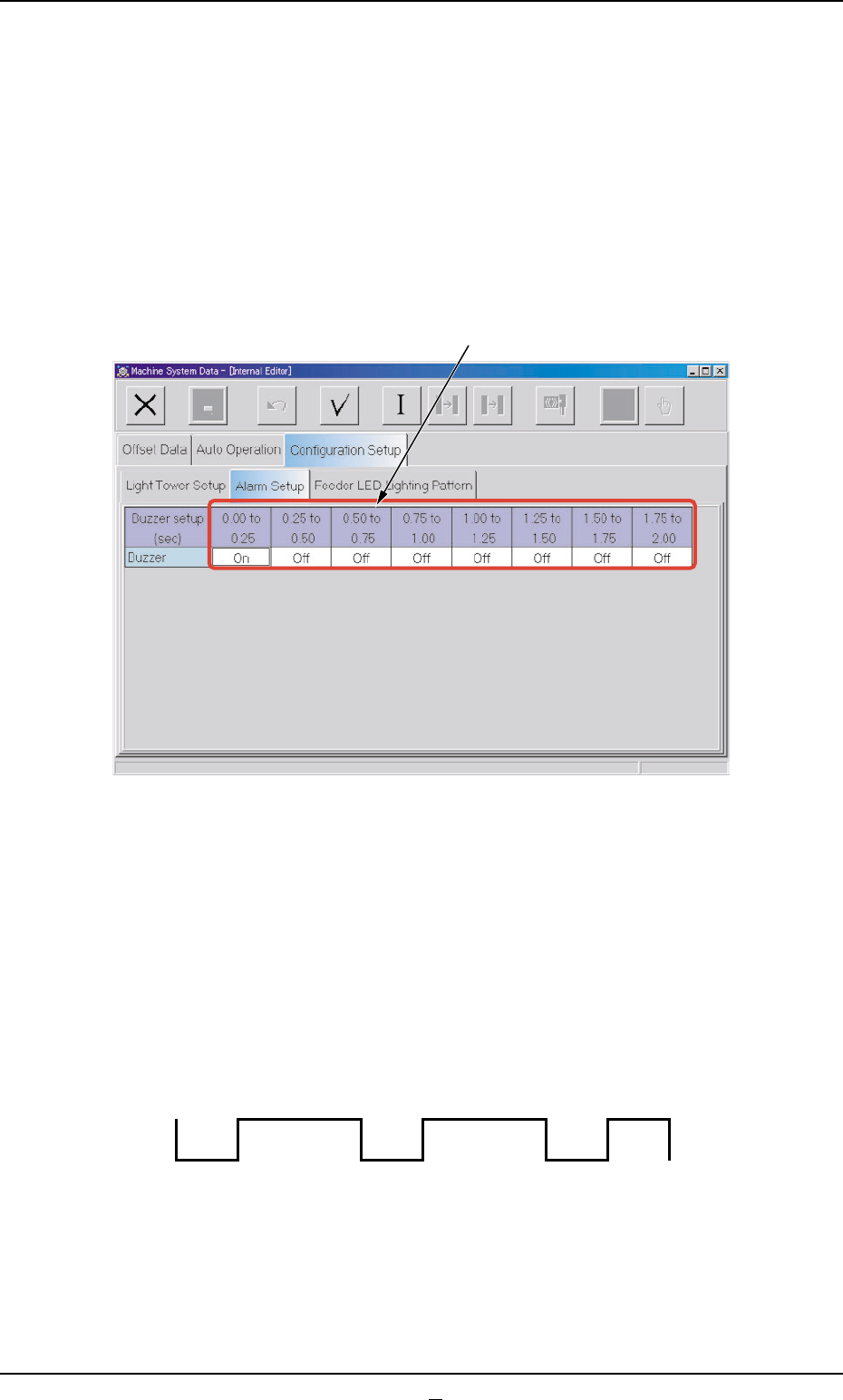
Fig. 3E77 "Alarm Setup" Tab Sheet
••
••
• Sheet Composition
*1 Time Items
An optional alarm sounds in a cycle of 2 seconds. The 2 sec-
onds is divided into 8 intervals and each interval is assigned as
"ON" or "OFF" to make a sound of your own.
Fig. 3E77-1 Example of Buzzer Sound Setting
0308-003 5-87 AHB01EDTP
2.3 "Configuration Setup" Tab
*1
OFF OFF
ON ON ON ON ON
OFF
2.3 "Configuration Setup" Tab
2.3.3 "Feeder LED Lighting Pattern" Tab
The corresponding tab sheet enables the operator to specify a lighting
pattern of the status indicator (green LED) for the tape feeders.
••
••
• Sheet Layout
When the "Feeder LED Lighting Pattern" tab is pressed in the "Configu-
ration Setup" tab sheet, the following tab sheet appears.
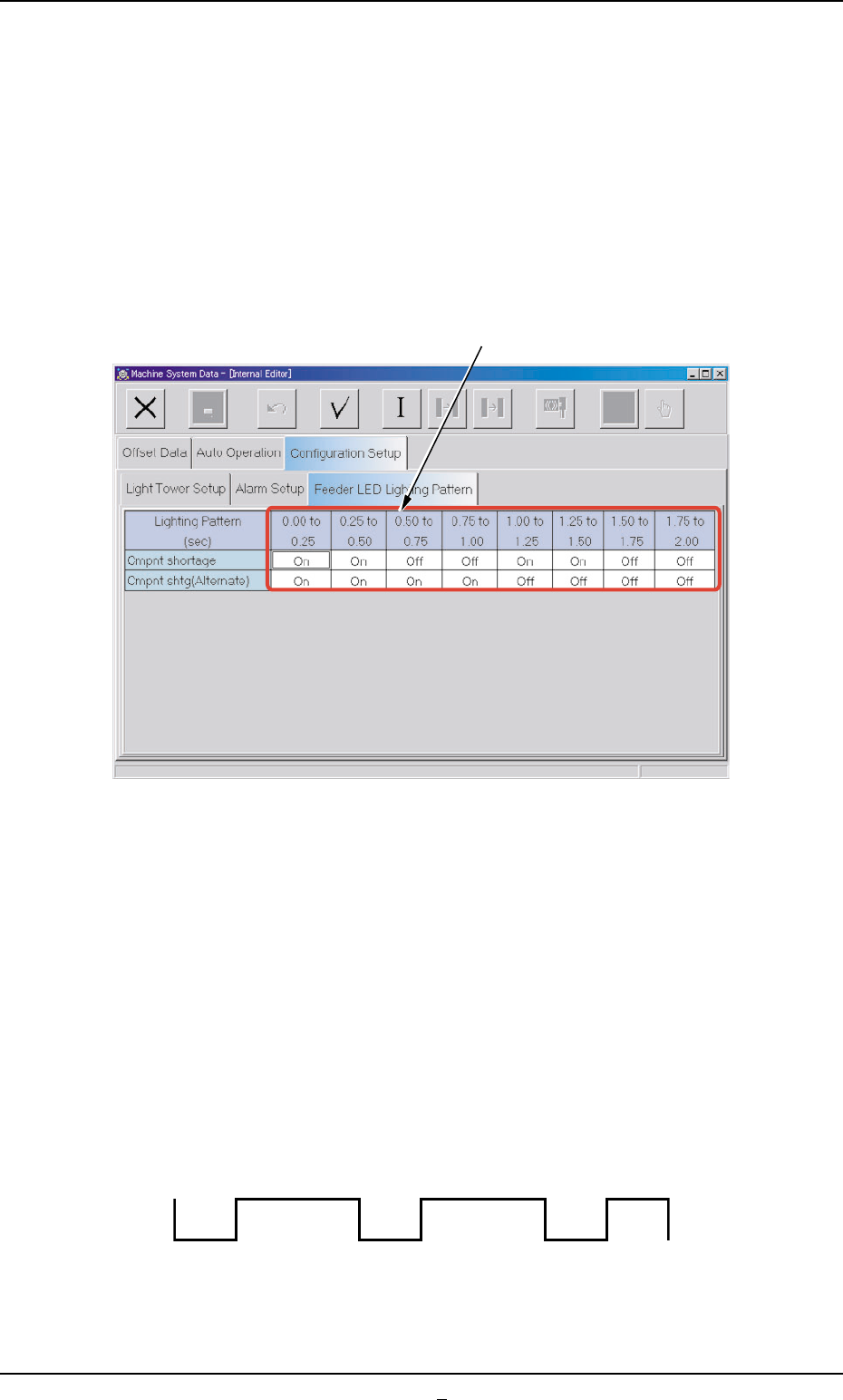
Fig. 3E77-2 "Feeder LED Lighting Pattern" Tab Sheet
••
••
• Sheet Composition
*1 Time Items
The synchronizing two seconds are divided into eight segments and
"ON" or "OFF" can be allocated to each segment to create an op-
tional lighting pattern.
Optional lighting patterns can be specified for both cases - the pat-
tern at a normal shortage of components and the pattern at a short-
age of components in the alternate feeder mode.
Fig. 3E77-3 Example of Lighting Pattern Setting
*1
0308-001 5-87-1 AHB01EDTP
OFF OFF
ON ON ON ON ON
OFF