3OM-1075-002.pdf - 第36页
(a) When components are not placed previously , set "00.00" (zero) in the text box. (b) Lower and Upper Pass Lines Fig. 3B21 Lower Pass Line: This line is the lowest line for the X/Y beam movement when the thic…
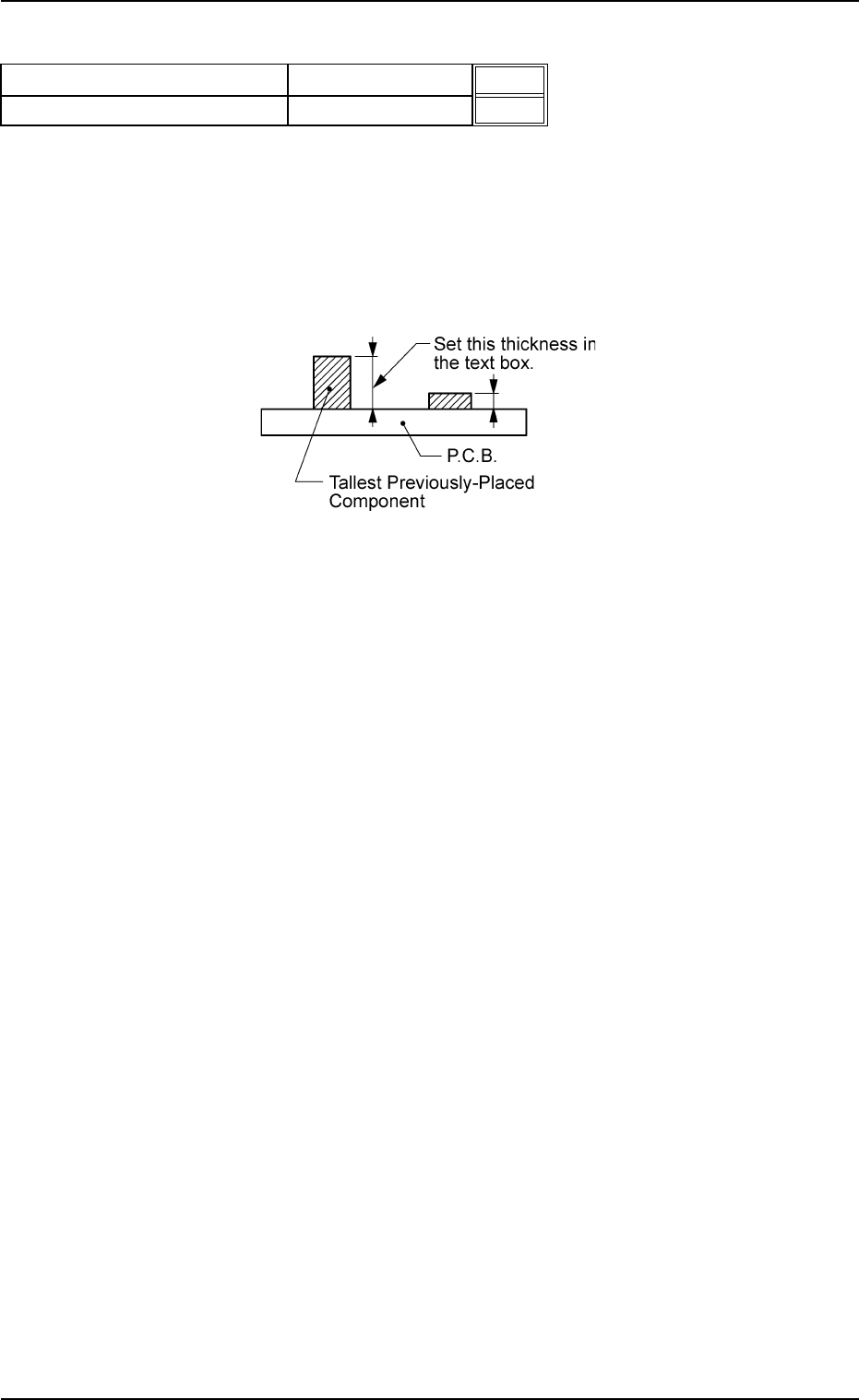
(A01_05) Pre-Placed component thickness
P.C.B. top [mm]
When some components are placed previously on a P.C.B.
by the input machine, etc., and transferred to the main ma-
chine, be sure to enter the thickness of the tallest compo-
nent of all in the text box.
Unit: mm
Fig. 3B20
Data Input Range: 0 to 20.00
Pre-Placed component thickness
Fig. 3B19
20.00
30.00
0206-002 2-16 AHB01EDTP
2.3 Operation Data
P.C.B. top [mm]
P.C.B. bottom [mm]
(a) When components are not placed previously, set "00.00"
(zero) in the text box.
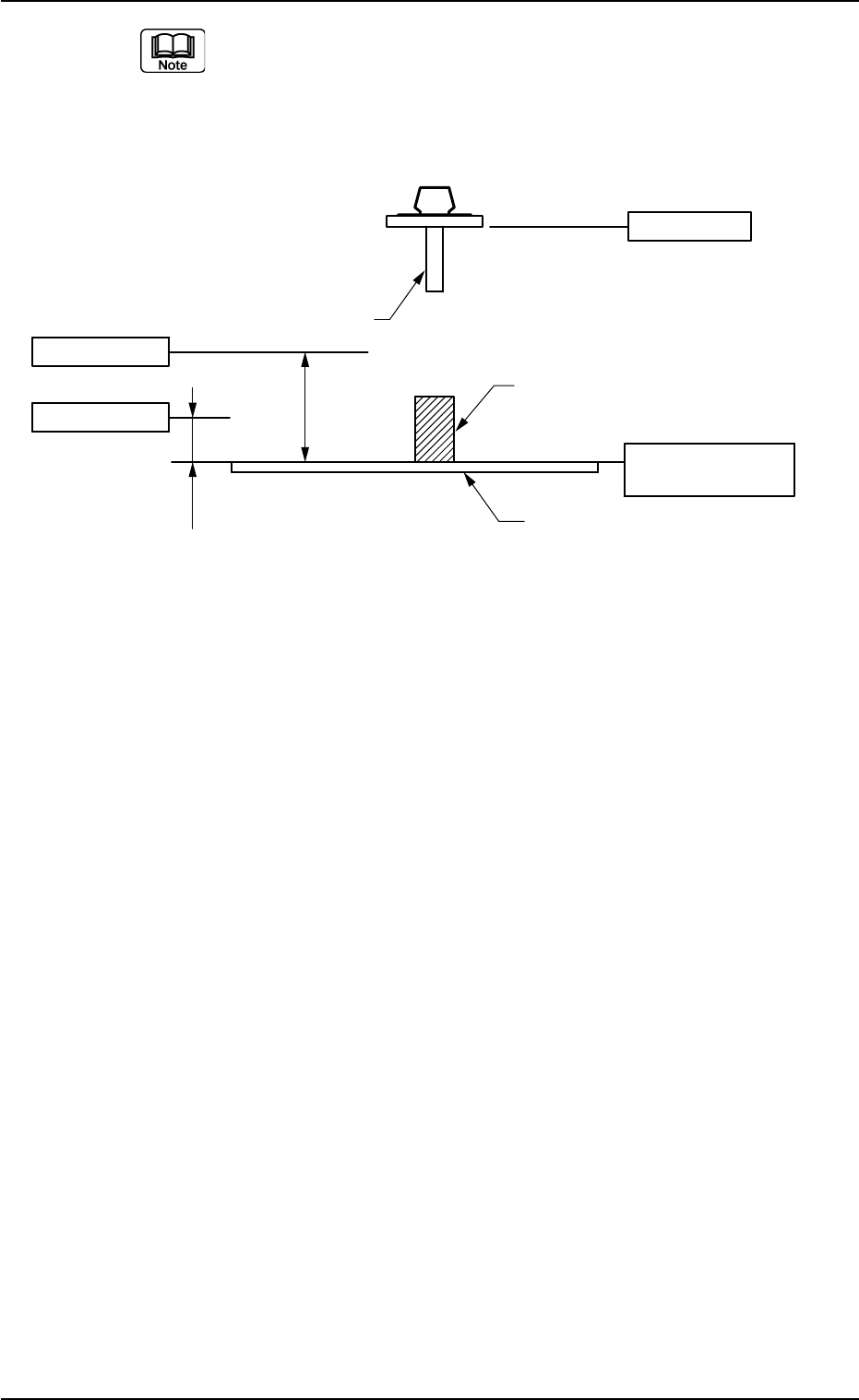
(b) Lower and Upper Pass Lines
Fig. 3B21
Lower Pass Line:
This line is the lowest line for the X/Y beam movement
when the thickness of a previously-placed component (al-
ready-placed component) is 6.5 mm or less.
When this level is not maintained, a physical interference
with a structure occurs.
This level is also regarded as a focus level for compo-
nent recognition.
As no height regulation is made for the previously-placed
components (already-placed components) during the X/
Y beam movement (component picks, component rec-
ognition, component discharge operation, etc.) outside
the P.C.B. area (outside the area where a P.C.B. is lo-
cated for component placement), the X/Y beam moves,
keeping the lower ends of the nozzles (without picked
components) and the lowest ends of the picked compo-
nents in this level.
0206-002 2-17
AHB01EDTP
2.3 Operation Data
8.5mm
(Design Dimension)
22mm
(Design
Dimension)
L-Axis Origin
Nozzle
Upper Pass Line
Lower Pass Line
P. C. B .
P.C.B. Upper Surface
Reference
Previously-Placed Component
(including the already-placed component)
Upper Pass Line:
This line is the lowest level for the X/Y beam movement
when the thickness of a previously-placed component
(already-placed component) is more than 6.5 mm. (Only
in the P.C.B. area)
The maximum thickness of the placed component is man-
aged on the machine side to automatically change the
component transfer level every time a component is
placed, avoiding any interference between the picked and
placed components.
(c) When components are placed previously and the main ma-
chine is operated with "0.00" (zero) in this text box, some
of the previously-placed components may interfere with
components to be placed newly.
(d) It is advisable that placement data should be created such
that shorter components are placed before the tallest one.
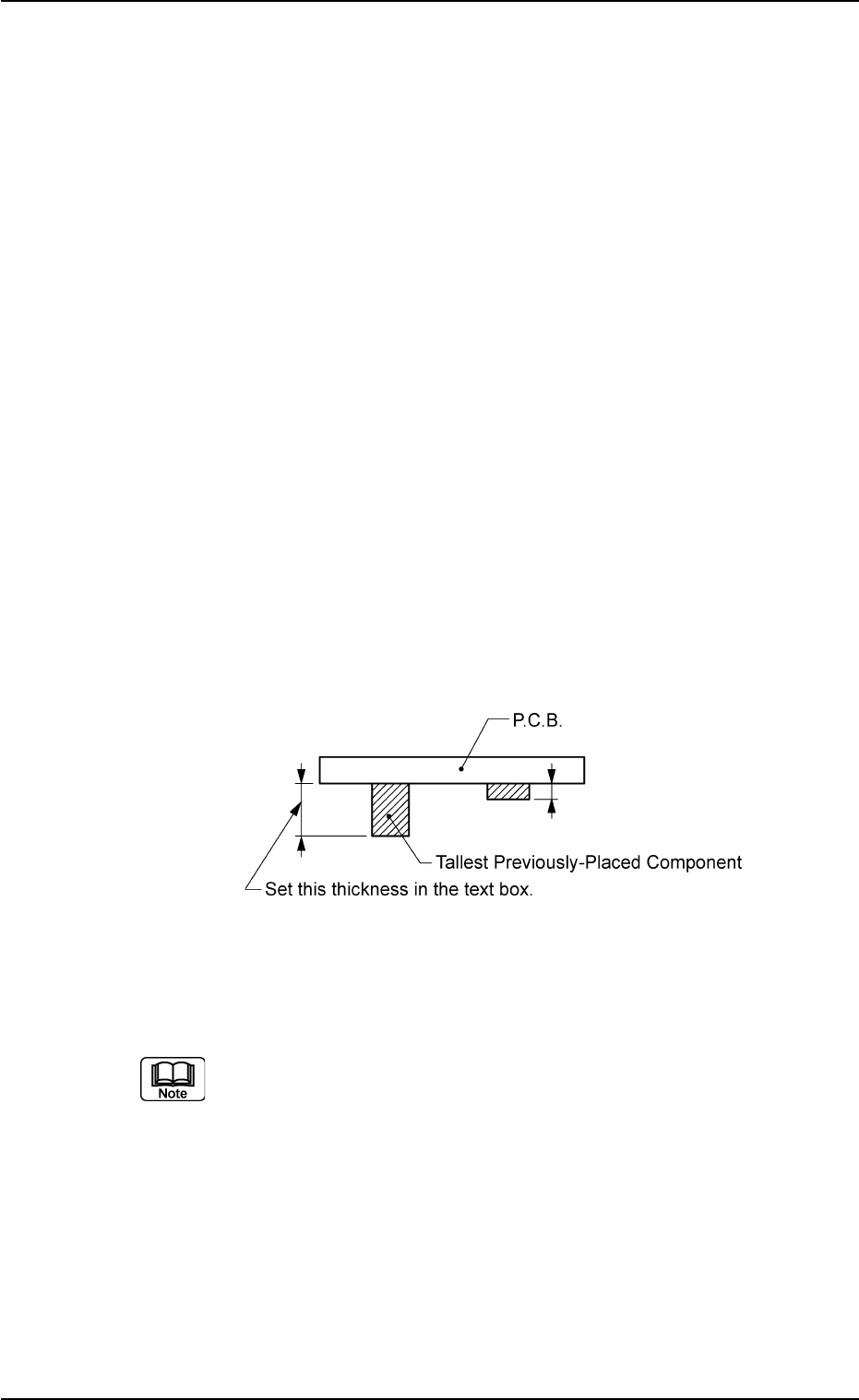
P.C.B. bottom [mm]
When P.C.B.’s with some components already mounted on
the lower surfaces (back) by the input machine are trans-
ferred to this machine, be sure to enter the thickness of the
highest component in the text box.
Unit: mm
Fig. 3B22
Data Input Range: 0 to 30.00
(a) The set parameter is used to determine the position (el-
evation) of the first backup table when the P.C.B. is trans-
ferred to the P.C.B. positioning section.
(b) When P.C.B.’s have previously-placed components and
"0" (no previously-placed components) is set in the text
box, the support pins may interfere with the previously-
placed components while the P.C.B. is being transferred
to the P.C.B. positioning section.
0206-003 2-18 AHB01EDTP
2.3 Operation Data