3OM-1075-002.pdf - 第212页
T able 3D5 T abs Description Pattern Program Displayed are "Pattern Program Start Date & T ime" and "Pattern Product History Program End Date & T ime". Machine Performance Listed is the machin…
4. "Pattern Program Management Data" Window
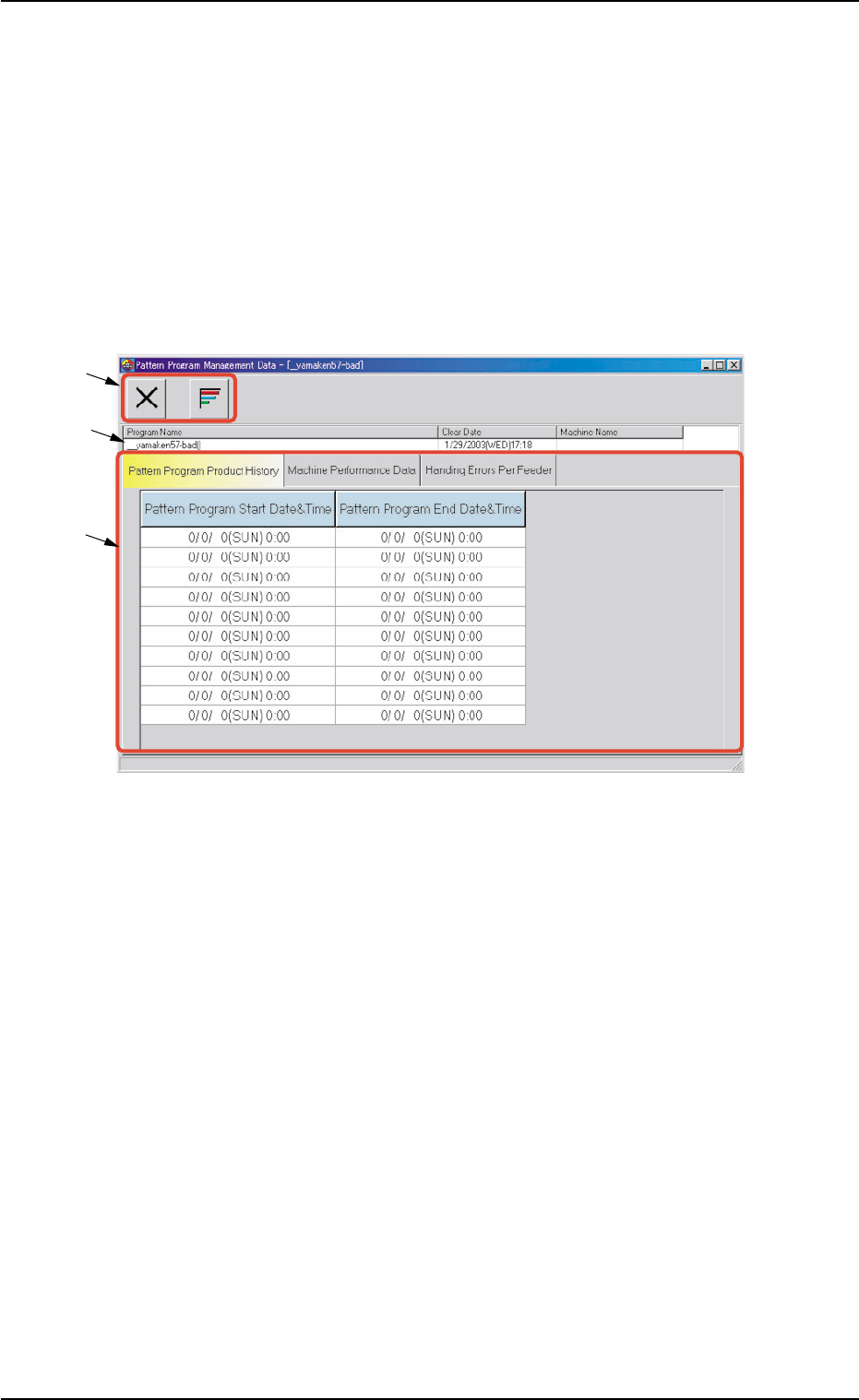
This window enables the operator to check the management data of
the models that correspond to each individual pattern programs.
• Window Layout
When the [Open] button is pressed after the desired model (program
name) is selected in the "Patt. Prgm Manage. Dt." tab sheet ("Man-
agement Data" window), the "Pattern Program Management Data"
window for the selected model opens.
Fig. 3D16 "Pattern Program Management Data" Window
• Window Composition
*1 Toolbar
The following icons are arranged.
[Close] Icon
When this is pressed, the "Pattern Program Management Data"
window closes.
[Chart] Button
When pressed, this button shows a chart.
*2 Program Name
Displayed are the pattern program name (comment), the clear date,
and the machine name related to the pattern program management
data.
*3 Tabs and Tab Sheets
The "Pattern Program Management Data" window is provided with
the following three tab sheets. When a tab is pressed, the corre-
sponding tab sheet appears inside the window.
0308-002 4-28
AHB01EDTP
4. "Pattern Program Management Data" Window
*1
*2
*3
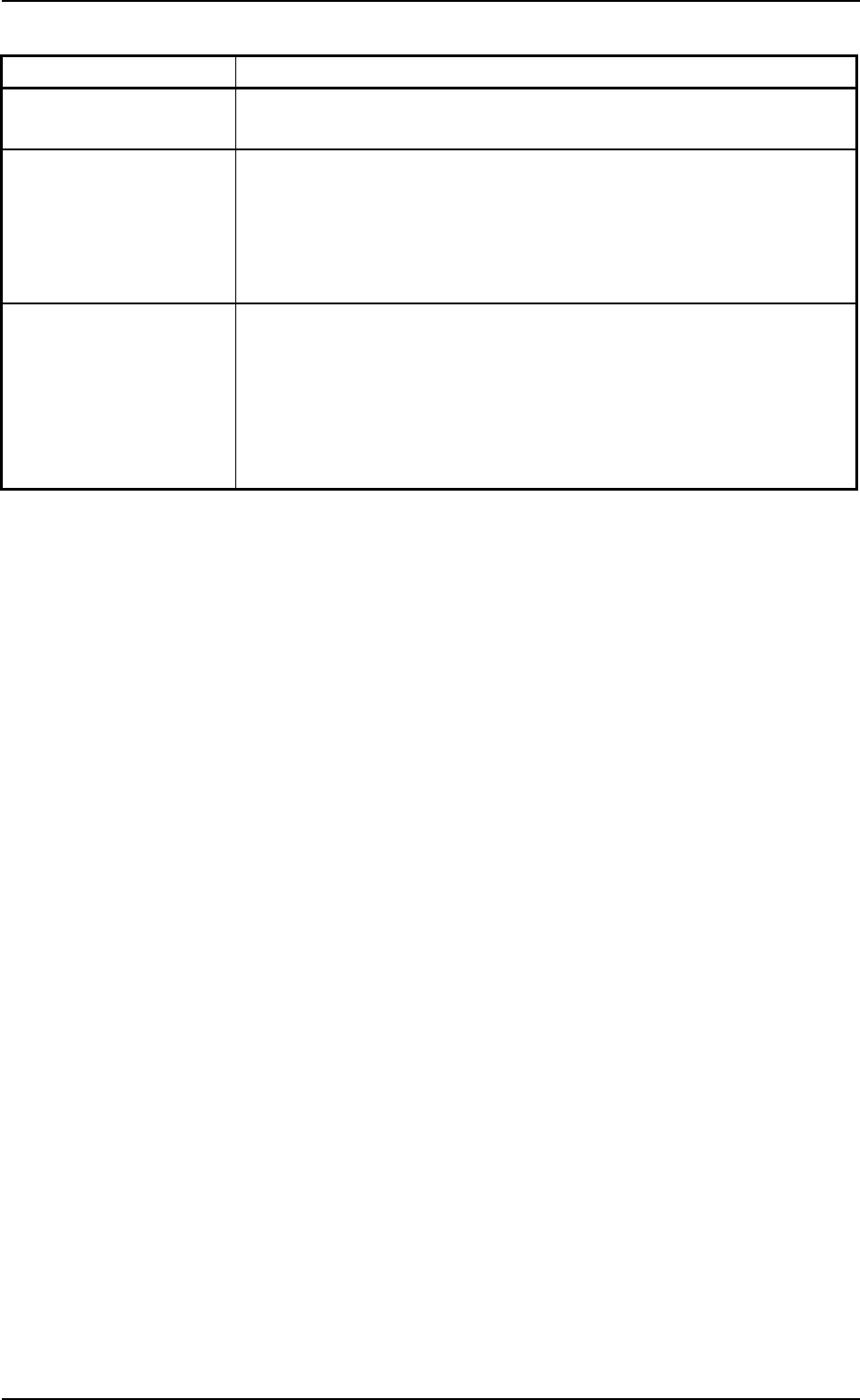
Table 3D5
Tabs Description
Pattern Program Displayed are "Pattern Program Start Date & Time" and "Pattern
Product History Program End Date & Time".
Machine Performance Listed is the machine performance data such as "P.C.B. counter",
Data "Product P.C.B.", "Passed P.C.B.", "Product P.C.B. (B.B.R.) (option)",
"Total components", "Total handling errors", "Rate of handling errors
(%)", "Power on time", "Maintenance time", "Test mode time", "Total
handling errors/Total components", etc.
Handling Errors Per This tab sheet is provided with the four tabs - "Feeder Base #1",
Feeder "Feeder Base #3", "Feeder Base #4", and "Tray #2". Each tab sheet
displays a list of "Total Components", "Number of Errors (classified
by error types)", "Total Errors", "Rate of Error (%)", and "Shortage of
Cmpnt", "Component ID.", "Type", and "Width (mm)" for each feeder
No. (actual feeder No.).
0206-002 4-29 AHB01EDTP
4. "Pattern Program Management Data" Window
4.1 "Pattern Program Product History" Tab
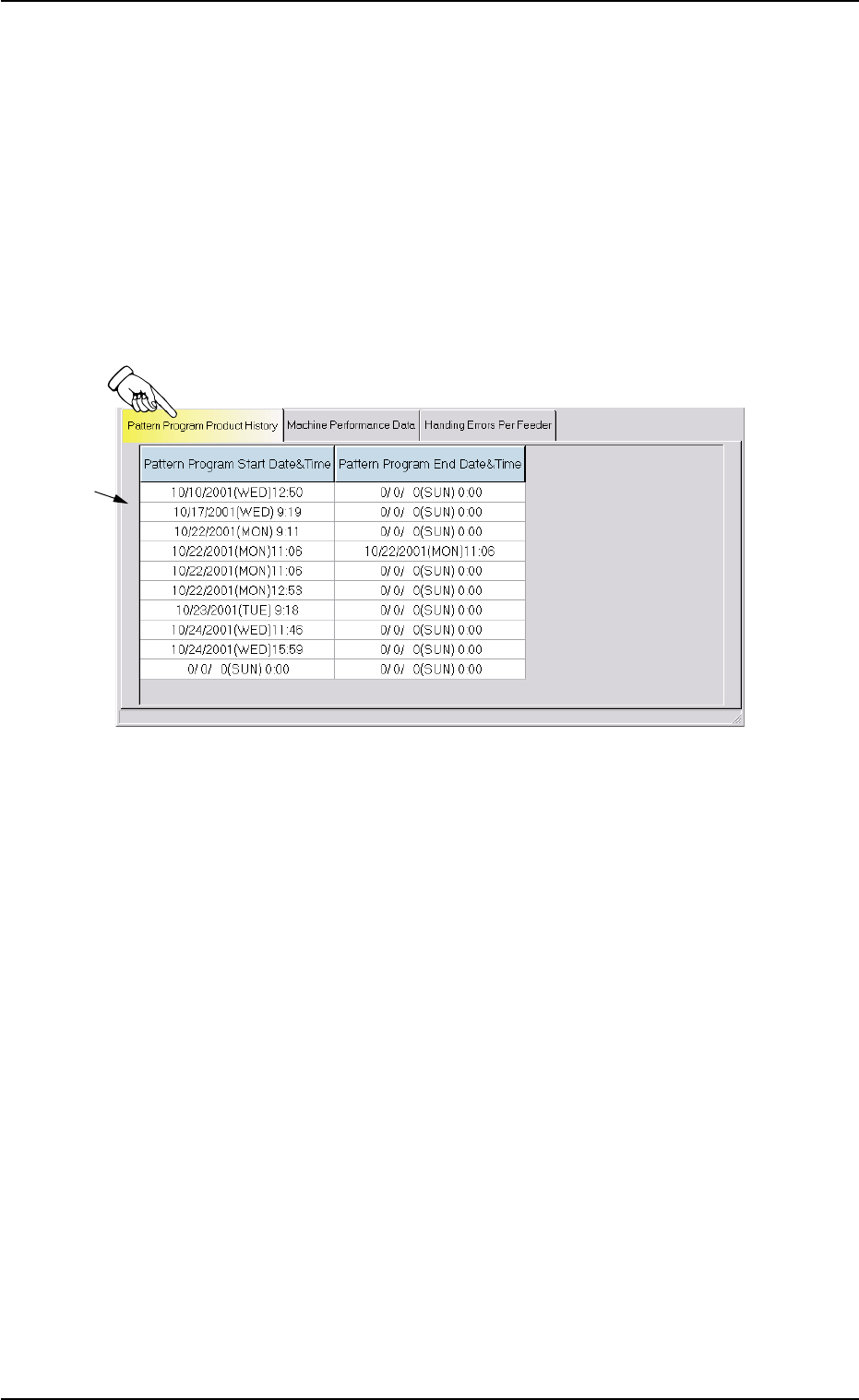
The corresponding tab sheet enables the operator to check the pattern
program start and end date & time records (logs).
• Sheet Layout
When the "Pattern Program Product History" tab is pressed in the "Pat-
tern Program Management Data" window, the following tab sheet ap-
pears inside the window.
Fig. 3D17 "Pattern Program Product History" Tab Sheet
• Sheet Composition
*1 List of Pattern Program Logs
Up to 10 records (logs that show the number of times specified as
current pattern program) are displayed for each individual pattern
programs.
The start and end date & time records (logs) are also displayed for
the selected pattern program.
When there are more than 10 logs, the older ones are deleted one
by one.
01 12-001 4-30
AHB01EDTP
4.1 "Pattern Program Product History" Tab
*1