3OM-1075-002.pdf - 第112页
4.2.2 "P .E.C. Recognition Data" T ab • Sheet Layout When the "P .E.C. Recognition Data" tab is pressed in the "Operation Data" tab sheet, the following tab sheet appears. Fig. 3B159 "P…
4.2 "Operation Data" Tab
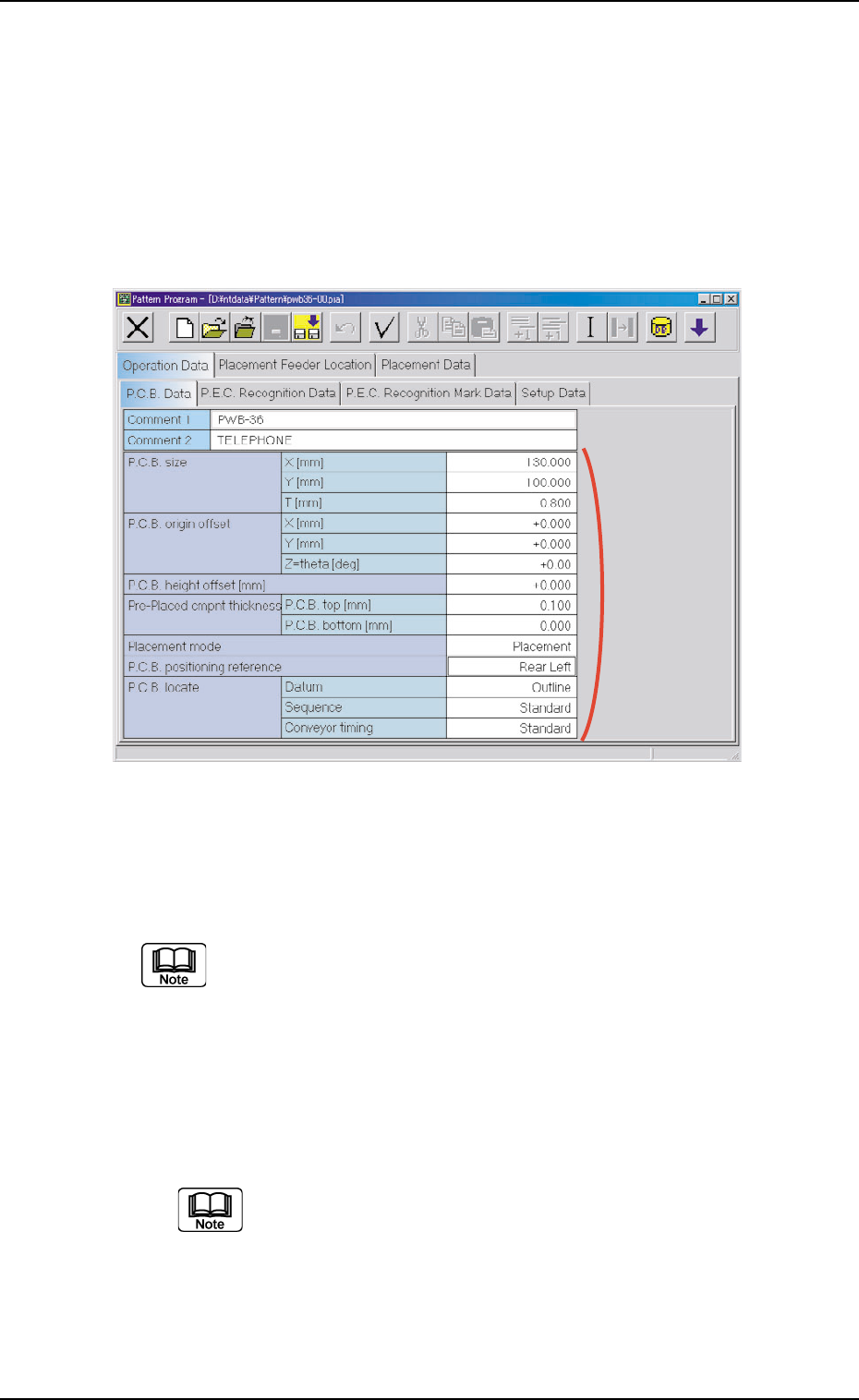
4.2.1 "P.C.B. Data" Tab
• Sheet Layout
When the "P.C.B. Data" tab is pressed in the "Operation Data" tab
sheet, the following tab sheet appears.
Fig. 3B158 "P.C.B. Data" Tab Sheet
• Sheet Composition
Each parameter is displayed or can be entered.
Refer to "4.1.3 Basic Usage of Text Boxes" for the detailed infor-
mation on how to enter parameters.
*1 Comment 1, Comment 2, P.C.B. size, P.C.B. origin offset, P.C.B.
height offset [mm], Pre-Placed cmpnt thickness, Placement
mode, P.C.B. positioning reference, P.C.B. locate
Enter comments in the "Comment 1" and "Comment 2"
text boxes through keyboard navigation.
All characters can be used.
0308-002 2-92
AHB01EDTP
4.2 "Operation Data" Tab
*1
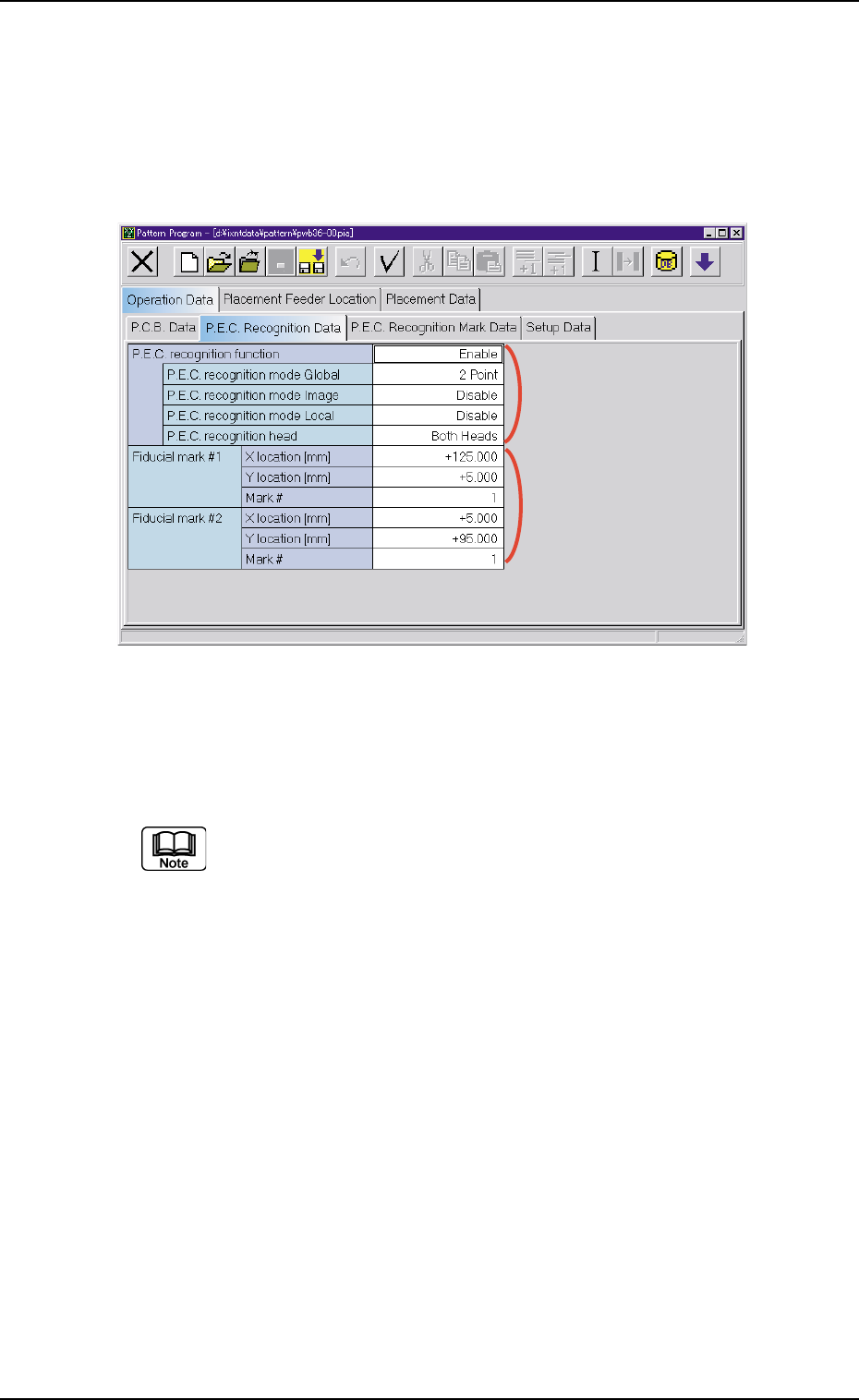
4.2.2 "P.E.C. Recognition Data" Tab
• Sheet Layout
When the "P.E.C. Recognition Data" tab is pressed in the "Operation
Data" tab sheet, the following tab sheet appears.
Fig. 3B159 "P.E.C. Recognition Data" Tab Sheet
• Sheet Composition
Each parameter is displayed or can be entered.
Refer to "4.1.3 Basic Usage of Text Boxes" for the detailed in-
formation on how to enter parameters.
*1 P.E.C. recognition function
P.E.C. recognition mode Global, P.E.C. recognition mode Im-
age, P.E.C. recognition mode Local, P.E.C. recognition head
When "Enable" is selected for "P.E.C. recognition function, it is
required to enter parameters in these text boxes.
*2 P.E.C. recognition mode Global
It is required to enter parameters in the "X location [mm]", "Y loca-
tion [mm]", and "Mark code" text boxes that appear according to the
number of fiducial marks selected in the "P.E.C. recognition mode
global" text box.
0206-001 2-93
AHB01EDTP
4.2 "Operation Data" Tab
*1
*2
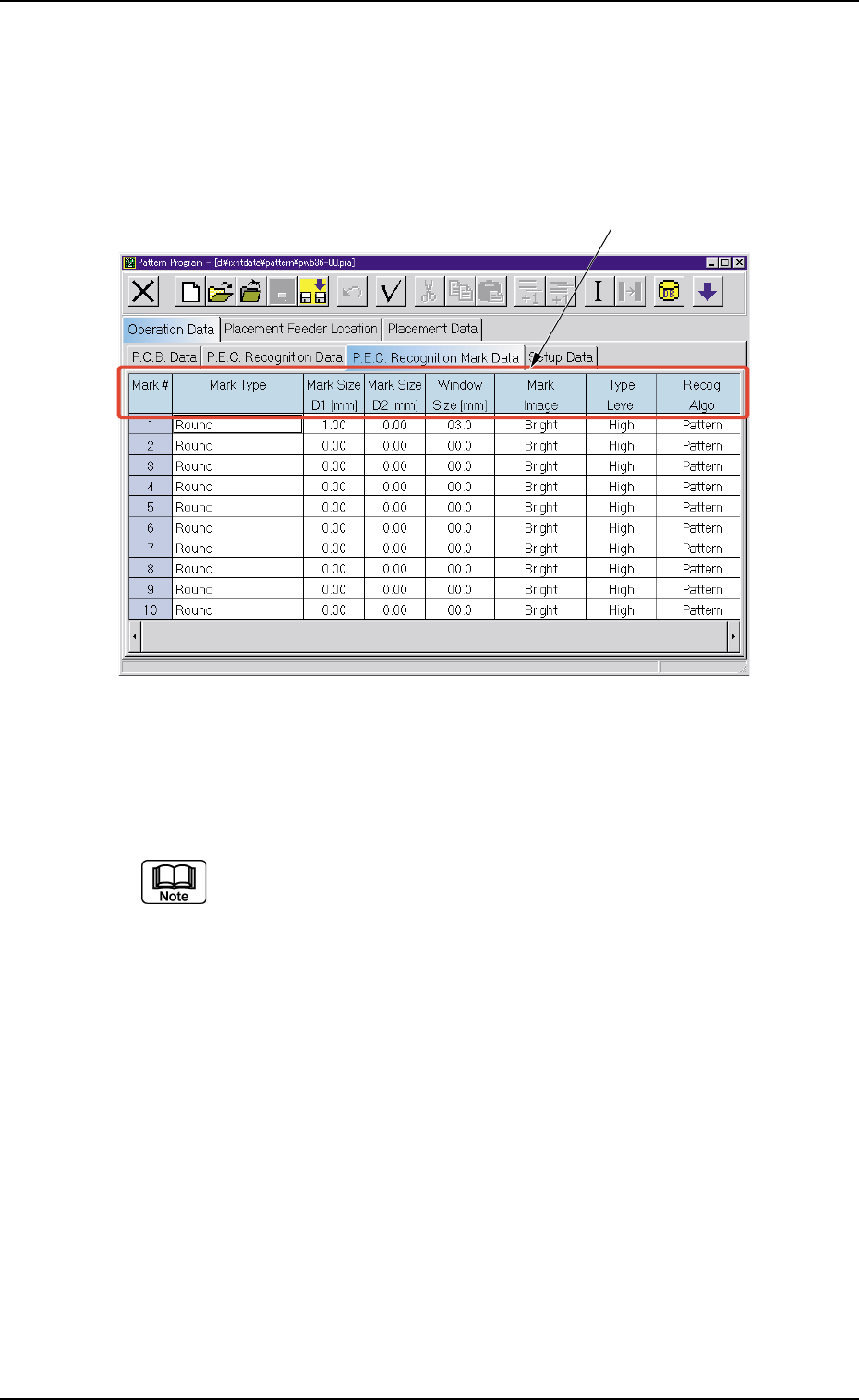
4.2.3 "P.E.C. Recognition Mark Data" Tab
• Sheet Layout
When the "P.E.C. Recognition Mark Data" tab is pressed in the "Op-
eration Data" tab sheet, the following tab sheet appears.
Fig. 3B160 "P.E.C. Recognition Mark Data" Tab Sheet
• Sheet Composition
Each parameter is displayed or can be entered.
Refer to "4.1.3 Basic Usage of Text Boxes" for the detailed in-
formation on how to enter parameters.
*1 Mark Type, Mark Size D1 [mm], Mark Size D2 [mm], Window
Size [mm], Mark Image, Type Level, Recog Algo
0206-001 2-94
AHB01EDTP
4.2 "Operation Data" Tab
*1