3OM-1075-002.pdf - 第335页
0206-002 5-102 AHB01EDTP 4.1 "Display Set" T ab (2) When the [Set T ime (min)] button is pressed with the [Enable] button being selected (the button turns green), the following "Set T ime (min)" edit …
0206-002 5-101 AHB01EDTP
4.1 "Display Set" Tab
4.1 "Display Set" Tab
The corresponding tab sheet enables the operator to set the screen
saver function and specify the unit of length and a language.
••
••
• Sheet Layout
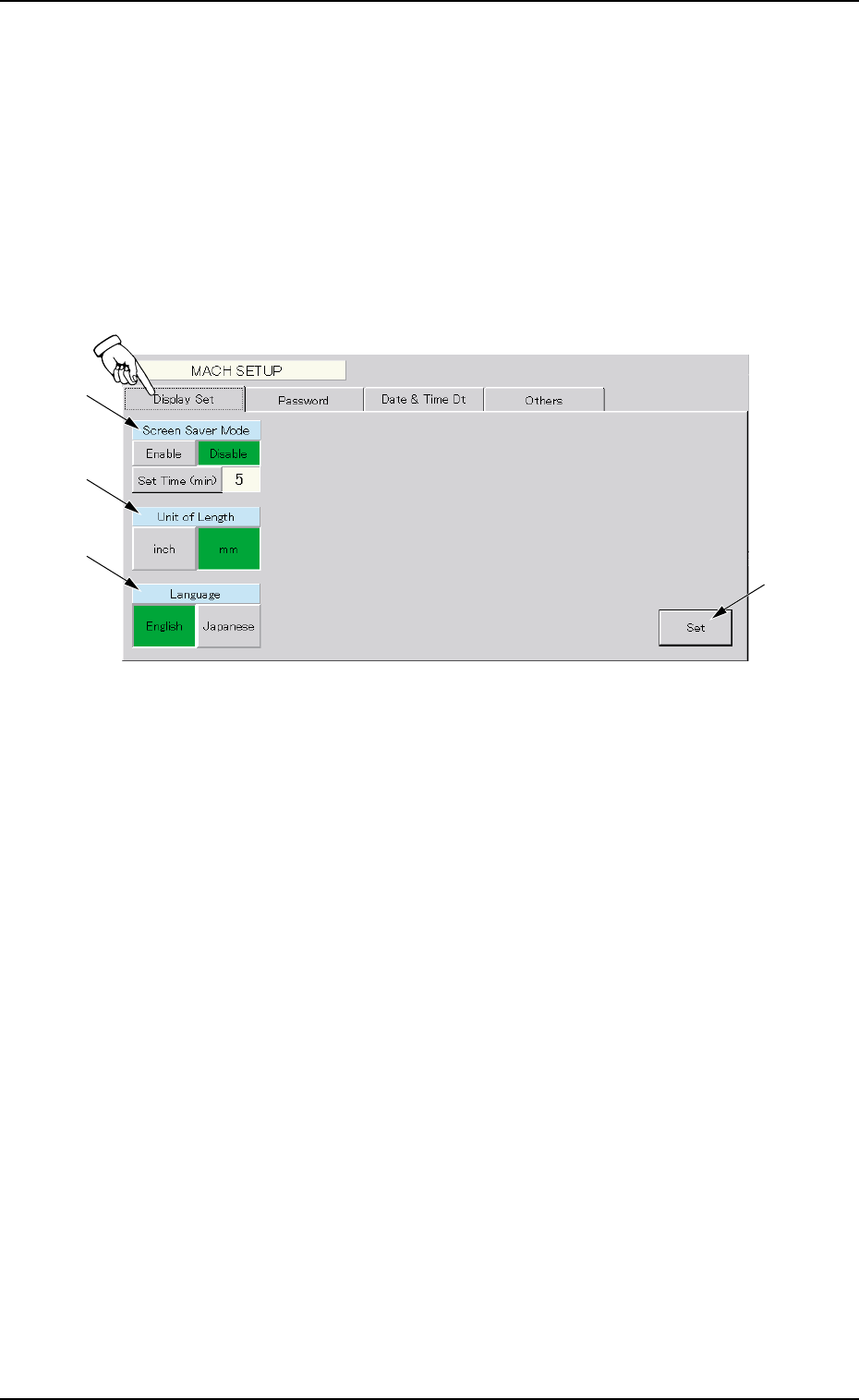
When the "Display Set" tab is pressed in the "MACH SETUP" window,
the following tab sheet appears.
Fig. 3E91 "Display Set" Tab Sheet
••
••
• Sheet Composition
*1 Screen Saver Mode
When the touch screen is kept intact for the specified period of
time, the screen saver mode starts working to prevent a static
background from being burned into the screen phosphors.
(1) Press the [Enable] button to validate the screen saver mode.
Press the [Disable] button to cancel the screen saver mode.
*4
*1
*2
*3
0206-002 5-102 AHB01EDTP
4.1 "Display Set" Tab
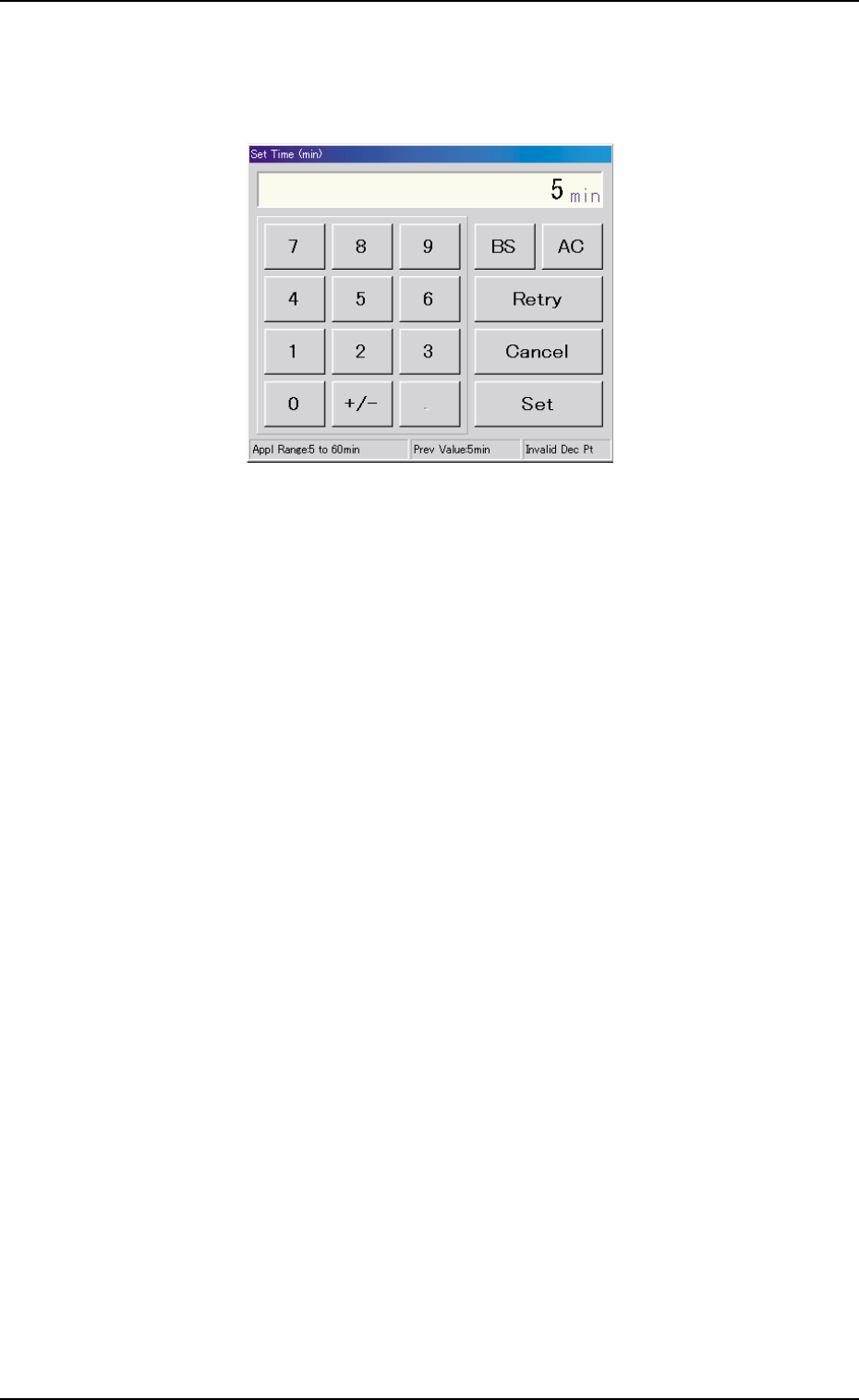
(2) When the [Set Time (min)] button is pressed with the [Enable]
button being selected (the button turns green), the following "Set
Time (min)" edit window opens.
Fig. 3E92 "Set Time (min)" Edit Window
Enter the number of minutes (5 to 60 minutes) you want the screen
to be idle before the screen saver function is activated and press
the [Set] button.
*2 Unit of Length
Press either the [inch] or the [mm] button to select the US cus-
tomary system (inches) or the metric system for the dimensions
to be displayed on the screen.
The selected button turns green, indicating that it is selected.
*3 Language
Press either the [English] or the [Japanese] button to select the
language to be used on the screen.
The selected button turns green, indicating that it is selected.
*4 [Set] Button
The selections in "*1", "*2", and "*3" are determined.
0206-002 5-103 AHB01EDTP
4.2 "Password" Tab
4.2 "Password" Tab
The corresponding tab sheet enables the operator to set a password
and the scope of authority according to the given authority.
The "Password" tab sheet is provided with the following 3 tab sheets.
When a tab is pressed, the corresponding tab sheet appears.
Table 3E15
Tabs Description
Password Set The corresponding tab sheet enables the operator to set a password
according to the given authority.
Available Area Set (1/2) The corresponding tab sheet enables the operator to specify the scope
of authority to use the described functions ("Operation Mode (Modify)"
through "Placement Head/Noz Data").
Available Area Set (2/2) The corresponding tab sheet enables the operator to specify the scope
of authority to use the described functions ("Unit Adjustment" through
"Machine Set-up").
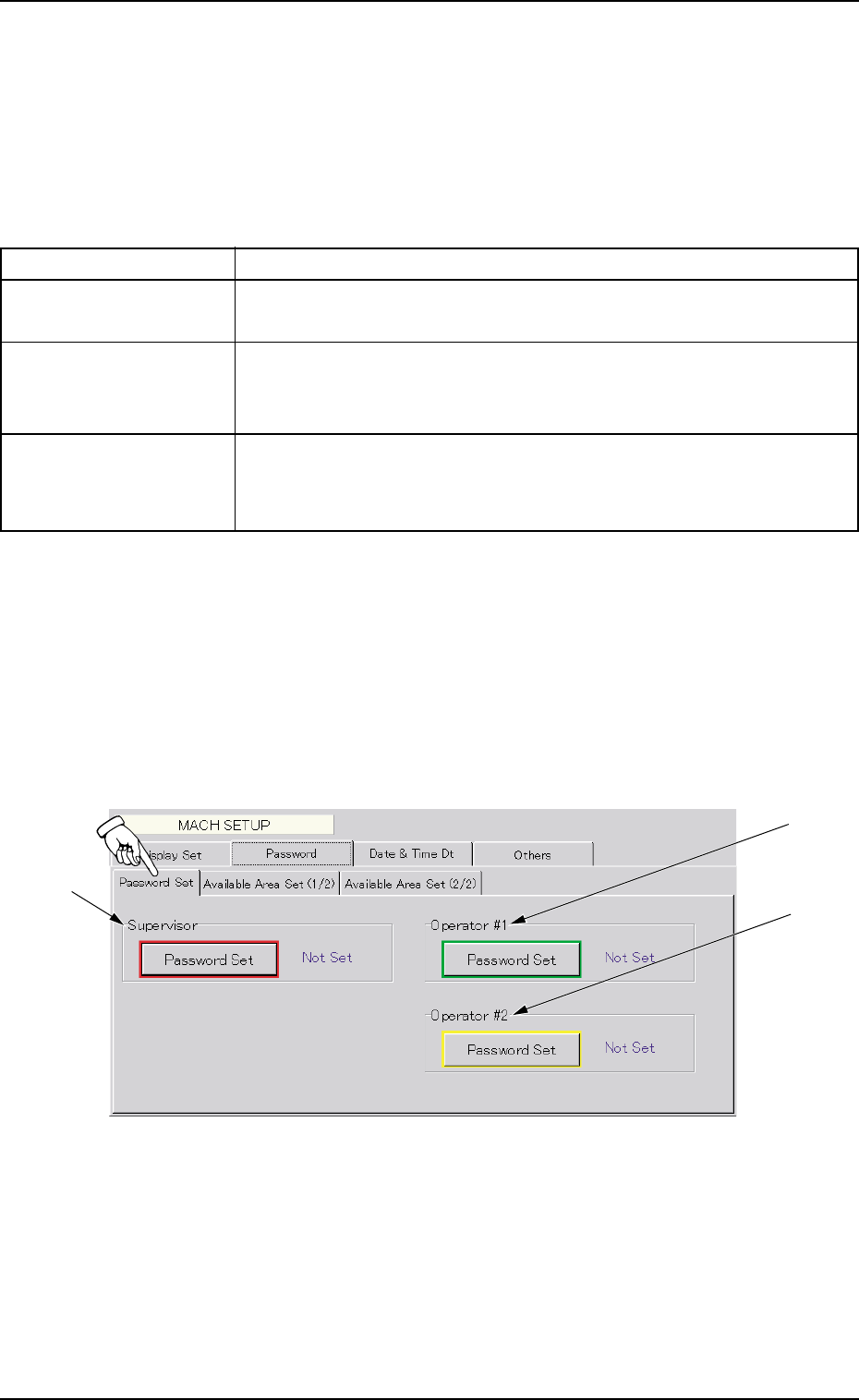
4.2.1 "Password Set" Tab Sheet
••
••
• Sheet Layout
When the "Password Set" tab is pressed, the following tab sheet ap-
pears.
Fig. 3E93 "Password Set" Tab Sheet
*1
*2
*3