3OM-1075-002.pdf - 第259页
2.1.3.1 "Feeder Base #1", "Feeder Base #3", "Feeder Base #4", and "T ray #2" T abs • Sheet Layout When the "Feeder Base #1" tab is pressed in the "Feeder B" tab…
2.1.3 "Feeder B" Tab
• Sheet Layout
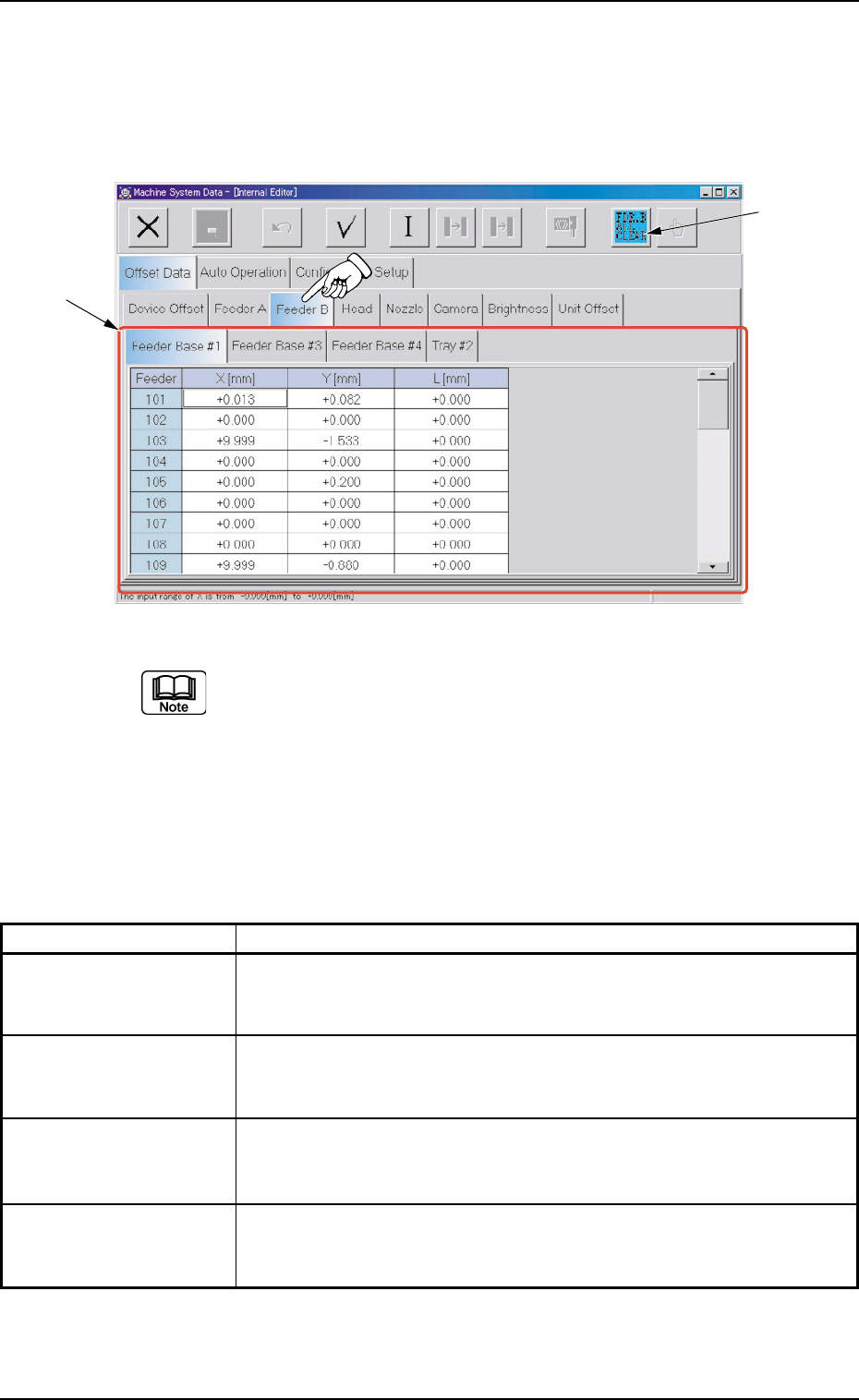
When the "Feeder B" tab is pressed in the "Offset Data" tab sheet,
the following tab sheet appears.
Fig. 3E28 "Feeder B" Tab Sheet (Provided with Multi-Layer Tray Feeder 2)
The tab sheet may look different, depending on which options
are selected.
• Sheet Composition
*1 Tabs and Tab Sheets
The "Feeder B" tab sheet is provided with the following 4 tabs. When
each tab is pressed, the corresponding tab sheet appears.
Table 3E5
Tabs Description
Feeder Base #1 The corresponding tab sheet enables the operator to set the offset
data to correct the variations of each feeder (Feeder Nos. 101 through
132) on Feeder Base #1.
Feeder Base #3 The corresponding tab sheet enables the operator to set the offset
data to correct the variations of each feeder (Feeder Nos. 301 through
332) on Feeder Base #3.
Feeder Base #4 The corresponding tab sheet enables the operator to set the offset
data to correct the variations of each feeder (Feeder Nos. 401 through
432) on Feeder Base #4.
Tray #2 This is an optional function.
Refer to the instruction manual of the multi-layer tray feeders for de-
tails.
*2 [FDR. B ALL CLEAR] Button
When pressed, this button clears all offset data of "Feeder B" in the
active tab sheet.
0308-004 5-27
AHB01EDTP
*1
*2
2.1 "Offset Data" Tab
2.1.3.1 "Feeder Base #1", "Feeder Base #3", "Feeder Base #4",
and "Tray #2" Tabs
• Sheet Layout
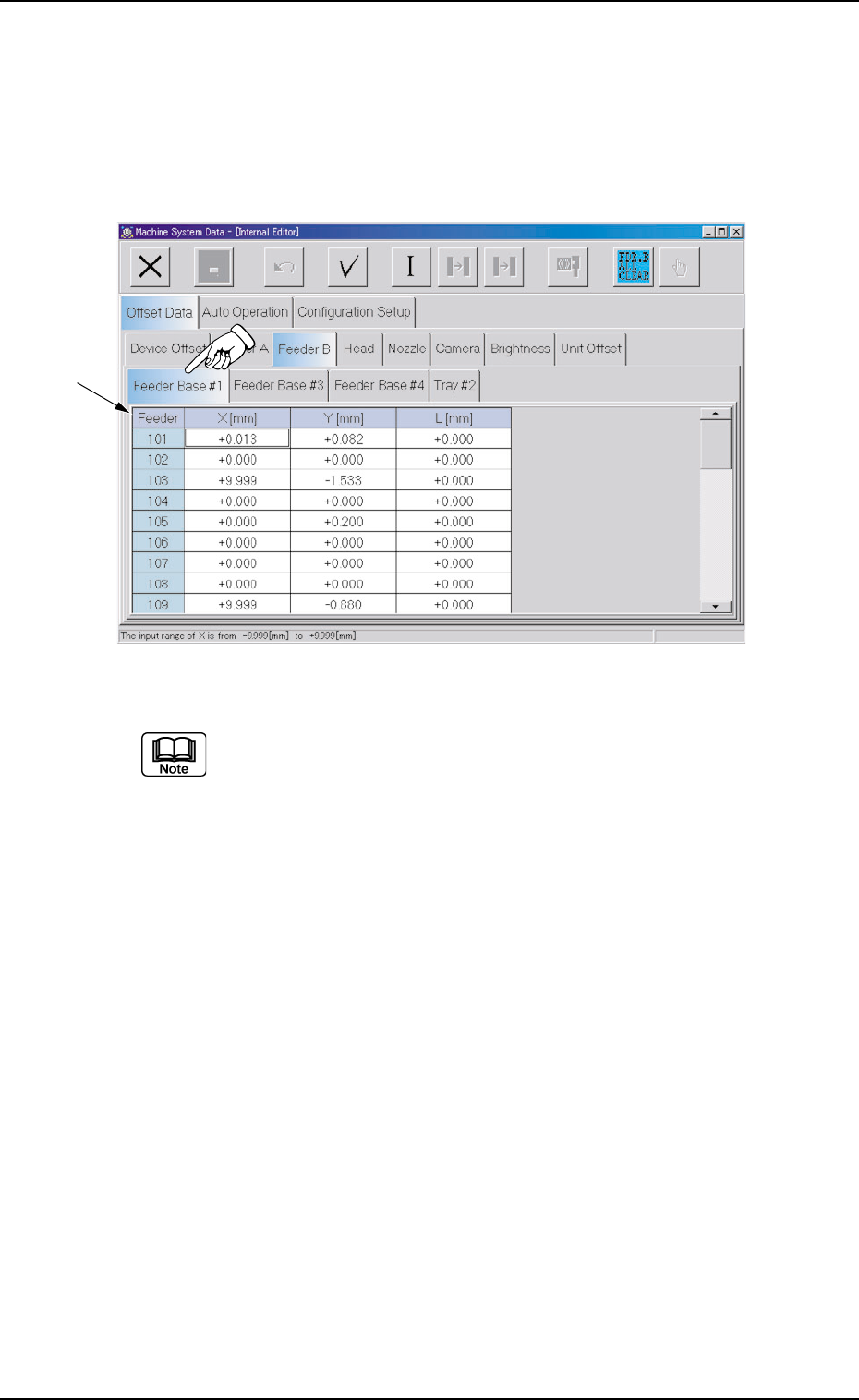
When the "Feeder Base #1" tab is pressed in the "Feeder B" tab
sheet, the following tab sheet appears.
\
Fig. 3E29 "Feeder Base #1" Tab Sheet (Provided with Multi-Layer Tray Feeder 2)
(a) The tab sheet may look different, depending on which options are
selected.
(b) Almost the same navigations must be followed for the feeders (101
through 132 on Feeder Base #1, 301 through 332 on Feeder Base
#3, 401 through 432 on Feeder Base #4, and 701 through 799 and
801 through 899 on Tray 2) installed on each feeder base in the
"Feeder Base #1", "Feeder Base #3", "Feeder Base #4", and "Tray
#2" tab sheets.
• Sheet Composition
*1 Offset Items
Set the following offset values for each feeder (101 through 132 on
Feeder Base #1, 301 through 332 on Feeder Base #3, 401 through
432 on Feeder Base #4, and 701 through 799 and 801 through 899
on Tray #2).
0308-004 5-28
AHB01EDTP
*1
2.1 "Offset Data" Tab
X [mm] (Horizontal) and Y [mm] (Vertical)
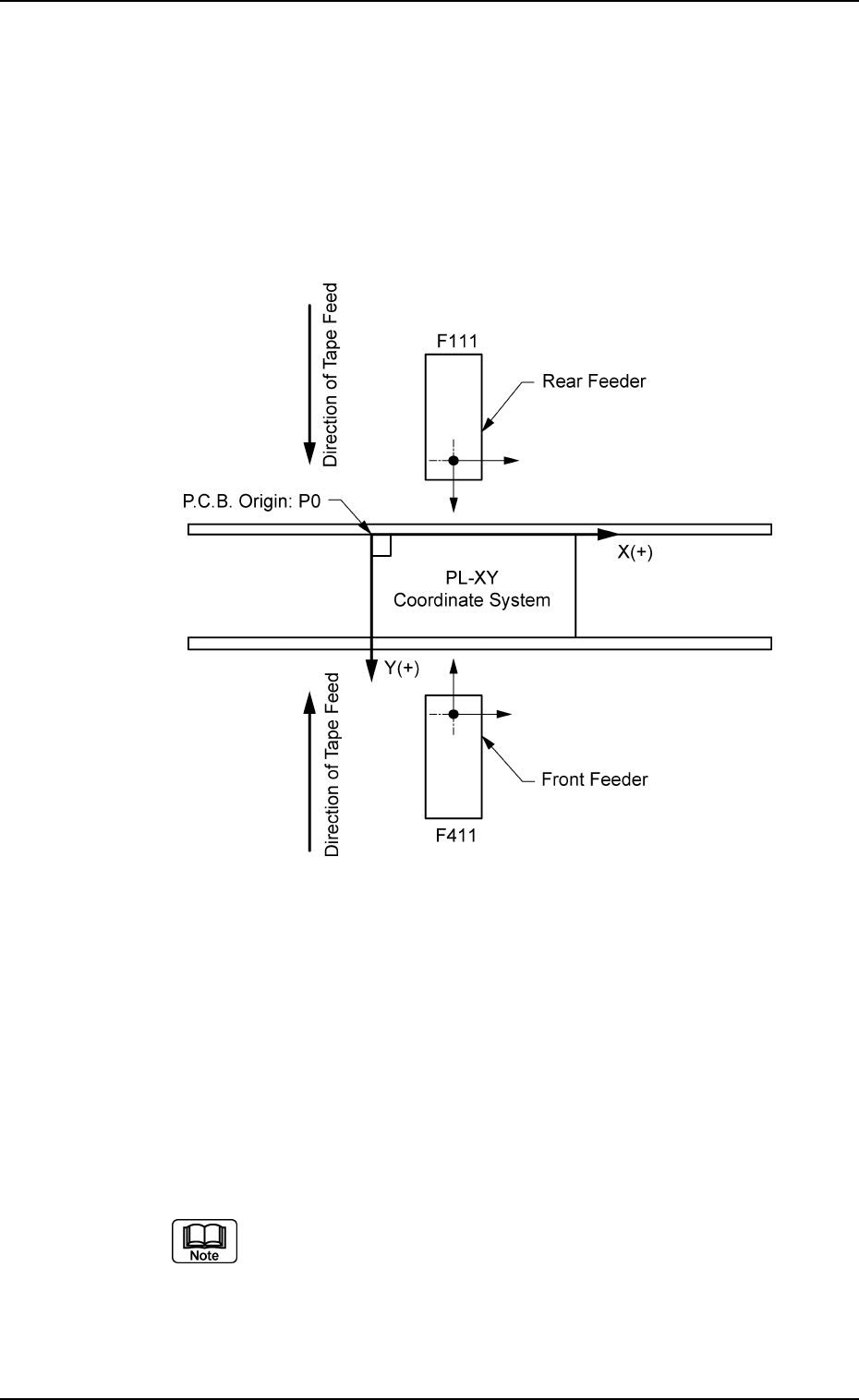
This offset data is used to adjust the positional deviations compared
with the design dimensions of the feeder pick-up positions for each
feeder No. (FDR. No.). The value based on the PL-XY coordinate
system must be entered in each text box.
Enter the positional deviations from the pick-up position for each
individual feeders, including the feeder (A) offset data, such that com-
ponents can be picked up at their centers.
Fig. 3E30
When the automatic feeder axis adjustment mode is enabled for
the pick-up position, this data is updated automatically as to pick up
the component center based on the results of the component rec-
ognition for the component picked up during automatic operation.
When the offset parameters are set with a plus (+) sign, the com-
ponent pick-up directions (position) are changed to "X (+)" and "Y
(+)" shown in Fig. 3E30.
This does not apply to even feeder Nos. (even FDR. Nos.).
(Example: F102)
0206-003 5-29
AHB01EDTP
2.1 "Offset Data" Tab