3OM-1075-002.pdf - 第331页
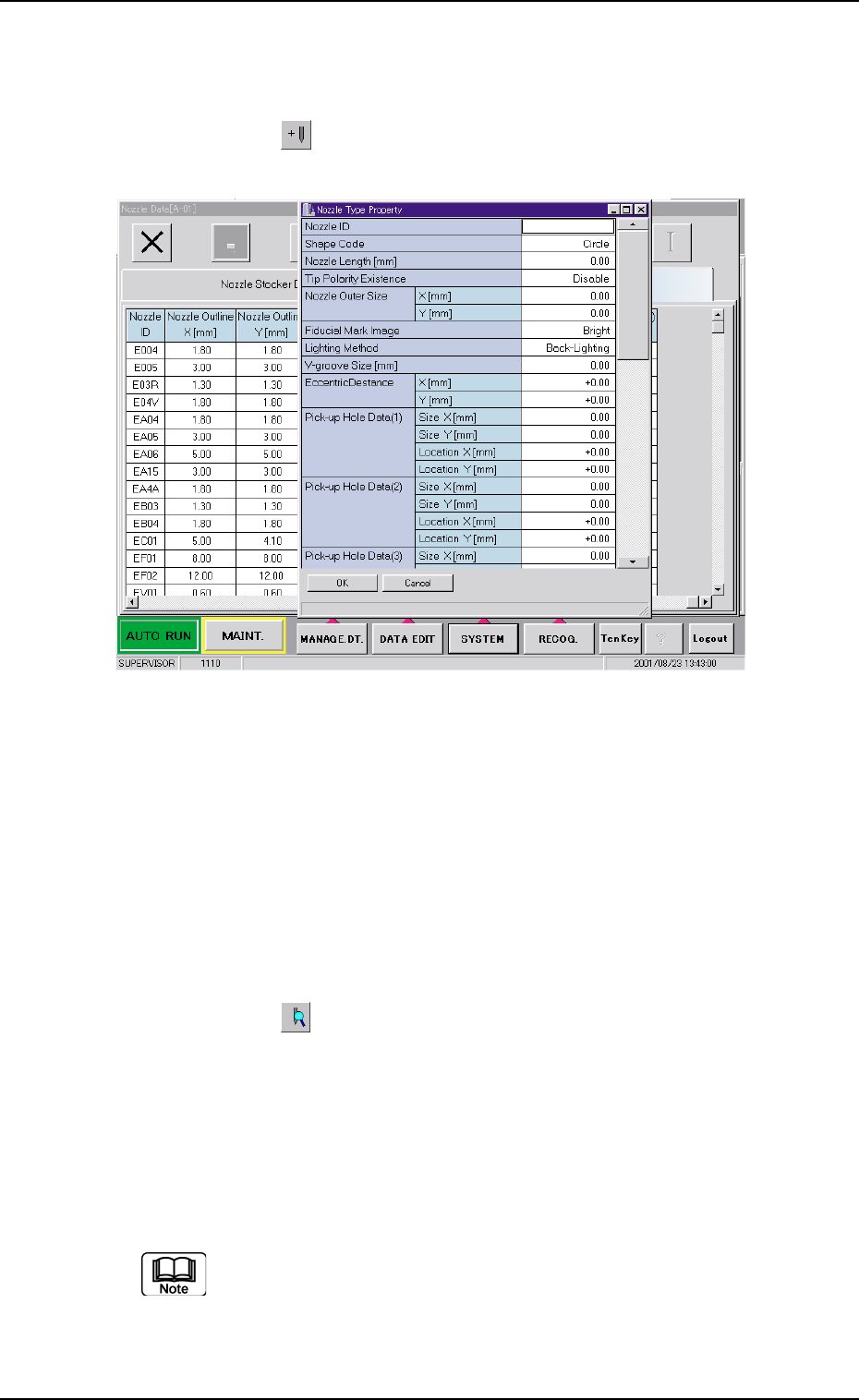
0206-002 5-98 AHB01EDTP • • • • • Operation Procedure How to add a nozzle type newly (1) Press the [ ] icon. The "Nozzle T ype Property" window opens. Fig. 3E88 (2) Enter parameters (nozzle data) in the text bo…
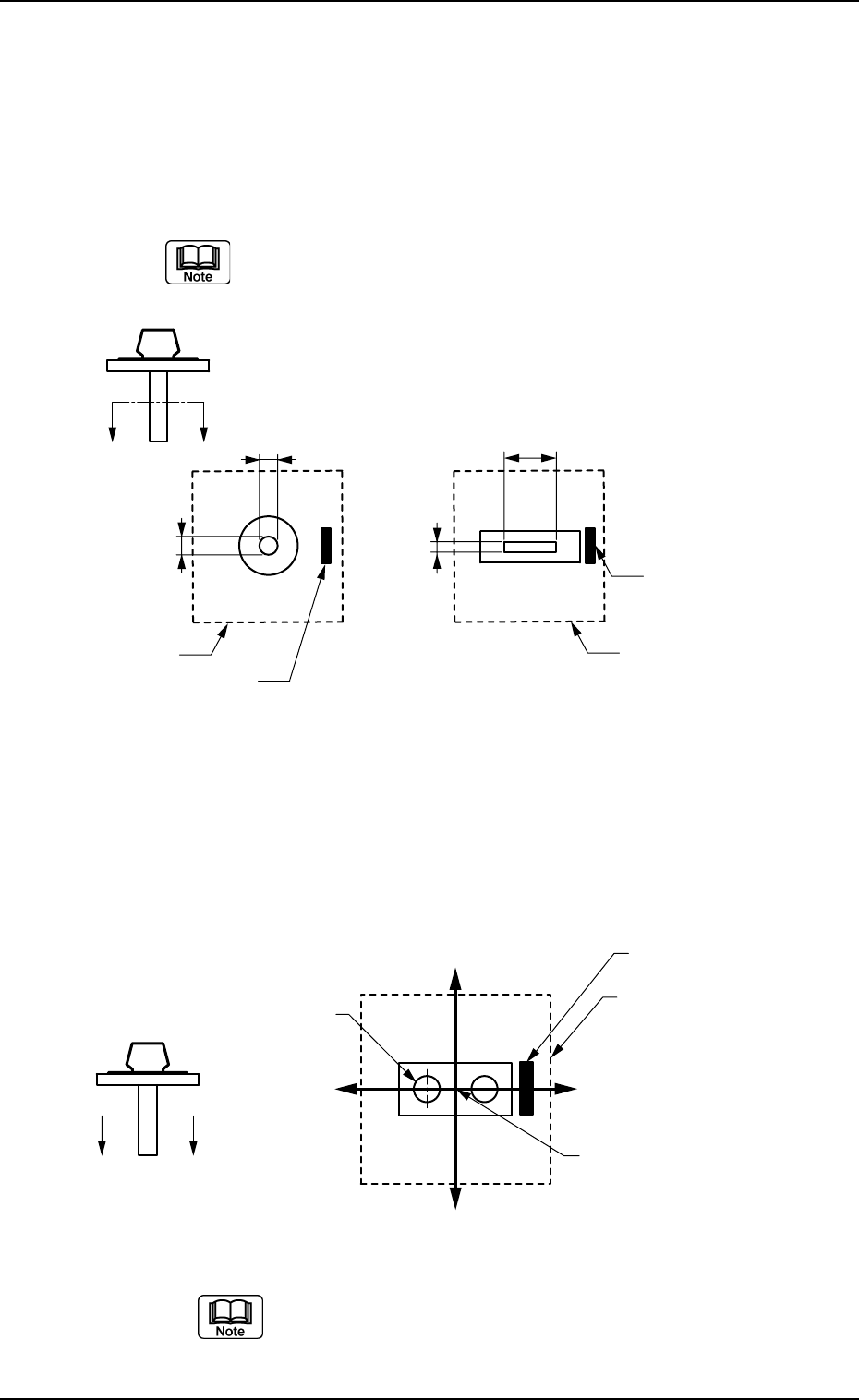
*10 Pick-up Hole Data (1), (2), (3), and (4)
Size X [mm], Size Y [mm]
Set the dimensions of the nozzle pick-up holes in the text boxes.
Data Input Range
X: 00.00 to 18.00
Y: 00.00 to 18.00
In the case of "Circle", set the same dimensions for "X" and
"Y".
In the case of "Rectangle", set Dimensions X and Y.
Fig. 3E86
*11 X[mm], Y[mm]
Set the center position (based on the nozzle center) of the pick-
up hole (1) in the text boxes.
Data Input Range
X: -99.99 to +99.99
Y: -99.99 to +99.99
Fig. 3E87
When the pertinent hole is not found, set "00.00" for both
"X" and "Y".
Parameters can be specified for up to 4 pieces of pick-
up holes.
3.2 "Nozzle Data" Tab
0206-002 5-97 AHB01EDTP
X
Y
X
Y
Aѳ
A
Imprinted Nozzle ID
Imprinted Nozzle ID
Diffusion Plate Diffusion Plate
X(-)
Y (+)
Y (-)
X(+)
A′
A
Diffusion Plate
Imprinted Nozzle ID
Pick-up Hole (1)
Nozzle Center
0206-002 5-98 AHB01EDTP
••
••
• Operation Procedure
How to add a nozzle type newly
(1) Press the [ ] icon.
The "Nozzle Type Property" window opens.
Fig. 3E88
(2) Enter parameters (nozzle data) in the text boxes.
(3) Press the [OK] button.
The nozzle data is added as new one.
How to change a nozzle type
(1) Select the nozzle data to be changed.
(2) Press the [
] icon.
The "Nozzle Type Property" window opens.
(3) Change the data.
(4) Press the [OK] button.
The nozzle data is changed.
When the [Cancel] button is pressed in the "Nozzle Type Prop-
erty" window, the "Nozzle Type Property" window closes with-
out newly adding or modifying the data.
3.2 "Nozzle Data" Tab
0206-002 5-99 AHB01EDTP
How to delete a nozzle type
(1) Select the nozzle data to be deleted.
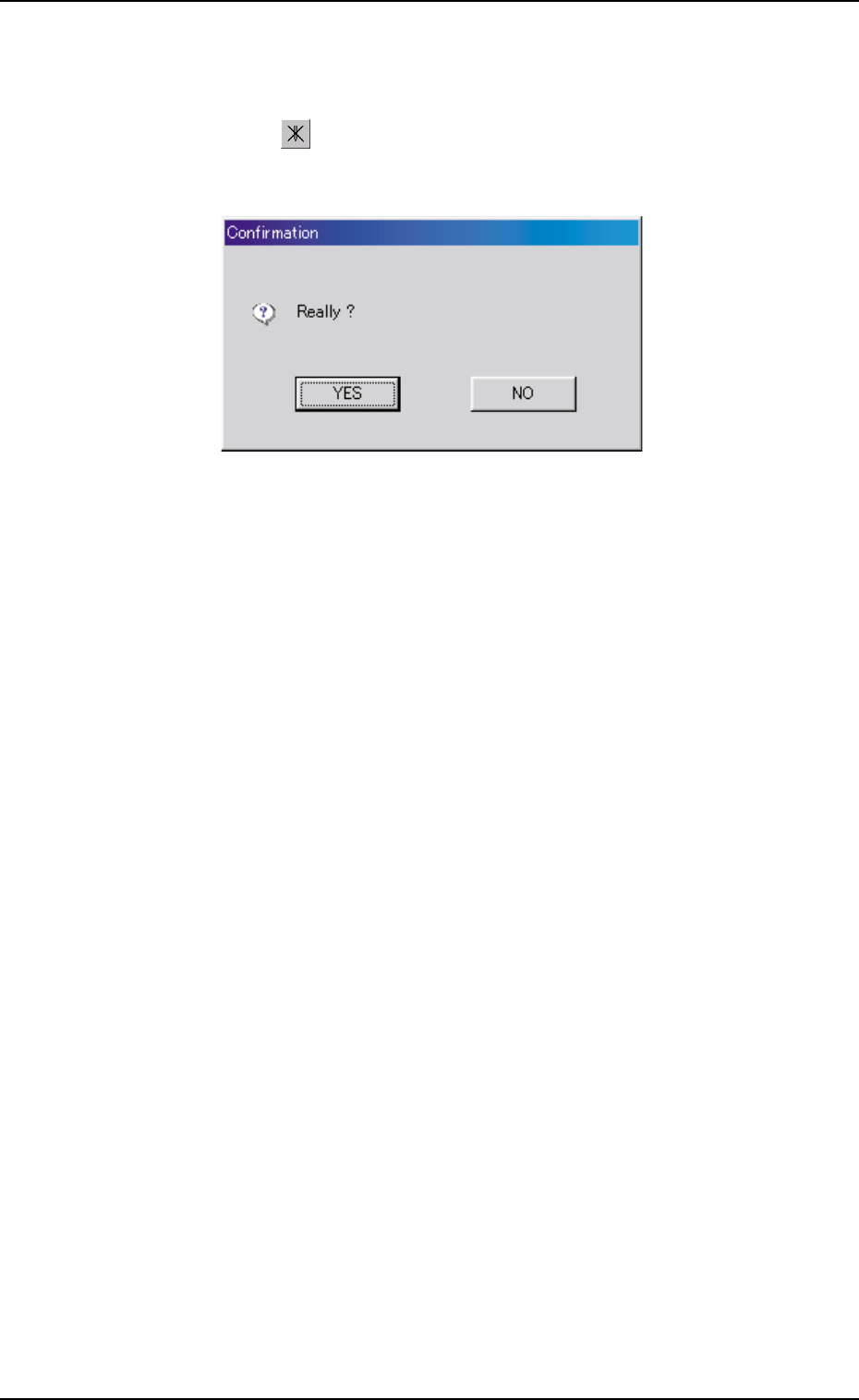
(2) Press the [ ] icon.
The following "Confirmation" dialog box opens.
Fig. 3E89
(3) When the [YES] button is pressed, the selected nozzle data is de-
leted.
When the [NO] button is pressed, the deletion of the selected nozzle
data is canceled.
3.2 "Nozzle Data" Tab