3OM-1075-002.pdf - 第137页
AHB01EDTP 2. "Selection of component ID" Window 2 . 1 Window Layout This session describes how to open the "Selection of component ID" window . (1) Press the [DA T A EDIT] button on the main menu bar …
AHB01EDTP
1. Outline of Component Library
1.1 Purpose
• The component library is a database used to manage "specific infor-
mation (data) on components" required for operation of the compo-
nent placement machine.
• By making use of the component library data, time for pattern pro-
gram data creation and editing can be shortened greatly.
1.2 Component IDs and Component Library Data
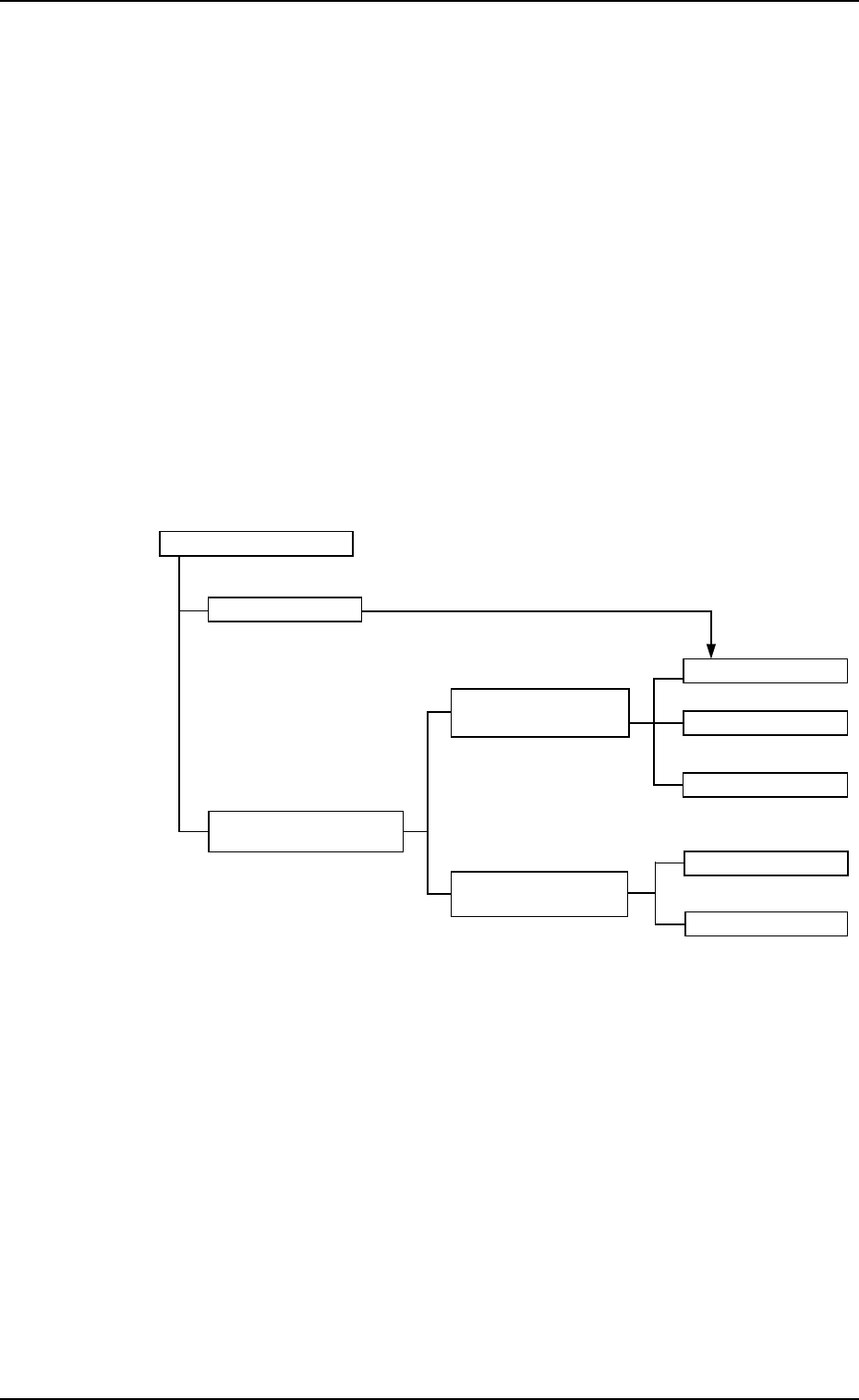
• The component library is composed of "Component IDs (data names)"
and "Component Library Data (Specific Data on Components)".
Component Library
Component IDs
Identification
Common
Component Data Control Data
Carrier Data
Component Library
Data
Shape Data
Individual
Component Data
Recognition Data
Fig. 3C1 Composition of Component Library
1. Outline of Component Library
0107-001 3-1
AHB01EDTP
2. "Selection of component ID" Window
2.1 Window Layout
This session describes how to open the "Selection of component ID"
window.
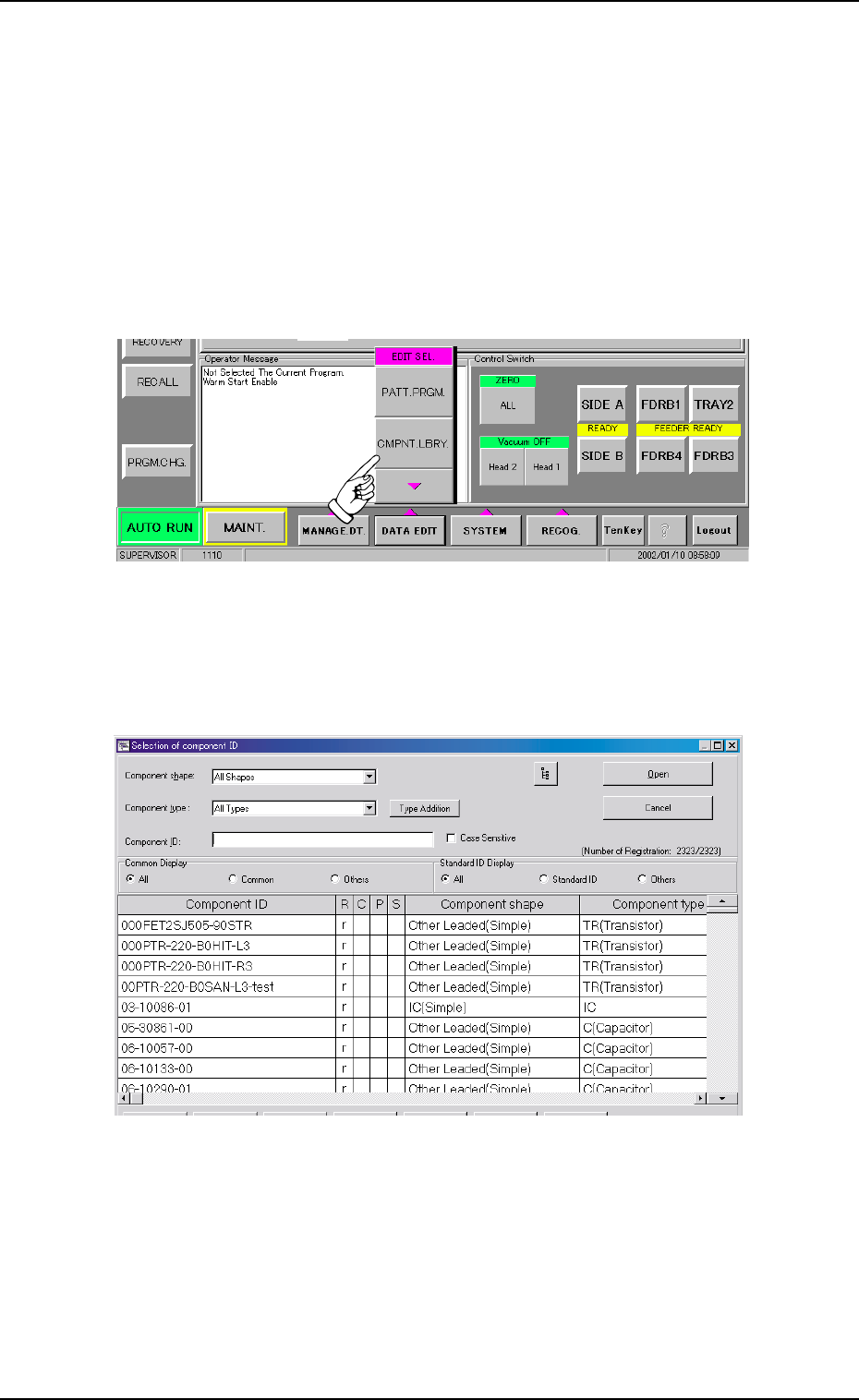
(1) Press the [DATA EDIT] button on the main menu bar. An "EDIT SEL."
menu opens.
Fig. 3C2 "EDIT SEL." Drop Down List
(2) Press the [CMPNT.LBRY.] button. The "Selection of component ID"
window opens.
Fig. 3C3 "Selection of component ID" Window
2.1 Window Layout
0308-004 3-2
AHB01EDTP
2.2 Composition of "Selection of component ID"
Window
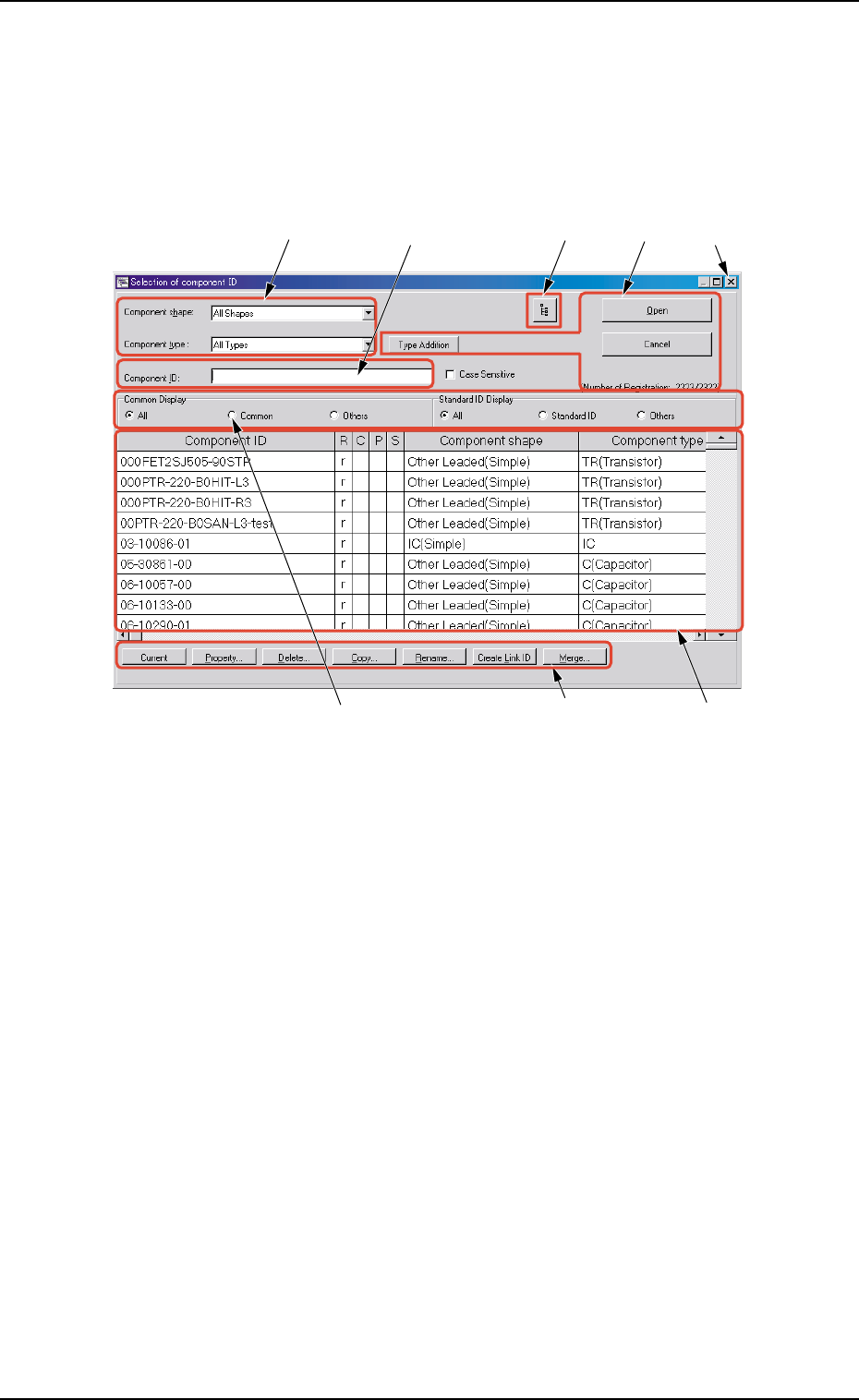
This session describes the composition of the "Selection of compo-
nent ID" window.
Fig. 3C4 "Selection of component ID" Window
*1 Component shape, Component type
Select the desired component shape and type from the corresponding
combo boxes.
The component types corresponding to the selected shape and type
appear in "*7".
*2 Component ID
Displayed is the component ID selected in "*7".
*3 [Link ID Tree View] Button
Link and root IDs are arranged side by side and displayed in the
hierarchical (tree) file system.
*4 [Open], [Cancel], and [Type Addition] Buttons
[Open] Button
When pressed, this button opens the "Component Library" window
related to the component ID selected in "*7".
0308-003 3-3
*1
*2
*7
*8
*5
*6
*4
*3
2.2 Composition of "Selection of component ID" Window