3OM-1075-002.pdf - 第180页
Section 4 Management Data 0308-002 4 - A AHB01EDTP This section describes the functions and operations related to "Management Data", "Pattern Program Management Data", "Component Handling Error R…
AHB01EDTP
0308-004 3-43
4. Saving an active file of the component ID
The following describes how to save a newly created file (component
ID) or the edited parameters of the component ID.
••
••
• Operation Procedure
(1) Press the [Save] or the [Save As] icon on the toolbar.
: Save
When pressed, this saves the edited component ID (file),
replacing the original component ID (file) with the current
one.
: Save As
When pressed, this saves a newly created file (data of a
new component ID) or the edited file with another name
(component ID).
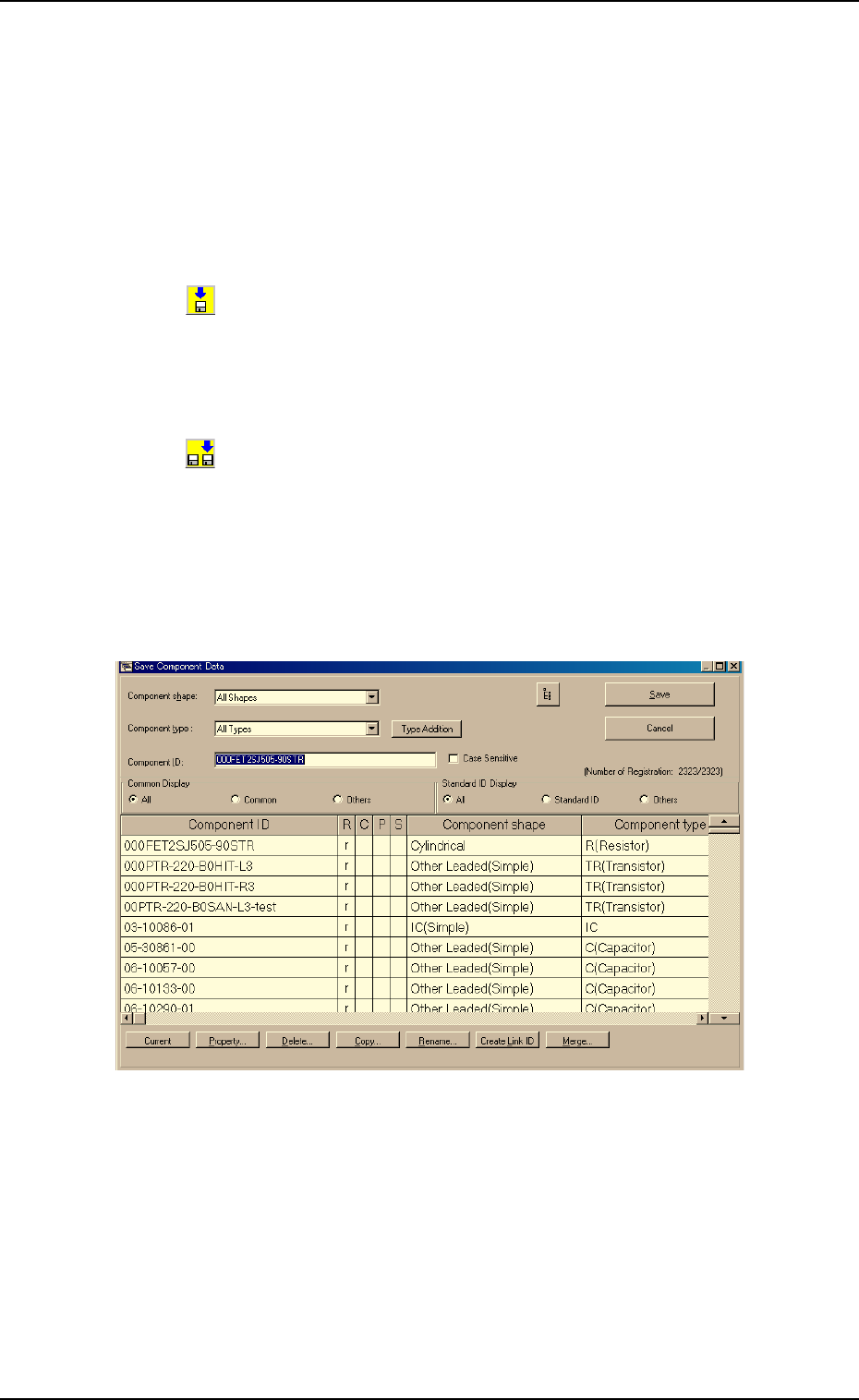
(2) When the [Save As] icon is pressed, the following "Save Compo-
nent Data" window opens.
Fig. 3C30 "Save Component Data" Window
(3) Enter the pre-determined component ID as a file name in the "Com-
ponent ID" text box and press the [Save] button.
The data in the active edit window is saved as a file with the entered
component ID name.
4. Saving an active file of the component ID

Section 4
Management Data
0308-002 4-A AHB01EDTP
This section describes the functions and operations related
to "Management Data", "Pattern Program Management
Data", "Component Handling Error Rate Data", etc., in each
tab sheet (tab sheet which can be opened after the [MGT
DATA] button on the menu bar is pressed).

0107-001 4-B AHB01EDTP