3OM-1075-002.pdf - 第298页
2.2.1 "Auto Operation Setup" T ab • • • • • Sheet Layout When the "Auto Operation Setup" tab is pressed in the "Auto Operation" tab sheet, the following tab sheet appears. Fig. 3E64 "Au…
2.2 "Auto Operation" Tab
••
••
• Sheet Layout
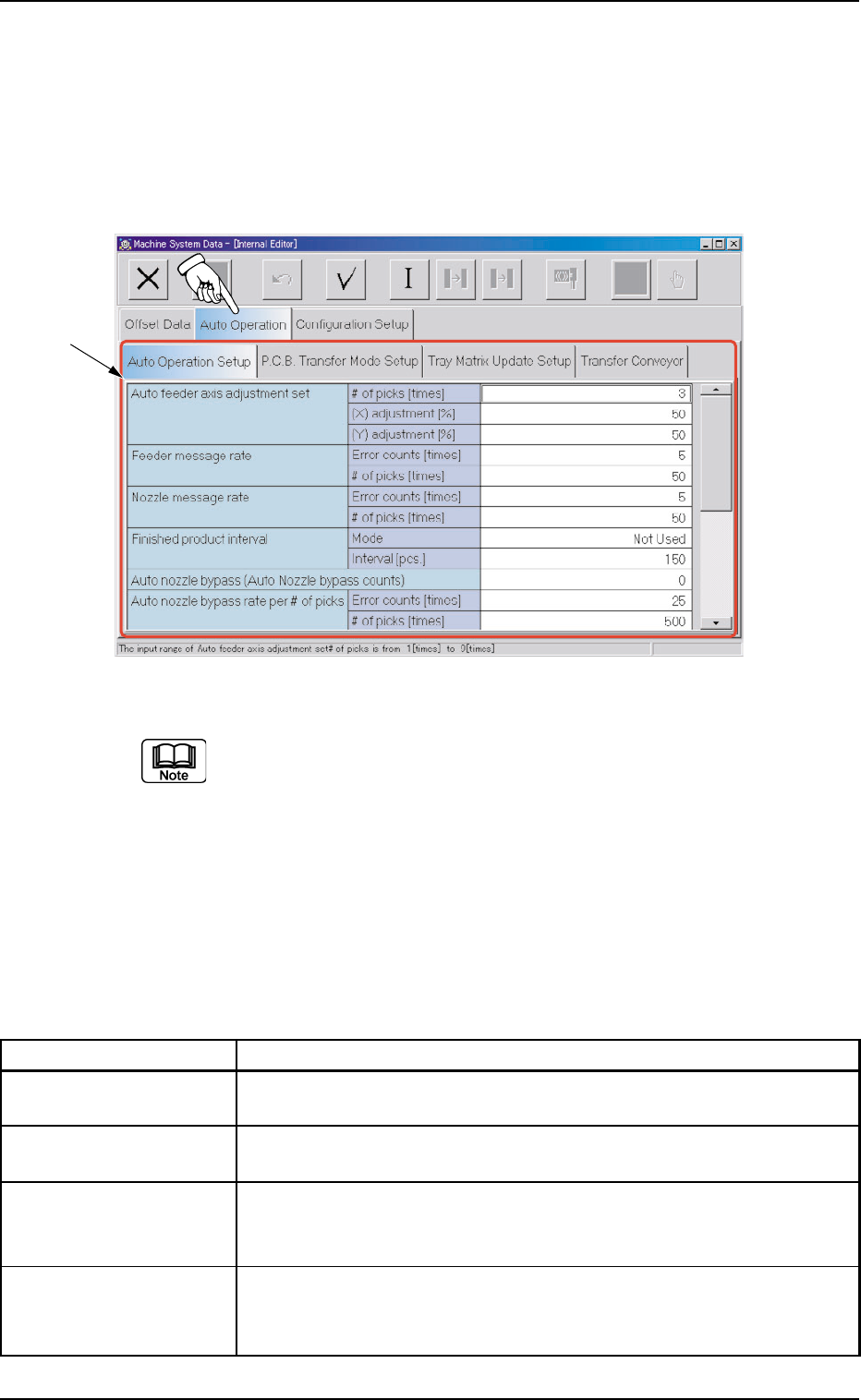
When the "Auto Operation" tab is pressed in the "Machine System Data"
window, the following tab sheet appears.
Fig. 3E63 "Auto Operation" Tab Sheet (Provided with Multi-Layer Tray Feeder 2)
The tab sheet may look different, depending on which options are
selected.
••
••
• Sheet Composition
*1 Tabs and Tab Sheets
The "Auto Operation" tab sheet is provided with the following 4
tab sheets. When a tab is pressed, the corresponding tab sheet
appears.
Table 3E11
Tabs Description
Auto Operation Setup Set various types of parameters related to the automatic operation of
the machine.
P.C.B. Transfer Mode Set the operation mode of the input and output machines and the
Setup requirements for P.C.B. transfer and positioning operations.
Tray Matrix Update This is an optional function.
Setup Refer to the instruction manual of the multi-layer tray feeder for
details.
Transfer Conveyor The corresponding tab sheet enables the operator to set the input/
output conveyor speeds, the speed change timing, the stop timing,
and the positioning conveyor speed.
0308-003 5-65
AHB01EDTP
2.2 "Auto Operation" Tab
*1
2.2.1 "Auto Operation Setup" Tab
••
••
• Sheet Layout
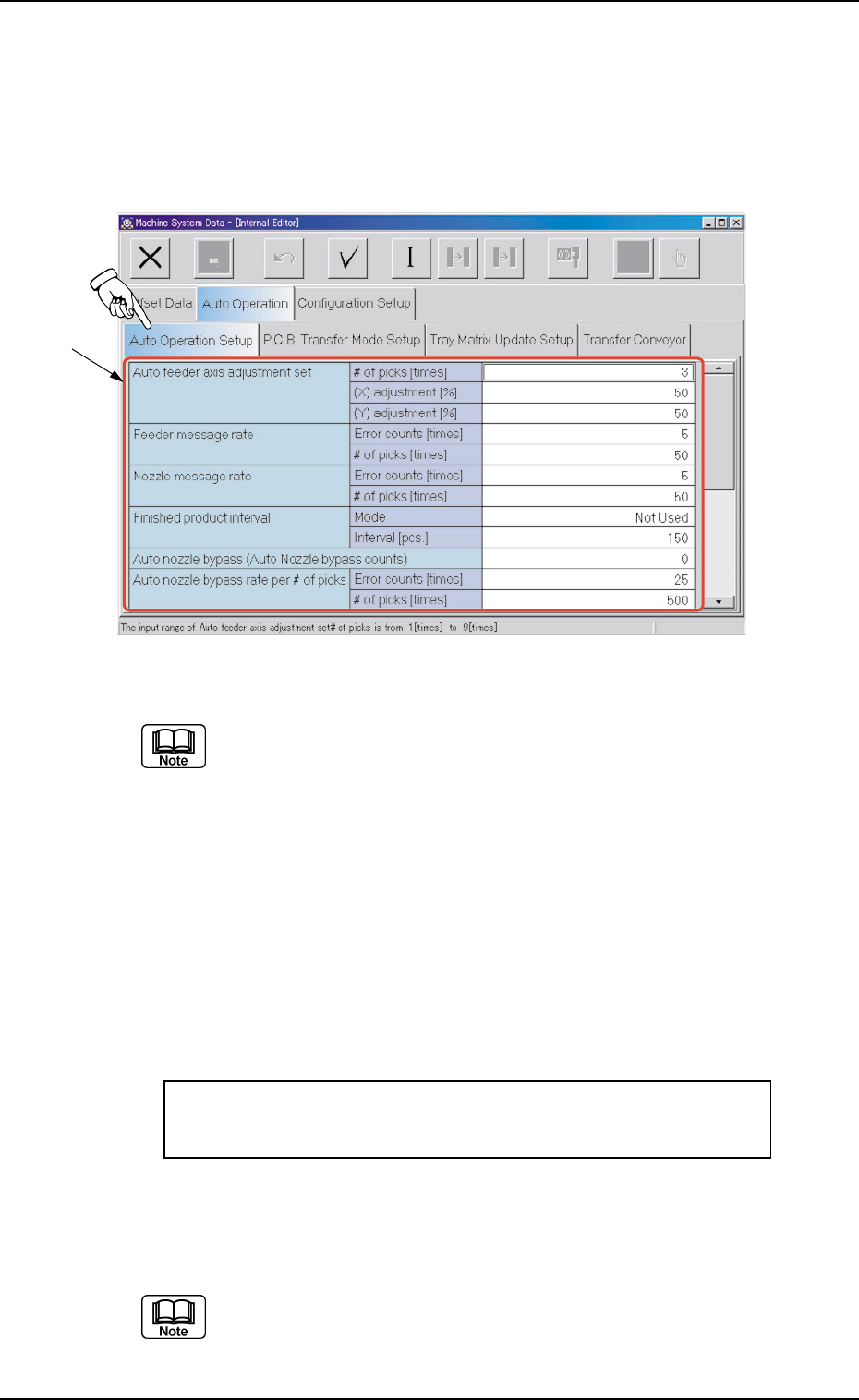
When the "Auto Operation Setup" tab is pressed in the "Auto Operation"
tab sheet, the following tab sheet appears.
Fig. 3E64 "Auto Operation Setup" Tab Sheet (Provided with Multi-Layer Tray Feeder 2)
The tab sheet may look different, depending on which options are
selected.
••
••
• Sheet Composition
*1 Items
The following items are displayed.
Auto feeder axis adjustment set
# of picks [times], (X) adjustment [%], (Y) adjustment [%]
Set the sensitivity parameters which follow up the data learned
by using the statistical method in the feeder (B) offset data.
New Feeder (B) Offset = Old Feeder (B) Offset +
(Mean Value of "n" Times (Deviation)) * Coefficient
# of picks [times]
Set the total number of collected samples when data is up-
dated or changed.
(a) The data input range is "1 to 9".
(b) The standard value is "3".
0308-003 5-66
AHB01EDTP
2.2 "Auto Operation" Tab
*1
0206-002 5-67 AHB01EDTP
2.2 "Auto Operation" Tab
(X) adjustment [%]
Select the feedback coefficient of the mean of the X-direction
deviation.
Select "10", "20", "30", "40", "50", "60", "70", "80", "90", or "Full".
The standard value is "50%".
(Y) adjustment [%]
Select the feedback coefficient of the mean of the Y-direction
deviation.
Select "10", "20", "30", "40", "50", "60", "70", "80", "90", or "Full".
The standard value is "50%".
Feeder message rate
Error counts [times], # of picks [times]
(Not Available)
Set the parameters to show the feeder slot No. (Fdr. No.) of the
tape feeder whose pickup rate has deteriorated during automatic
operation.
When the number of picks has reached the specified value, the
parameter in the "Error counts [times]" text box is cleared.
When the number of pickup errors has reached the specified
error counts before the number of picks reaches the specified
number of picks, a warning message is issued as machine infor-
mation.
(a) The number of picks and pick-up errors is managed for
each individual feeders but the parameters of "Error counts
[times]" and "# of picks [times]" is equally reflected on ev-
ery feeder.
(b) The data input range is "0 to 9999" (times) for both "Error
counts [times]" and "# of picks [times]"
(c) When both "Error counts [times]" and "# of picks [times]"
are set "0" (zero) or "Error counts [times]" is set to a num-
ber larger than "# of picks [times]", no warning message is
issued.