operation-cp45.pdf - 第101页
Panel Operations 3-1 1 Figur e 3-4. “ W arming Up ” dialog box 1 2. Press <Start> button. Begin Warming Up operation after returning to the original position. The Elapsed time is displayed in the dialog box. Wa r n…
Samsung Component Placer CP-45F(V)/FS Operations Manual
3-10
3.6. Warming Up
Warming Up operation is performed prior to the placement step in order to enhance the
placement precision. Warming Up helps to maintain the system, parts and lubrication oil
at a normal temperature and during winter time prevents the reduction of placement
precision due to contraction of balls, screws, and other components. Approximately 10
minutes of Warming Up is preferable. Warming Up operation is not necessary if less than
2 hours has elapsed from the previous placement work.
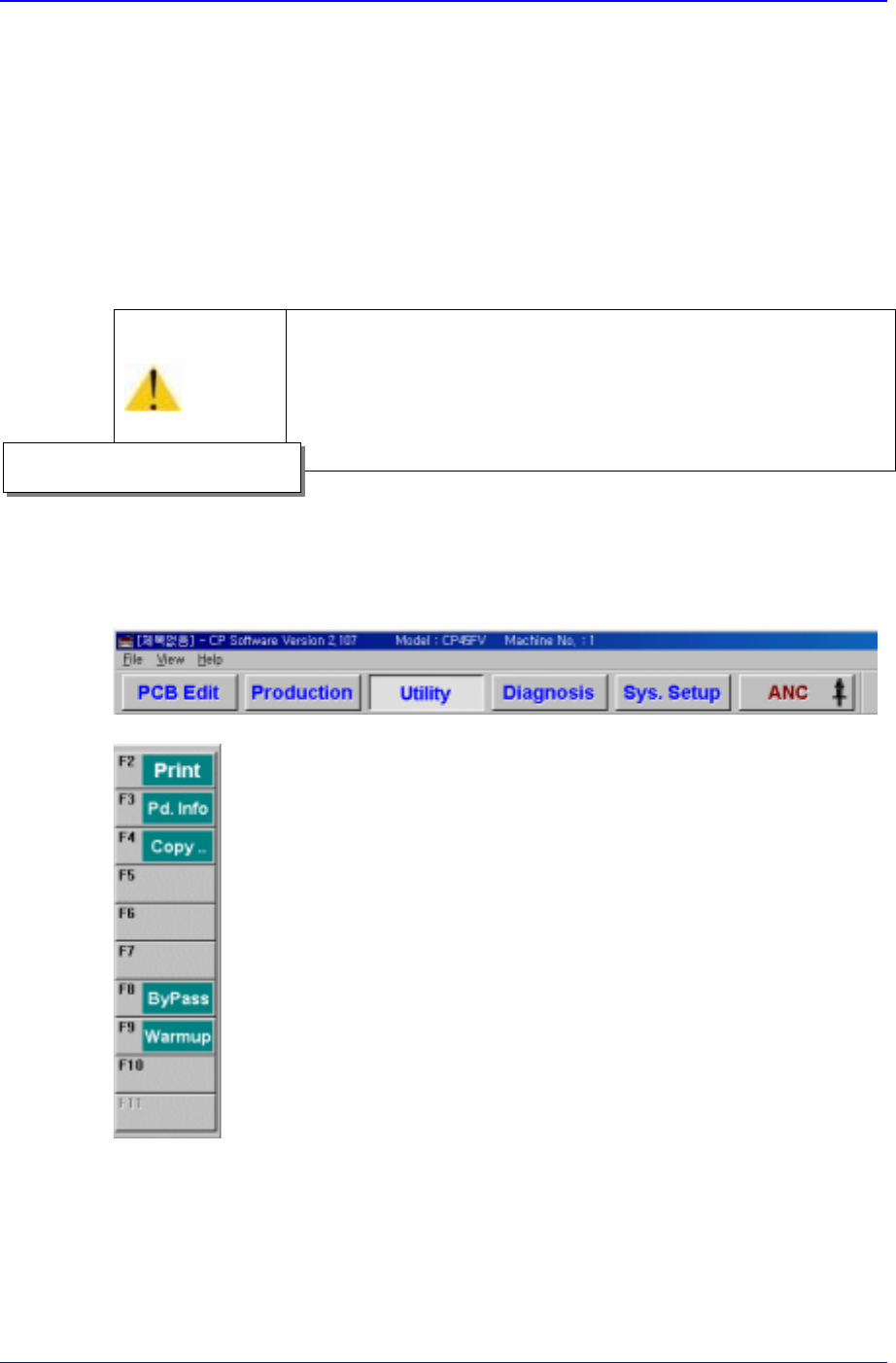
1. Select and press <Diagnosis> from the MMI main menu tool-bar. Then select
<Warm-Up> command from the sub menu tool-bar on the left shown.
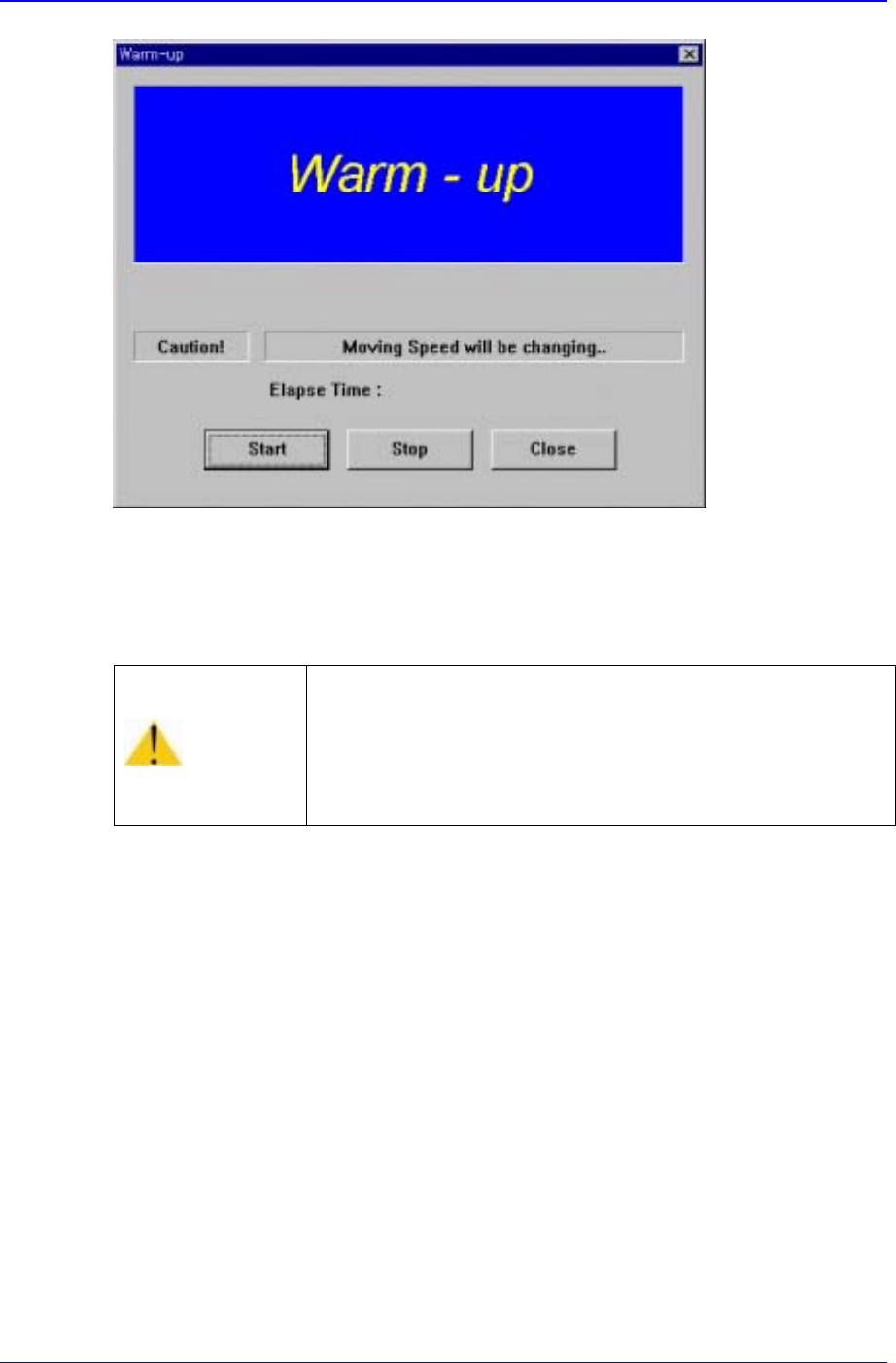
“Warming Up” dialog box is displayed.
Caution
To raise the level of placement precision, Warming UP must
be done.
To raise the level of placement precision, be sure to carry out
warm up before operating the machine.
Operational procedure
Panel Operations
3-11
Figure 3-4. “Warming Up” dialog box 1
2. Press <Start> button. Begin Warming Up operation after returning to the original
position. The Elapsed time is displayed in the dialog box.
Warning
Inserting a part of body while the machine is in operation or
in temporary stop could result in severe injury.
Do not insert a part of body while the machine is in
operation or in temporary stop.
Samsung Component Placer CP-45F(V)/FS Operations Manual
3-12
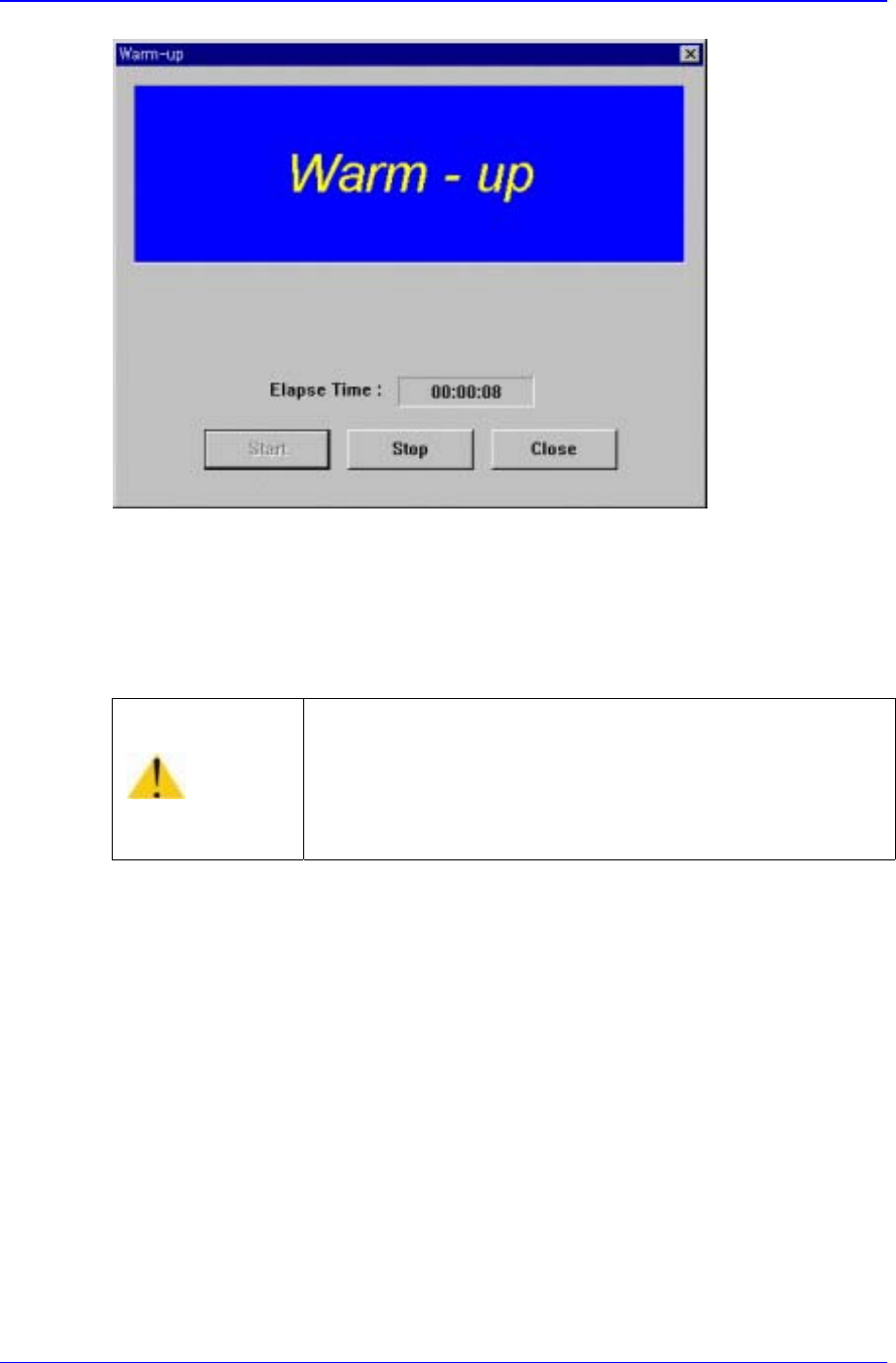
Figure 3-5. “Warming Up” dialog box 2
3. Perform preparatory operation for about 10 minutes, then click on the <Stop> button
in the dialog box. The preparatory operation is terminated, and the system returns to
the standby status.
Warning
Adjusting the sensor or correcting an error while the
machine is ready could result in personal injury.
Be sure to adjust the sensor or correct an error in the stop
status after canceling the ready status.