operation-cp45.pdf - 第132页
Samsung Component Placer CP-45F(V)/FS Operations Manual 8-2 Figur e 8-2. “ New PCB File ” dialog box <Copy data from an existing PCB file> check box Used to copy certain data from an existing file and create a ne…
File Commands
8-1
Chapter 8. File Commands
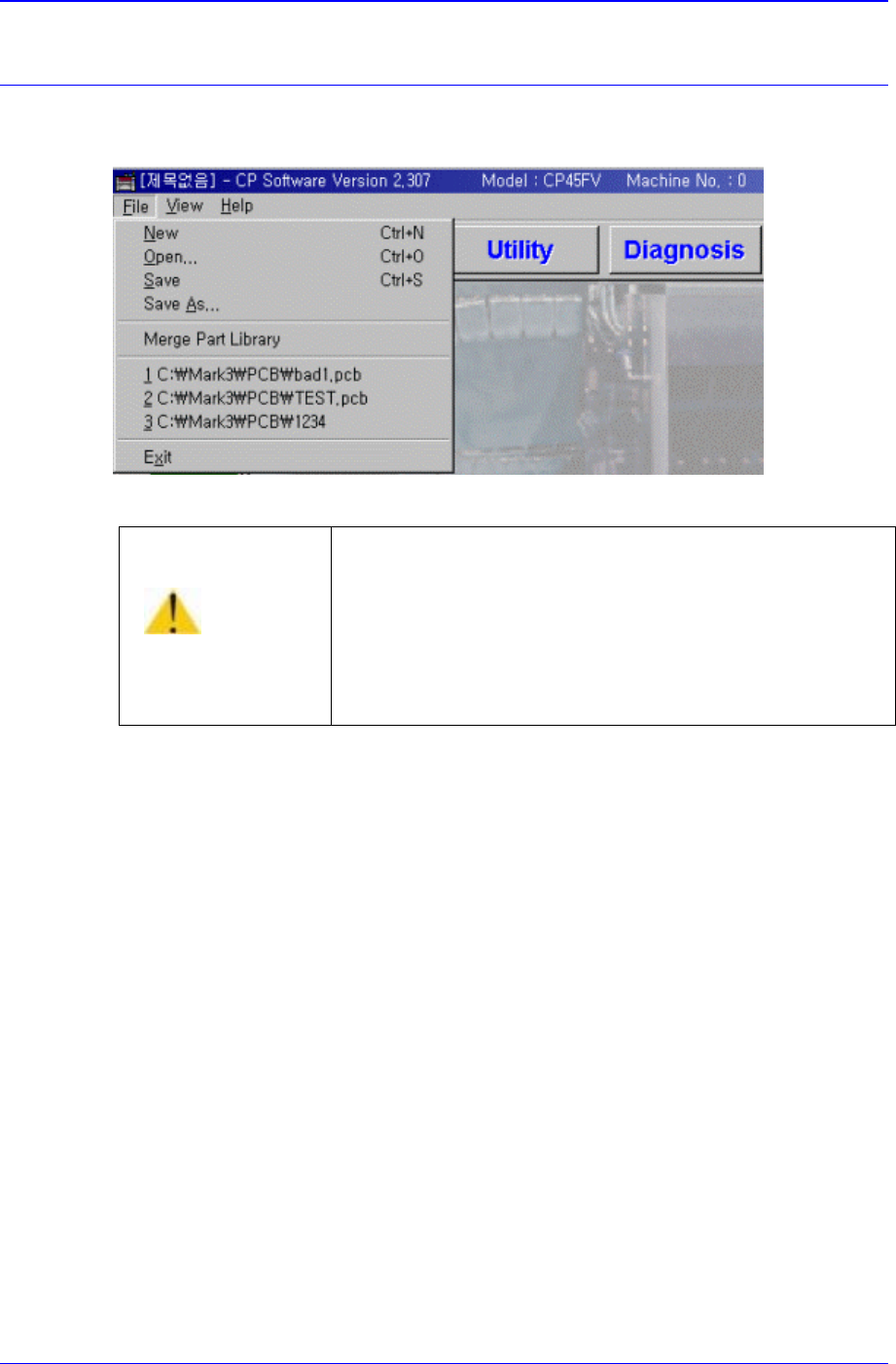
The <File> menu is composed of the following six command submenus: New, Open,
Save, Save As, Merge Part Library, and Exit.
Figure 8-1. File Menu and Submenus
8.1. N
ew [Ctrl+N]
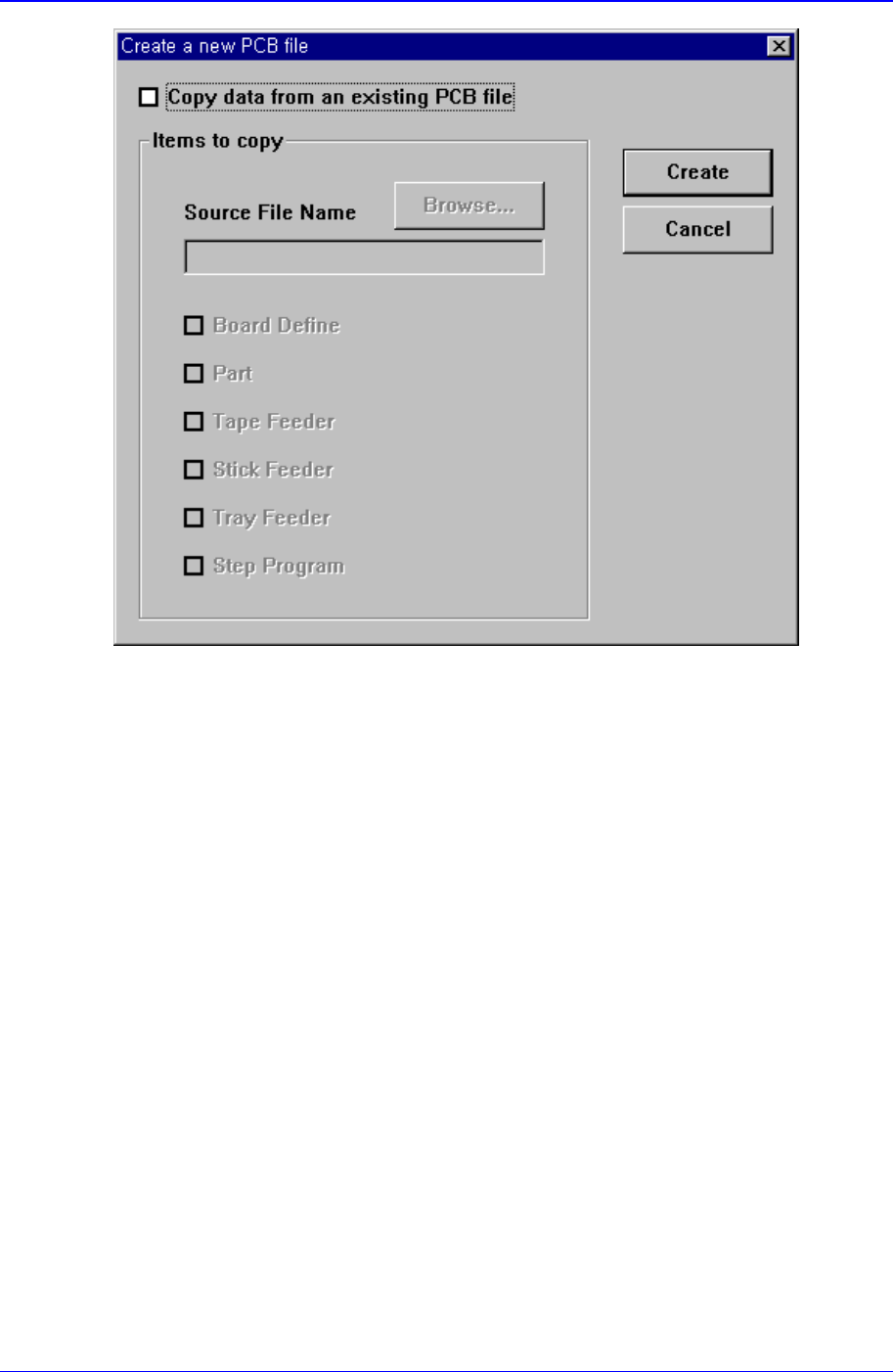
<New> command is used to create a new PCB file. When the <New> command is
selected, the following dialog box is displayed.
Caution
Except the PCB file, deleting or moving a system file or
data file arbitrarily could lead to the operation failure of
MMI program.
Except the PCB File, do not delete or remove a system
file or data file arbitrarily.
Samsung Component Placer CP-45F(V)/FS Operations Manual
8-2
Figure 8-2. “New PCB File” dialog box
<Copy data from an existing PCB file> check box
Used to copy certain data from an existing file and create a new file. When this box is not
checked, default data is used to create a new file. When this box is clicked on, the
<Items to Copy> dialog box is displayed.
File Commands
8-3
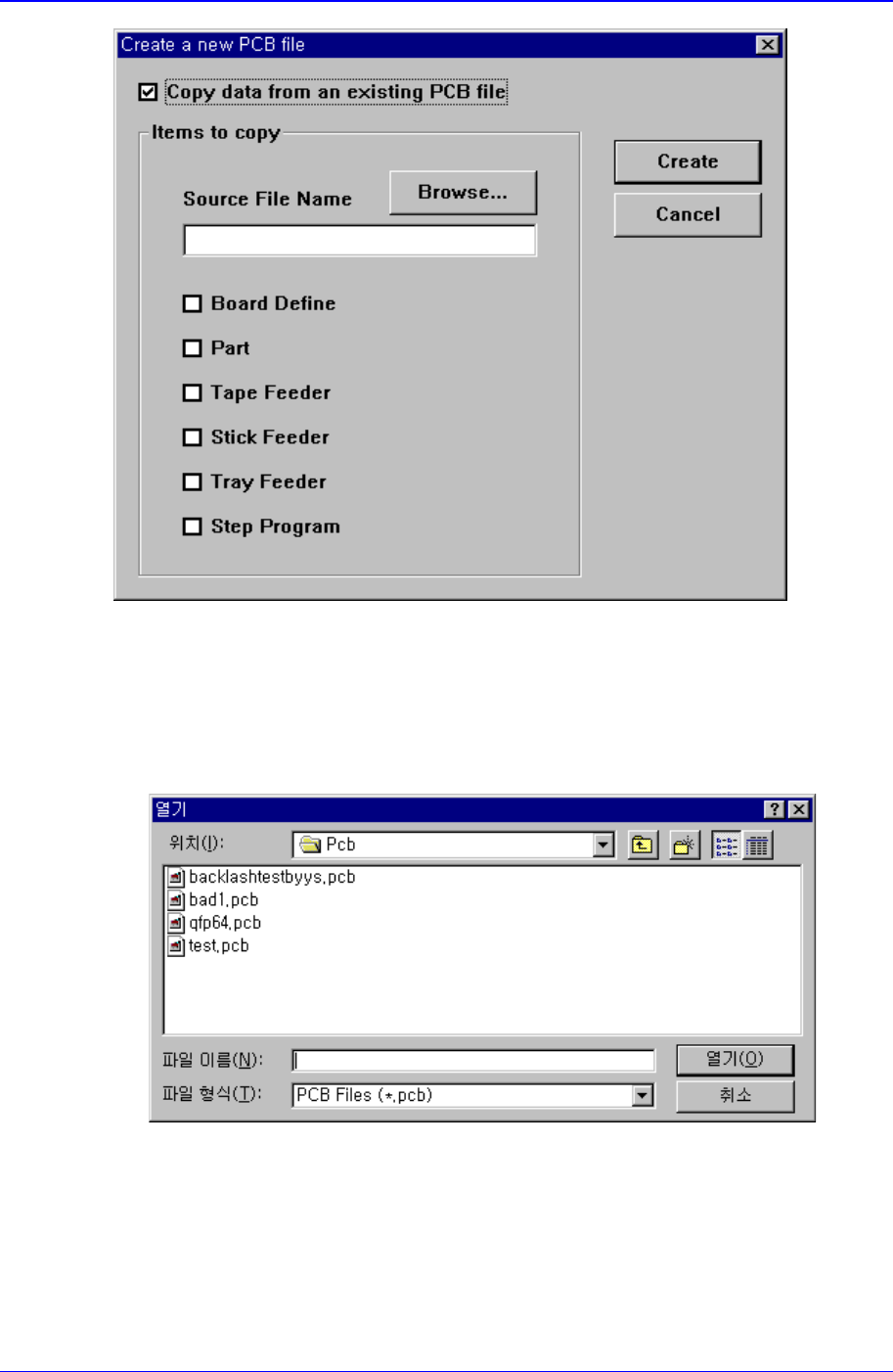
Figure 8-3.. “ Create a new PCB file” dialog box
<Copy data from another PCB file> option button
Used to copy certain data from an existing file and create a new file.
<Browse...> button
Used to create a new PCB file from existing files. When this button is clicked on,
“Open” dialog box is displayed.
Figure 8-4. “Open” dialog box
<Folders> Combo box
Specify the directory in which the file is located. Displays the files in the
directory specified here in the <File list> list box.
<File list> list box