operation-cp45.pdf - 第231页
PCB Edit Command 1 1-77 Of the items displayed in the <Type> column, explanation is given on the following. 1Half: The corresponding slot is occupied by 1 device installed in the adjacent slot. 2Half: The correspon…
Samsung Component Placer CP-45F(V)/FS Operations Manual
11-76
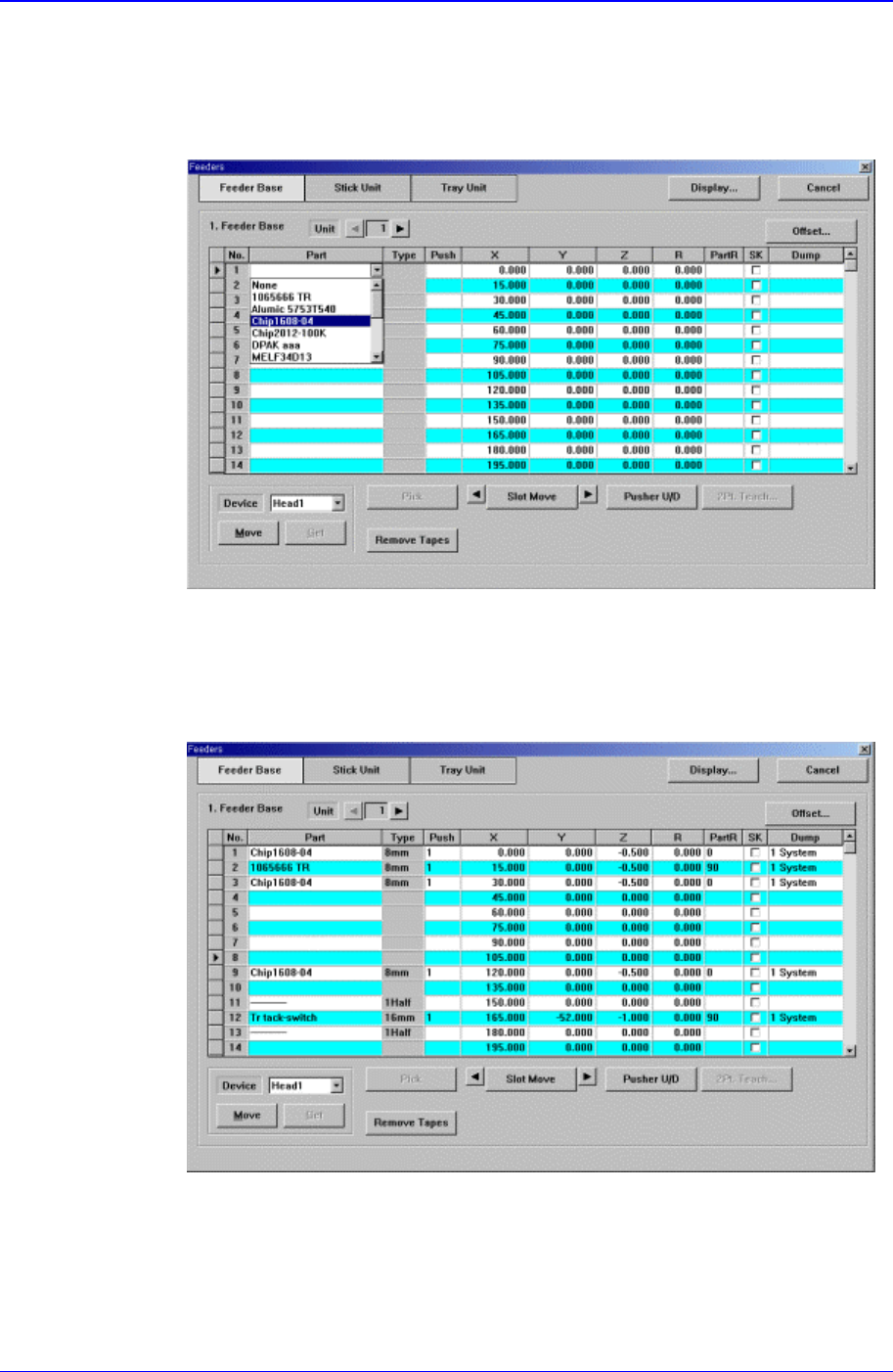
Select the component to install in the corresponding slot. When the <Part>
column is clicked on, the combo box appears, and of the components registered
in <1.2 Part>, the list of components to be supplied to “Tape” is displayed. Select
the component to install in this list. Next is the screen that shows selection of
components in the combo box of <Part> column.
Figure 11-48. “Feeder : When the part is selected in the Feeder Base” screen
<Type> column
Displays the type of the device installed in the corresponding slot. Next screen
shows the content displayed in the <Type> column of the feeder base on which
various devices are installed.
Figure 11-49. “Feeder : When various devices are installed in the Feeder Base” screen
PCB Edit Command
11-77
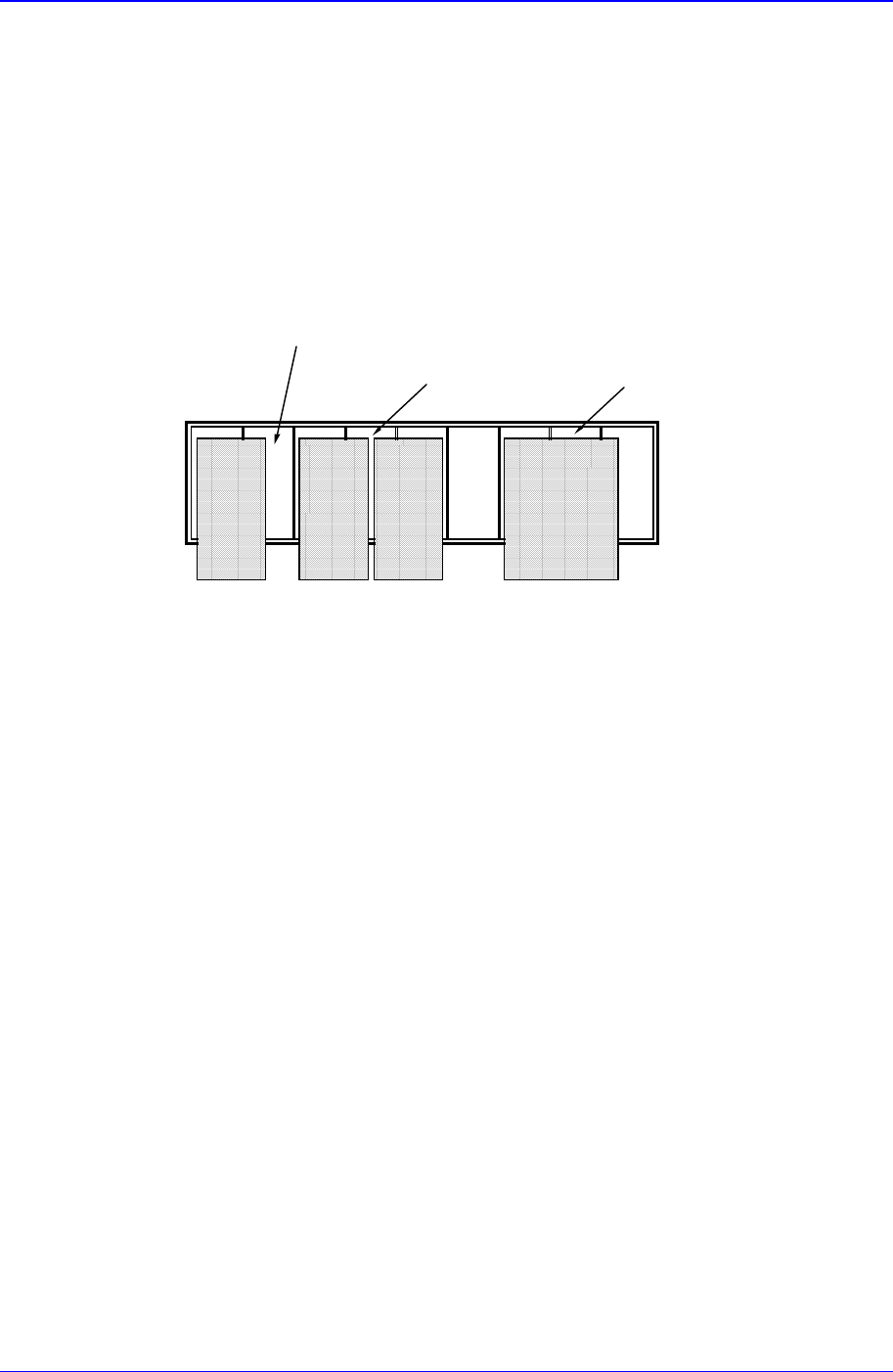
Of the items displayed in the <Type> column, explanation is given on the
following.
1Half: The corresponding slot is occupied by 1 device installed in the adjacent
slot.
2Half: The corresponding slot is occupied by 2 devices installed in the adjacent
slot.
Full: The corresponding slot is entirely occupied by the device installed in the
adjacent slot.
1
half status slot
2
half status slot
Full status slot
<Push> column
When the tape feeder is installed in the corresponding slot, select the number of
pushes necessary to push forward the tape feeder for 1 pitch.
<X> column
When the tape feeder is installed in the corresponding slot, set the X position to
pick up the component supplied from the tape feeder.
<Y> column
When the tape feeder is installed in the corresponding slot, set the Y position to
pick up the component supplied from the tape feeder.
<Z> column
When the tape feeder is installed in the corresponding slot, set the Z position to
pick up the component supplied from the tape feeder.
<R> column
When the tape feeder is installed in the corresponding slot, set the R
position(rotation angle of the head) to pick up the component supplied from the
tape feeder.
<PartR> column
When the tape feeder is installed in the corresponding slot, set the ing angle for
the component supplied from the tape feeder.
Samsung Component Placer CP-45F(V)/FS Operations Manual
11-78
Memo
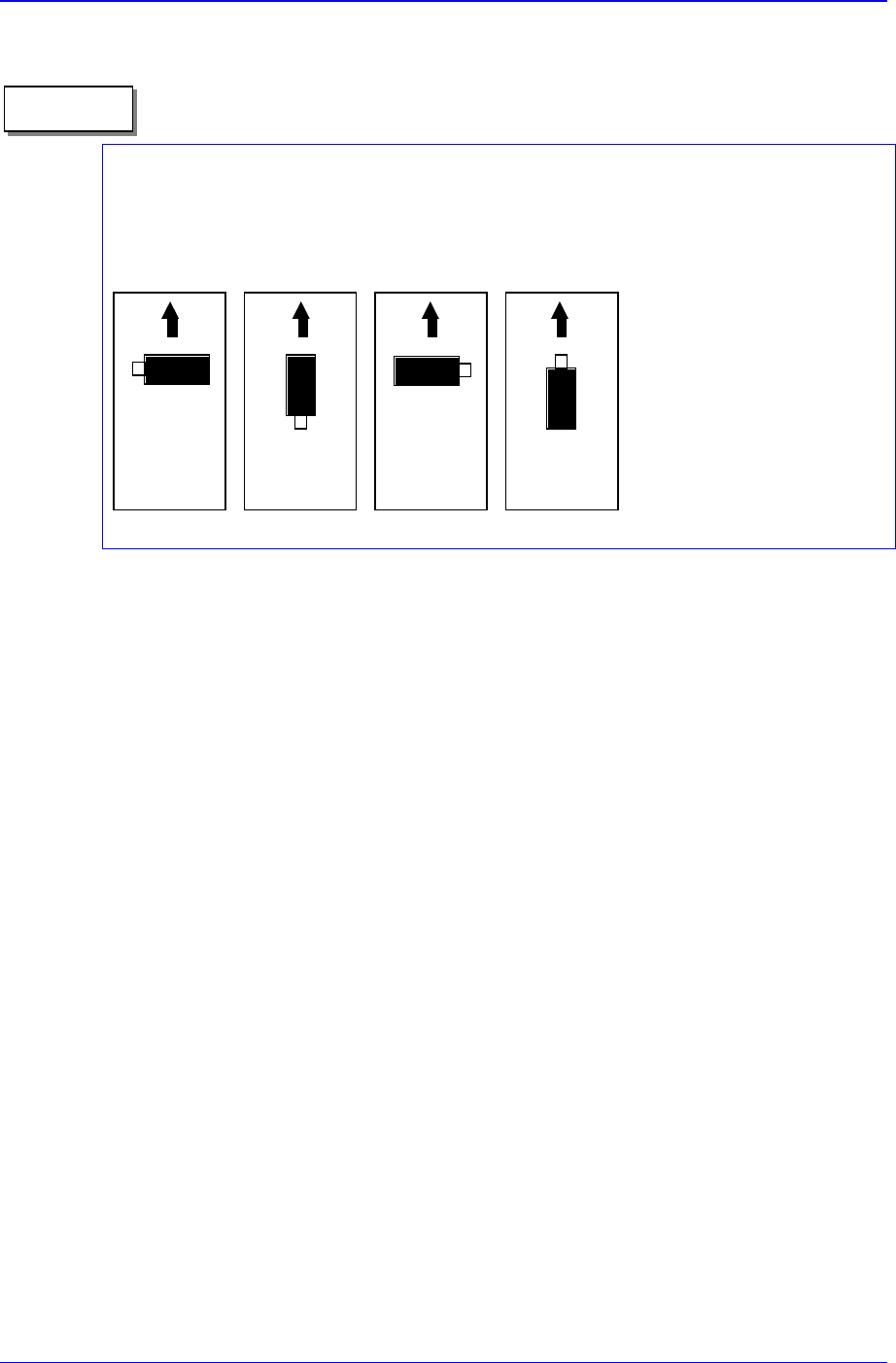
Definition on component supply angle and pickups angle
Supply angle (In the case of user):
The supply angle is based on the angle at which a component is supplied to the feeder. It
is the angle when the component is supplied from the feeder regardless of the feeder
being arranged in the front or at the rear.
0° 90° 180° 270°
<SK> column
When the tape feeder is installed in the corresponding slot, select whether to pick
up the component supplied from the tape feeder or not.
To pick it up leave the check box as it is, and check the check box not to pick it
up.
<Dump> column
When the tape feeder is installed in the corresponding slot, select the dump box
for the component supplied from the tape feeder. Available dump boxes are as
follows.
System Dump: the dump box installed in the system, it is installed in the front of
the conveyor of the equipment.
User Dump: the dump box set in the system by the user. The location in the
system must be set.
<Pick> button
Executes component pickups from the tape feeder installed on the current row of the
grid. A device must be selected first. When pickups is successful, the following
dialog box is displayed.