operation-cp45.pdf - 第292页
Samsung Component Placer CP-45F(V)/FS Operations Manual 15-6 Figur e 15-5. “ Sys. Setup : Head Device Of fset ” dialog box <Gantry ID Select> Static box Displays the ID of the gantry to which the head block is at…

Sys.Setup Command
15-5
When this button is clicked on, the limit position of the XY axis is searched
automatically.
Caution: Take a precaution since the XY axis moves.
<Offset> group
Set the offset value for the selected axis.
<Home Offset> edit box
Set the offset value when the motor of the selected axis finds Home.
<Device> combo box
To move or to read in the current positions of the XY, and Z axes, select the
corresponding device. Available devices are as follows.
Move Cam: Selects Teaching Camera.
Head1: Selects Head1.
Head2: Selects Head2.
Head3: Selects Head3.
Head4: Selects Head4.
Head5: Selects Head5.
Head6: Selects Head6.
<Move> button
Moves the X,Y, and Z axes to the device selected in <Device>. At this time, the edit
box corresponding to the position to move to must be clicked on with a mouse.
<Get> button
Reads in the current positions of the XY, and Z axes of the device selected in
<Device>. At this time, the edit box corresponding to the position to be read should
be clicked on with a mouse.
<Update> button
Transmits the set data to the equipment and closes the dialog box.
<Cancel> button
Ignores the set data and closes the dialog box.
15.3. Offset [F4]
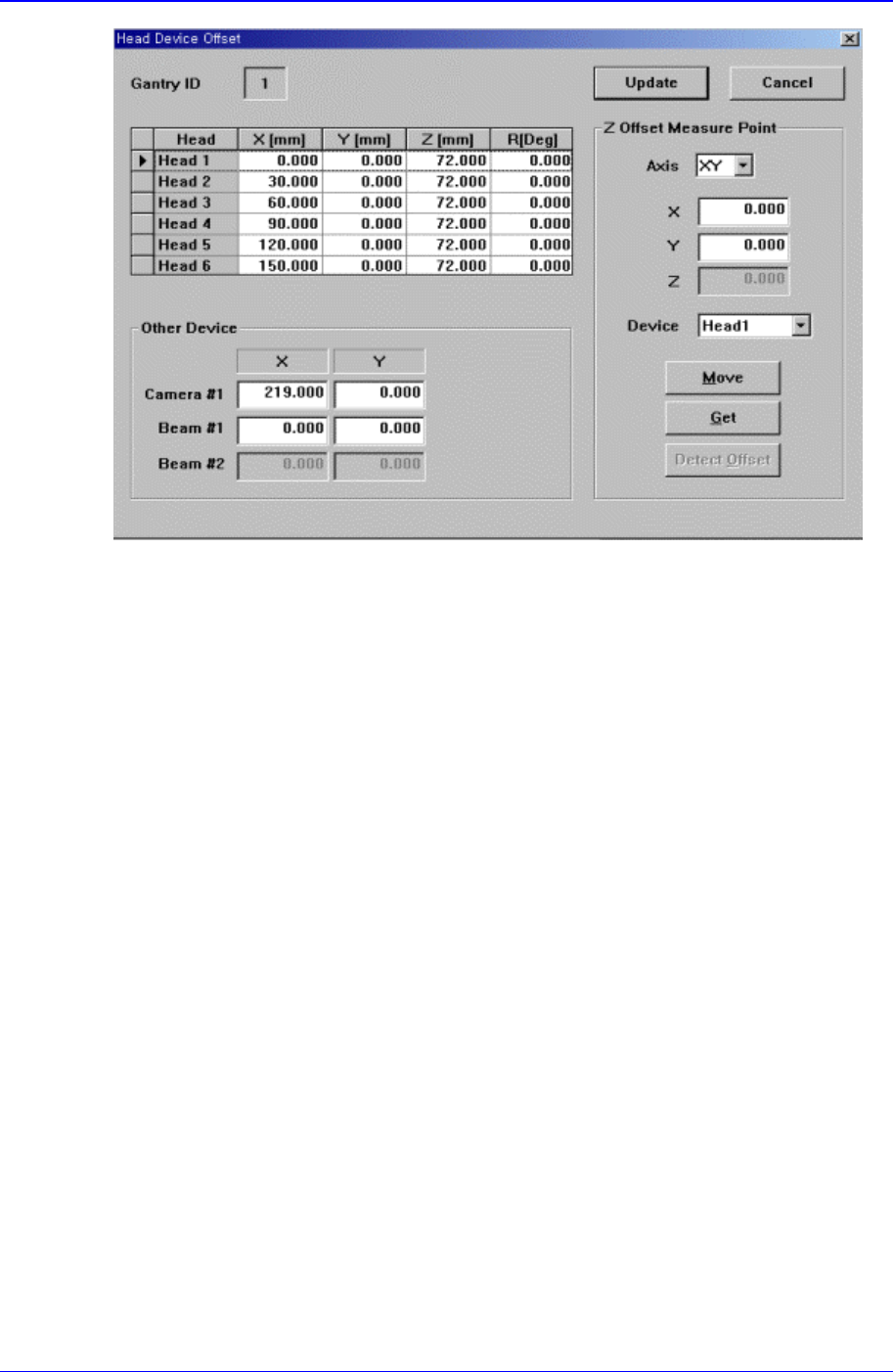
Sets the offset value between the devices of the head block.
When this button is clicked on, the following dialog box is displayed.
Samsung Component Placer CP-45F(V)/FS Operations Manual
15-6
Figure 15-5. “Sys. Setup : Head Device Offset” dialog box
<Gantry ID Select> Static box
Displays the ID of the gantry to which the head block is attached.
<Grid> group
Set the offset value between the heads.
<Head> column
Displays the head number.
<X> column
Set the X offset value. Consider the X position of head1 when the XY axis is
Home as 0 and set the offset value based on this value.
<Y> column
Set the Y offset value. Consider the Y position of head1 when the XY axis is
Home as 0, and set the offset value based on this value.
<Z> column
Set the Z offset value. The base of offset value is the top of PCB when the PCB
board is loaded.
<R> column
Set the R offset value.
<Other Device> group
Set the offset values for the devices other than the head.
<Camera#1 X> edit box
Set the offset value for Camera1.
<Camera#1 Y> edit box
Set the Y offset value for Camera1.
<Beam#1 X> edit box
Sys.Setup Command
15-7
Set the X offset value for Beam1.
<Beam#1 Y> edit box
Set the Y offset value for Beam1.
<Beam#2 X> edit box
Set the X offset value for Beam2.
<Beam#2 Y> edit box
Set the Y offset value for Beam2.
<Z Offset Measure Point> group
Set the X, the Y and the Z values for the Z Offset Measure Point of each heads.
<Detect Offset>button
Set the Offset values of each heads automatically.
<Update> button
Transmits the set data to the equipment and closes the dialog box.
<Cancel> button
Ignores the set data and closes the dialog box.
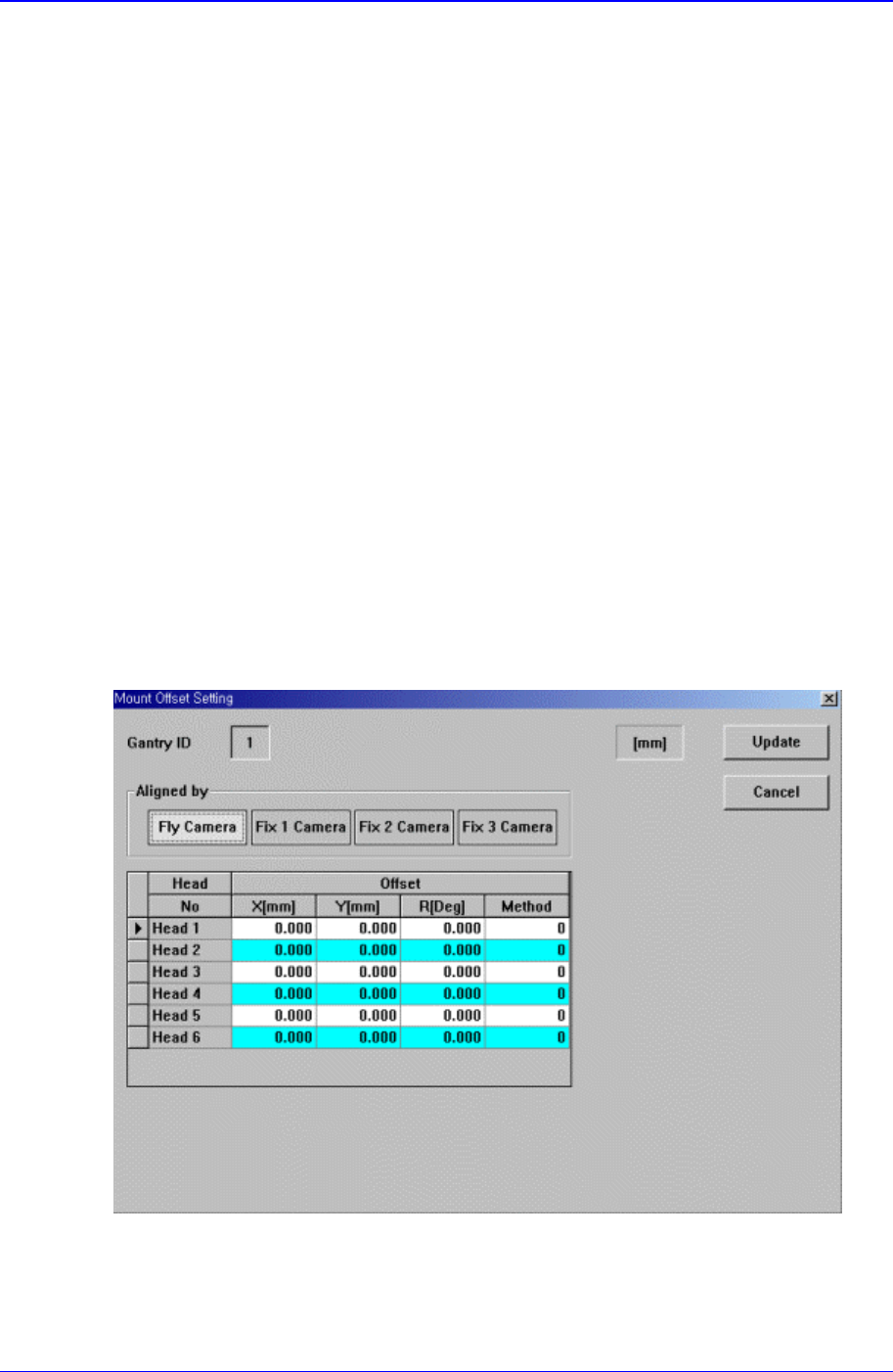
15.4. Offset [F5]
Sets the Offset value of the equipment.
When this button is clicked on, the following dialog box is displayed.
Figure 15-6. “Sys. Setup : Offset Setting” dialog box