operation-cp45.pdf - 第131页
File Commands 8-1 Chapter 8. File Commands The <File> menu is composed of the follo wing six command submenus: New, Open, Save, Save As, Merge Part Library, and Exit. Figur e 8-1. File Menu and Submenus 8.1. N ew […
Samsung Component Placer CP-45F(V)/FS Operations Manual
7-6
When the pull down menu is displayed, enter the underlined letter of each command
using the keyboard.
Use shortcut keys. When the command is underlined, press Alt + the underlined letter,
and the cursor moves to that position or executes the command.
For the command that is marked Ctrl (or Alt)+□ after the pull down menu command,
shortcut keys can be used. The shortcut key is a method to select a command directly
without using the cursor by pressing Ctrl (or Alt) key together with the designated key
simultaneously. In this manual, shortcut key is indicted by a “[ ]” after the command.
Example: New [Ctrl+N]
Memo
File Commands
8-1
Chapter 8. File Commands
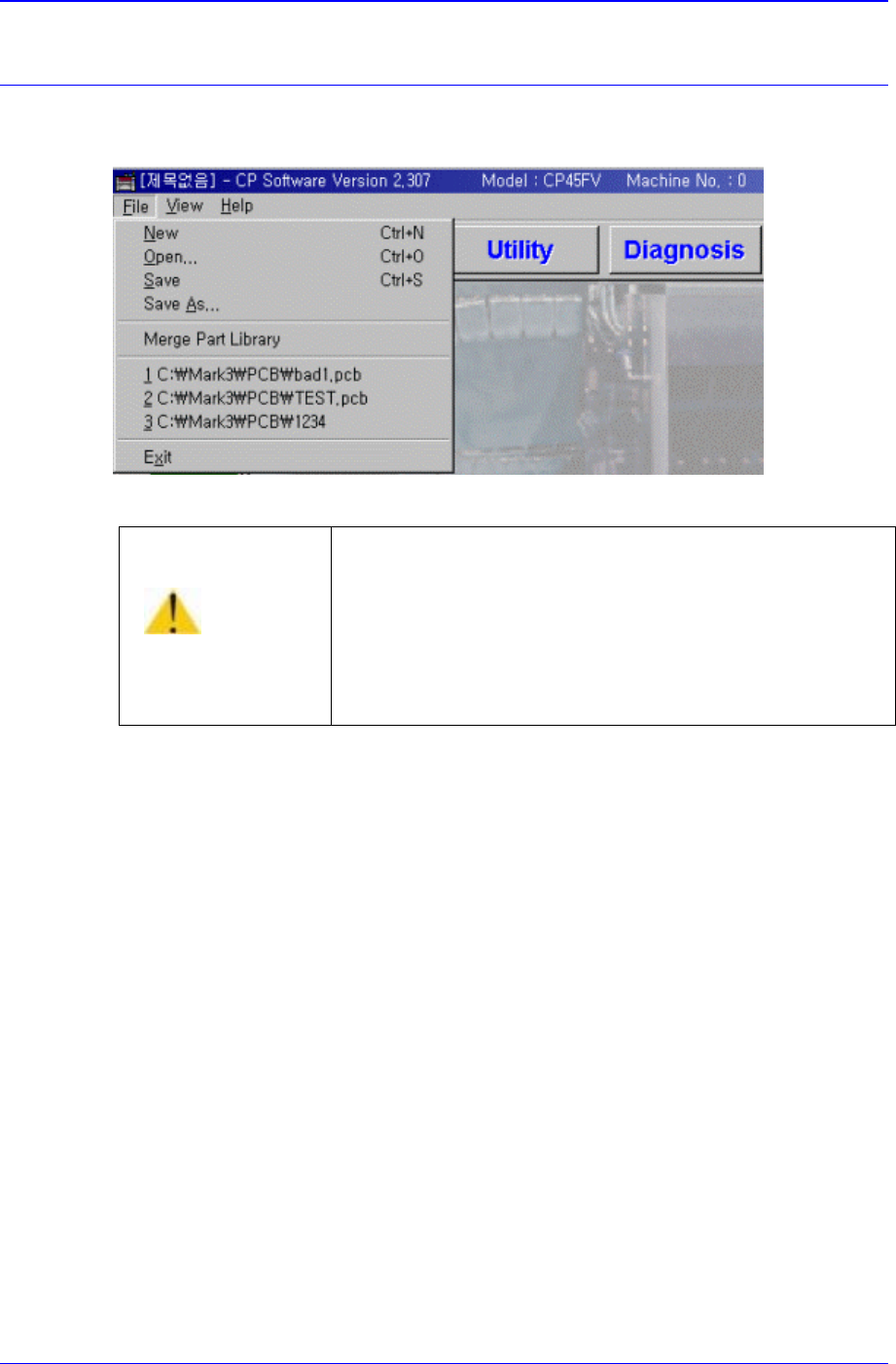
The <File> menu is composed of the following six command submenus: New, Open,
Save, Save As, Merge Part Library, and Exit.
Figure 8-1. File Menu and Submenus
8.1. N
ew [Ctrl+N]
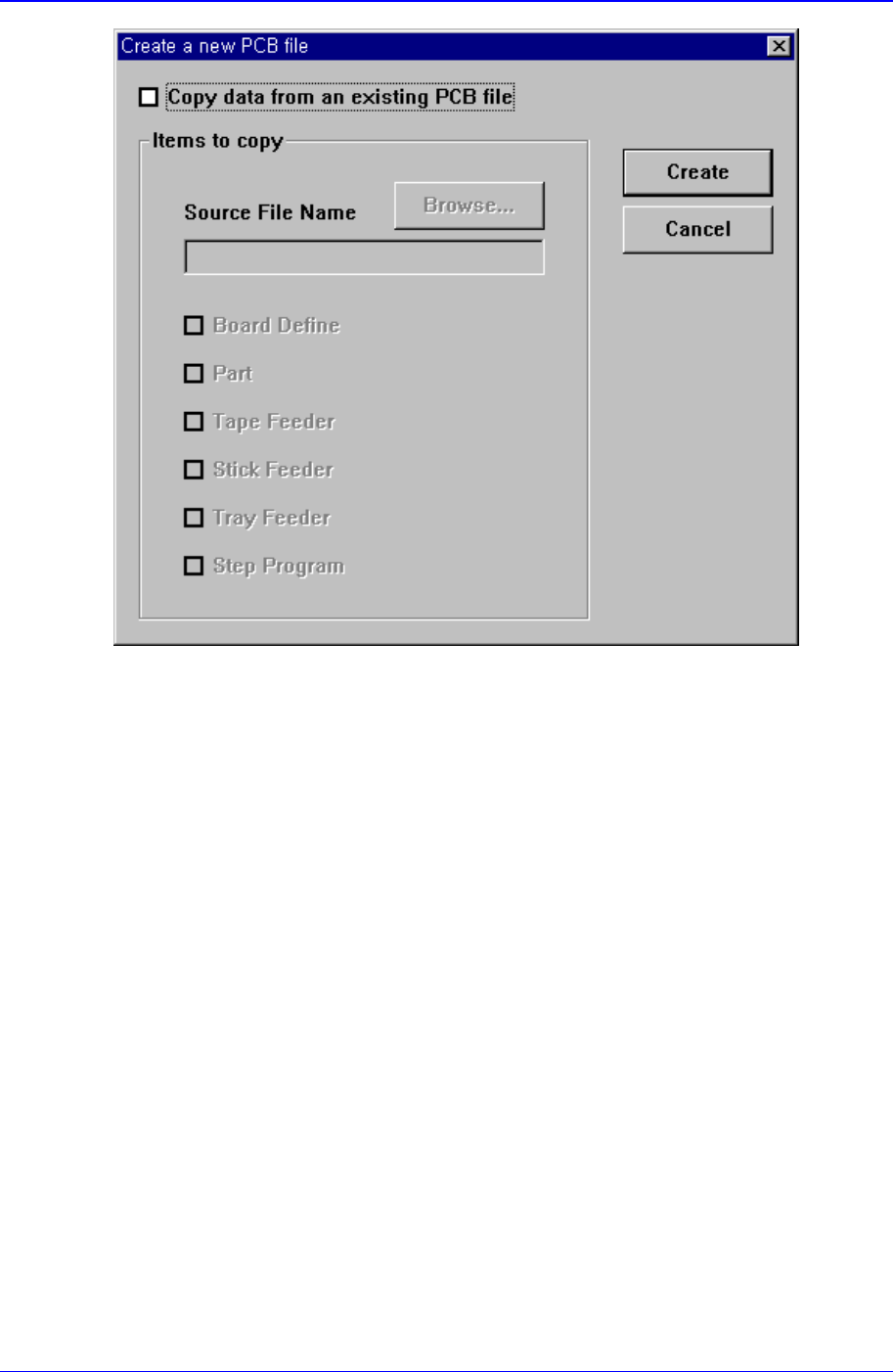
<New> command is used to create a new PCB file. When the <New> command is
selected, the following dialog box is displayed.
Caution
Except the PCB file, deleting or moving a system file or
data file arbitrarily could lead to the operation failure of
MMI program.
Except the PCB File, do not delete or remove a system
file or data file arbitrarily.
Samsung Component Placer CP-45F(V)/FS Operations Manual
8-2
Figure 8-2. “New PCB File” dialog box
<Copy data from an existing PCB file> check box
Used to copy certain data from an existing file and create a new file. When this box is not
checked, default data is used to create a new file. When this box is clicked on, the
<Items to Copy> dialog box is displayed.