operation-cp45.pdf - 第179页
PCB Edit Command 1 1-25 St anda rd Pa rt DB PC B Pa r t Lo c a l Pa r t DB Figur e 1 1-18. Relationship between component DBs When the <Part> command is selected , the initial screen is as follows. Figur e 1 1-19. …
Samsung Component Placer CP-45F(V)/FS Operations Manual
11-24
between these data.
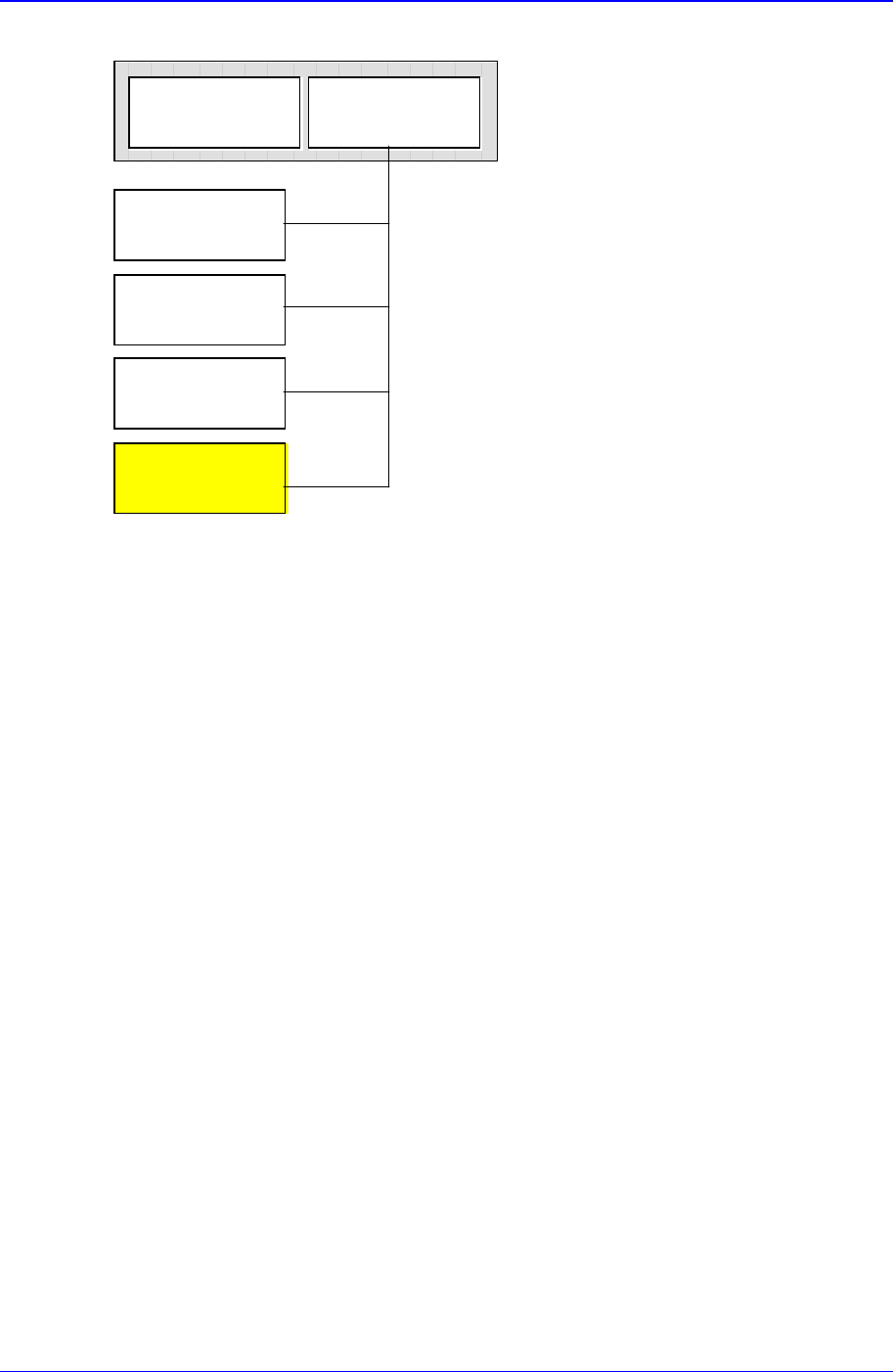
Chuck Align
Package
QA Align
Package
CA Align
Package
Vision Align
Package
Common
Package
Part
(Align Type)
Figure 11-17. Component Data Structure
The component data in the Figure 11-19 is composed of “Part” that controls component
names and component sizes and “Common Package” that has the data related to the
machine.
Based on the alignment device, the component alignment methods (hereafter Align Type)
are classified into “Chuck Align”, “QA Align (Quad Aligner)”, “CA Align(Cyber Optics)”,
and “Vision Align”. And as the data controlled differ depending on the align type, the
align data are classified into “Chuck Align Package”, “QA Align Package”, “CA Align
Package”, and “Vision Align Package”.
The align data of a component can have only one or more than one of the four listed
above. Set the align data to be applied now in the Align Type of “Part”.
In the Fig. 1-1, “Vision Align Package” is being set with the current align data.
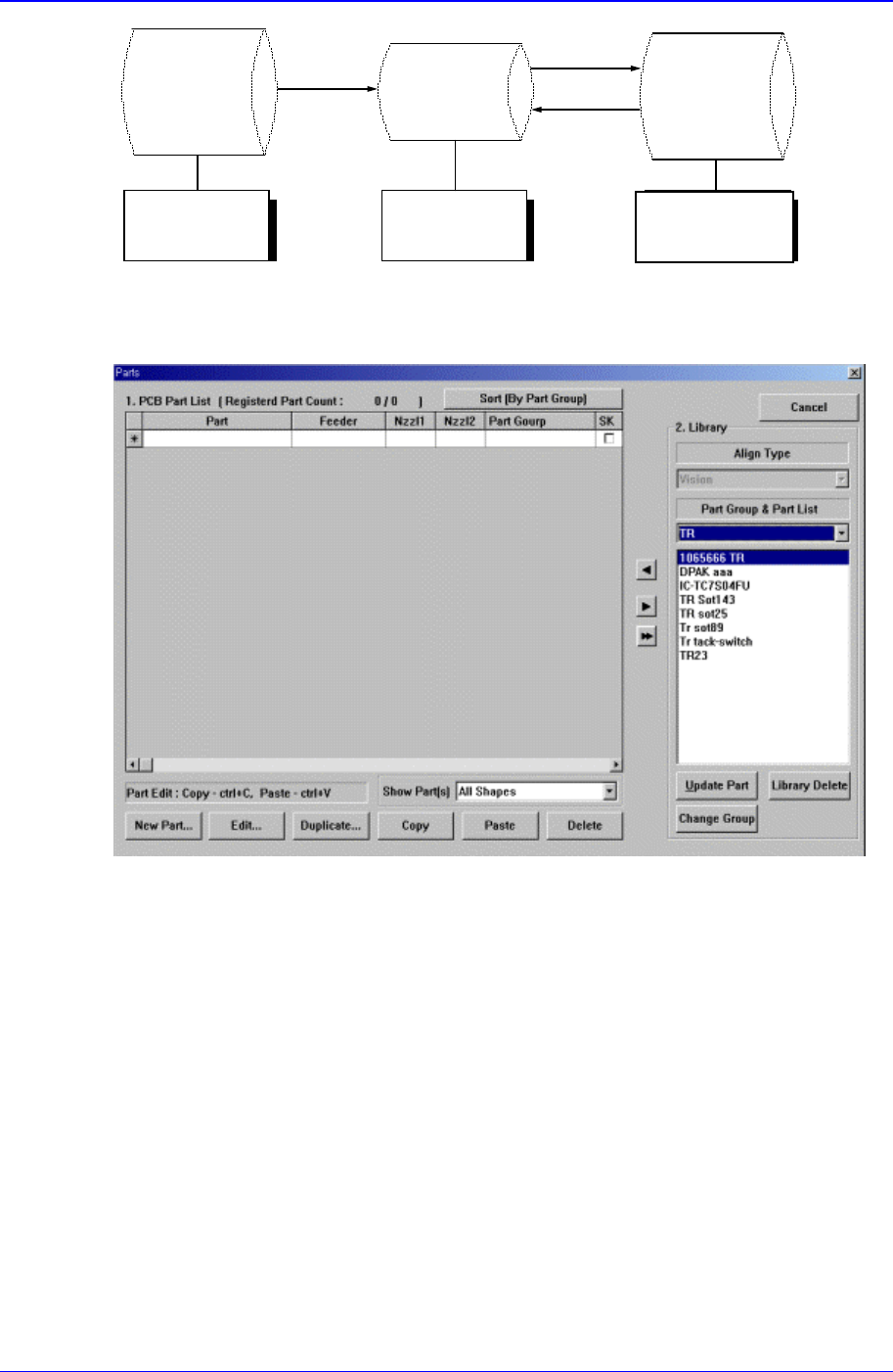
Each PCB controls component data on all components operated on the corresponding
PCB and saves the component data in the Local Part DB of the equipment. To create
component data for a new PCB, component data stored in the Local Part DB can be
copied. To create component data for a new component whose data is not stored in the
Local Part DB, data for a similar component stored in the Local Part DB can be copied
and edited or standard component data can be copied from the Standard Part DB and
edited. The Standard Part DB is a DB of generally used components developed and
supplied by this equipment manufacturer. The relationship between component data is
shown in the following.
PCB Edit Command
11-25
Standard
Part DB
PCB Part
Local
Part DB
Figure 11-18. Relationship between component DBs
When the <Part> command is selected, the initial screen is as follows.
Figure 11-19.”Parts” dialog box
<1. PCB Part List> group
Display a list of currently registered components.
<Part> column
Displays the component name.
<Feeder> column
Create
New
p
art
Save
Copy
Applied to
all PCBs
Controlled by
each PCB
Controlled by
each equipment

Samsung Component Placer CP-45F(V)/FS Operations Manual
11-26
Displays the type of the feeder supplying components. The types of feeders are
as follows.
8mm Tape: Supply by 8mm Tape Feeder.
12mm Tape: Supply by 12mm Tape Feeder.
16mm Tape: Supply by 16mm Tape Feeder.
24mm Tape: Supply by 24mm Tape Feeder.
32mm Tape: Supply by 32mm Tape Feeder.
44mm Tape: supply by 44mm Tape Feeder.
56mm Tape: Supply by 56mm Tape Feeder.
32mm Adhensive: Supply by 32mm Adhesive Tape Feeder.
Belt Stack Stick: Supply by Belt Stack Stick Feeder.
Vibration Multi Stick: Supply by Vibration Multi Stick Feeder.
Belt Multi Stick: Supply by Belt Multi Stick Feeder.
Single Tray: Supply by Single Tray Feeder.
FW-20F: Supply by 20-stage Tray Feeder.
FW-20S: Supply by 20-stage Tray Feeder.
FW-12M: Supply by 12-stage Tray Feeder.
<Nozzle1> column
Displays the nozzle that pick up components. The nozzle types are as follows.
NP20:
NP40:
TNSQ:
TN14:
TN22:
TNDSQ:
TN40:
TN75:
TN110:
<Nozzle2> column
Displays the auxiliary nozzle that adsorbs components. When the main nozzle
can not be used, the auxiliary nozzle is used. The types of auxiliary nozzles are
the same as the main nozzle.
<Part Group>
Displays the component Part Group.
<SK> check box
When it is checked, this part is skipped during placing.
<New Part…> button
Registers new component. When this button is clicked on, the following dialog box is
displayed.