operation-cp45.pdf - 第300页
Samsung Component Placer CP-45F(V)/FS Operations Manual 15-14 Figur e 15-10. “ Sys. Setup : Camera Setti ng – Move Camera ” di alog box <Select> combo box Select the camera type to set. A vailable camera types ar…

Sys.Setup Command
15-13
Set the X position of the corresponding user dump box.
<Grid - Y> column
Set the Y position of the corresponding user dump box.
<Grid – Release Z> column
Set the Z axis height of the head at the time of dumping to the corresponding user
dump box.
<Device> combo box
To move or to read in the position of the XY and Z axes, select the corresponding
device. Available devices are as follows.
Move Cam: Selects Teaching Camera.
Head1: Selects Head1.
Head2: Selects Head2.
Head3: Selects Head3.
Head4: Selects Head4.
Head5: Selects Head5.
Head6: Selects Head6.
<Move> button
Moves the XY and Z axes to the device selected in <Device>. At this time, the edit
box corresponding to the position to move to must be clicked on with a mouse.
<Get> button
Reads in the current position of the XY and Z axes of the device selected in <Device>.
At this time, the edit box corresponding to the position to be read must be clicked on
with a mouse.
<Update> button
Transmits the set data to the equipment and closes the dialog box.
<Cancel> button
Ignores the set data and closes the dialog box.
15.8. Camera [F8]
Sets various data on the camera and performs camera calibration.
Samsung Component Placer CP-45F(V)/FS Operations Manual
15-14
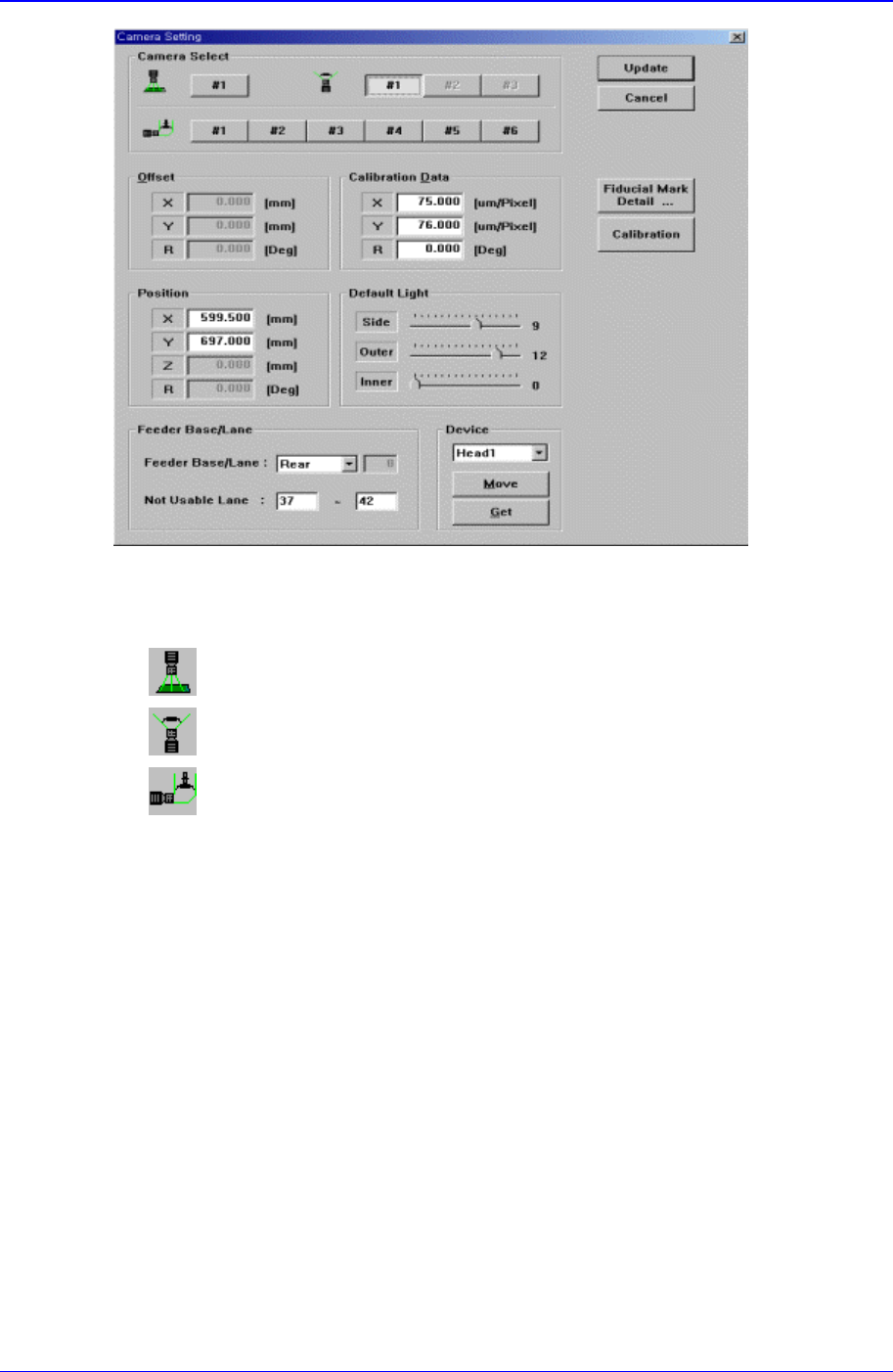
Figure 15-10. “Sys. Setup : Camera Setting – Move Camera” dialog box
<Select> combo box
Select the camera type to set. Available camera types are as follows.
Move Camera : Camera used for position teaching or fiducial mark check.
Fix Camera : Camera used for component check, it is fixed on the feeder lane.
Fly Camera : Camera used for component check, it is attached to each head.
<Camera No> option button
Selects the camera number for each camera type.
For the move camera, no.1, for the fix camera, nos. 1-3, and for the fly camera nos.1-
6 can be selected.
Above screen is the case where the camera type is set to “Move Camera”.

Sys.Setup Command
15-15
Warning
Operation error caused by unauthorized or untrained
personnel or insufficient checking before calibration
could severely damage the machine
or the set up data, or it could cause personal injury of
the operator or the worker near the machine.
Before carrying out calibration, check the item to be
calibrated and check if there is any worker near the
machine.
And calibration must be carried out by an authorized
and trained user only.