operation-cp45.pdf - 第146页
Samsung Component Placer CP-45F(V)/FS Operations Manual 9-6 Hole Fixer: A method of arrangement by i nserting pins in the holes of the PCB. Edge Fixer: A method o f arrangement by pushing the PCB from the side with a dev…
View Commands
9-5
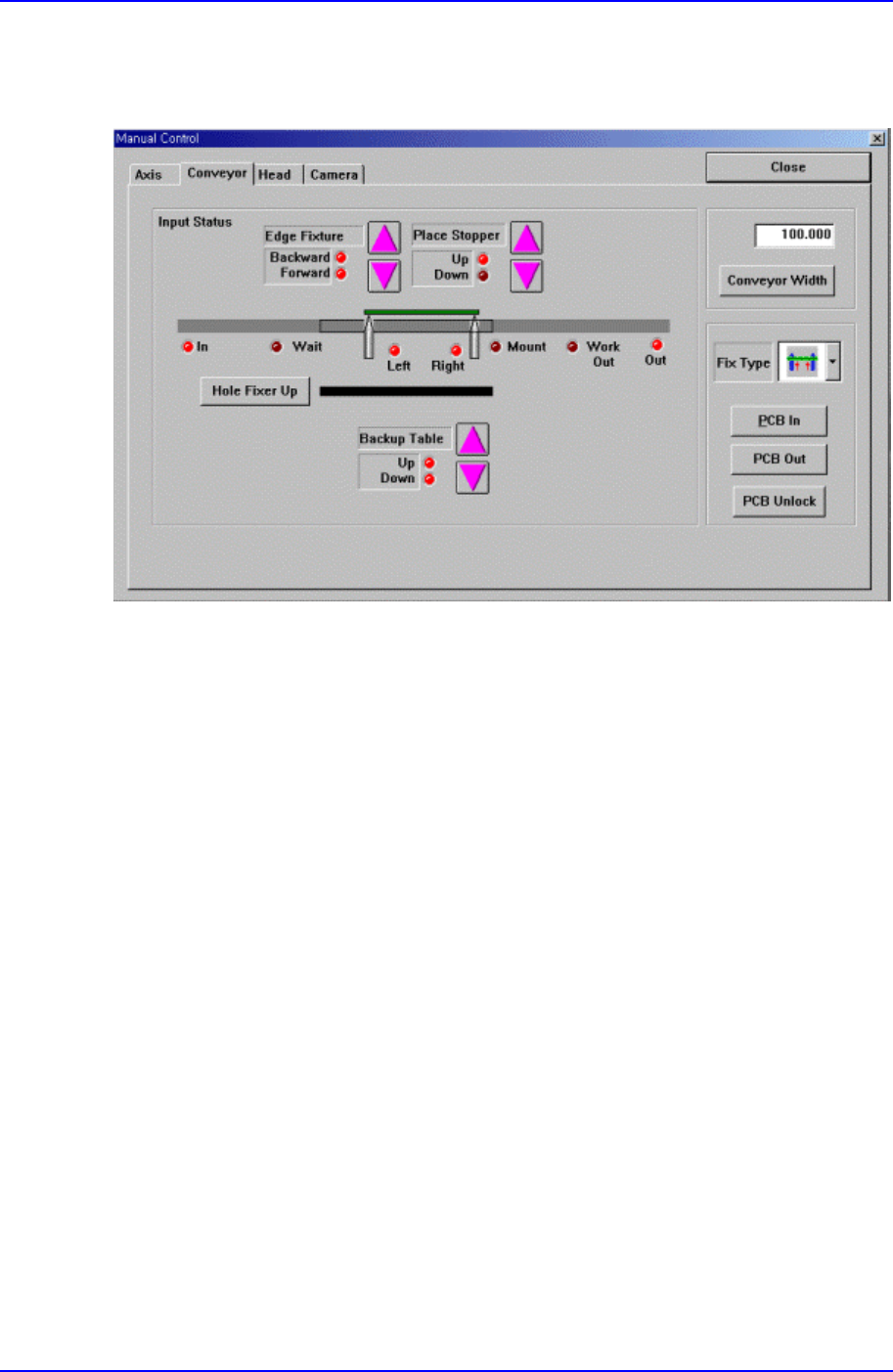
9.1.2. Conveyor Dialog Box
Operates the conveyor and the devices attached to the conveyor.
Figure 9-3. “Manual Tools – Conveyor” dialog box
<Edge Fixture> button
Moves backward or forward the edge fixer.
<Place Stopper> button
Moves up or down the place stopper.
<Backup Table> button
Moves up or down the backup table.
<Hole Fixer Up> button
Moves up the hole fixer.
<Conveyor Width> edit box
Enter the conveyor width.
<Conveyor Width> button
Automatically adjusts the conveyor width to the value entered in the <Conveyor
Width> edit box.
<Fix Type> combo box
Select the PCB arrangement method.

Samsung Component Placer CP-45F(V)/FS Operations Manual
9-6
Hole Fixer: A method of arrangement by inserting pins in the holes of the
PCB.
Edge Fixer: A method of arrangement by pushing the PCB from the side with
a device attached to the conveyor.
Edge Fixer2: It is the same as the “Edge Fixer” method, but it is a method of
arrangement by pushing twice from the side.
<PCB In> button
Loads the PCB in the operation area. Before executing this function, the PCB
arrangement method must be set in <Fix Type>.
<PCB Unlock> button
Releases the PCB fixed in the operation area.
<PCB Out> button
Releases the PCB in the operation area to the next machine.
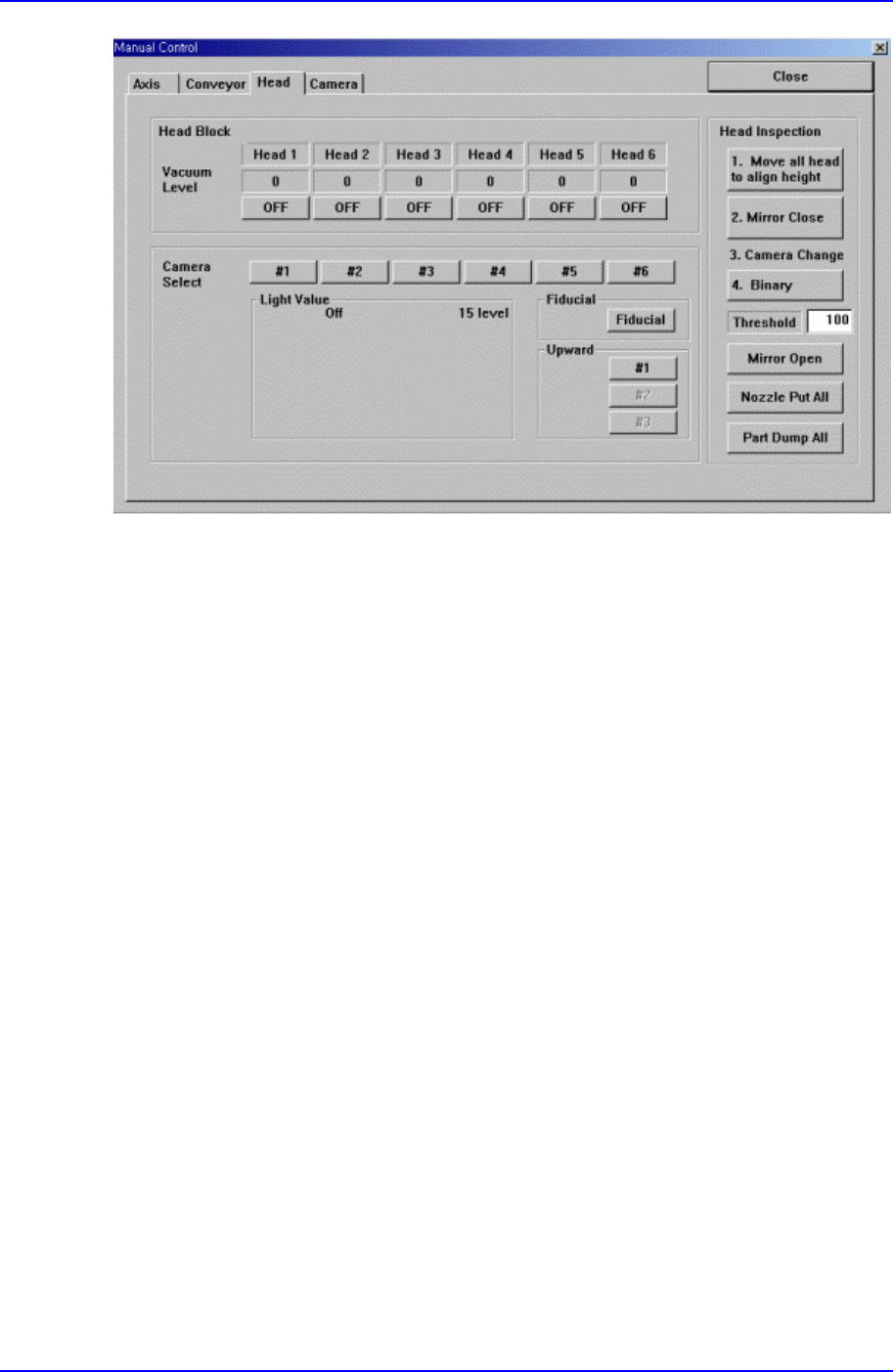
9.1.3. Head block Dialog Box
Used to turn on/off the air pressure of each head, set the light value of each camera,
open/close the mirror of the head block, and put all nozzles.
View Commands
9-7
Figure 9-4. “Manual Tools – Head block” dialog box
<Vacuum level> group
Turn on/off the air pressure of each head.
<Camera Select> group
Set the light value of the fiducial camera, fly camera, and upward camera.
<Head Inspection> group
<Move all head to align height> button
Move the Z axis of the head to the Align height to test the head.
<Mirror Open/Close> button
Open or Close the Mirror.
<Real Display/Binary> button
Displays the actual image and the processed image (binary) on the vision
screen.
<Nozzle Put All> button
Puts all Nozzles.
9.1.4. Camera Dialog Box
It tests the status of each camera through the vision monitor according to the image grab
and lighting