operation-cp45.pdf - 第269页
Utility Command 13-3 13.2. Pd. Info[F3] Displays the production management data. 13.3. Copy…[F4] The <Copy data between PCB files> co mmand performs the similar function as the<Browse> function of the <New…
Samsung Component Placer CP-45F(V)/FS Operations Manual
13-2
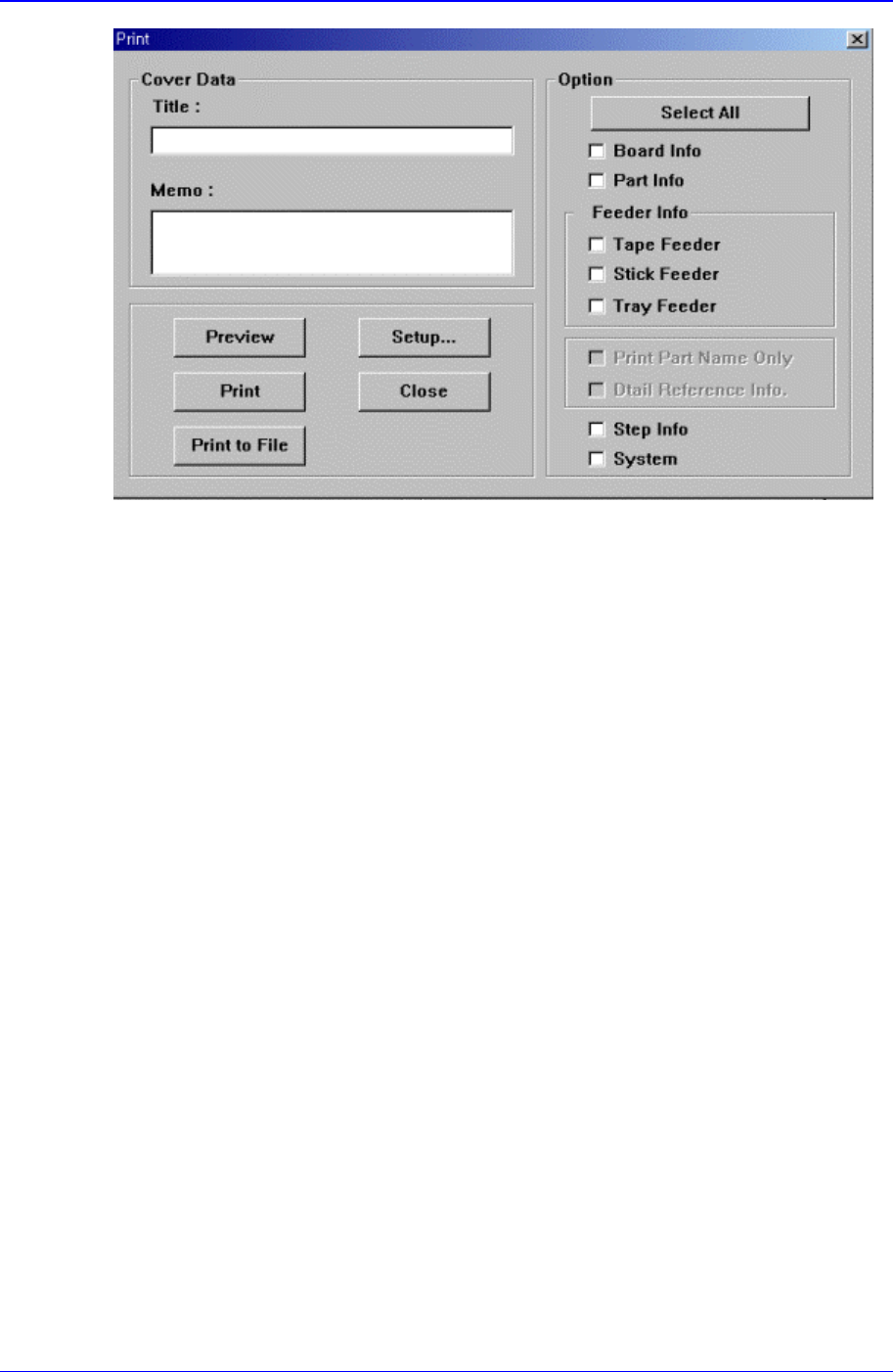
Figure 13-3. “Print “ dialog box
<Cover Data> group
Used to enter necessary information when a cover for the output is wanted. Enter the
title of the output in the “Title” edit box, and enter a short message to be displayed on
the cover in the “Memo” edit box.
<Option> check box group
<Board Info.>check box
Select the information on PCB Boards.
<Part Info.> check box
Select the information on components.
<Feeder Info> check box
Select the information on the feeder to print.
<Step Info.>check box
Select the information on operation sequence.
<System>check box
Select the information on the system parameter of the equipment.
<Preview> button
Displays the content to be printed on the screen first.
<Setup…> button
Sets the printer.
<Print> button
Prints the checked content and closes the “Print “ dialog box.
<Cancel> button
Cancels the execution of <Print> command and closes the “Print “ dialog box.
Utility Command
13-3
13.2. Pd. Info[F3]
Displays the production management data.
13.3. Copy…[F4]
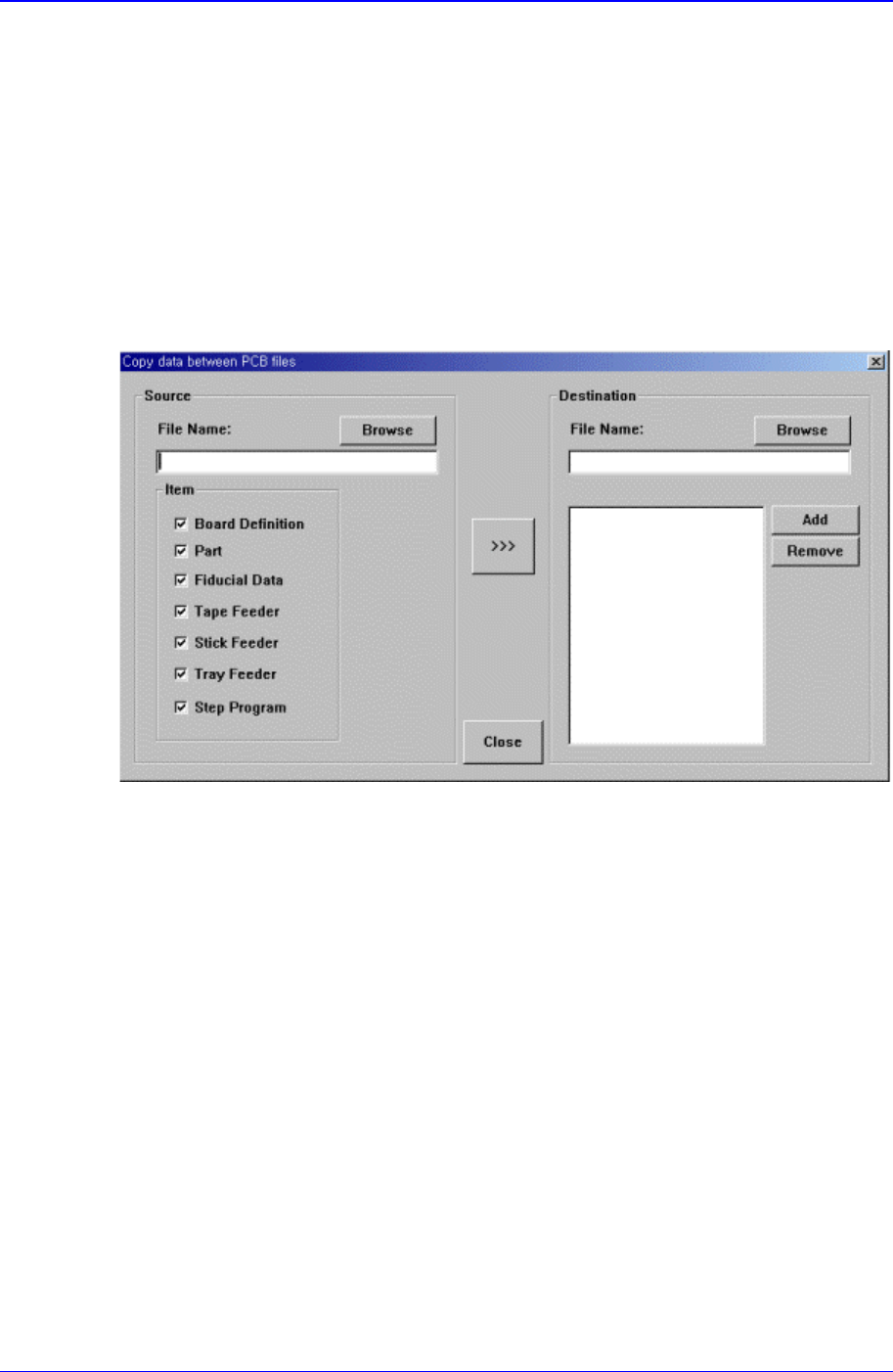
The <Copy data between PCB files> command performs the similar function as
the<Browse> function of the <New> command, but it does not create a new PCB file. A
preexisting file is copied to a designated PCB file.
When the <Copy data between PCB file> command is selected, the following dialog box
is displayed.
Figure 13-4. “Copy data between PCB files” dialog box
<Source File> edit box
The source file to be copied. The source file name can be selected by entering the
name of the source file directly or by clicking on the <Browse...> button on the right.
<Browse…> button
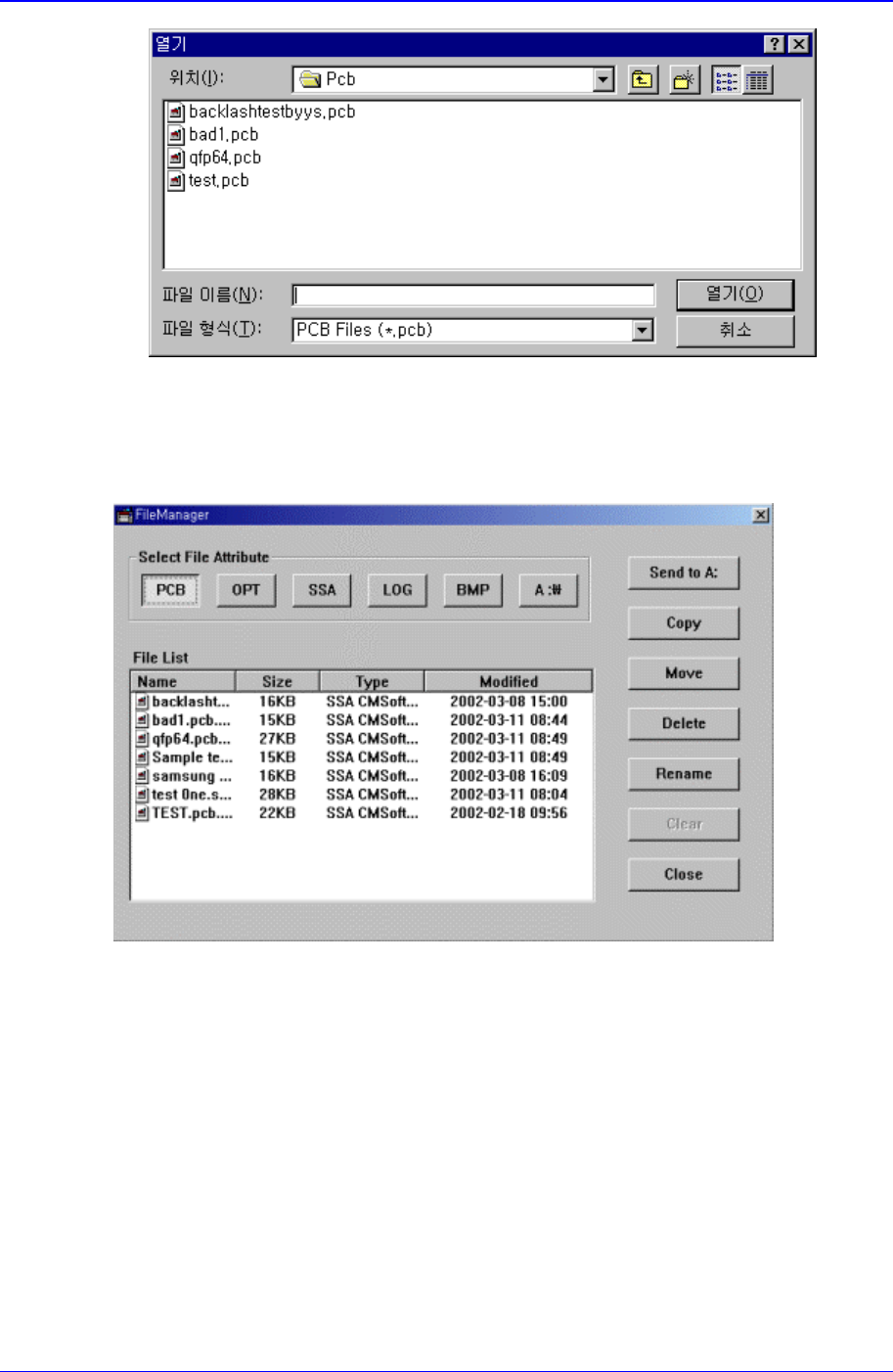
Displays the location of the source file to be copied. When this button is clicked on,
the following dialog box is displayed.
Samsung Component Placer CP-45F(V)/FS Operations Manual
13-4
Figure 13-5. “Open” dialog box
13.4. File Man…[F5]
Figure 13-6. “File Manager” dialog box
<Send To A:> button
Copies the selected file on a floppy disk.
<Copy> button
Makes a copy of the selected file and as the original file exists under its original name,
saves the copied file under a different file name when using the copy command.
<Move> button
Moves the selected file to the specified directory.
<Delete> button
Deletes the selected file.
<Rename> button
Renames the selected file