operation-cp45.pdf - 第242页
Samsung Component Placer CP-45F(V)/FS Operations Manual 11-88 Select the part to install on the corr esponding tray. When the<Part> colum n is clicked on, a combo box appears, and among the com ponents registered i…
PCB Edit Command
11-87
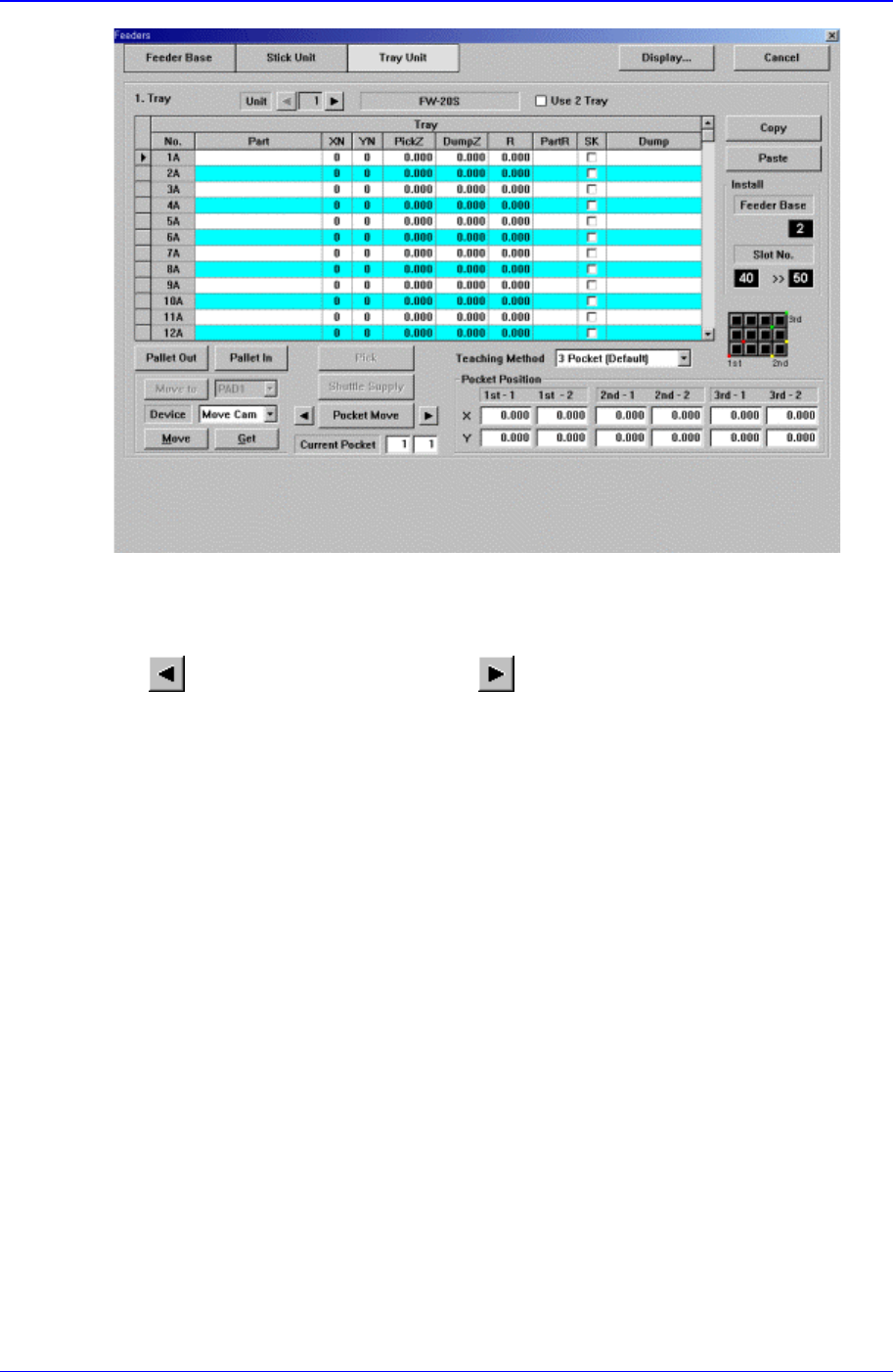
Figure 11-53. “Tray Unit” dialog box
<Unit> group
Select the tray unit to edit.
button selects the previous unit, button selects the next unit.
<Unit Type>
Displays the type of selected tray unit. The type of the corresponding tray unit should
be set in the system.
<Use 2 Tray> check box
Select whether to use 2 plate Tray.
To use 2 Tray, check the check box, and not to use 2 plate Tray, do not check the
check box.
<Tray> group
Create and edit data according to the type of the corresponding tray. The above dialog
box is the dialog box displayed when <Type> is set to “Single”.
<No> column
A serial number of the tray unit tray. Basically, “Single” has 5, “FW-20F” and
“FW-20S” have 20 trays.
<Part> column
Samsung Component Placer CP-45F(V)/FS Operations Manual
11-88
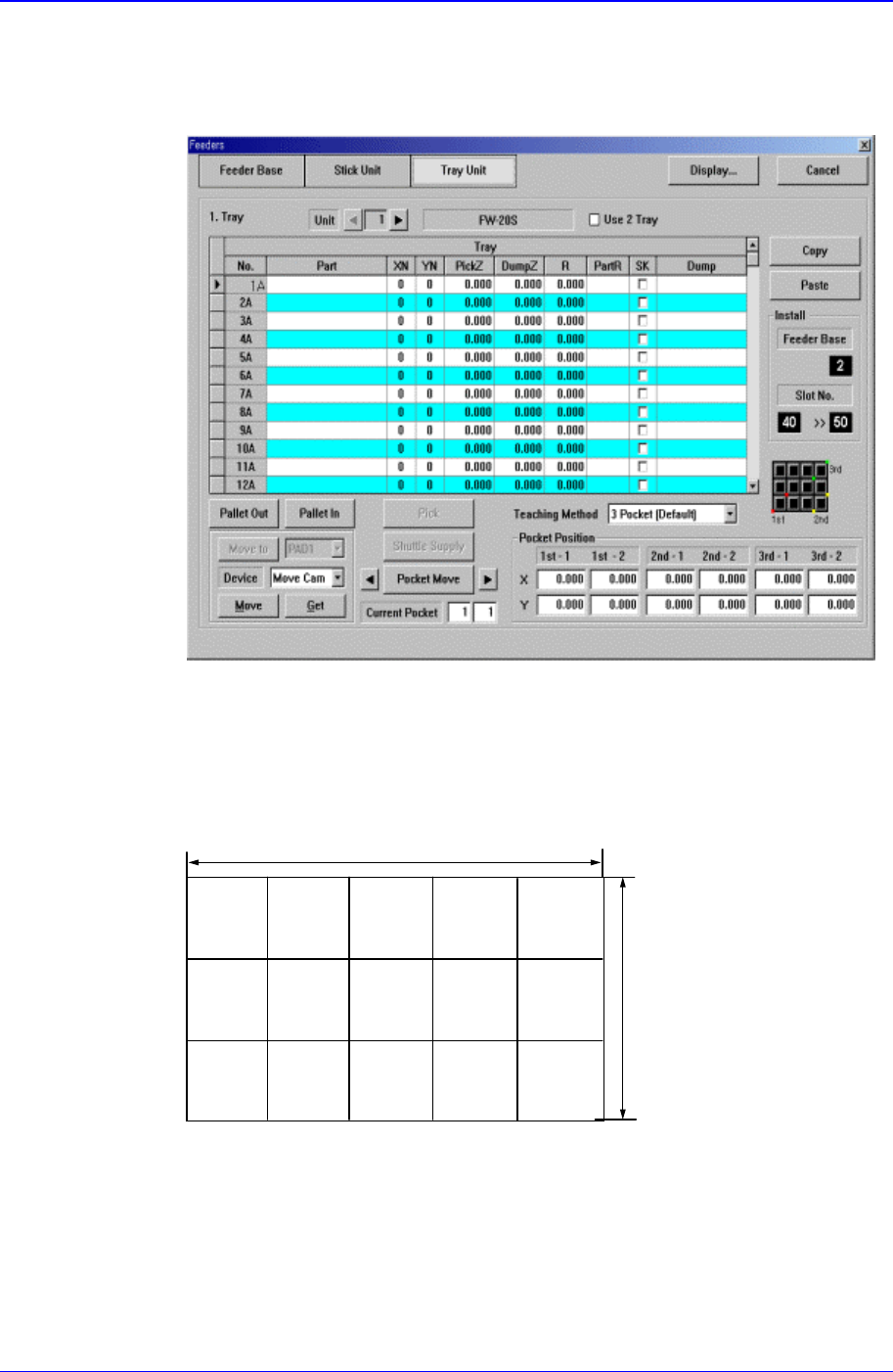
Select the part to install on the corresponding tray. When the<Part> column is
clicked on, a combo box appears, and among the components registered in <1.2
Part>, a list of components to be supplied to “Tray” are displayed. Next is the
screen that shows component selection in the combo box of <Part> column.
<XN> column
Set the number of components arranged on the tray in X direction.
<YN> column
Set the number of components arranged on the tray in Y direction.
XN=5
YN=3
<PickZ> column
When a tray feeder is installed on the corresponding tray, set the Z position to
pick up the component supplied from the tray feeder.
<DumpZ> column
PCB Edit Command
11-89
When component pickups fails, set the Z position to dump( At this time, the
dump box should be already set to tray).
<R> column
When a tray feeder is installed on the corresponding tray, set the R
position(rotation angle of the head) to pick up the component supplied from the
tray feeder.
<PartR> column
When a tray feeder is installed on the corresponding tray, set the placement angle
of the component supplied from the tray feeder.
<SK> column
When a tray feeder is installed on the corresponding tray, select whether to pick
up the component supplied from the tray feeder or not.
To pick up the component, leave the check box as it is, and not to pick up the
component, check the check box.
<Dump> column
When a tray feeder is installed on the corresponding tray, select the dump box for
the component supplied from the tray feeder. Available dump boxes are as
follows.
Return to Tray: Dumps to the tray from which the component was picked up.
User Dump: Sets the dump box set by the user in the system..
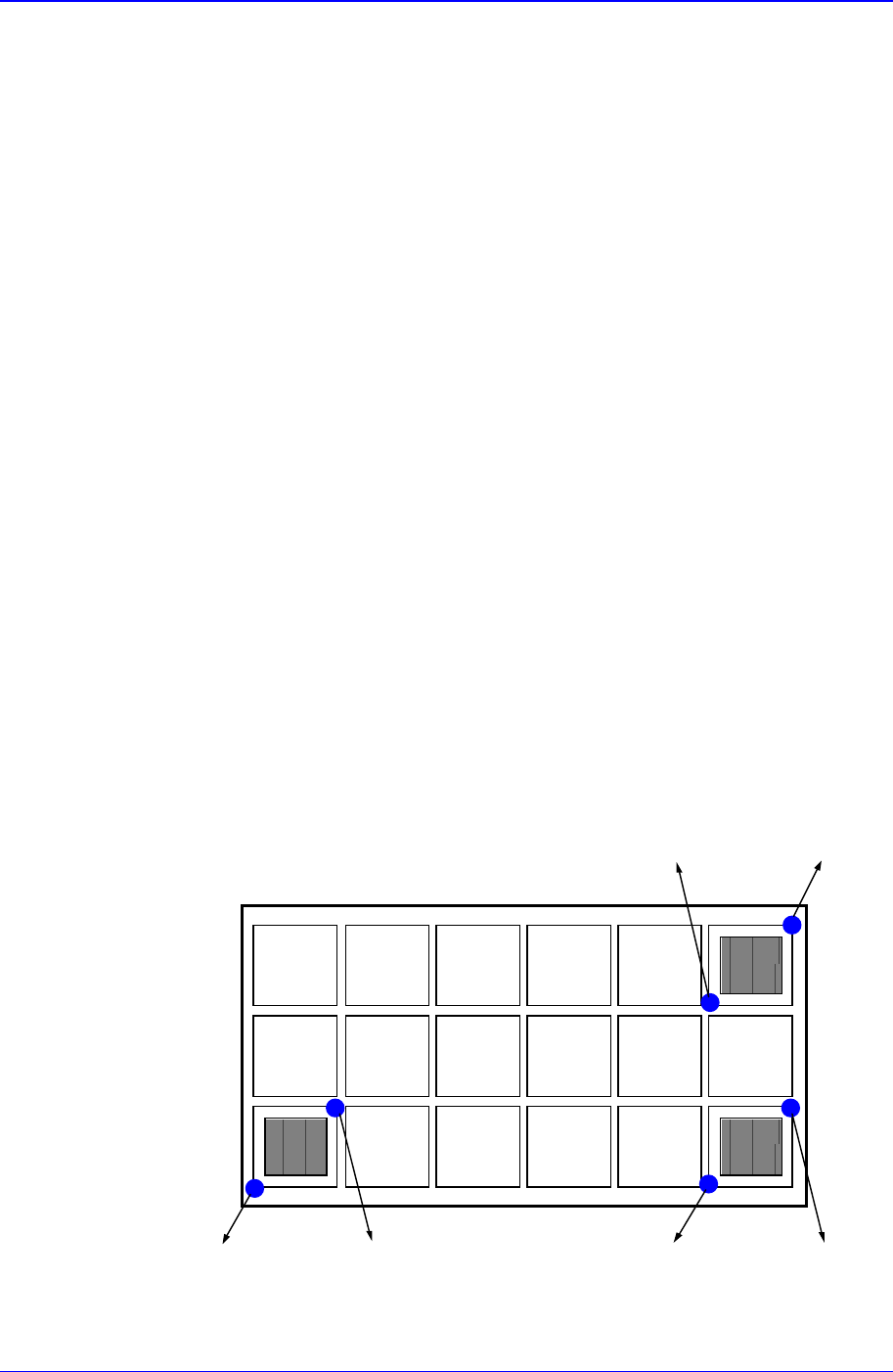
The method of setting the pickups position for the component installed on the
tray is explained next. Unlike the tape or stick, the same type of components are
regularly arranged on the tray. Therefore, instead of setting all component
pickups points, pickups points for several components are set and the rest are
calculated automatically. In this equipment, as shown below, 2 points each on 3
components are taught and the pickups points are obtained.
Pocket
1
Pocket
2
Pocket
3
Point1-1 Point1-2 Point2-2Point2-1
Point3-2Point3-1
<Point1-1> group