operation-cp45.pdf - 第90页
Samsung Component Placer CP-45F(V)/FS Operations Manual 2-38 2.16. Pneumatic Part Generally , the air pressure values in the range of 4.5 – 5.5 kgf/ ㎠ s can be set and used. The air flows through the main inlet at the re…
Basic Configuration and Name of Each Part
2-37
2.15.4. Multi-tray feeder
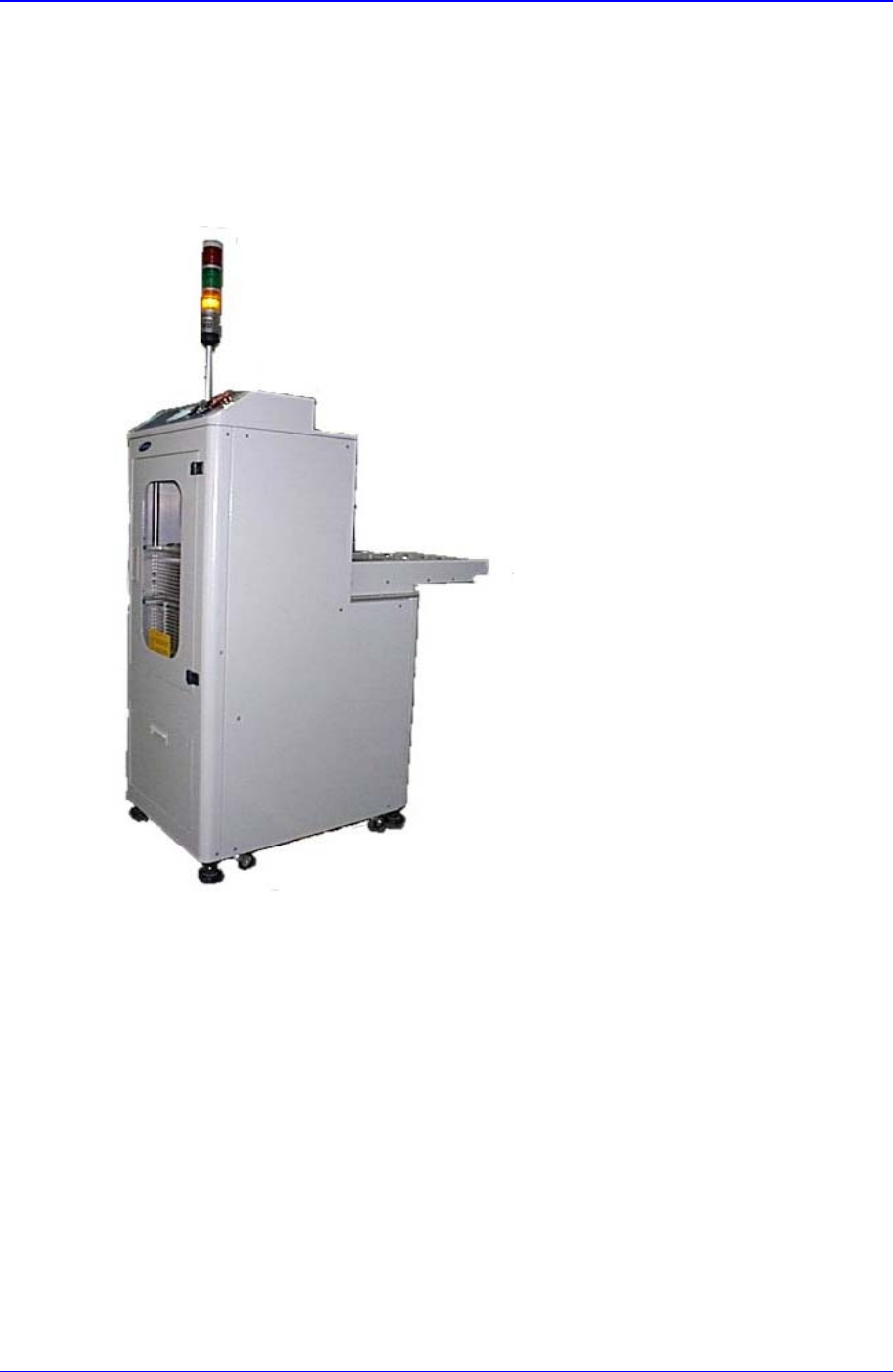
A 20-stage auto tray feeder is an auxiliary device of the component placer. Up to twenty
components (trays) can be loaded on the magazine rack. It is a device for automatically
supplying trays required by the component placer that ensures operational efficiency and
convenience.
Figure 2-24. Multi-Tray Feeder
Samsung Component Placer CP-45F(V)/FS Operations Manual
2-38
2.16. Pneumatic Part
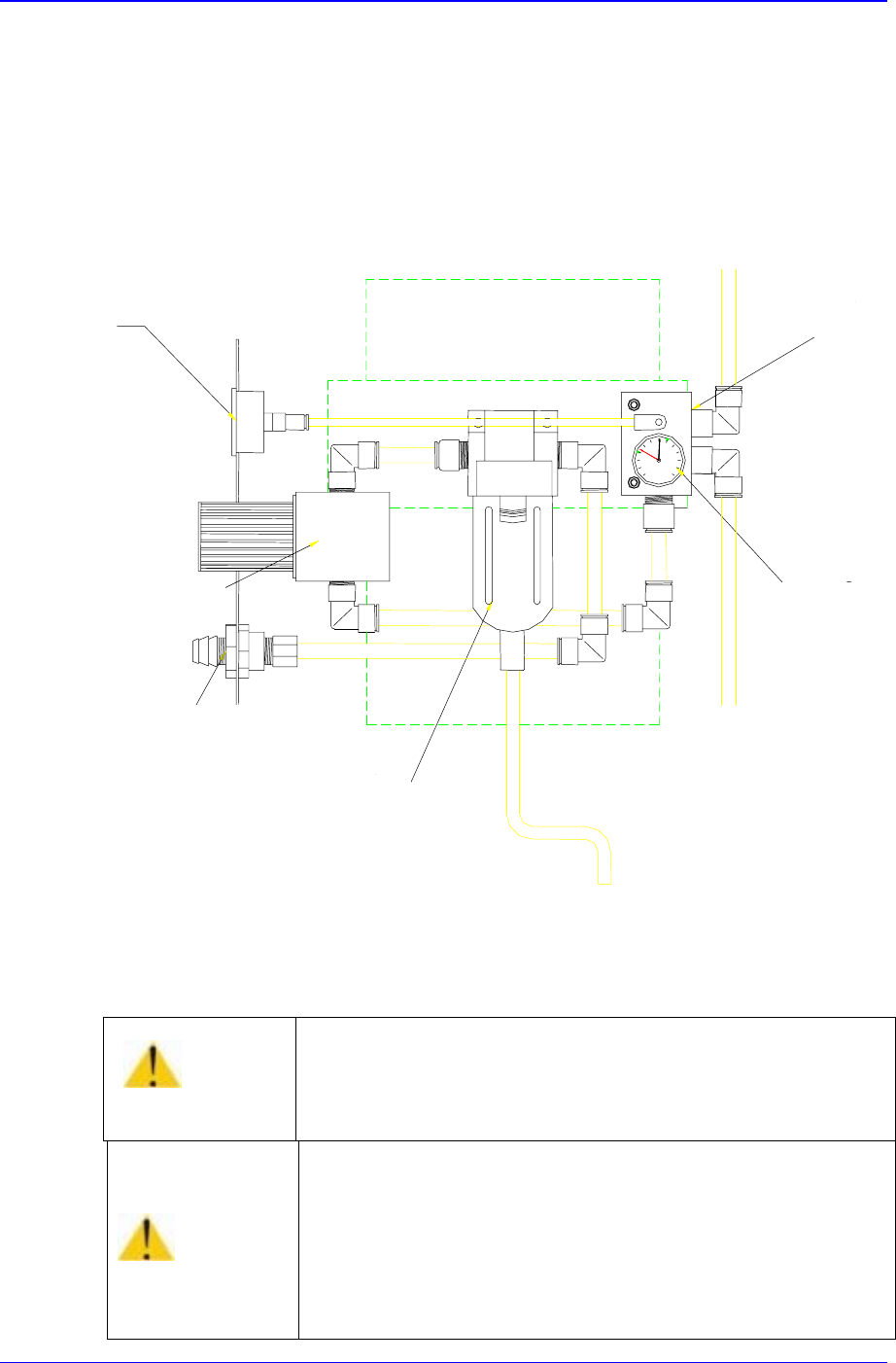
Generally, the air pressure values in the range of 4.5 – 5.5 kgf/㎠ s can be set and used.
The air flows through the main inlet at the rear bottom end of the equipment. One portion
is used for operating the multi-cylinder of the feeder station, another portion is used for
driving ANC, still another portion is used for generating vacuum in the head, and the
remaining portion is used for operating stoppers of the conveyor.
Pressure Gauge (View)
Regulator
Coupler (male)
Air Filter & Auto Drainer
Manifold
Pressure with
Auto Switch
Figure 2-25. Main Inlet of Pneumatic Part
Warning
Failure of disconnecting air pressure and power supply for
the repair and maintenance of machine could result in
severe injury.
Be sure to disconnect air pressure and power supply for the
repair and maintenance of machine.
Caution
If the pressure is under the appropriate level, the machine
might operate irregularly.
In general, 4.5~5.5 bar is appropriate for the air pressure.
Panel Operations
3-1
Chapter 3. Panel Operations
3.1. Switching of Operation Panel
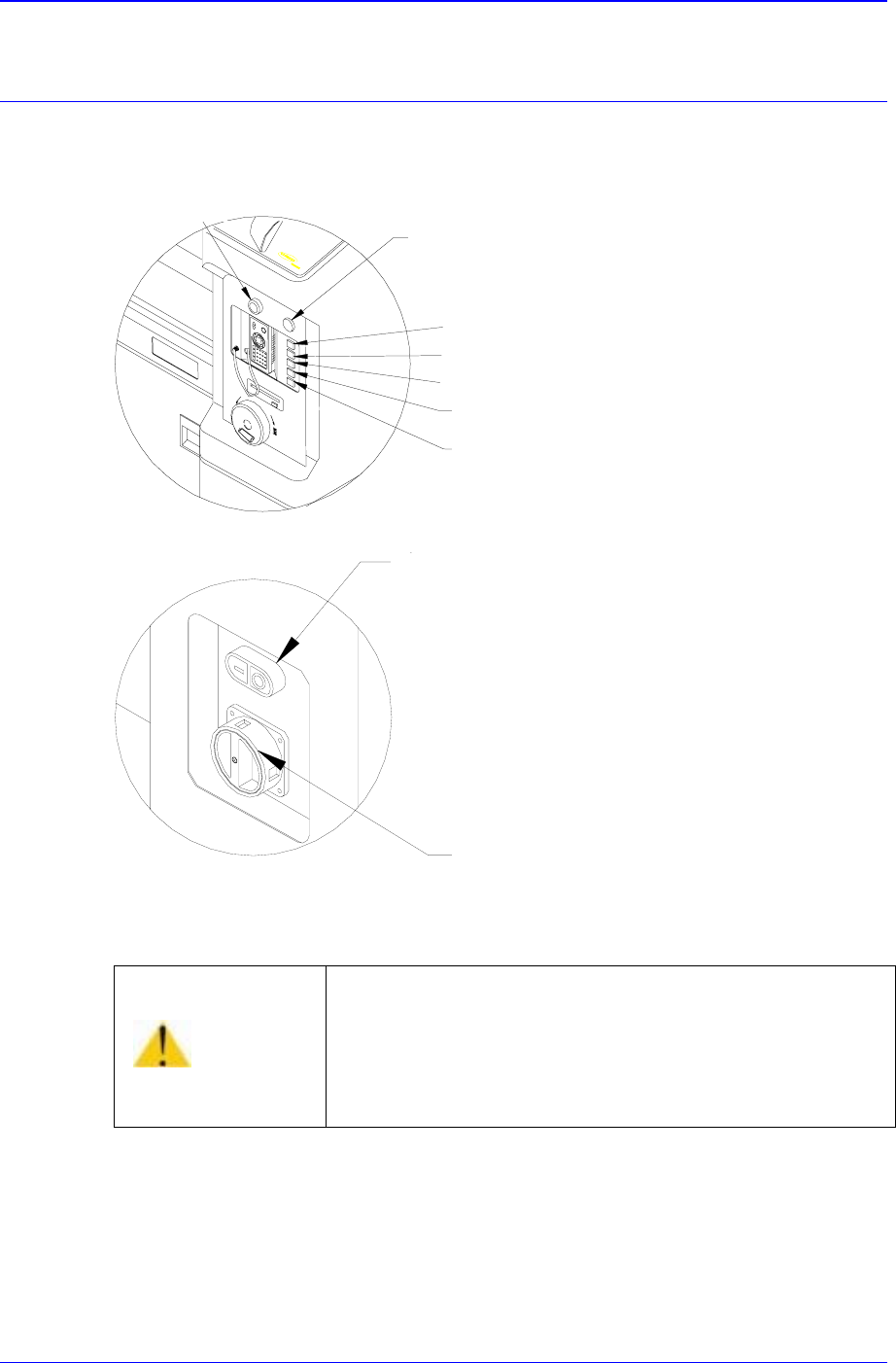
Figure 3-1. Operation Panel
S
witching operation on the operation panel is described below:
<Isolation> switch
Has a function of supplying or stopping the main power to the equipment. Power is
supplied to a controller by turning the switch. A power lamp is lighted and a working
screen is shown on the programming monitor after a short delay. During the initial
Warning
Pressing the Start switch without checking the presence
of worker nearby could cause injury. Be sure to check if
there is any worker near the machine before pressing the
Start switch.
Buzze
r
Emergency switch
Ready switch
Start switch
Stop switch
Reset switch
Front Feeder CHG. switch
Main start switch
Isolation switch