operation-cp45.pdf - 第256页
Samsung Component Placer CP-45F(V)/FS Operations Manual 12-2 Figur e 12-3. “ Pr oduction ” Main scr een (Initial scr een) When the submenu, PCB D/L (F7) is clicke d on, tr ansmits the PCB data edited to the equipment, an…
Production Command
12-1
Chapter 12. Production Command
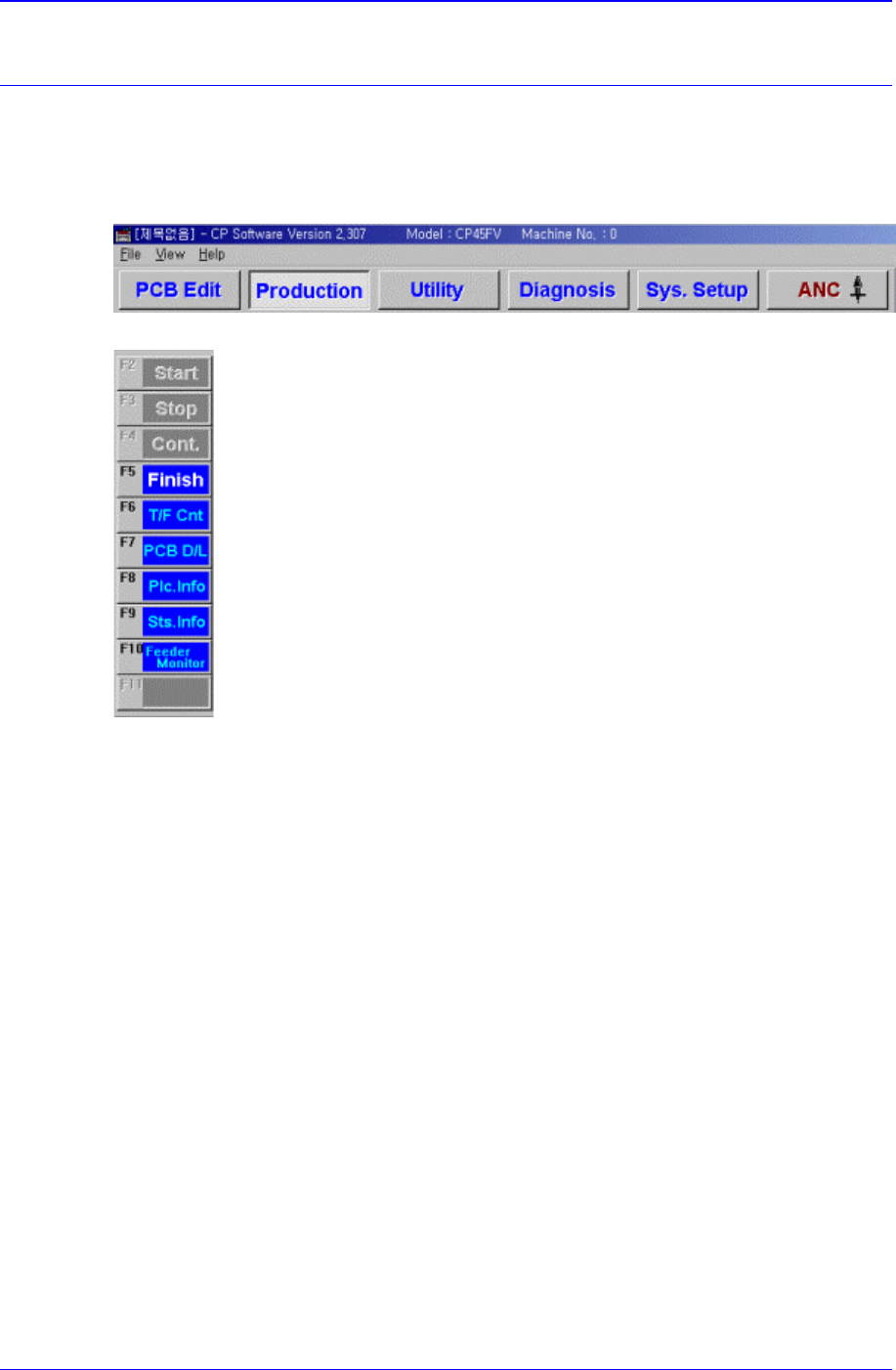
The production command is composed of nine submenus; Start, Stop, Cont., Finish, T/F
Cnt, PCB D/L, Plc. Info, Sts. Info and Feeder Monitor.
This command performs the function of monitoring PCB (Printed Circuit Board)
placement operation.
Figure 12-1. When the Production command is selected
Figure 12-2. Submenus of the Production command(Initial status)
12.1. Production Main
When the production button is clicked on, the following screen is displayed.
Samsung Component Placer CP-45F(V)/FS Operations Manual
12-2
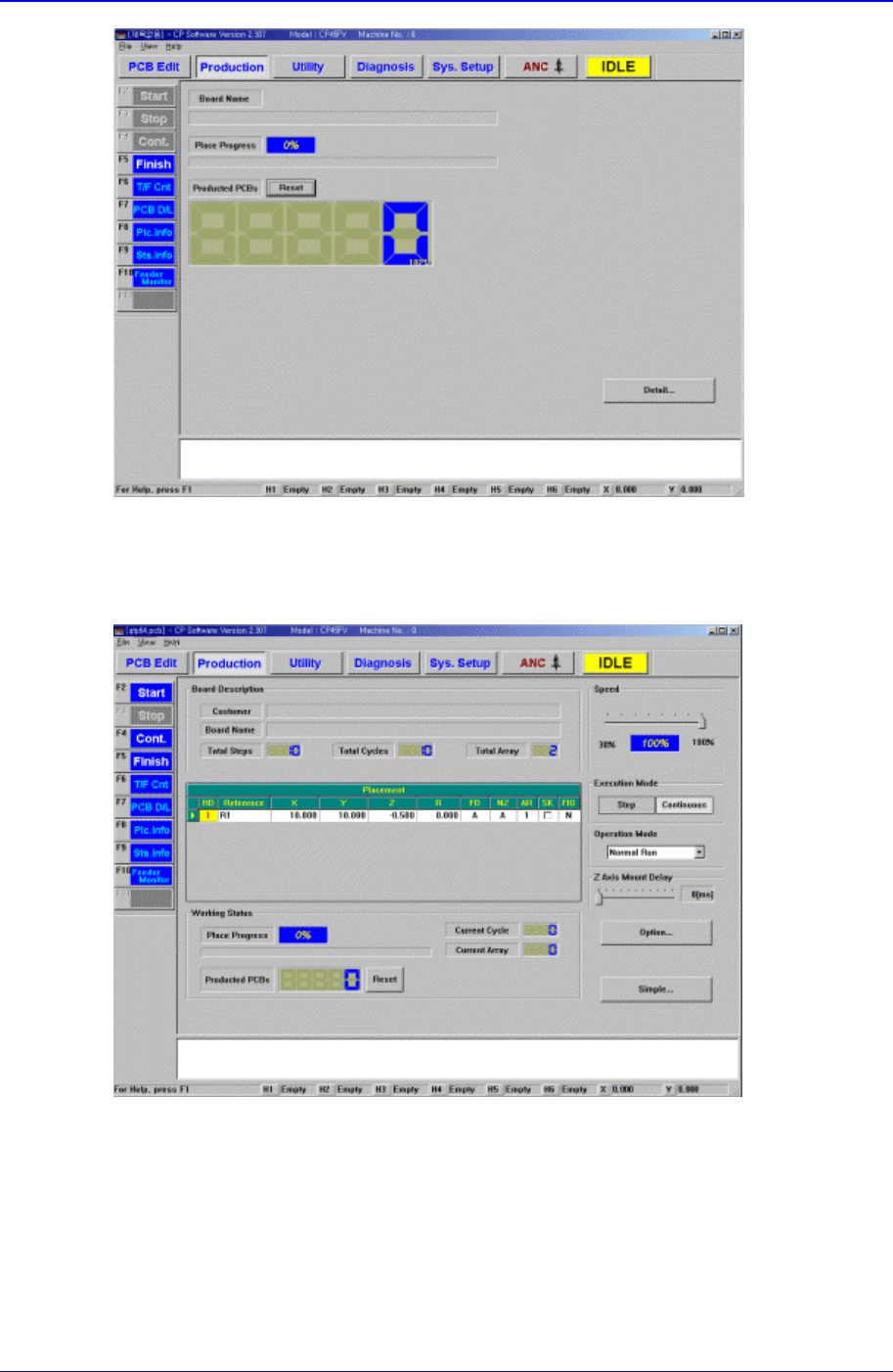
Figure 12-3. “Production” Main screen (Initial screen)
When the submenu, PCB D/L (F7) is clicked on, transmits the PCB data edited to the
equipment, and the following screen is displayed.
<Board Description > group
Displays the data related to PCB board.
<Customer> Static box
Displays the customer name.
<Board Name> Static box
Displays the PCB name.
<Total Steps> option button

Production Command
12-3
Displays the total number of steps.
<Total Cycles> option button
Displays the total number of cycles.
<Total Array> option button
Displays the total number of Array PCBs.
<Working Status> group
Displays the status of operation in progress.
<Place Progress> Static box
Displays the progress of placement operation with a percentage and a progress
bar.
<Current Cycle> Static box
Displays the cycle in progress.
<Current Array> Static box
Displays the step in progress.
<Produced PCBs> Static box
Displays the number of produced PCBs.
<Reset> button
Initializes the number of produced PCBs to “0”.
<Speed> group
Set the speed of axis.
<Execution Mode> group
Set the execution mode.
<Step> option button
Sets to a mode in which the motion stops after each step of motion.
<Continuous> option button
Sets to a mode of continuous motion.
<Operation Mode> group
Set the operation mode. Available modes are as follows.
Normal Run: Operates normally.
Dry Run: Operates without picking up components actually. When all the steps are
completed, stops operation.
Dry Repeat Run: Operates without picking up components actually. When all the
steps are completed, repeats operation from the first.
Dry1 Run:
Dry1 Repeat Run:
Dry2 Run:
Dry2 Repeat Run:
<Option> button
Carries out the function of setting the operation scope. When this button is clicked on,
the following dialog boxes are displayed.