operation-cp45.pdf - 第252页
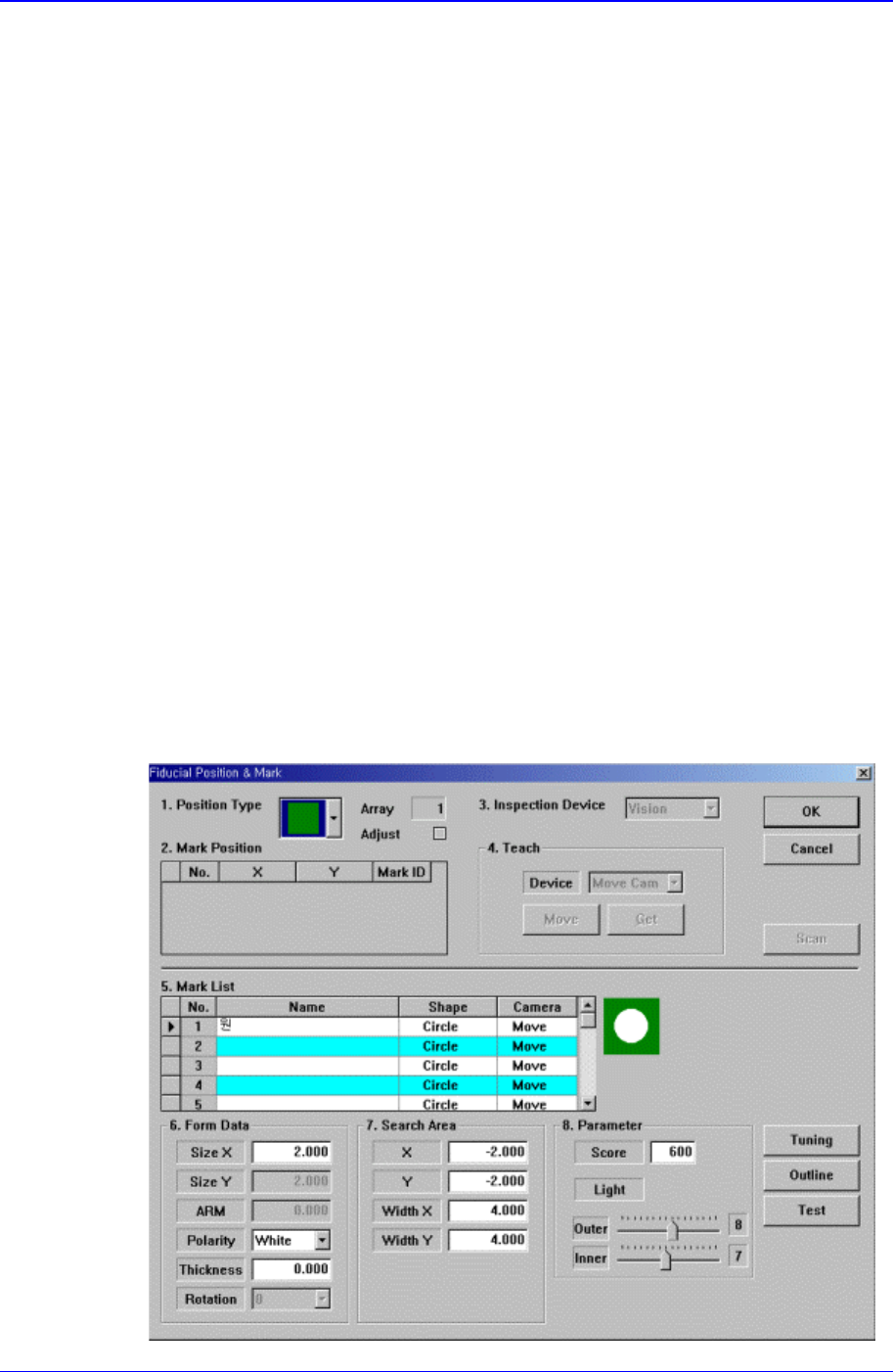
Samsung Component Placer CP-45F(V)/FS Operations Manual 11-98 <Position T y pe> combo box Select the number of fiducial marks. Av ailable numbers of fiducial marks are as follows. None: No fiducial mark. 1 Part: …
PCB Edit Command
11-97
To move the XY axis or to read in the current position of the XY axis, select the
corresponding device. Available devices are as follows.
Move Cam: Selects Teaching Camera.
Head1: Selects Head1.
Head2: Selects Head2.
Head3: Selects Head3.
Head4: Selects Head4.
Head5: Selects Head5.
Head6: Selects Head6.
<Move> button:
Moves the XY axis to the device selected in <Device>. Before executing “Move”,
the edit box corresponding to the desired position must be clicked on with a
mouse.
<Get> button:
Reads in the current position of the XY axis of the device selected in <Device>.
Before executing “Get”, the edit box corresponding to the desired position must
be clicked on with a mouse.
<OK> button
Sets the obtained center point as the new pickups point and closes the dialog box.
<Cancel> button
Ignores the obtained center point and closes the dialog box.
<Fiducial…> button
If the placement point has a fiducial mark, sets the fiducial mark data. When this
button is clicked on, the following dialog box is displayed.
Samsung Component Placer CP-45F(V)/FS Operations Manual
11-98
<Position Type> combo box
Select the number of fiducial marks. Available numbers of fiducial marks are as
follows.
None: No fiducial mark.
1 Part: 1 fiducial mark for placement point adjustment.
2 Part: 2 fiducial marks for placement point adjustment.
For the rest, please refer to the explanation of the <Fiducial Mark…> button in
<11.1 Board>.
<Offset…> button
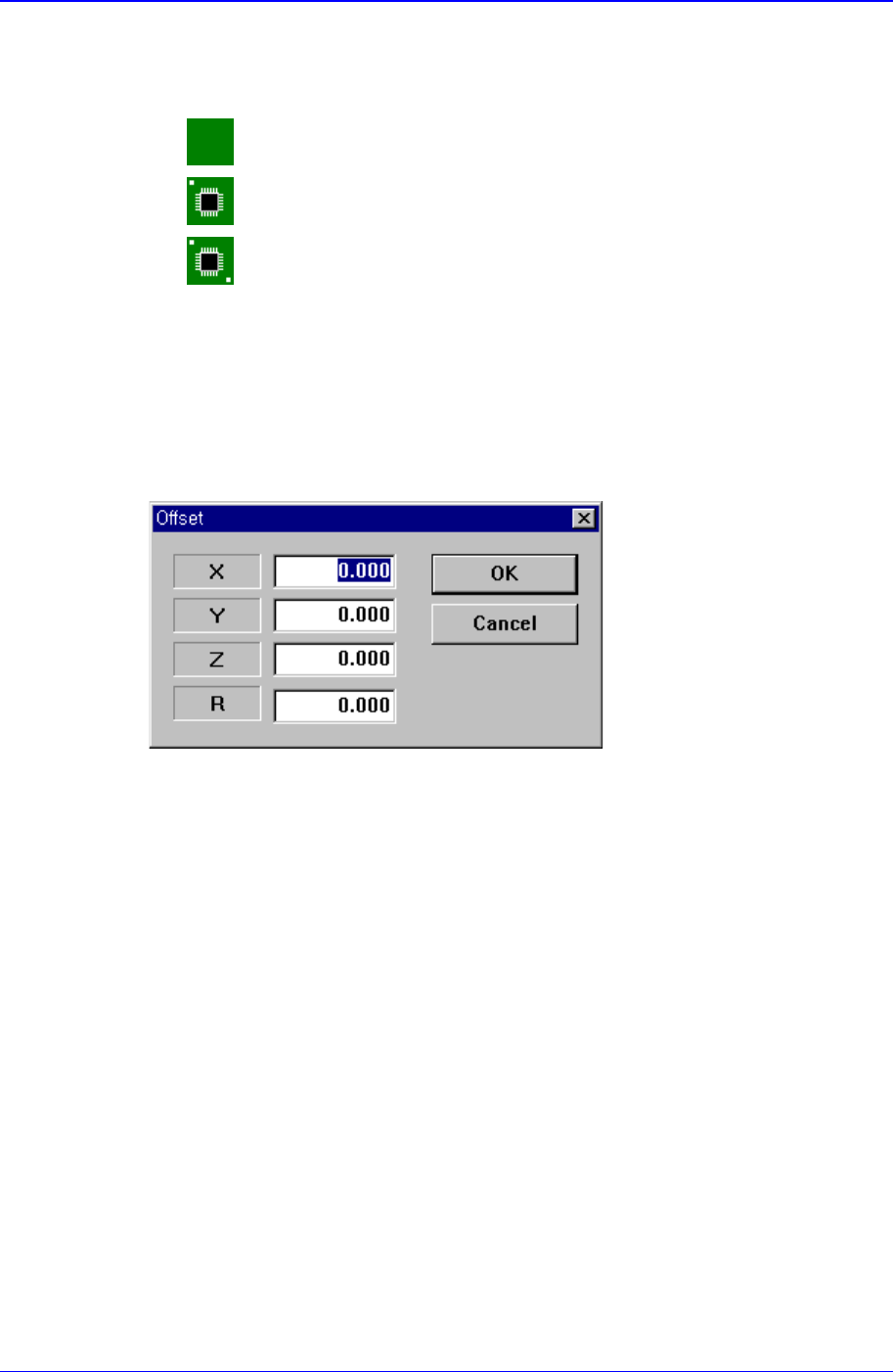
Adds the offset value to the position of placement point. Before executing this
function, the line to add the offset value must be selected in the grid. When this
button is clicked on, the following dialog box is displayed.
<X> edit box
Set the X offset value.
<Y> edit box
Set the Y offset value.
<Z> edit box
Set the Z offset value.
<R> edit box
Set the R offset value.
<OK> button
Closes the dialog box and adds the set offset value to the selected line in the grid.
<Cancel> button
Ignores the set offset value and closes the dialog box
<Adjust…> button
It is a function used to change the PCB step coordinate or to check and adjust the gap
between the previous fiducial mark coordinate and the current fiducial mark
coordinate to use the previous step coordinate when the backup table is down
accidentally.
<Insert 1Line> button
PCB Edit Command
11-99
Inserts a new placement point before the currently selected line in the grid.
<Delete> button
Deletes the placement point in the selected area in the grid.
<Import…> button
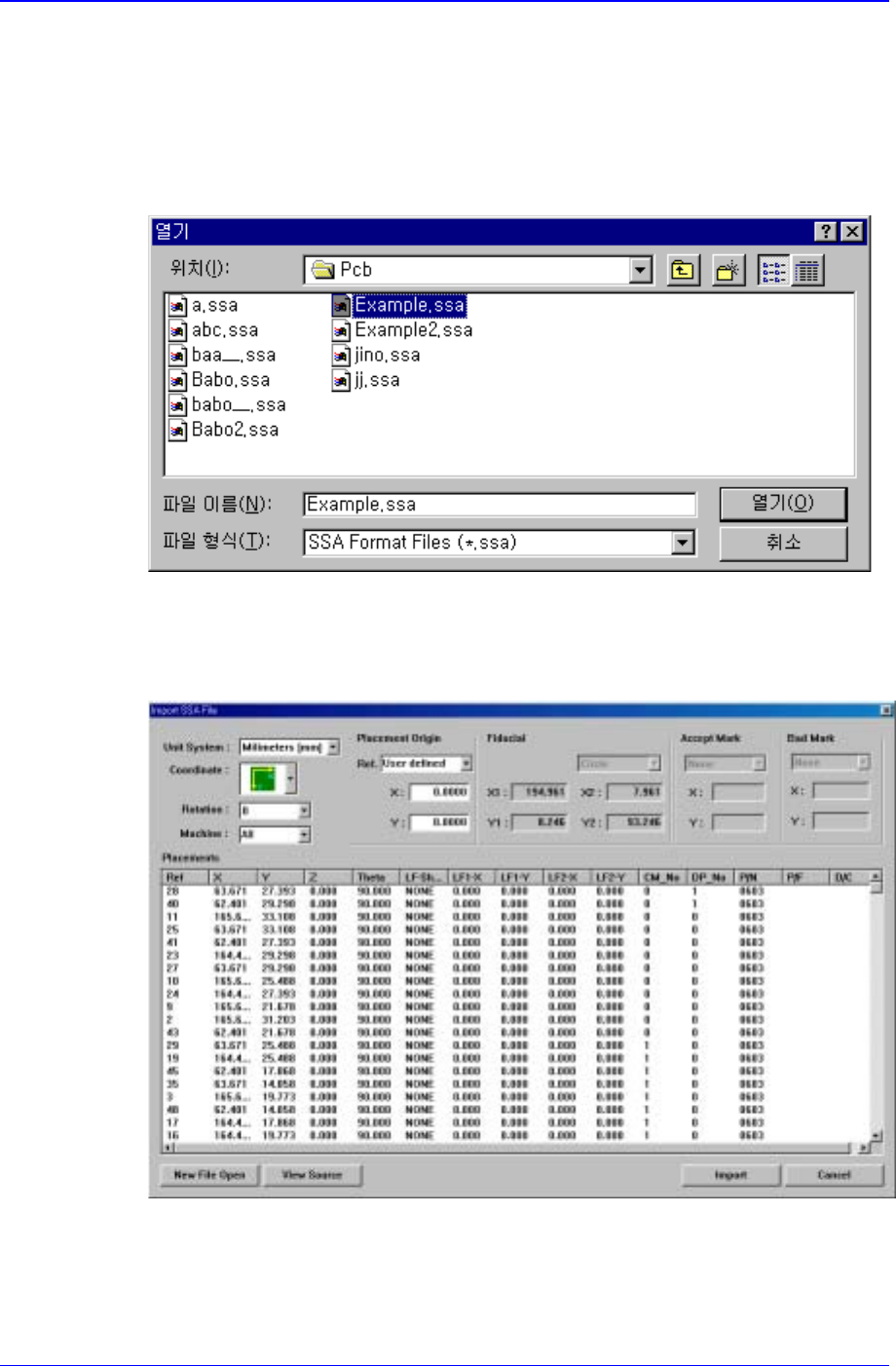
Converts externally created ASCII data into step data for this equipment. When this
button is clicked on, the following dialog box is displayed.
When the “open” button is clicked on after the file containing the data to convert has
been selected, the data in the selected file is displayed as follows.
Figure 11-56 “Import SSA File” dialog box
When the <Import> button is clicked on, the corresponding data is converted into
step data..
<Export…> button