operation-cp45.pdf - 第13页
Pr eface v Caution: Safety Colors and Contrast Colors Combination of Safety yellow and black may be used to indicate temporary or p ermanent risk locations. – locations wh ere there is mov ing part(Conveyor).
Samsung Component Placer CP-45F(V)/FS Operations Manual
iv
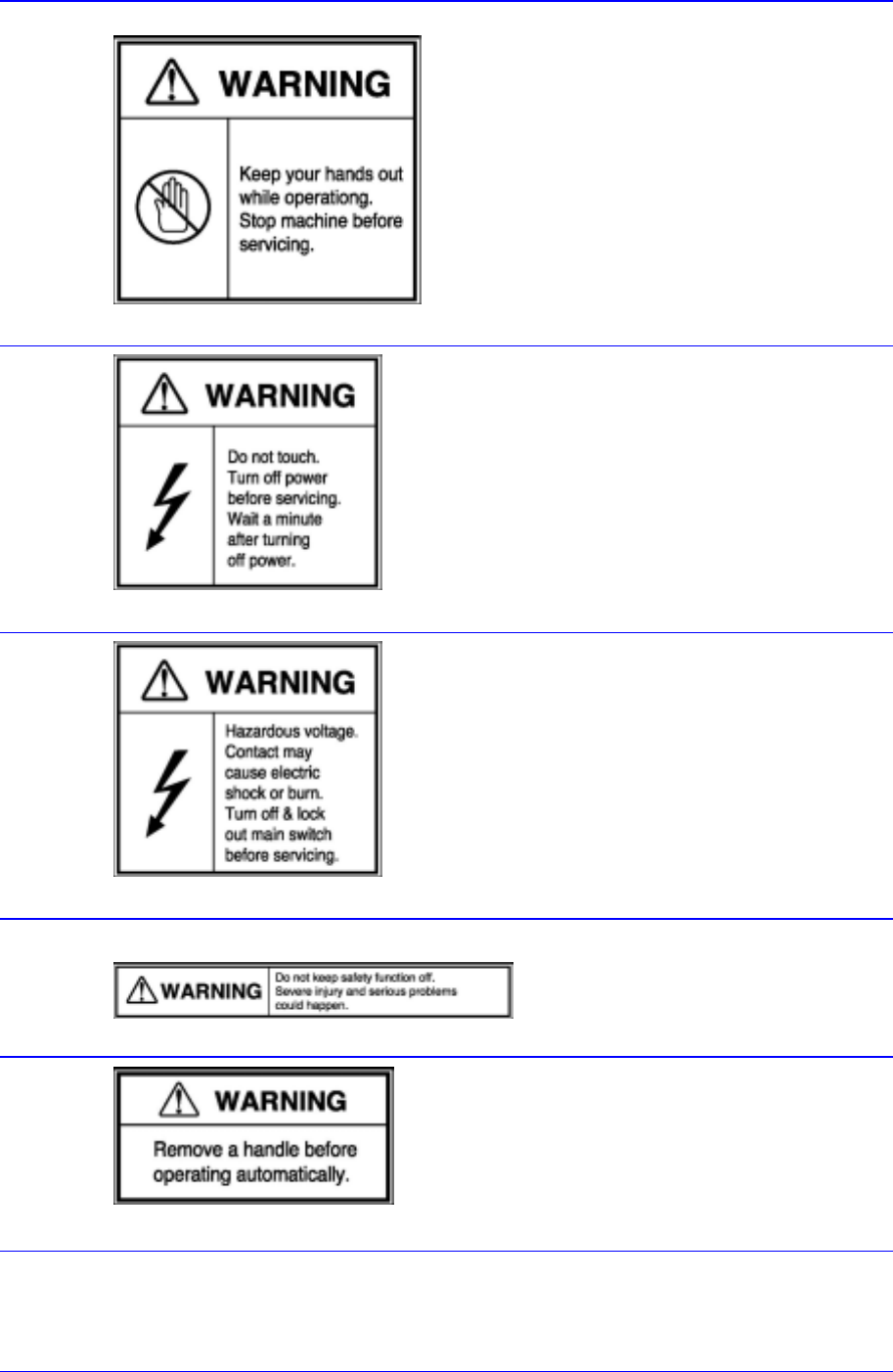
Do not put a hand in during operation.
Part where this label is attached contains
moving parts, it is very dangerous if the use
r
disassembles any part or open the cover when
the moving part is maneuvering.
Stop the machine before servicing.
Stop the machine before repair or maintenance
or error troubleshooting.
If the cover is removed from the area
where this label is attached, it could
result in an electric shock.
When it is necessary to remove the
cover for repair or maintenance,
disconnect power, wait a little while, and
remove the cover.
A
s high voltage flows inside the cove
r
and in the area near the connector, take
precautions against electric shock. Be
sure to disconnect the main powe
r
source and install a lock before
maintenance or repair.
Do not remove the safety device. It could
cause personal injuries or serious
problems.
Remove the handler before automatic
operation.

Preface
v
Caution: Safety Colors and Contrast Colors
Combination of Safety yellow and black may be
used to indicate temporary or permanent risk
locations. – locations where there is moving
part(Conveyor).
Samsung Component Placer CP-45F(V)/FS Operations Manual
vi
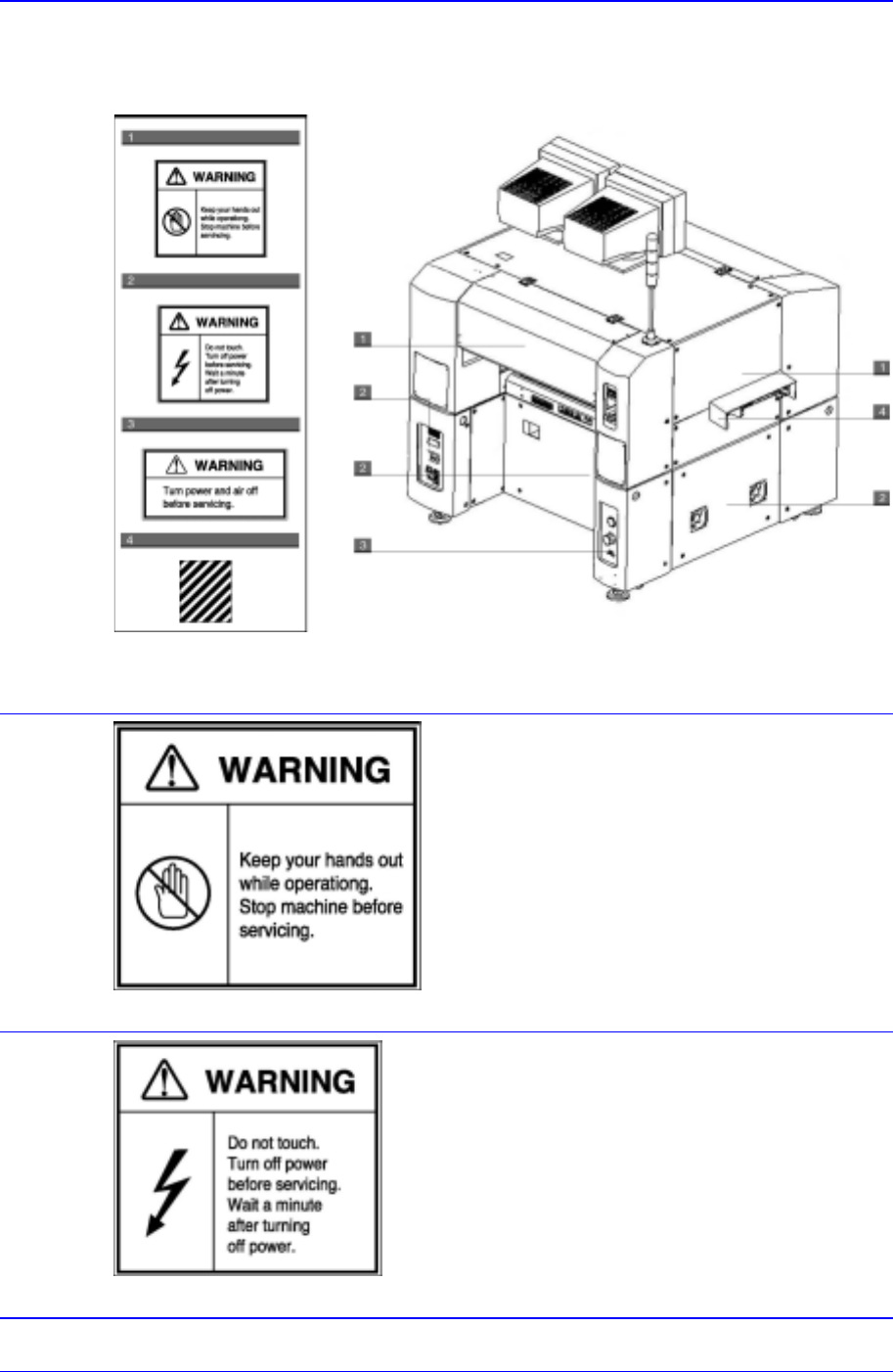
Rear View of the Machine
The following labels are attached on the rear part of this machine.
Figure 0-2. Safety labels attached on the rear part of the machine
Do not put a hand in during operation.
Part where this label is attached contains
moving parts, it is very dangerous if the use
r
disassembles any part or open the cover when
the moving part is maneuvering.
Stop the machine before servicing.
Stop the machine before repair or maintenance
or error troubleshooting.
If the cover is removed from the area
where this label is attached, it could
result in an electric shock.
When it is necessary to remove the
cover for repair or maintenance,
disconnect power, wait a little while, and
remove the cover.