operation-cp45.pdf - 第271页
Utility Command 13-5 <Clear> button If the file size of a *.log file is very big, deletes the data saved previously . 13.5. Bypass[F8] The < Bypass> command is used to bypass a PCB on the conveyor without c…
Samsung Component Placer CP-45F(V)/FS Operations Manual
13-4
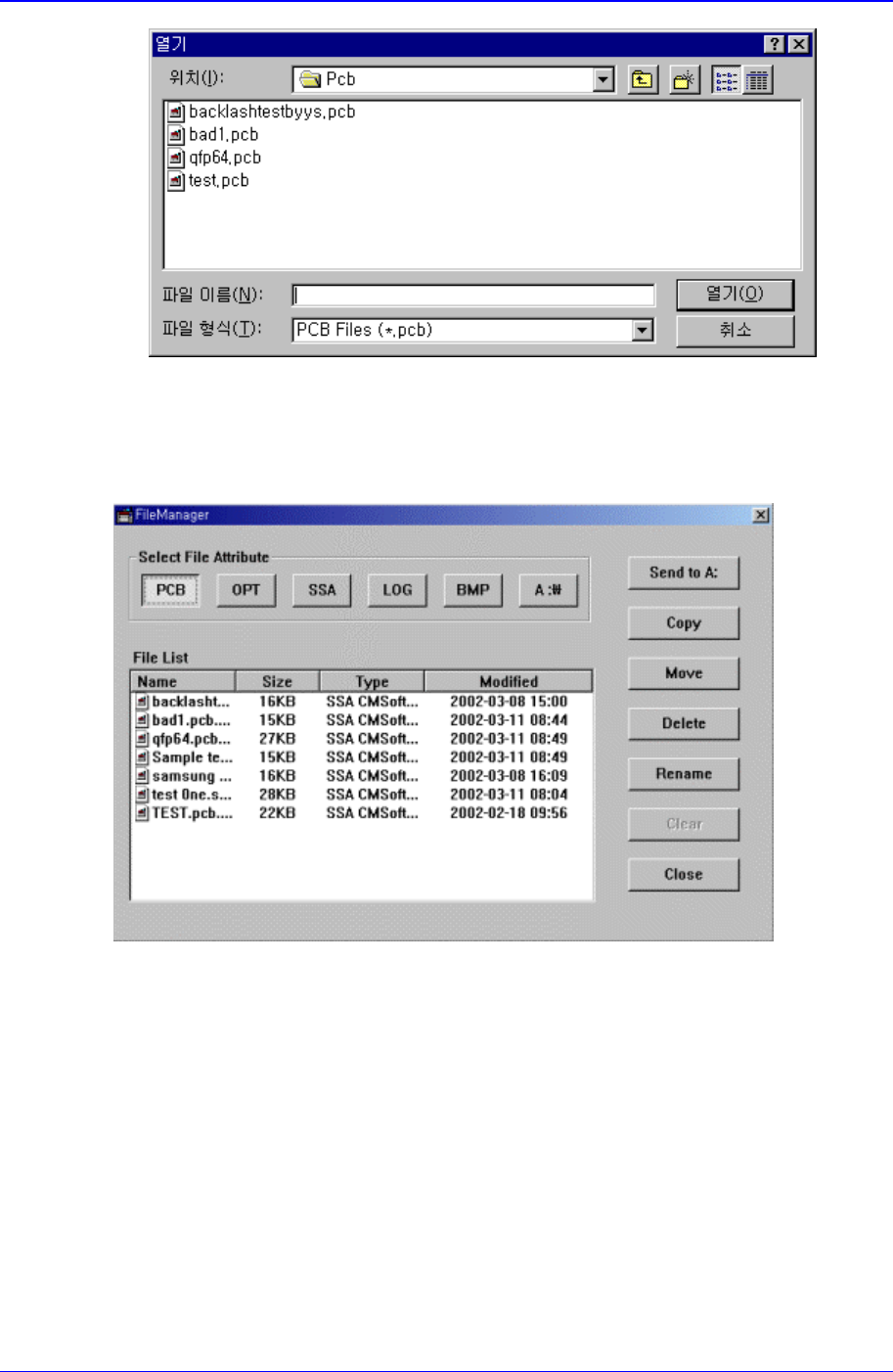
Figure 13-5. “Open” dialog box
13.4. File Man…[F5]
Figure 13-6. “File Manager” dialog box
<Send To A:> button
Copies the selected file on a floppy disk.
<Copy> button
Makes a copy of the selected file and as the original file exists under its original name,
saves the copied file under a different file name when using the copy command.
<Move> button
Moves the selected file to the specified directory.
<Delete> button
Deletes the selected file.
<Rename> button
Renames the selected file
Utility Command
13-5
<Clear> button
If the file size of a *.log file is very big, deletes the data saved previously.
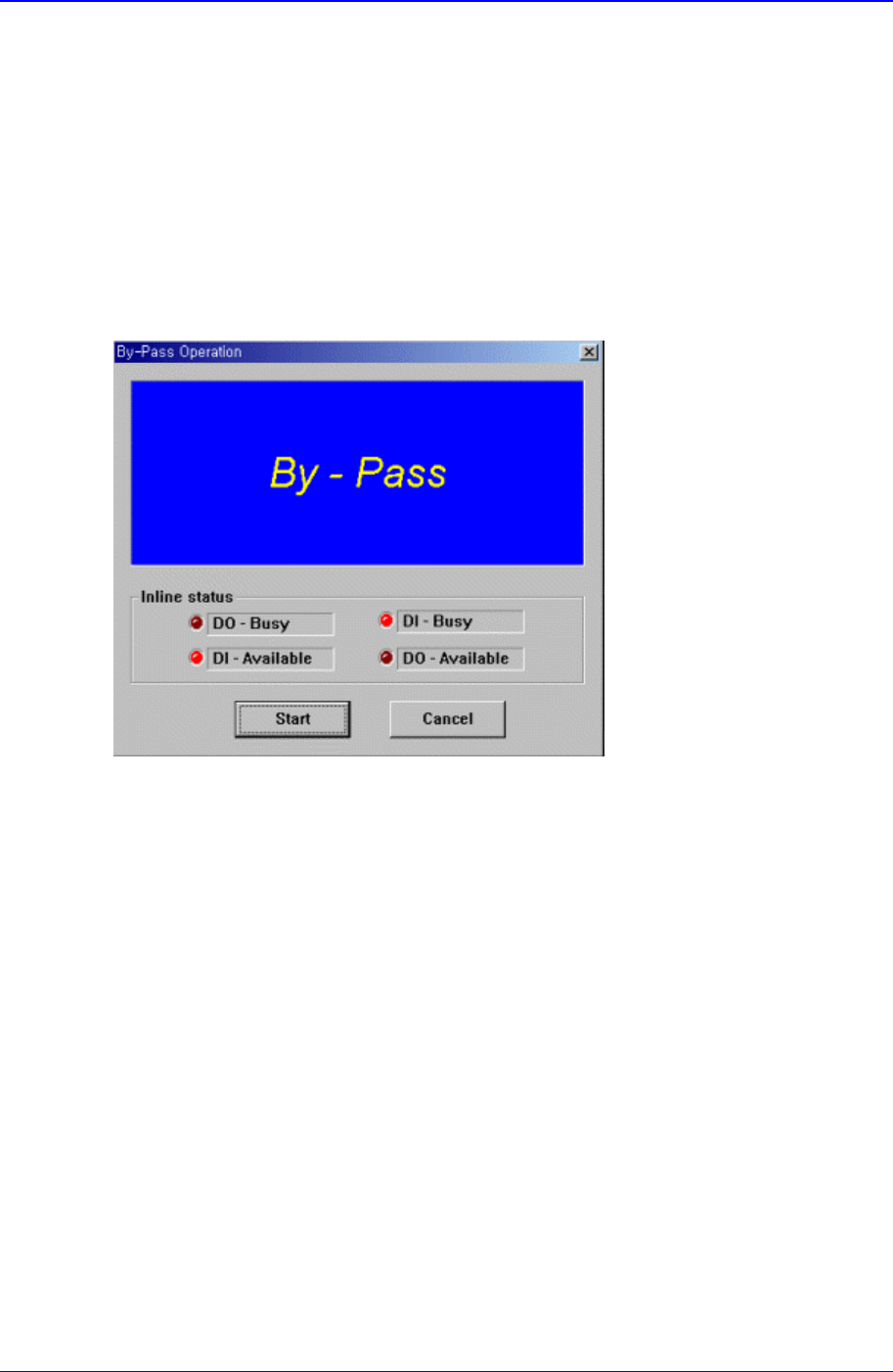
13.5. Bypass[F8]
The < Bypass> command is used to bypass a PCB on the conveyor without carrying out
placement operation. When this command is selected, the following dialog box is
displayed and shows it is in the PCB Bypass status.
If the head is above the conveyor, the PCB sensing sensor gets affected. Therefore, move
the head out of the conveyor and execute the command.
Figure 13-7. “By-pass Operation” dialog box
When the <Start> switch on the main body of this equipment is pressed, starts the PCB
bypass operation. When the <Stop> switch or <Reset> switch on the main body of this
equipment is pressed, cancels the PCB bypass operation status and closes the dialog box
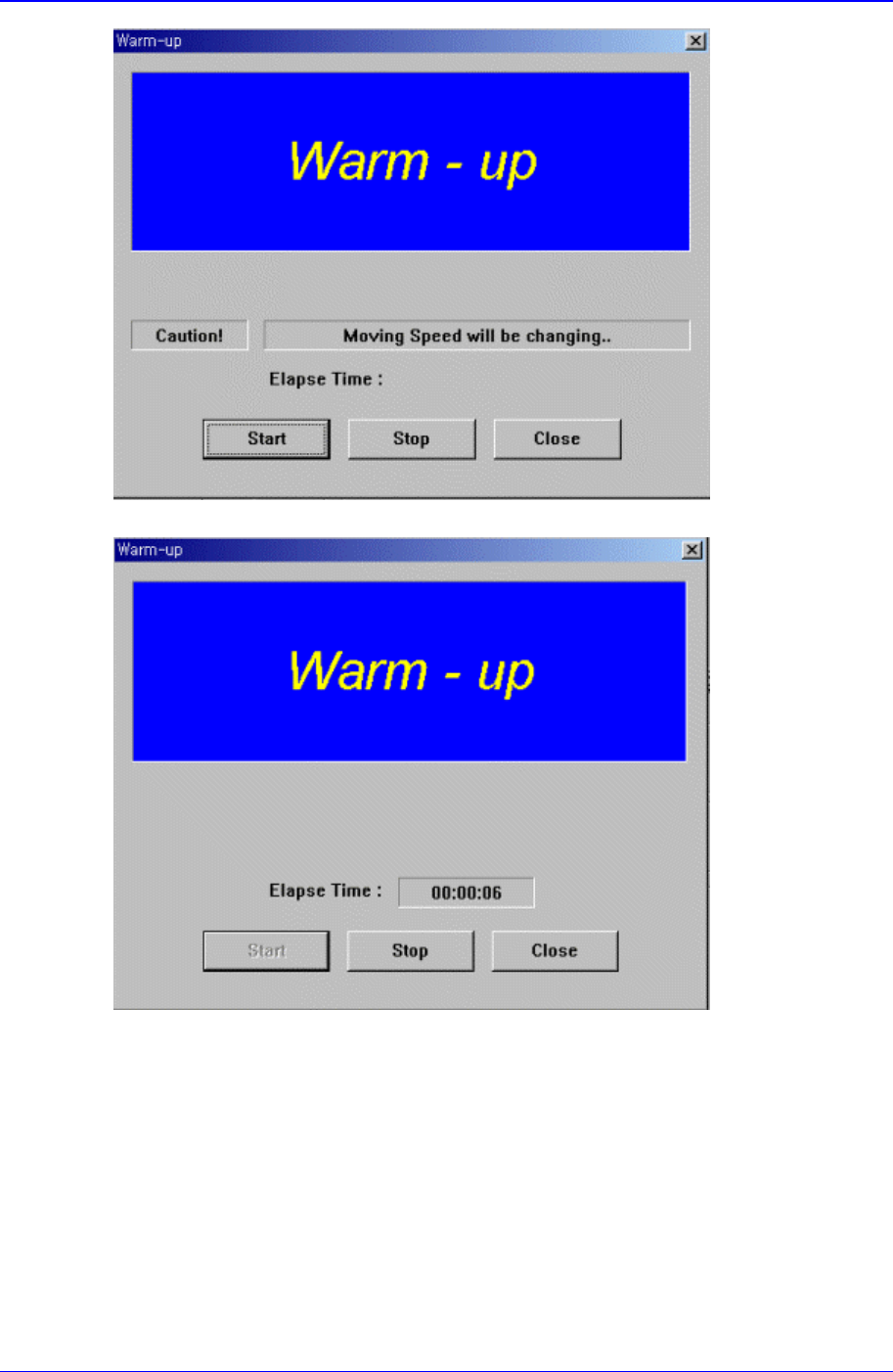
13.6. WarmUp[F9]
The <WarmUp> command is used to warm up each axis after power supply. When this
command is selected, the following dialog box is displayed.
Samsung Component Placer CP-45F(V)/FS Operations Manual
13-6
Figure 13-8. “Warm-Up” dialog box
Figure 13-9. “Warm-Up” dialog box, After pressing the Start Button
<Start> button
Starts the warm up operation. When this button is clicked on, starts the warm-up
operation and the elapsed time is displayed in the “Warm-up” dialog box. When this
button is clicked on again, stops the warm up operation and closes the “Warm-up”
dialog box.
<Start> button
When this button is clicked on, stops the <Warm-up> operation.
<Close> button
Closes the dialog box.