operation-cp45.pdf - 第284页
Samsung Component Placer CP-45F(V)/FS Operations Manual 14-10 14.6. T ray [F7] Checks communication with the tray feeder . Wh en this button is clicked on, the following dialog box is displayed. Figur e 14-1 1. “ Diagnos…
Diagnosis Command
14-9
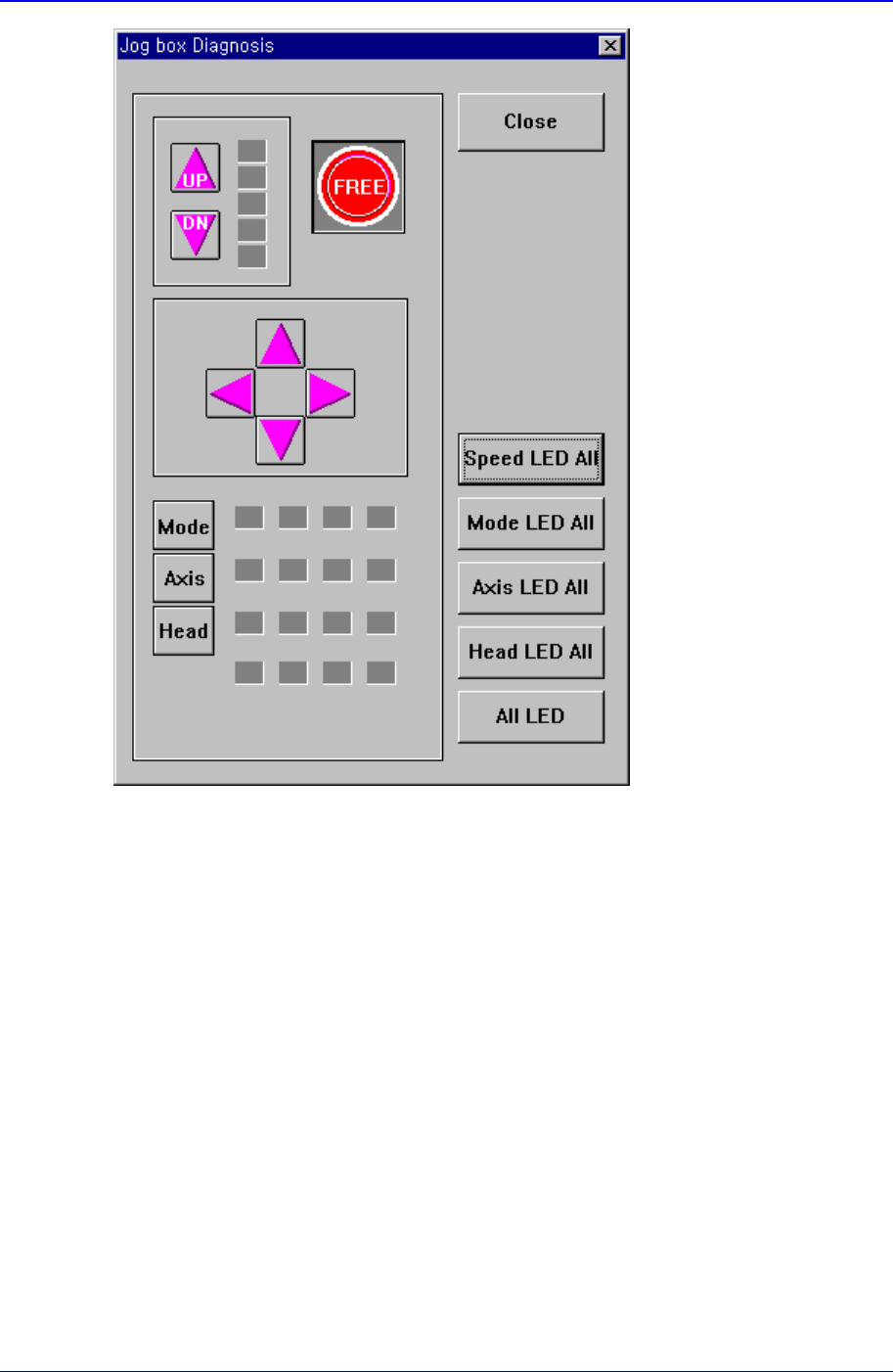
Figure 14-10. “Diagnosis : Jog Box Diagnosis” dialog box
<Speed LED All> button
Turns ON/OFF all Speed LEDs.
<Mode LED All> button
Turns ON/OFF all Mode LEDs.
<Axis LED All> button
Turns ON/OFF all Axis LEDs.
<Head LED All> button
Turns ON/OFF all Head LEDs.
<All LED> button
Turns ON/OGG all LEDs.
<Close> button
Closes the dialog box.
Samsung Component Placer CP-45F(V)/FS Operations Manual
14-10
14.6. Tray [F7]
Checks communication with the tray feeder. When this button is clicked on, the following
dialog box is displayed.
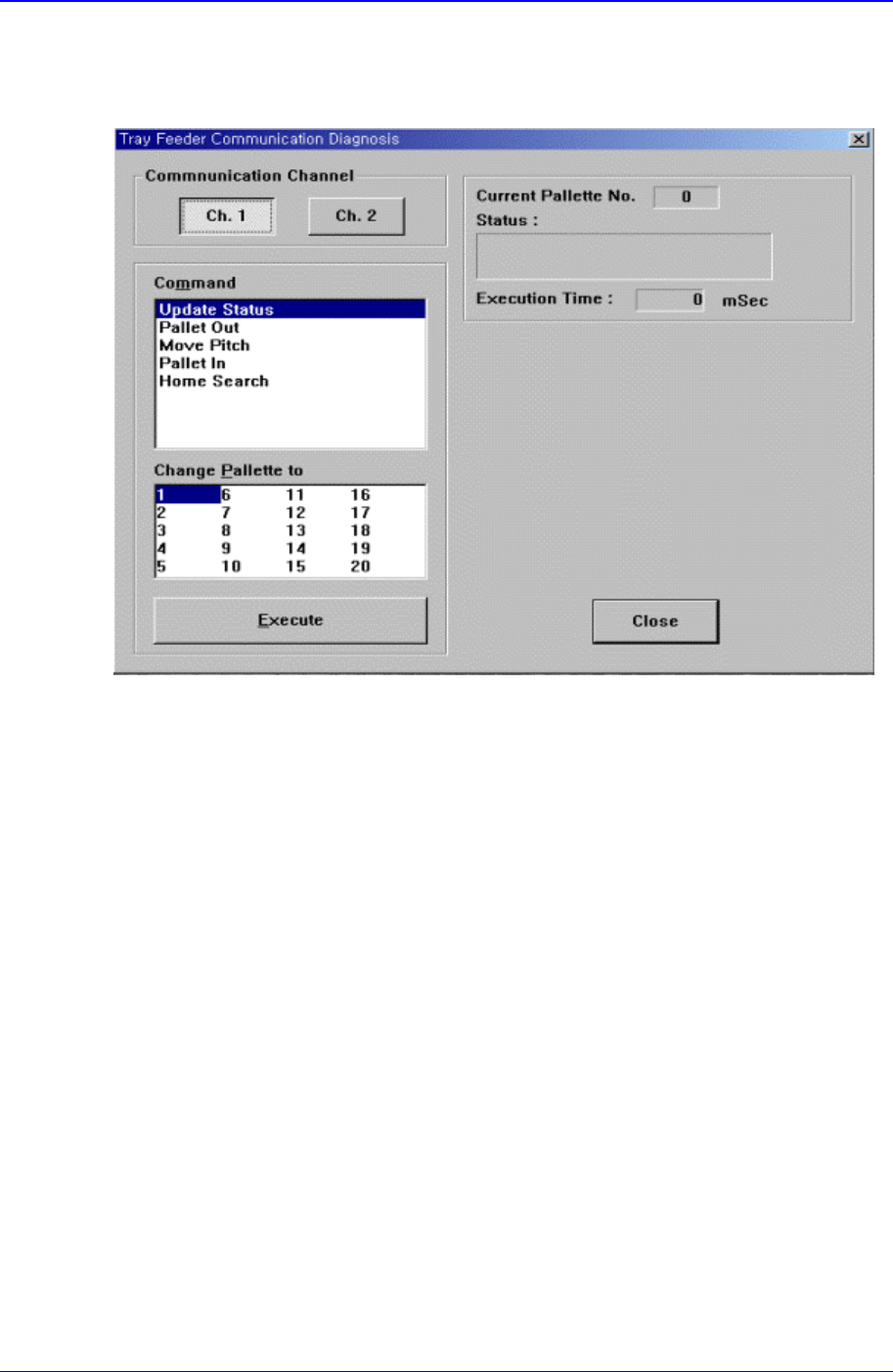
Figure 14-11. “Diagnosis :Tray Feeder Communication Diagnosis” dialog box
<Communication Channel> group
Select the communication channel to which the tray feeder is connected.
Ch. 1: Selects RS-232C communication Port1.
Ch. 2: Selects RS-232C communication Port2.
<Change Palette to> combo box
Select the palette number to change.
<Command> combo box
Select the command to transmit to the tray feeder. Available command types are as
follows.
Update Status: Updates the status.
Palette Out: Outputs the selected palette from the tray magazine.
Move Pitch: Locates the selected palette at the entrance of tray magazine output.
Palette In: Brings the selected palette into the tray magazine.
Home Search: Moves the tray feeder to Home.
<Execute> button
Transmits the selected command to the tray feeder.
<Current Palette No.> Static box
Displays the number of the palette currently taken out.
<Status> message box

Diagnosis Command
14-11
Displays the status of command handling.
<Execution Time> Static box
Displays the time taken to handle the command.