operation-cp45.pdf - 第287页
Sys.Setup Command 15-1 Chapter 15. Sys.Setup Command The Sys. Setup command is composed of ten submenus: Head, Limit, Offset, Mount Offset, Origin, Dump, T ray , Camera, Pref., and Device . This command is used to check …
Sys.Setup Command
15-1
Chapter 15. Sys.Setup Command
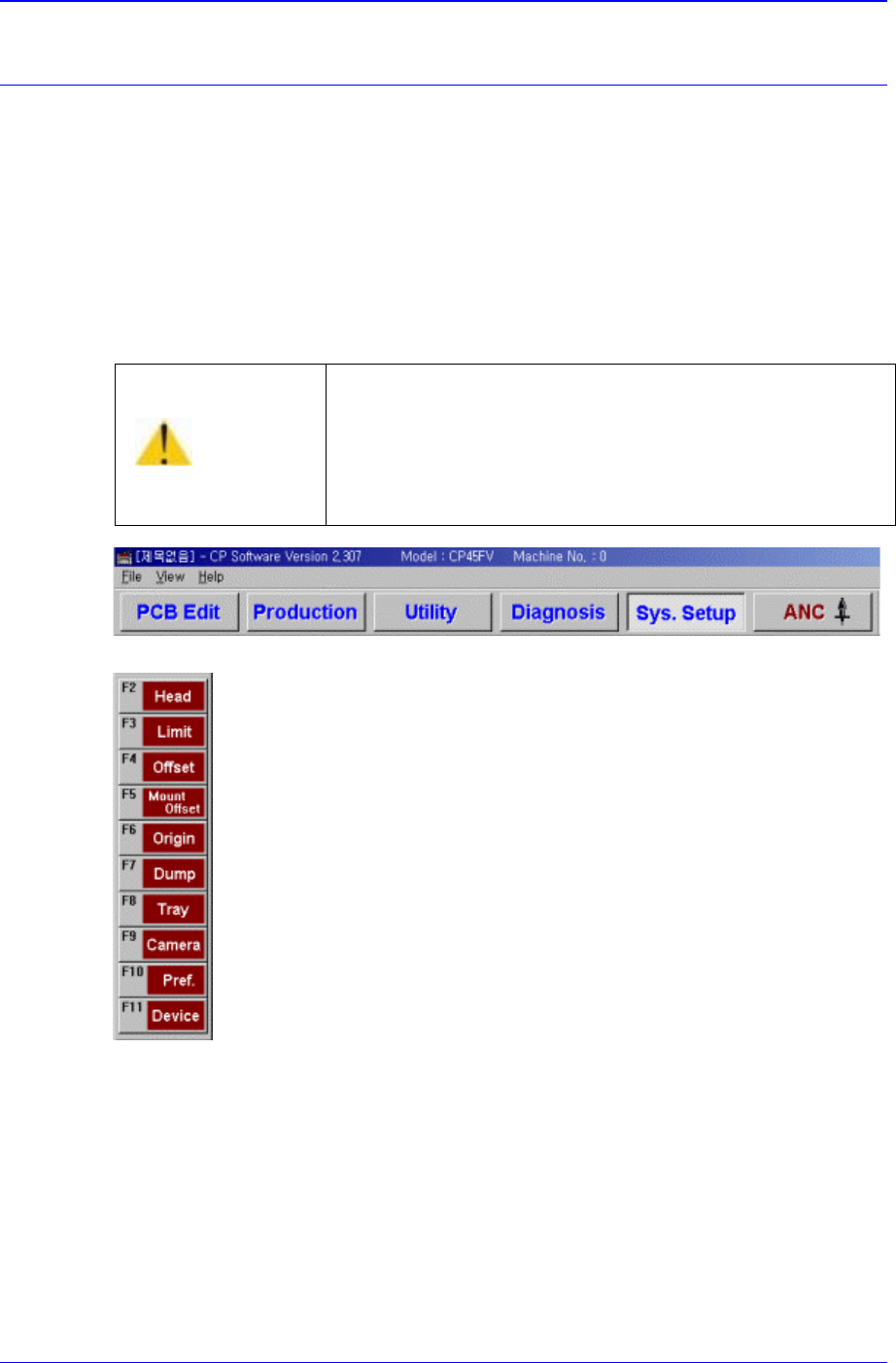
The Sys. Setup command is composed of ten submenus: Head, Limit, Offset, Mount
Offset, Origin, Dump, Tray, Camera, Pref., and Device.
This command is used to check and change the various set up status of the equipment.
When the set up status is set improperly, it could cause dangerous situations during
equipment operation. To prevent improper handling by unauthorized personnel, a
password must be entered.
When a submenu of the <Sys. Setup> command is selected, corresponding dialog box is
displayed on the screen. While the corresponding dialog box is displayed, selecting the
menu once more activates the dialog box.
Figure 15-1. When the Sys. Setup Command is Selected
Figure 15-2. Submenus of the Sys. Setup command
15.1. Head [F2]
The <Head> command displays and sets the status of the head block.
When this button is clicked on, the following dialog box is displayed.
Warning
Changing the set up status by an unauthorized user could
damage the machine or result in personal injury.
Unauthorized user must not change the set up status of
the machine.
Samsung Component Placer CP-45F(V)/FS Operations Manual
15-2
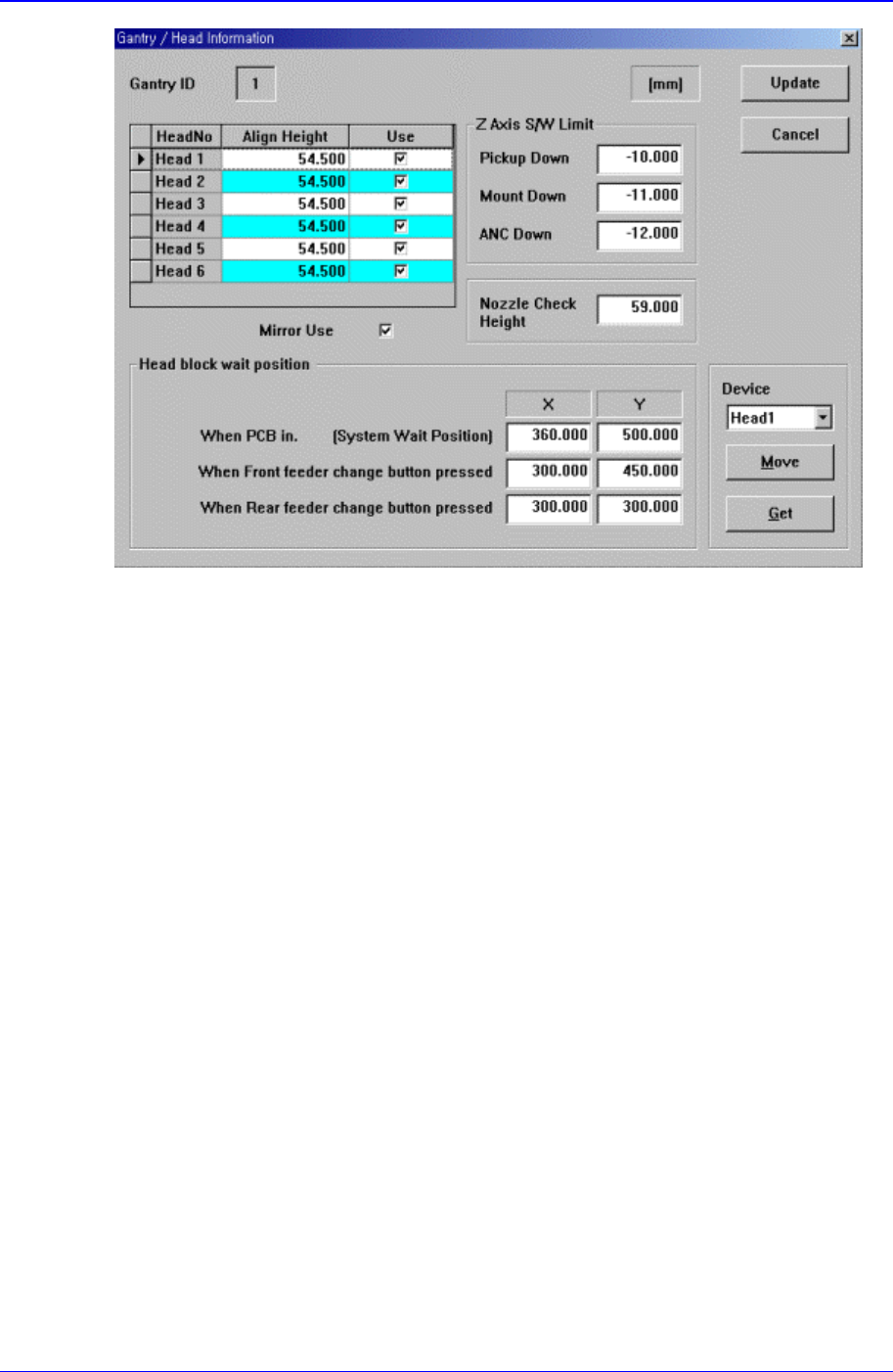
Figure 15-3. “Sys. Setup : Gantry / Head Information” dialog box
<Gantry ID> Static box
Displays the ID of the gantry to which the head block is attached.
<Grid> group
Set the data on the head.
<Head No> column
Displays the head number.
<Align Height> column
Set the align height.
<Z Axis S/W Limit> group
Set the height limit for Z axis movement. when the PCB board is loaded the surface
of the PCB board is determined as the base position of this limit value.
<Pickup Down> edit box
Set the limit for Z axis height when the Z axis is lowered for component pickups.
< Down> edit box
Set the limit for Z axis height when the Z axis is lowered for component pickups.
<ANC Down> edit box
Set the limit for Z axis height when the Z axis is lowered for nozzle change in the
ANC.
<Nozzle Check Height> edit box
Set the limit for Z axis height to check component pickups by the nozzle.
<Head block wait position> group
Set the waiting position for the head block.
<When PCB in> edit box