operation-cp45.pdf - 第22页
Samsung Component Placer CP-45F(V)/FS Operations Manual xiv Screen display The main screen of MMI of this equipment is shown below: Pictures showing a dialog box or message box of MMI are inserted to produce this manua…
Preface
xiii
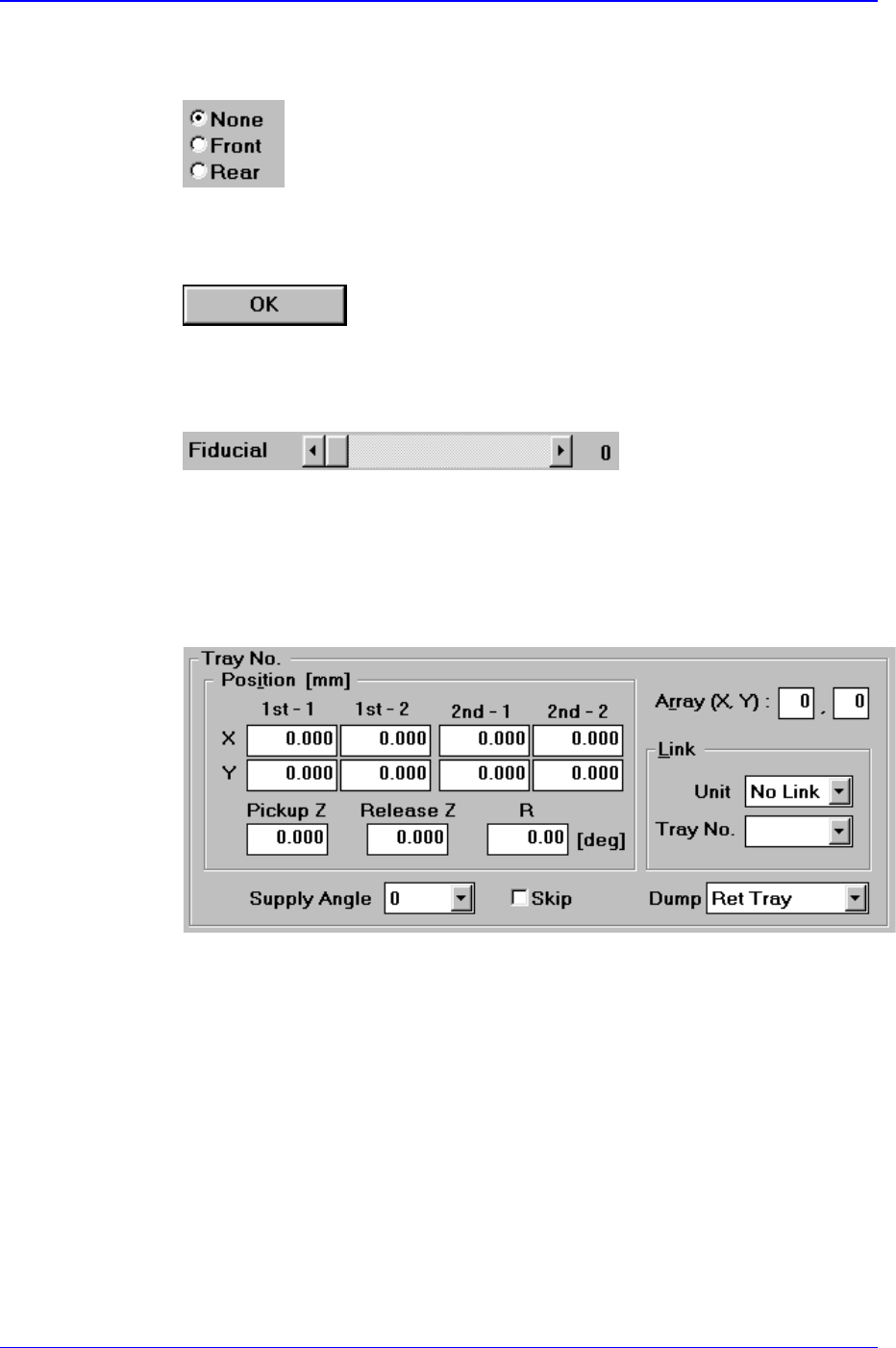
This button is used when selecting only one from among many options. If one
button is clicked on, selection of another button is disabled.
Other buttons
These buttons perform various prescribed operations when pressed.
Control box
This is a box for adjusting the set values by using a scroll bar.
Group
The above items are gathered into this area. In this manual, it is called “<XX>
group” based on the name XX above the group.
Example: <Tray No.> group
Mouse manipulation
The following terms are related to manipulating the mouse.
Click or select
Press once the corresponding item with the left button of the mouse by moving
the pointer of the mouse.
Double click
Press twice in rapid succession the corresponding item with the left button of the
mouse by moving the pointer of the mouse.
the pointer of the mouse.
Samsung Component Placer CP-45F(V)/FS Operations Manual
xiv
Screen display
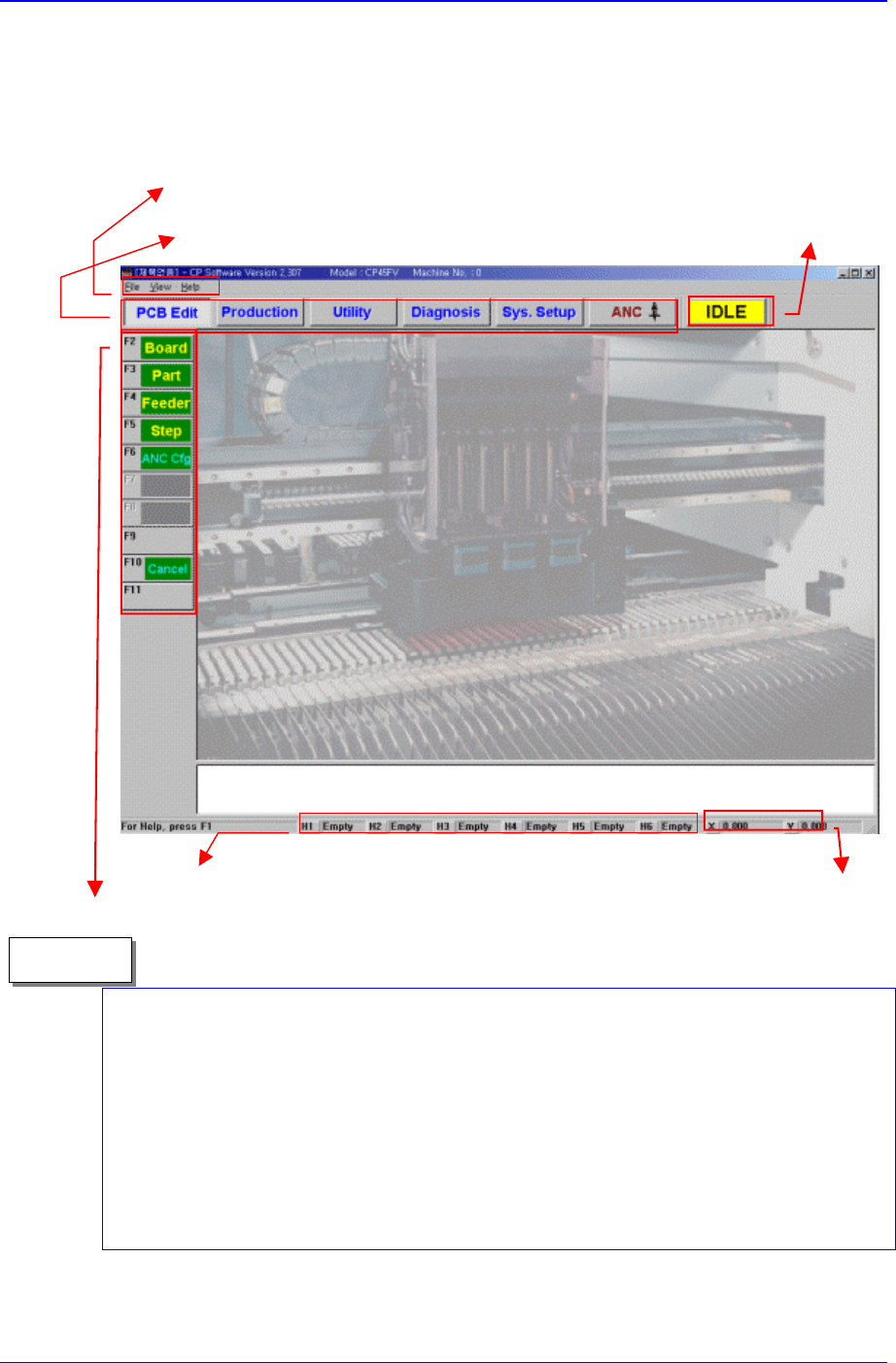
The main screen of MMI of this equipment is shown below:
Pictures showing a dialog box or message box of MMI are inserted to produce this
manual. Therefore, the screens shown in the manual and various settings, values and
contents included within may vary depending on the machine installed or the operational
environment. The MMI screens shown in the manual are inserted for more detailed
reference and explanation. They are produced by enlarging or reducing the contents
appearing on the main screen of MMI.
In addition, pictures inserted in this manual are prepared based on the CP-45FV model,
and therefore, some discrepancies may exist depending on the model.
Memo
The states of nozzles ed on each head are indicated.
X, Y coordinates of the head
position based on head1 are
indicated.
A main menu tool-bar is shown.
Use a menu bar as in a general window
application program
A help message applicable to the
present state as well as the state
of the equipment (IDLE, RUN,
FREEZE, WAIT, PAUSE) is
indicated.
A sub menu tool-bar is shown.

Table of Contents
xv
Table of Contents
Main Contents
Preface ................................................................................................... i
About Safety.................................................................................................... ii
Safety Precaution ............................................................................................iii
About Warranty................................................................................................ix
About This Manual........................................................................................... x
Table of Contents .................................................................................................xv
Main Contents.................................................................................................xv
List of Figures................................................................................................xxi
List of Tables ..............................................................................................xxvii
Overview
Chapter 1. Features and Scope of Equipment..................................................1-1
1.1 Features of Equipment....................................................................1-1
1.1.1.
Features of CP-45F/V AND CP-45FS model....................................1-1
1.2. Applicable Components and Packages ..........................................1-3
1.2.1.
Configuration of the head and vision recognition system.................1-3
1.2.2. Applicable component sizes.............................................................1-3
1.2.3. The placement precision...................................................................1-4
1.2.4. The pick & place cycle time..............................................................1-4
1.3. Mechanical Specifications...............................................................1-7
1.3.1.
Size and weight of the equipment.....................................................1-7
1.3.2. Requirements for air pressure..........................................................1-7
1.3.3. Environmental conditions..................................................................1-7
1.3.4. Noise.................................................................................................1-8
1.4. Electrical Specifications ..................................................................1-8
1.4.1.
Power requirements..........................................................................1-8
1.4.2. EPU (External Programming Unit)....................................................1-9
1.4.3. HLC (Host Line Computer)...............................................................1-9
1.5. Control System Specifications ......................................................1-11