operation-cp45.pdf - 第20页
Samsung Component Placer CP-45F(V)/FS Operations Manual xii Items in a dialog box or message box Terms used in explaining the screen (dialog boxes, message boxes, etc.) of MMI are shown below: List box This box selec…
Preface
xi
Symbols used in this manual
The meaning of symbols used in this manual are as follows:
Reference indicates a part to be referred to.
Memo shows useful information related to the text or definition of terms.
The operations procedures for MMI, installation of a teaching box or machine are
described. Each step of procedure is indicated by a number.
Reference
Memo
Operational procedure
Samsung Component Placer CP-45F(V)/FS Operations Manual
xii
Items in a dialog box or message box
Terms used in explaining the screen (dialog boxes, message boxes, etc.) of MMI are
shown below:
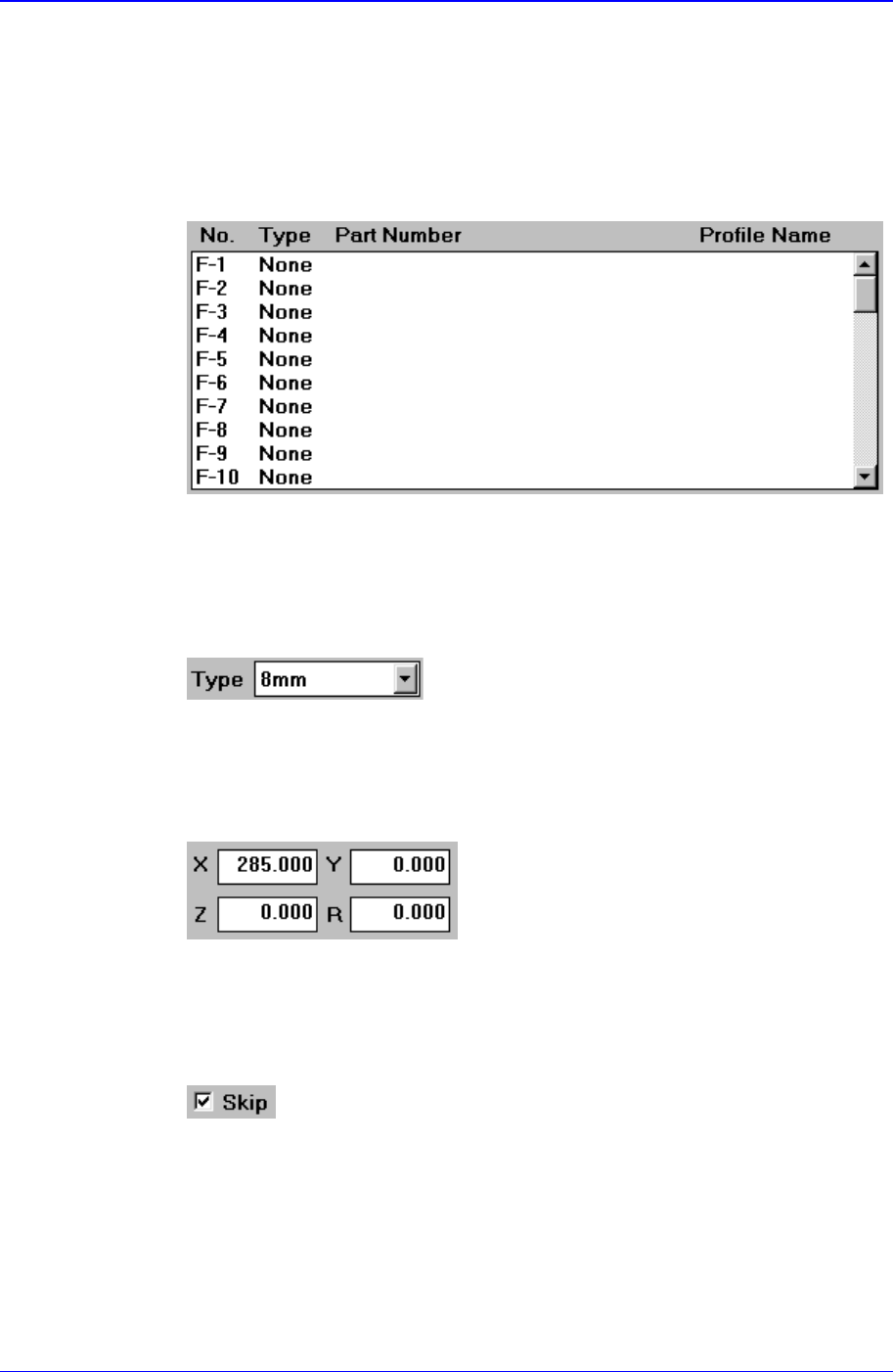
List box
This box selects one value from among several previously inputted values..
Combo box
This has the same function as the list box in that one of many inputted values can
be selected from this box. contrary to the list box, however, the entire values are
displayed by pressing an arrow button at lower right.
Edit box
Values can be inputted into this box. If a white portion is clicked on with a
mouse, it enters the state ready for inputting values.
Check box
This button enables determination of whether to use a function presented or to
select from multiple.
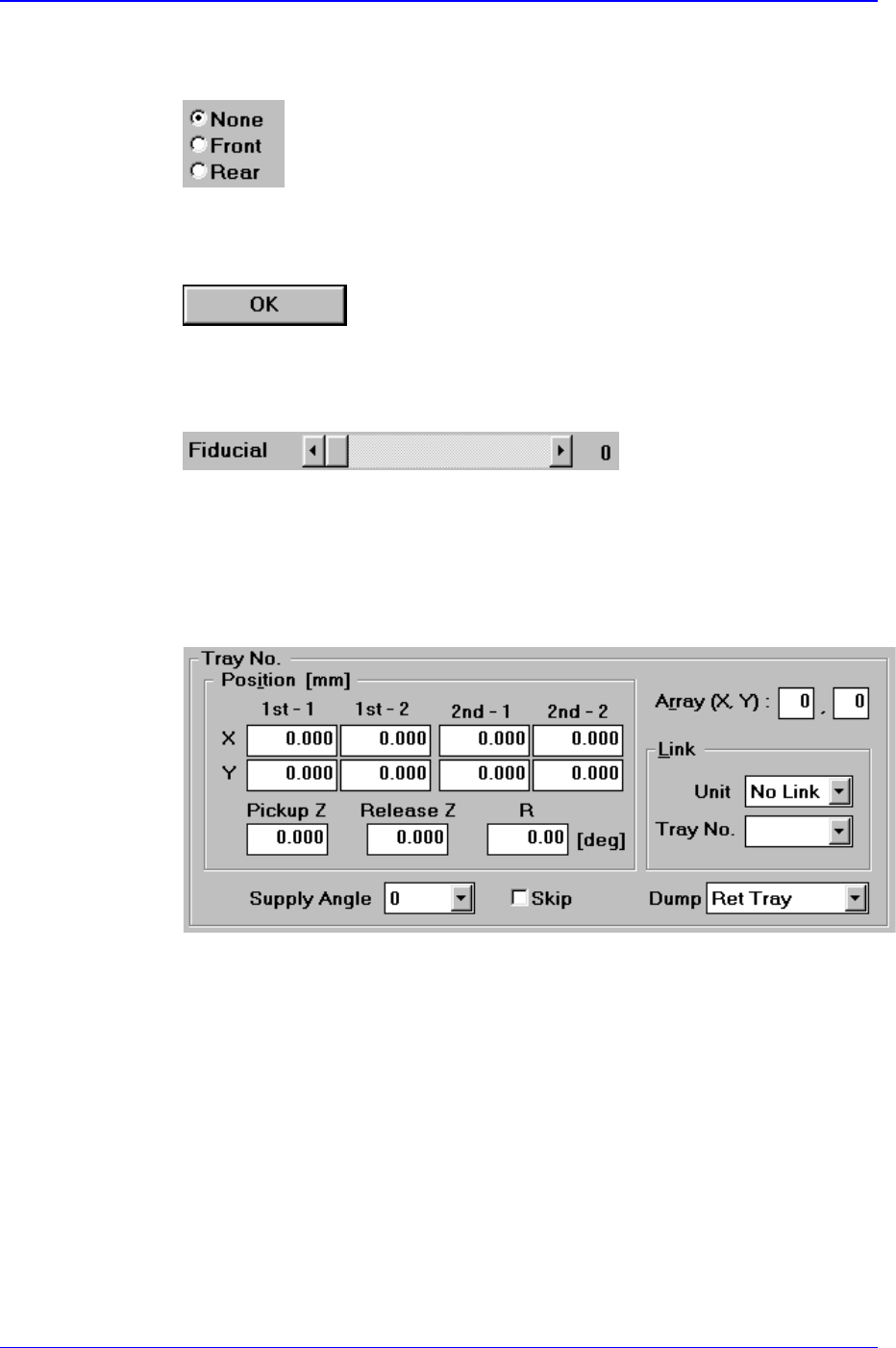
Option button
Preface
xiii
This button is used when selecting only one from among many options. If one
button is clicked on, selection of another button is disabled.
Other buttons
These buttons perform various prescribed operations when pressed.
Control box
This is a box for adjusting the set values by using a scroll bar.
Group
The above items are gathered into this area. In this manual, it is called “<XX>
group” based on the name XX above the group.
Example: <Tray No.> group
Mouse manipulation
The following terms are related to manipulating the mouse.
Click or select
Press once the corresponding item with the left button of the mouse by moving
the pointer of the mouse.
Double click
Press twice in rapid succession the corresponding item with the left button of the
mouse by moving the pointer of the mouse.
the pointer of the mouse.