operation-cp45.pdf - 第283页
Diagnosis Command 14-9 Figur e 14-10. “ Diagnosis : Jog Box Di agnosis ” di alog box <Speed LED All> button T urns ON/OFF all Speed LEDs. <Mode LED All> button T urns ON/OFF all Mode LEDs. <Axis LED …
Samsung Component Placer CP-45F(V)/FS Operations Manual
14-8
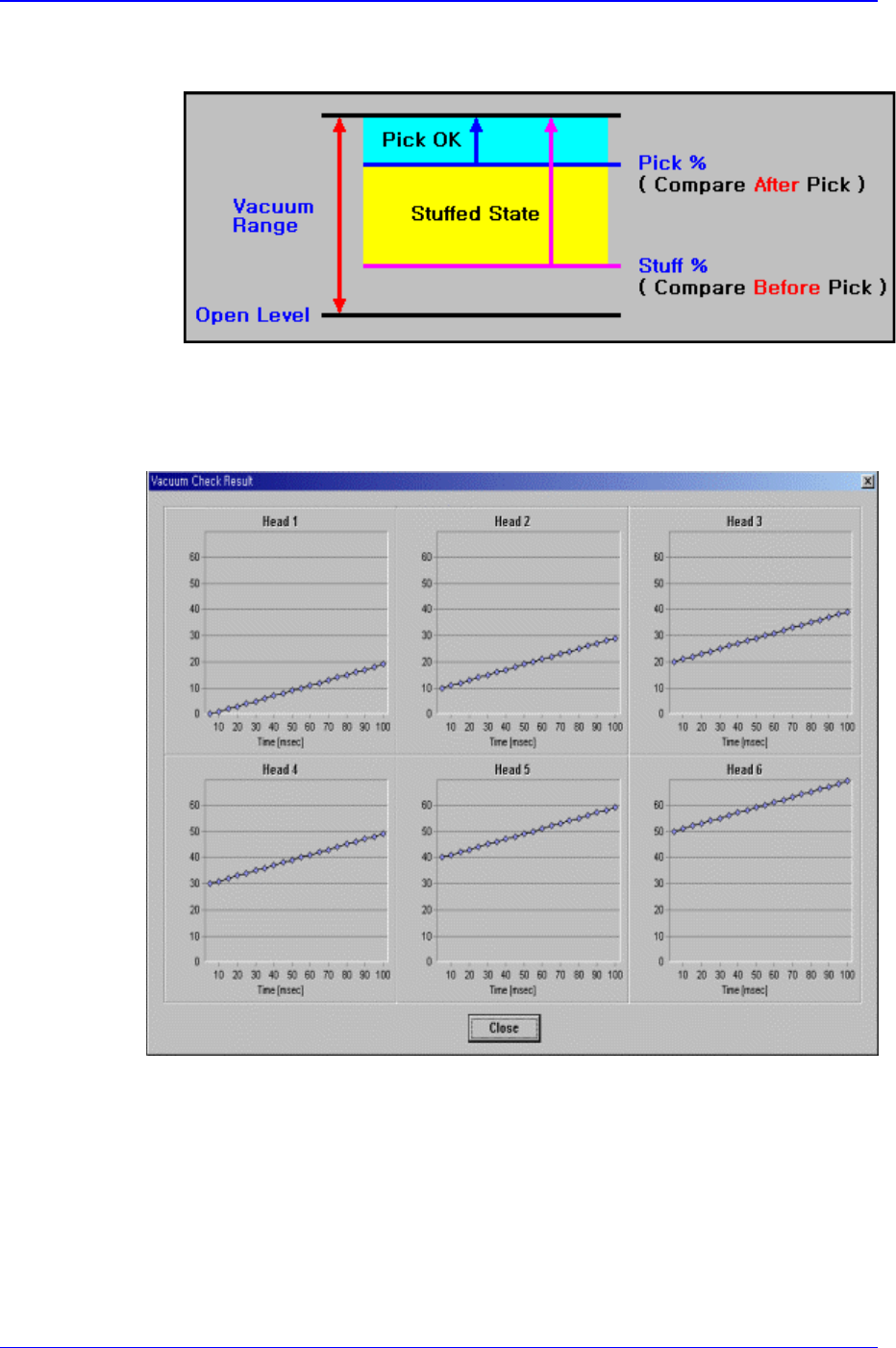
component pickups.
<Check> button
Measures the time taken until the vacuum level is stabilized. When this button is
clicked on, the following screen is displayed.
<Close> button
Closes the dialog box.
14.5. Jogbox [F6]
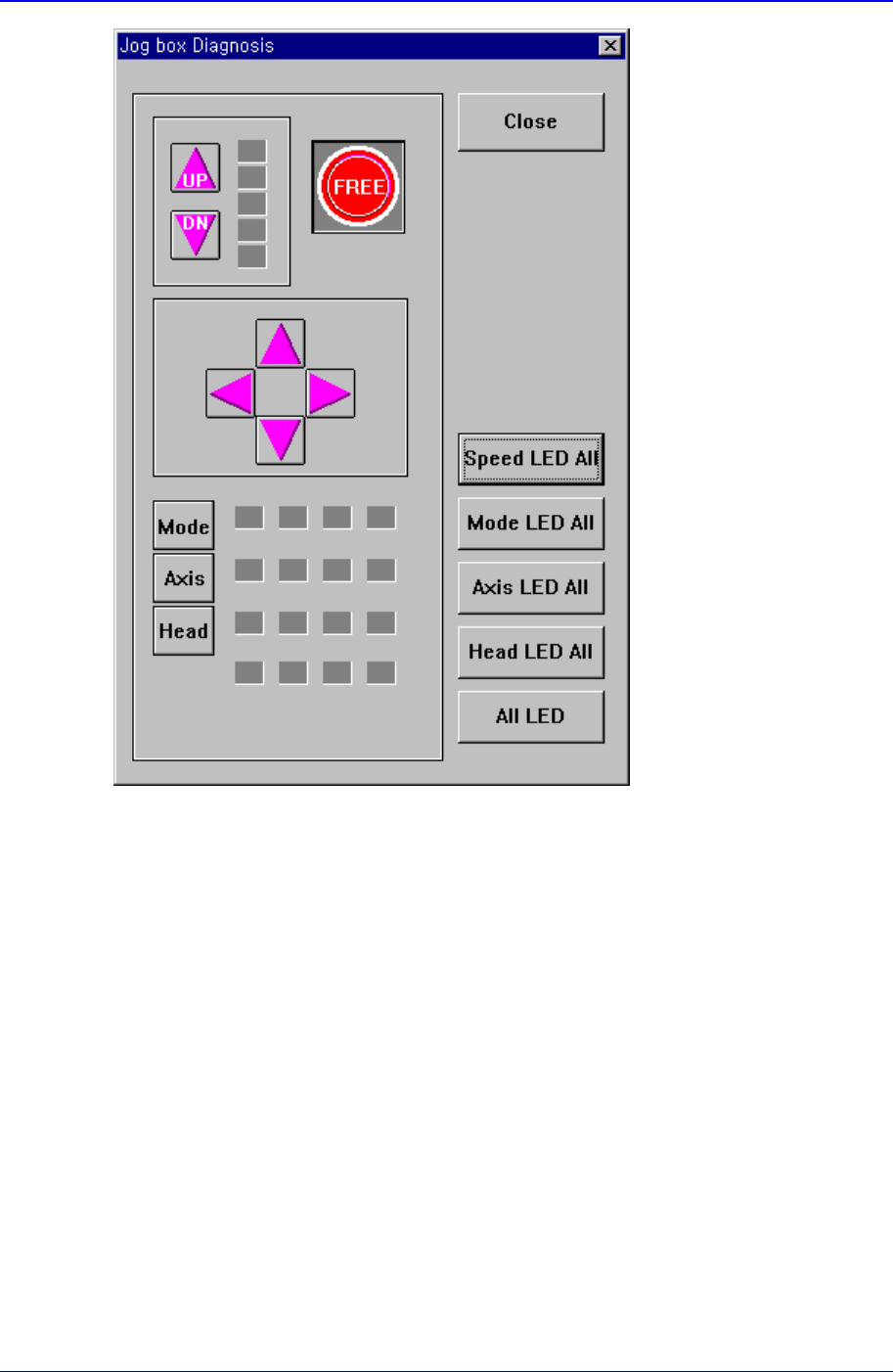
Checks the operation of the Jog Box. When this button is clicked on, the following dialog
box is displayed.
When each button in the actual Jog Box is operated, displays the operation status.
Diagnosis Command
14-9
Figure 14-10. “Diagnosis : Jog Box Diagnosis” dialog box
<Speed LED All> button
Turns ON/OFF all Speed LEDs.
<Mode LED All> button
Turns ON/OFF all Mode LEDs.
<Axis LED All> button
Turns ON/OFF all Axis LEDs.
<Head LED All> button
Turns ON/OFF all Head LEDs.
<All LED> button
Turns ON/OGG all LEDs.
<Close> button
Closes the dialog box.
Samsung Component Placer CP-45F(V)/FS Operations Manual
14-10
14.6. Tray [F7]
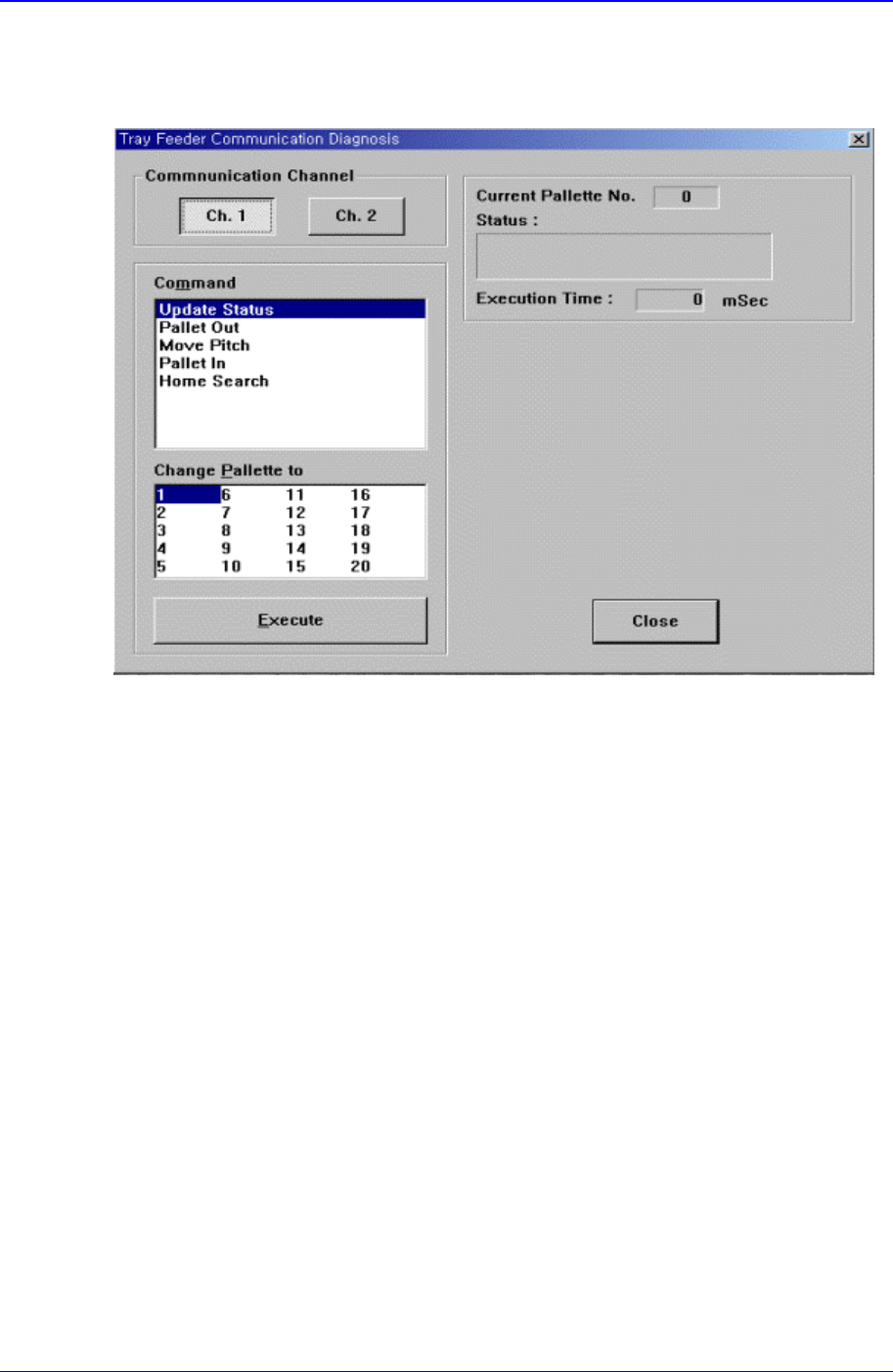
Checks communication with the tray feeder. When this button is clicked on, the following
dialog box is displayed.
Figure 14-11. “Diagnosis :Tray Feeder Communication Diagnosis” dialog box
<Communication Channel> group
Select the communication channel to which the tray feeder is connected.
Ch. 1: Selects RS-232C communication Port1.
Ch. 2: Selects RS-232C communication Port2.
<Change Palette to> combo box
Select the palette number to change.
<Command> combo box
Select the command to transmit to the tray feeder. Available command types are as
follows.
Update Status: Updates the status.
Palette Out: Outputs the selected palette from the tray magazine.
Move Pitch: Locates the selected palette at the entrance of tray magazine output.
Palette In: Brings the selected palette into the tray magazine.
Home Search: Moves the tray feeder to Home.
<Execute> button
Transmits the selected command to the tray feeder.
<Current Palette No.> Static box
Displays the number of the palette currently taken out.
<Status> message box