operation-cp45.pdf - 第277页
Diagnosis Command 14-3 <Feeder base Check> button T urns on or of f the air pressure solenoid of the feeder base. The operation status of air pressure solenoid can be checked. <W ork zone Run> button &l…
Samsung Component Placer CP-45F(V)/FS Operations Manual
14-2
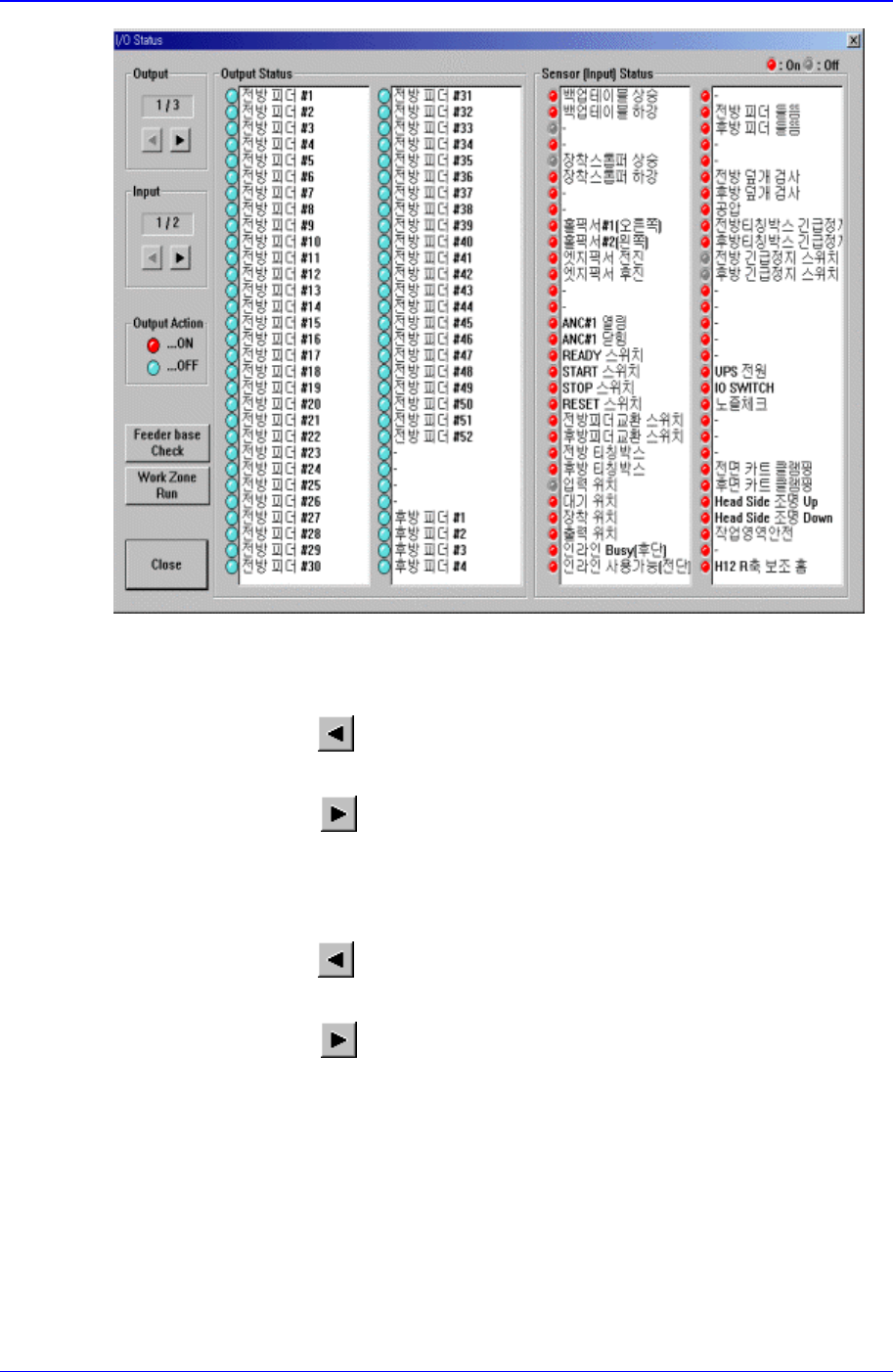
Figure 14-3. “Diagnosis : I/O Status “ dialog box
<Output> group
Select the output block to display. There are 3 blocks in total for output.
<Prev Block>
button
Displays the previous block of the current block.
<Next Block>
button
Displays the next block of the current block.
<Input> group
Select the input block to display. There are 2 blocks in total for input.
<Prev Block>
button
Displays the previous block of the current block.
<Next Block>
button
Displays the next block of the current block.
<Output Status> group
Display the sensor status of the selected output block. Red indicates on status, and
blue indicates off status.
Selecting the sensor to set and double clicking on the left button of a mouse or
pressing the space bar reverses the sensor status.
<Input Status> group
Display the sensor status of the selected input block. Red indicates on status, and blue
indicates off status.
Diagnosis Command
14-3
<Feeder base Check> button
Turns on or off the air pressure solenoid of the feeder base. The operation status of air
pressure solenoid can be checked.
<Work zone Run> button
<Close> button
Closes the dialog box.
14.2. Conveyor [F3]
Checks the status of various devices in the conveyor group.
When this button is clicked on, the following dialog box is displayed.
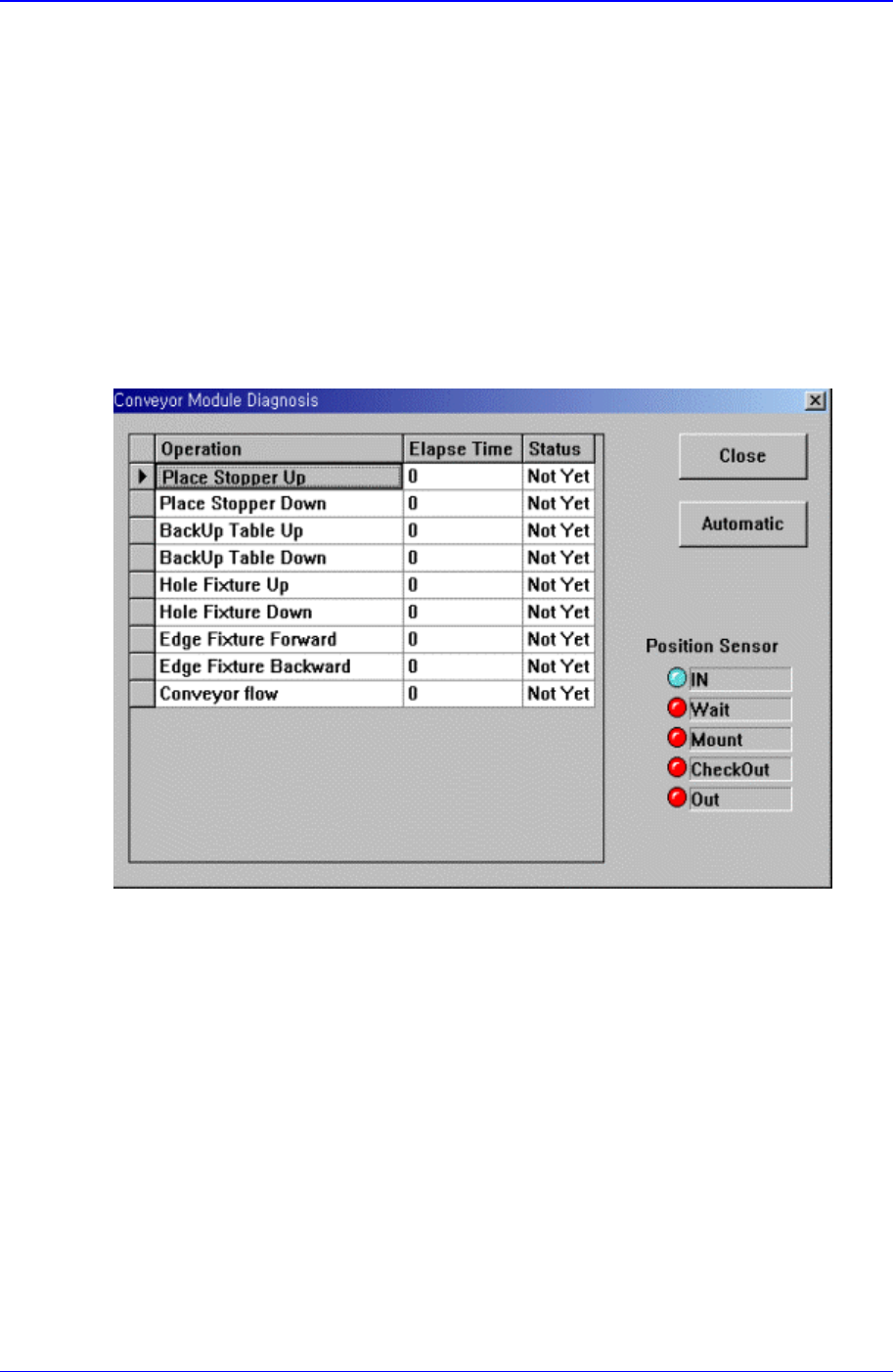
Figure 14-4. “Diagnosis : Conveyor “ dialog box
<Grid> group
<Operation> column
Displays the operation list of devices to check.
Place Stopper Up: Checks the up motion of the stopper in the operation area..
Place Stopper Down: Checks the down motion of the stopper in the operation
area..
BackUp Table Up: Checks the up motion of the backup table that supports the
bottom of the PCB.
BackUp Table Down: Checks the down motion of the backup table that supports
the bottom of the PCB.
Hole Fixture Up: Checks the up motion of the hole fixture that arranges PCBs.
Samsung Component Placer CP-45F(V)/FS Operations Manual
14-4
Hole Fixture Down: Checks the down motion of the hole fixture that arranges
PCBs.
Edge Fixture Forward: Checks the up motion of the edge fixture that arranges
PCBs.
Edge Fixture Backward: Checks the down motion of the edge fixture that
arranges PCBs.
Conveyor flow: Checks the operation of conveyor.
<Elapse Time> column
Displays the elapse time taken to check the operation of the corresponding device.
<Status> column
Displays the result of the operation check of the corresponding device.
OK: Indicates the result is normal.
NG: Indicates the result is abnormal.
<Automatic> button
Automatically checks the devices in the list in sequence.
<Close> button
Closes the dialog box.
14.3. Light [F4]
Checks the lighting devices installed on the move camera, fly camera, and fix camera.
When this button is clicked on, the following dialog box is displayed.
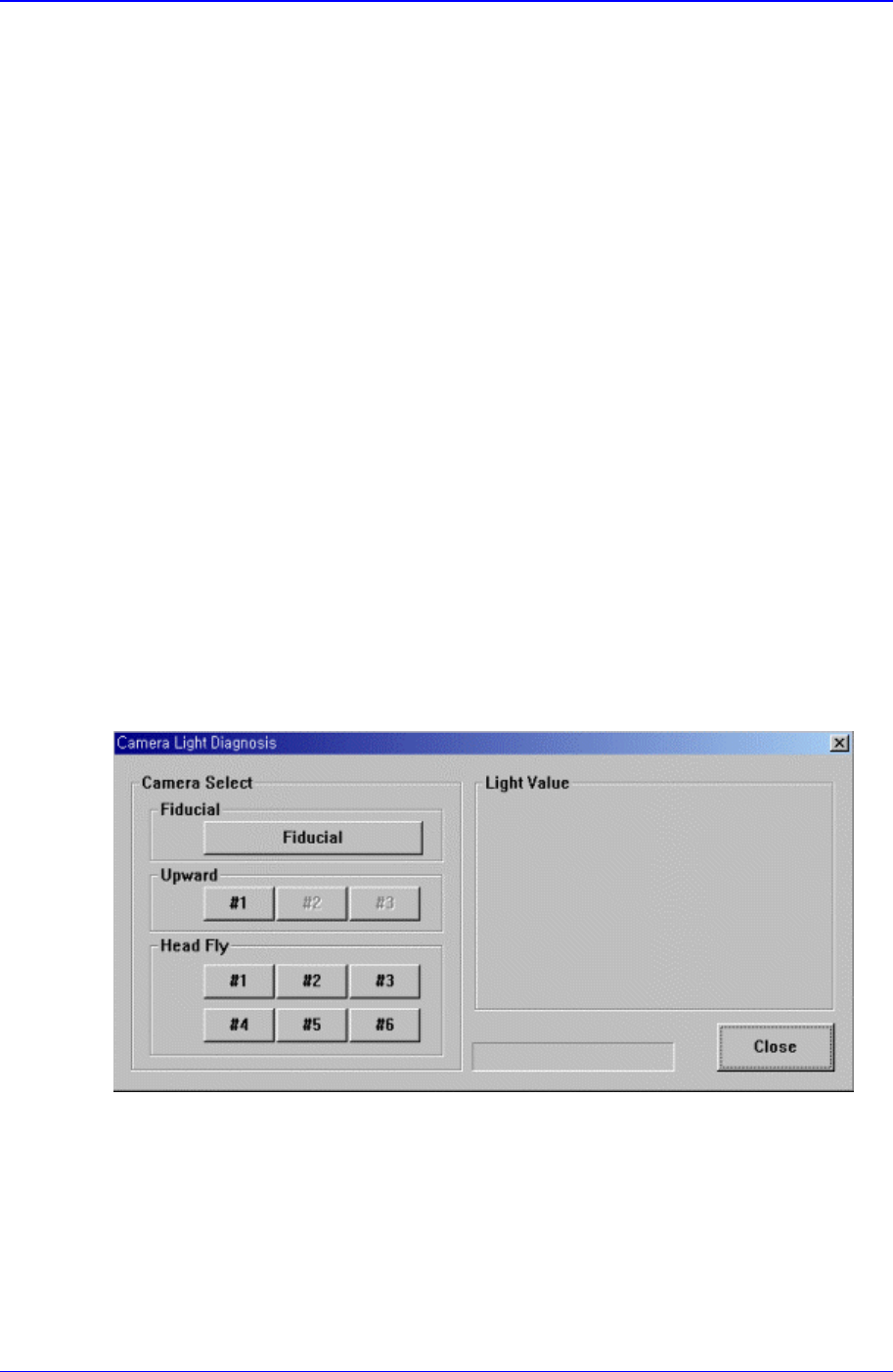
Figure 14-5. “Diagnosis : Camera Light Diagnosis “ Initial Screen
<Camera Select> group
Select the camera on which the lighting device to be checked is installed.
<Fiducial> Camera
Select the move camera in the head block. The move camera is also called teach
camera, or fiducial camera.