operation-cp45.pdf - 第150页
Samsung Component Placer CP-45F(V)/FS Operations Manual 9-10 Displays the current height of Head2. Head2/Axis R Displays the current rotational angle of Head2. Head3/Axis Z Displays the current height of Head3. Hea…
View Commands
9-9
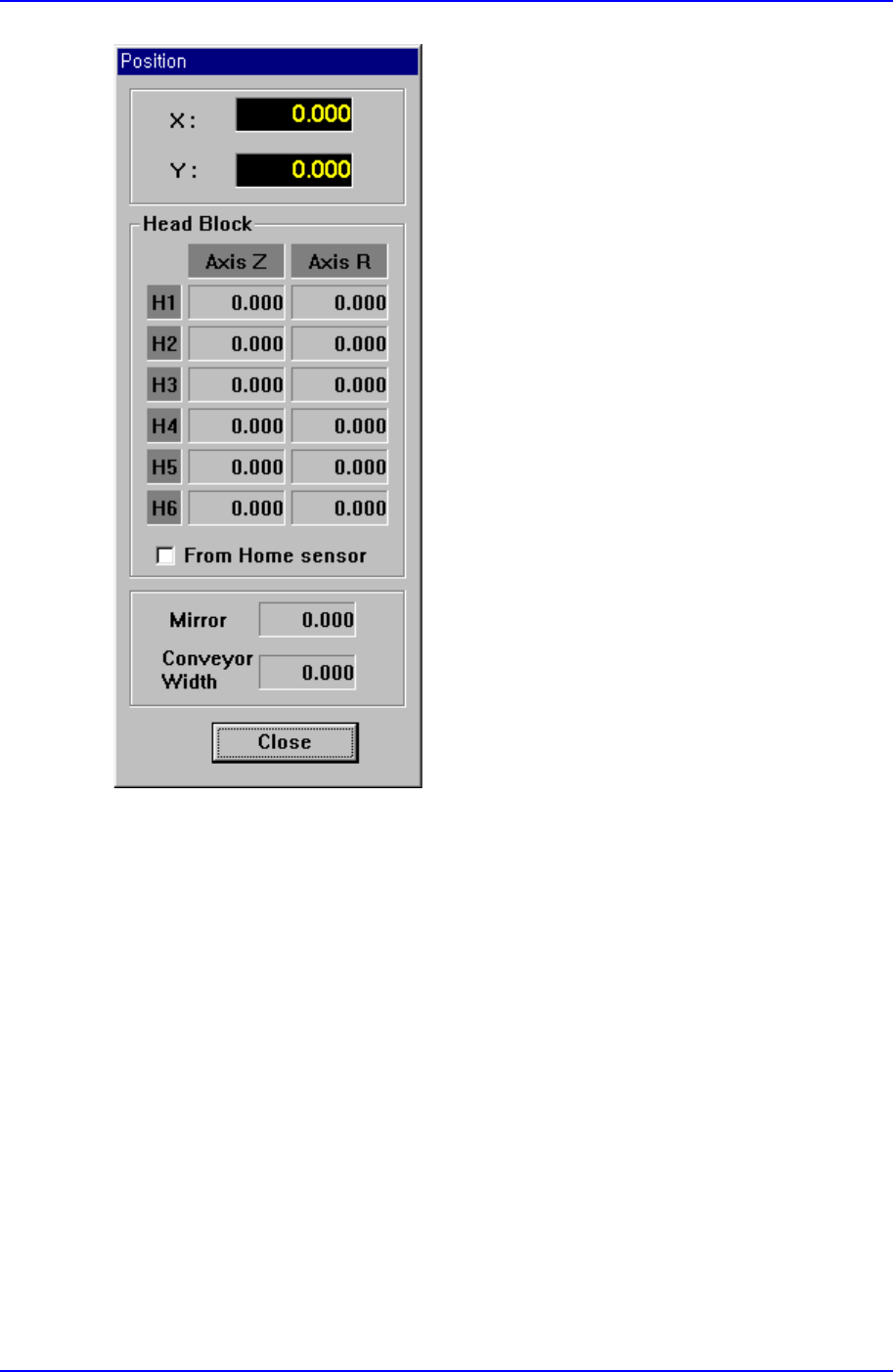
Figure 9-6. “Position” message box
X:
Displays the current position of Head1 in X-direction from the mechanical origin.
Y:
Displays the current position of Head1 in Y-direction from the mechanical origin.
Head Block Group
Head1/Axis Z
Displays the current height of Head1.
Head1/Axis R
Displays the current rotational angle of Head1.
Head2/Axis Z

Samsung Component Placer CP-45F(V)/FS Operations Manual
9-10
Displays the current height of Head2.
Head2/Axis R
Displays the current rotational angle of Head2.
Head3/Axis Z
Displays the current height of Head3.
Head3/Axis R
Displays the current rotational angle of Head3.
Head4/Axis Z
Displays the current height of Head4.
Head4/Axis R
Displays the current rotational angle of Head4.
Head5/Axis Z
Displays the current height of Head5.
Head5/Axis R
Displays the current rotational angle of Head5.
Head6/Axis Z
Displays the current height of Head6.
Head6/Axis R
Displays the current rotational angle of Head6.
Mirror
Displays the current location of the mirror for the fly camera.
Conveyor Width
Displays the current location of conveyor width.
<Close> button
Closes the “Position” message box and finish <Current Position> command.
9.3. System Error Message
The <System Error Message> command is used to check the error message window
which is displayed when there is an equipment error.

View Commands
9-11
9.4. Dump Information
The <Dump Information> command is used to check the message window on the dumped
components and feeders.
9.5. Tool bar Position
Set the location of the auxiliary menu tool bar of the menu tool bar on the screen.
Left side : Places it on the left of the screen.
Right side : Places it on the right of the screen.
Bottom side : Places it on the bottom of the screen.
9.6. Mark3TSG
Select the error code to want to troubleshoot.