operation-cp45.pdf - 第257页
Pr oduction Command 12-3 Displays the total number of steps. <T otal Cy cles> option button Displays the total number of cycles. <T otal Array > option button Displays the total number of Array PCBs. &l…
Samsung Component Placer CP-45F(V)/FS Operations Manual
12-2
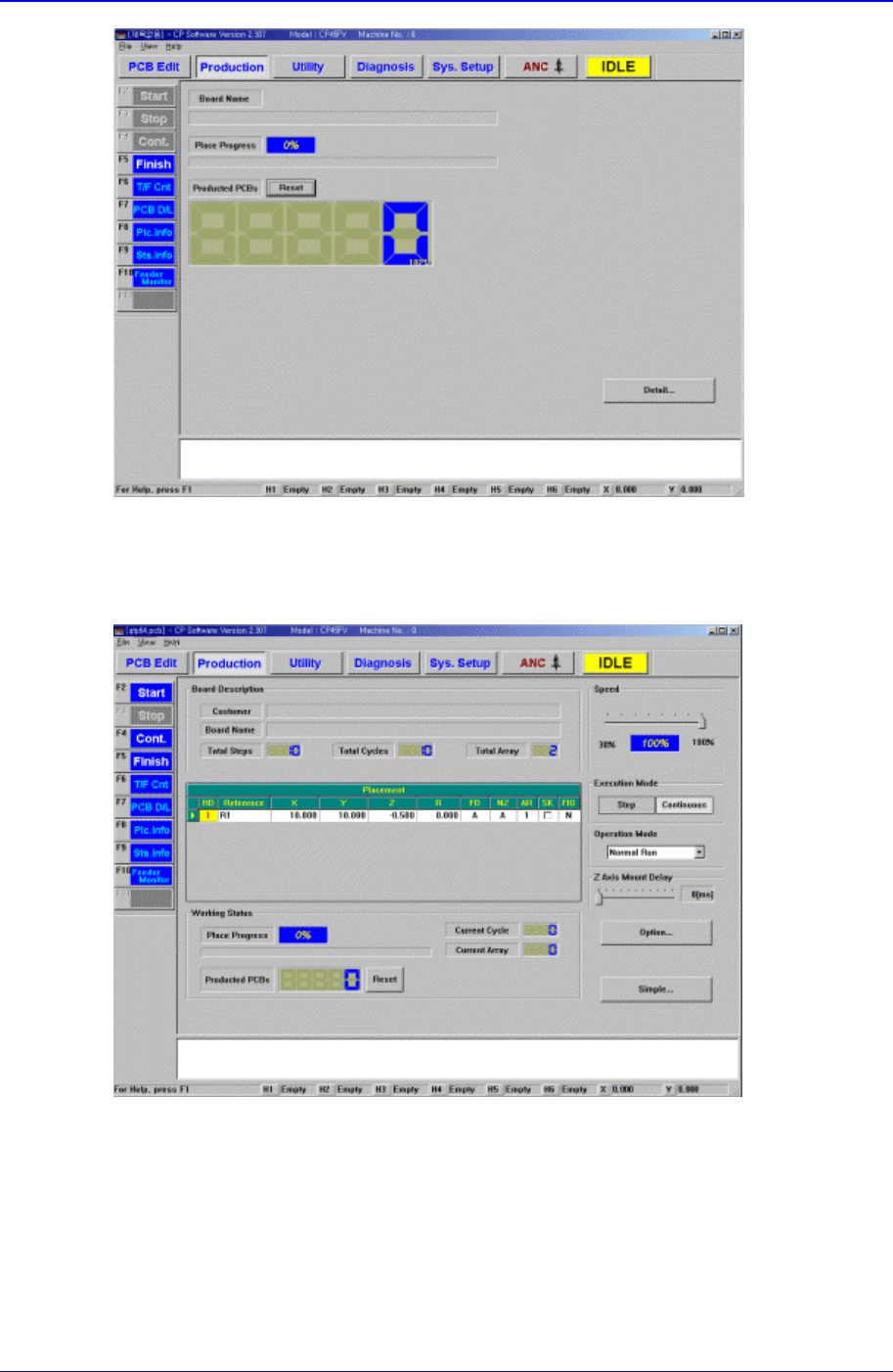
Figure 12-3. “Production” Main screen (Initial screen)
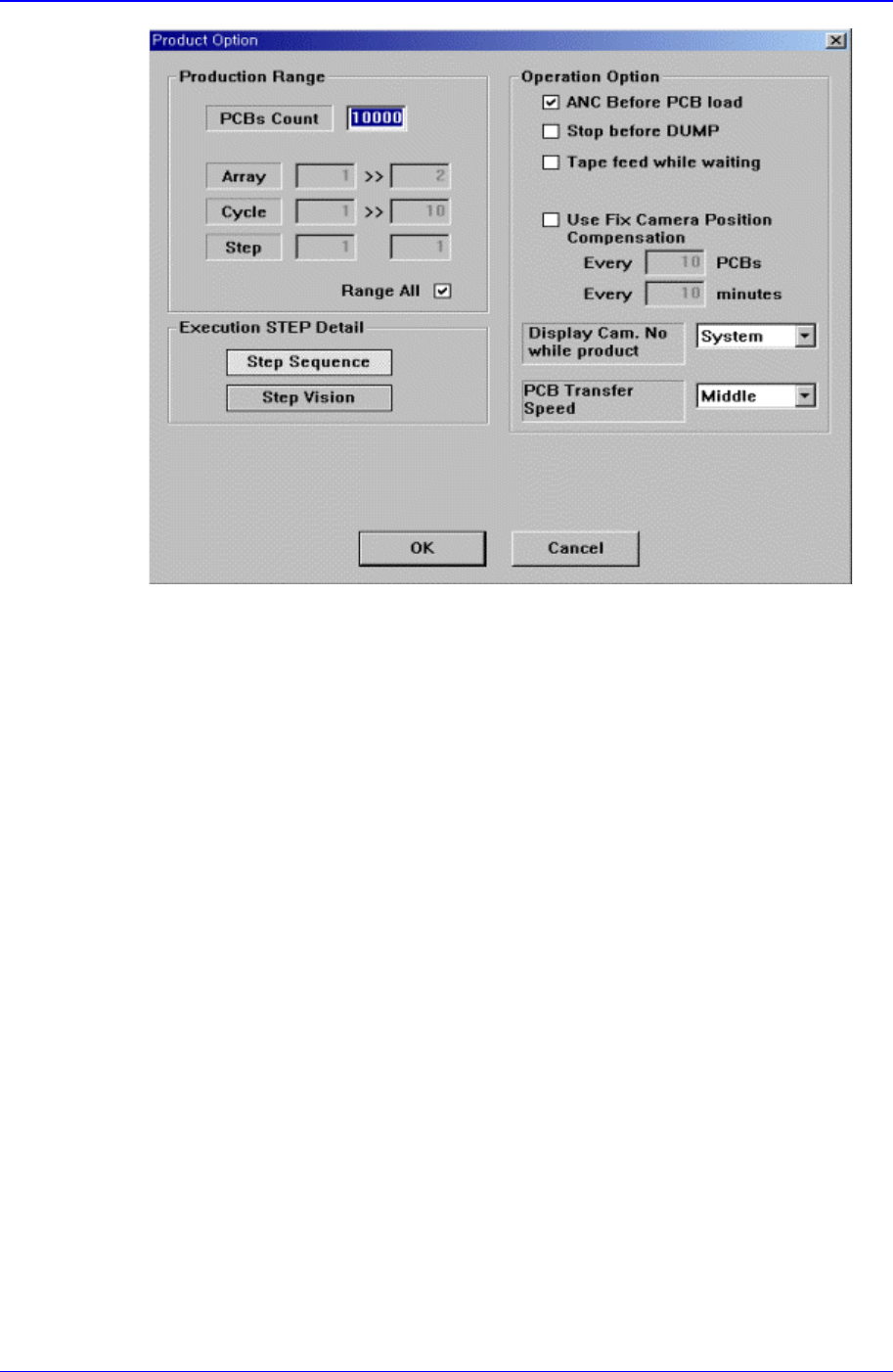
When the submenu, PCB D/L (F7) is clicked on, transmits the PCB data edited to the
equipment, and the following screen is displayed.
<Board Description > group
Displays the data related to PCB board.
<Customer> Static box
Displays the customer name.
<Board Name> Static box
Displays the PCB name.
<Total Steps> option button

Production Command
12-3
Displays the total number of steps.
<Total Cycles> option button
Displays the total number of cycles.
<Total Array> option button
Displays the total number of Array PCBs.
<Working Status> group
Displays the status of operation in progress.
<Place Progress> Static box
Displays the progress of placement operation with a percentage and a progress
bar.
<Current Cycle> Static box
Displays the cycle in progress.
<Current Array> Static box
Displays the step in progress.
<Produced PCBs> Static box
Displays the number of produced PCBs.
<Reset> button
Initializes the number of produced PCBs to “0”.
<Speed> group
Set the speed of axis.
<Execution Mode> group
Set the execution mode.
<Step> option button
Sets to a mode in which the motion stops after each step of motion.
<Continuous> option button
Sets to a mode of continuous motion.
<Operation Mode> group
Set the operation mode. Available modes are as follows.
Normal Run: Operates normally.
Dry Run: Operates without picking up components actually. When all the steps are
completed, stops operation.
Dry Repeat Run: Operates without picking up components actually. When all the
steps are completed, repeats operation from the first.
Dry1 Run:
Dry1 Repeat Run:
Dry2 Run:
Dry2 Repeat Run:
<Option> button
Carries out the function of setting the operation scope. When this button is clicked on,
the following dialog boxes are displayed.
Samsung Component Placer CP-45F(V)/FS Operations Manual
12-4
Figure 12-4. “Production Option” dialog
<Production Range> group
Set the operation range.
<PCBs Count> Static box
Set the number of PCBs to be produced.
<Array> Static box
It is activated when the “Range All” button is not checked.
If there are Array PCBs, set the range of arrays to operate.
<Cycle> Static box
It is activated when the “Range All” button is not checked.
Set the range of cycles to operate.
<Step> Static box
It is activated when the “Range All” button is not checked.
Set the step to operate.
The step under the start cycle sets the step to start operation in the start cycle,
and the step under the finish cycle sets the step to finish operation in the
finish cycle.
<Range All> check box
Check it when the entire area is to be operated.
<Execution STEP Detail> group
If the execution mode is “Step”, set more detailed step execution.
<Step Sequence> option button
Selects the step execution on the sequence.