operation-cp45.pdf - 第254页
Samsung Component Placer CP-45F(V)/FS Operations Manual 11-100 Converts the step data created by this equipm ent into other format(SSA Format) ASCII File. When this button is clicked on, the following dialog box is displ…
PCB Edit Command
11-99
Inserts a new placement point before the currently selected line in the grid.
<Delete> button
Deletes the placement point in the selected area in the grid.
<Import…> button
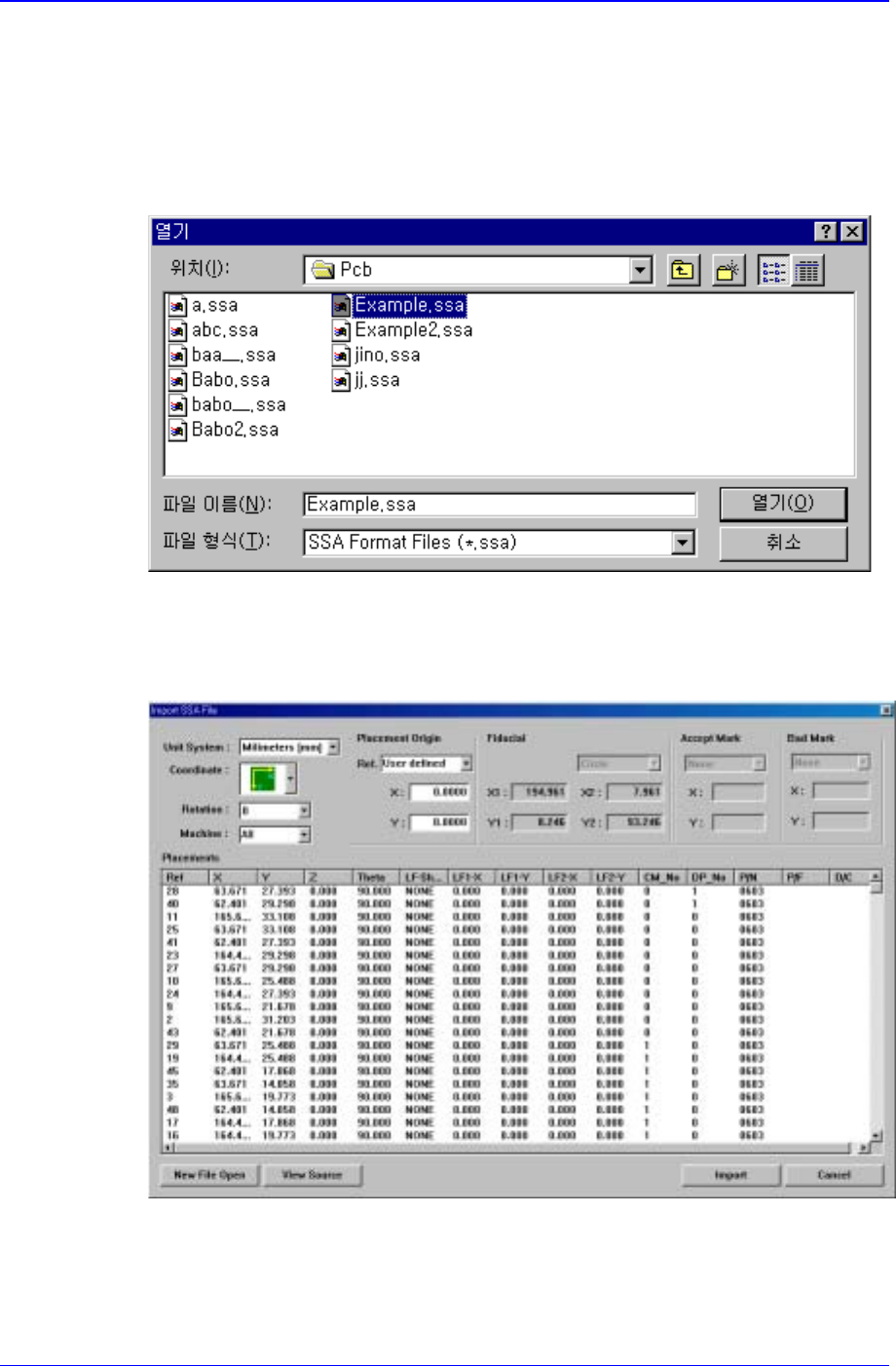
Converts externally created ASCII data into step data for this equipment. When this
button is clicked on, the following dialog box is displayed.
When the “open” button is clicked on after the file containing the data to convert has
been selected, the data in the selected file is displayed as follows.
Figure 11-56 “Import SSA File” dialog box
When the <Import> button is clicked on, the corresponding data is converted into
step data..
<Export…> button
Samsung Component Placer CP-45F(V)/FS Operations Manual
11-100
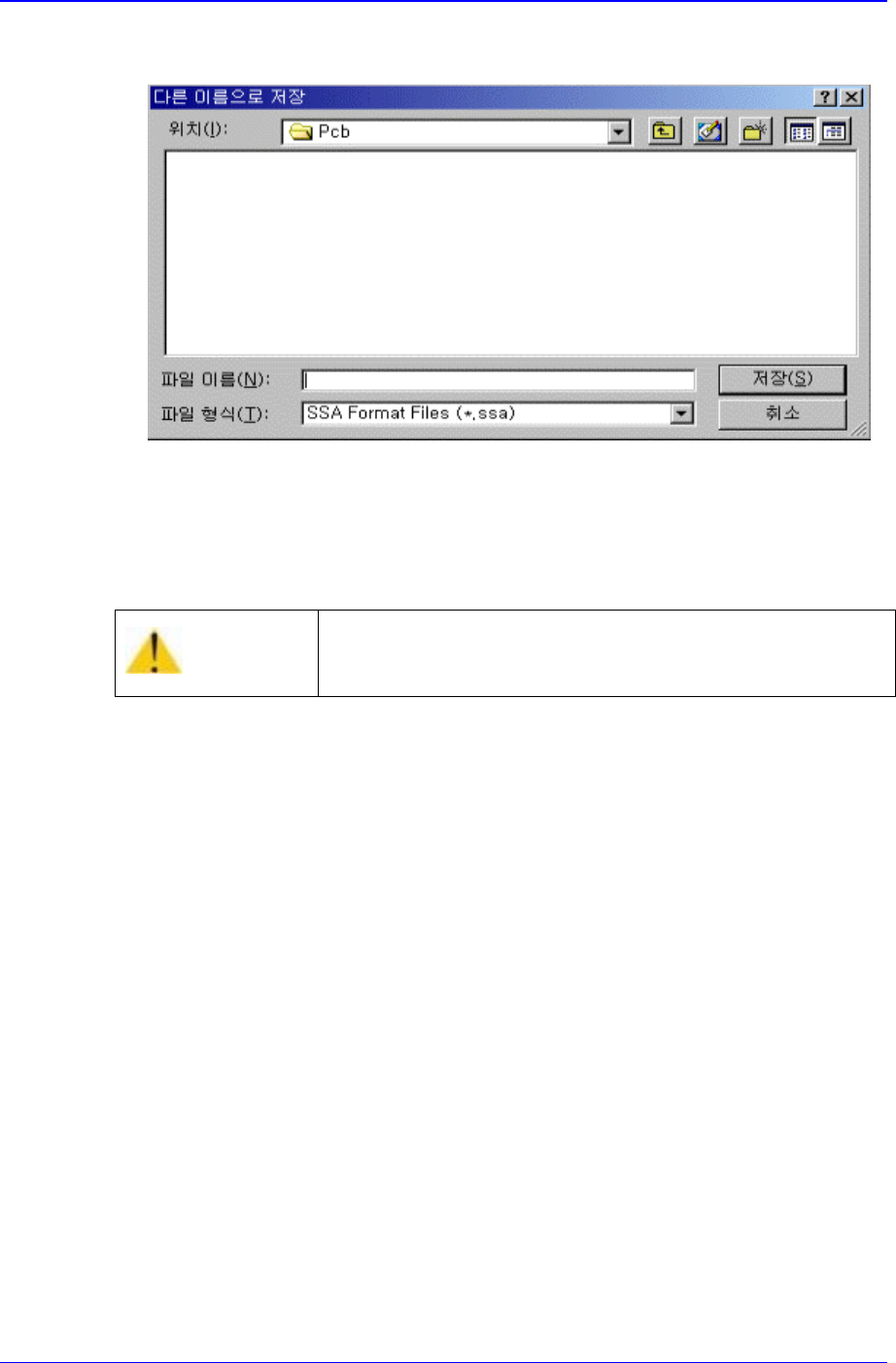
Converts the step data created by this equipment into other format(SSA Format)
ASCII File. When this button is clicked on, the following dialog box is displayed.
When the “Save” button is clicked on after the ASCII File name has been set, converts
the step data into SSA format and saves the data under the set file name.
<Cancel> button
Cancels the edited data.
Caution
If you move to another screen while editing the “ Step”
dialog box, the edited content is saved automatically.
Production Command
12-1
Chapter 12. Production Command
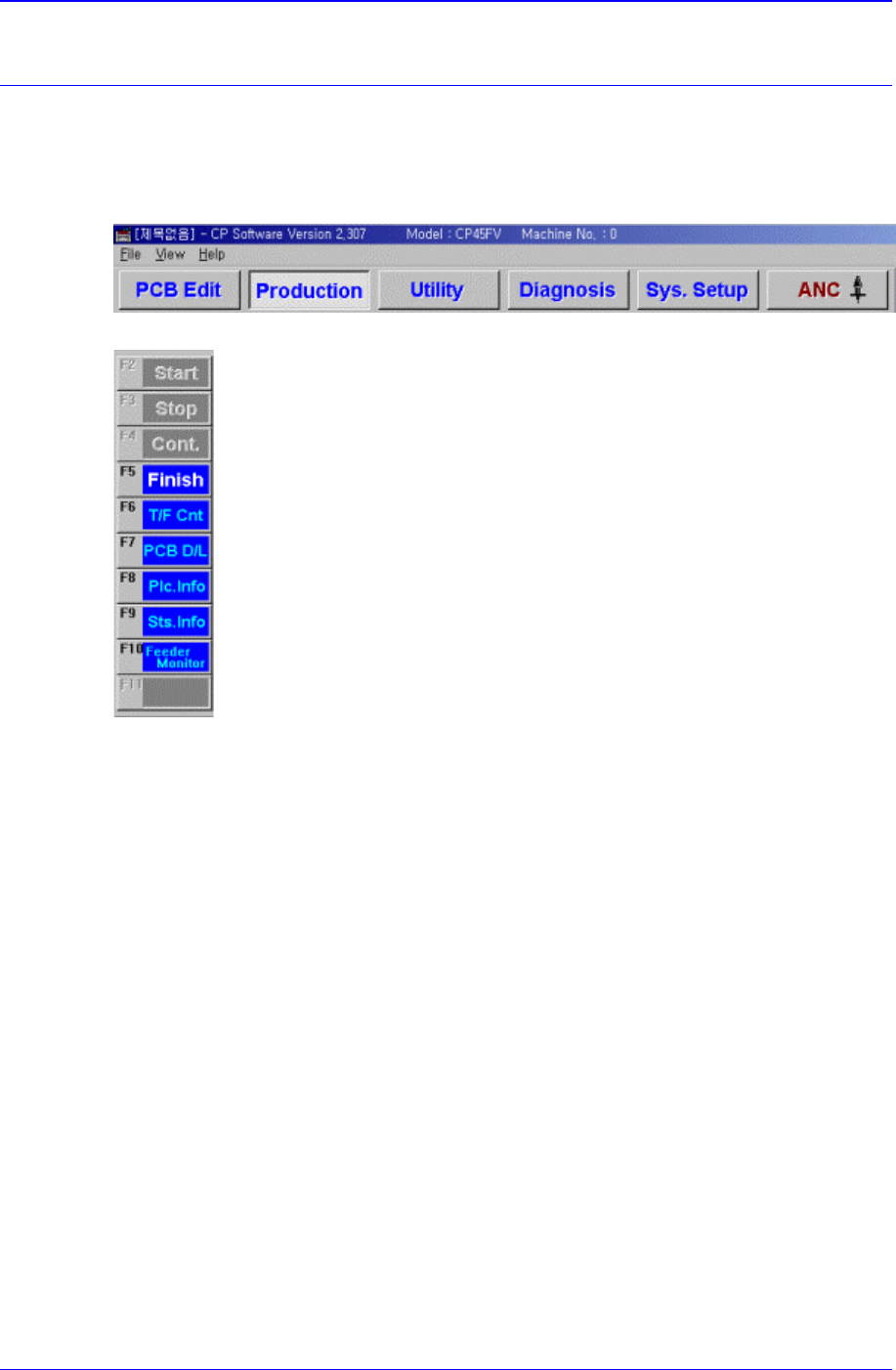
The production command is composed of nine submenus; Start, Stop, Cont., Finish, T/F
Cnt, PCB D/L, Plc. Info, Sts. Info and Feeder Monitor.
This command performs the function of monitoring PCB (Printed Circuit Board)
placement operation.
Figure 12-1. When the Production command is selected
Figure 12-2. Submenus of the Production command(Initial status)
12.1. Production Main
When the production button is clicked on, the following screen is displayed.