operation-cp45.pdf - 第154页
在线预览 operation-cp45.pdf PDF 文档。
Help Commands
10-1
Chapter 10. Help Commands
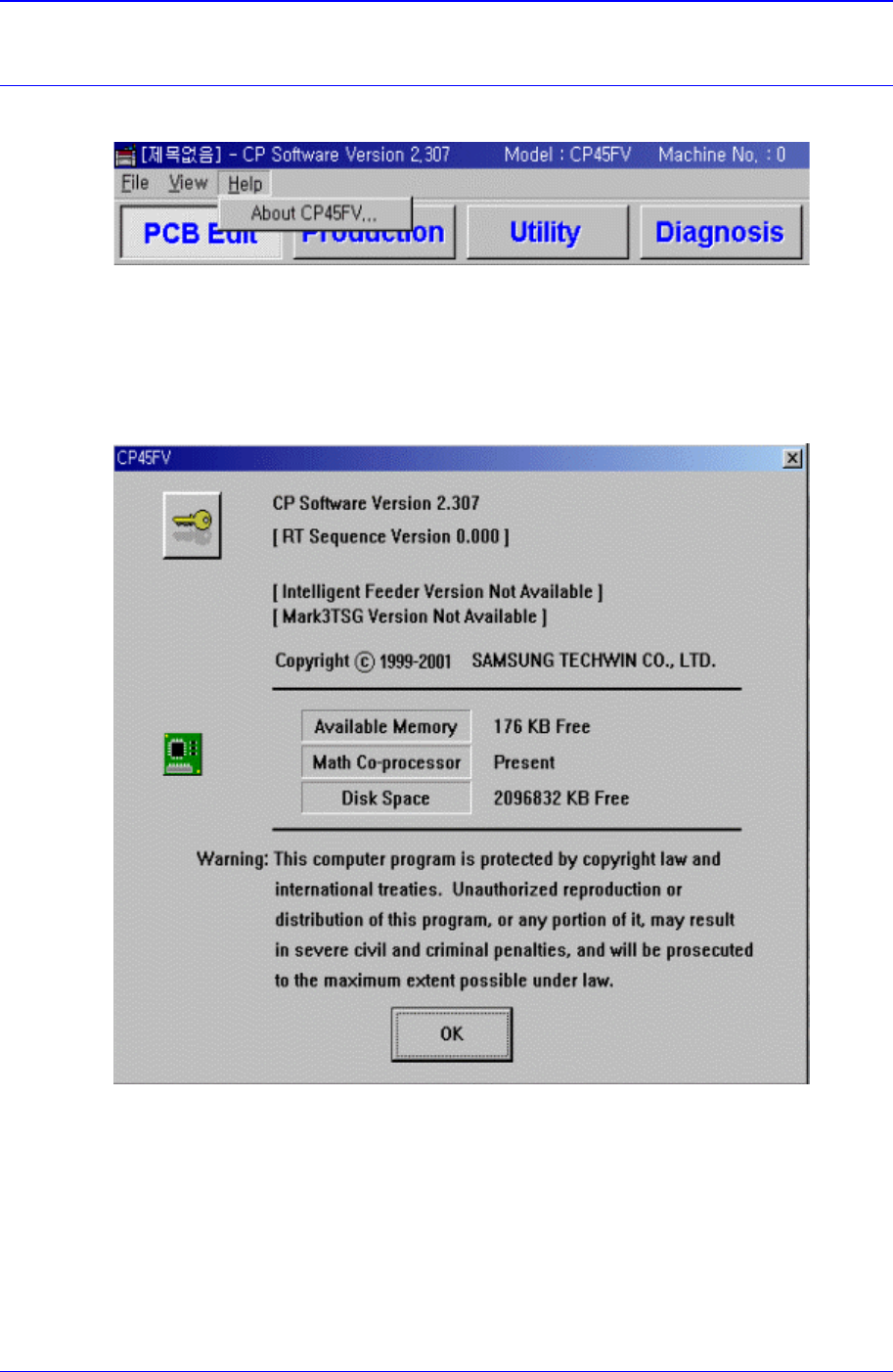
The <Help> menu command is composed of About CP-45FV menu.
Figure 10-1. Help Menu and Submenus
10.1. About CP-XX
When the <About CP-XX> command is selected, the following message box is displayed.
Figure 10-2. Information on the present equipment
PCB Edit Command
11-1
Chapter 11. PCB Edit Command
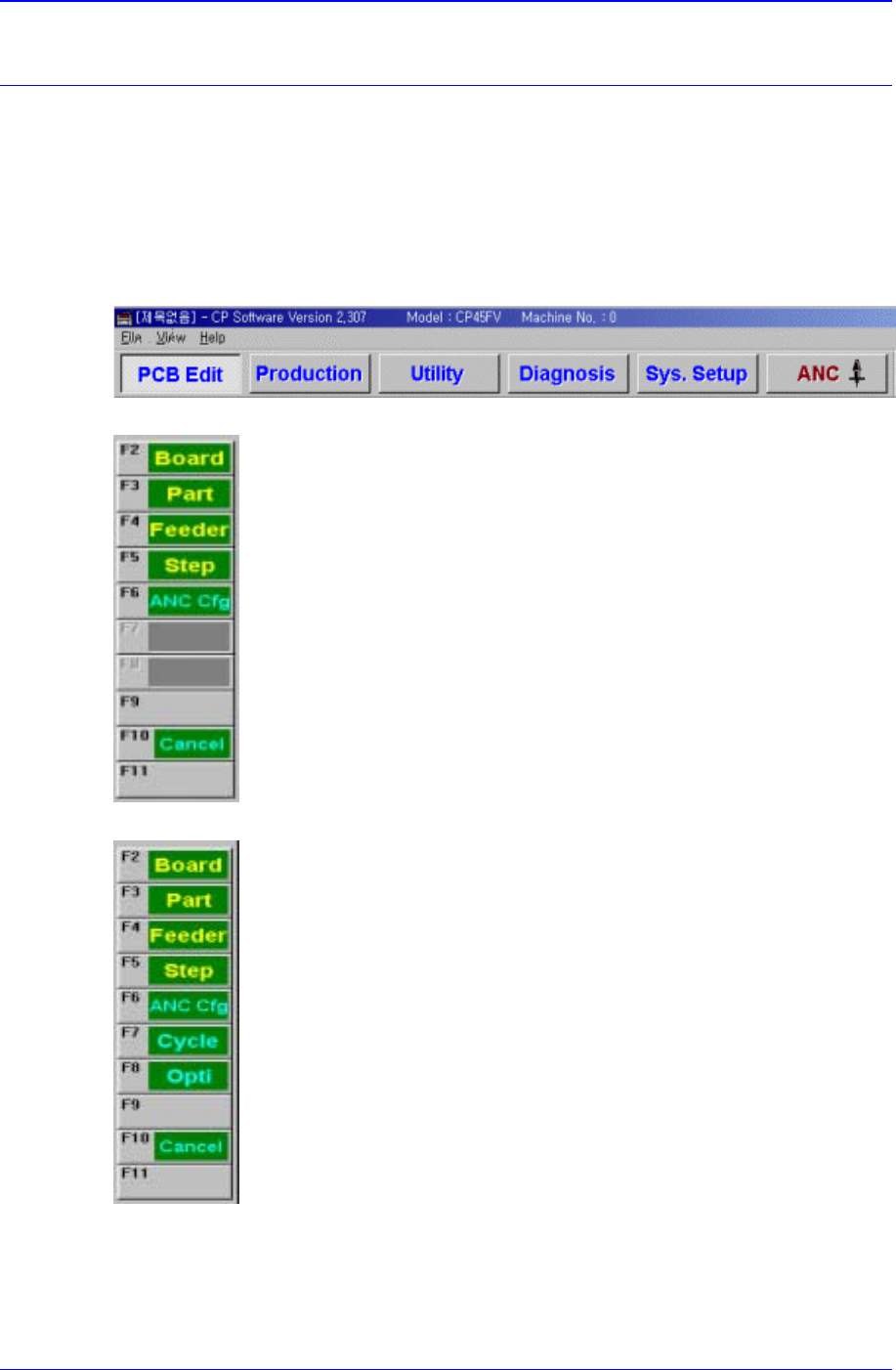
The <PCB Edit> Command is composed of the eight submenus: Board, Part, Feeder,
Step, ANC Cfg, Cycle, Opti, Cancel.
Used to edit data for the placement of components on a PCB (Printed Circuit Board ).
When a submenu of the <PCB Edit> command is selected, the corresponding dialog box
is displayed. While the dialog box corresponding to the submenu is displayed, if the menu
is selected again, the corresponding dialog box is activated. Click on the button on the top
right to close the dialog box.
Figure 11-1. When the PCB Edit command is selected
Figure 11-2. Submenus of the PCB Edit command(Initial status)
Figure 11-3. Sub menus of the PCB Edit command(Activated status)
Use the <Board> command to edit the PCB (Printed Circuit Board) setup only. When this
button is selected, the following dialog box is displayed.