operation-cp45.pdf - 第293页
Sys.Setup Command 15-7 Set the X offset value for Beam1. <Beam#1 Y> edit box Set the Y offset value for Beam1. <Beam#2 X> edit box Set the X offset value for Beam2. <Beam#2 Y> edit box Set the Y o…
Samsung Component Placer CP-45F(V)/FS Operations Manual
15-6
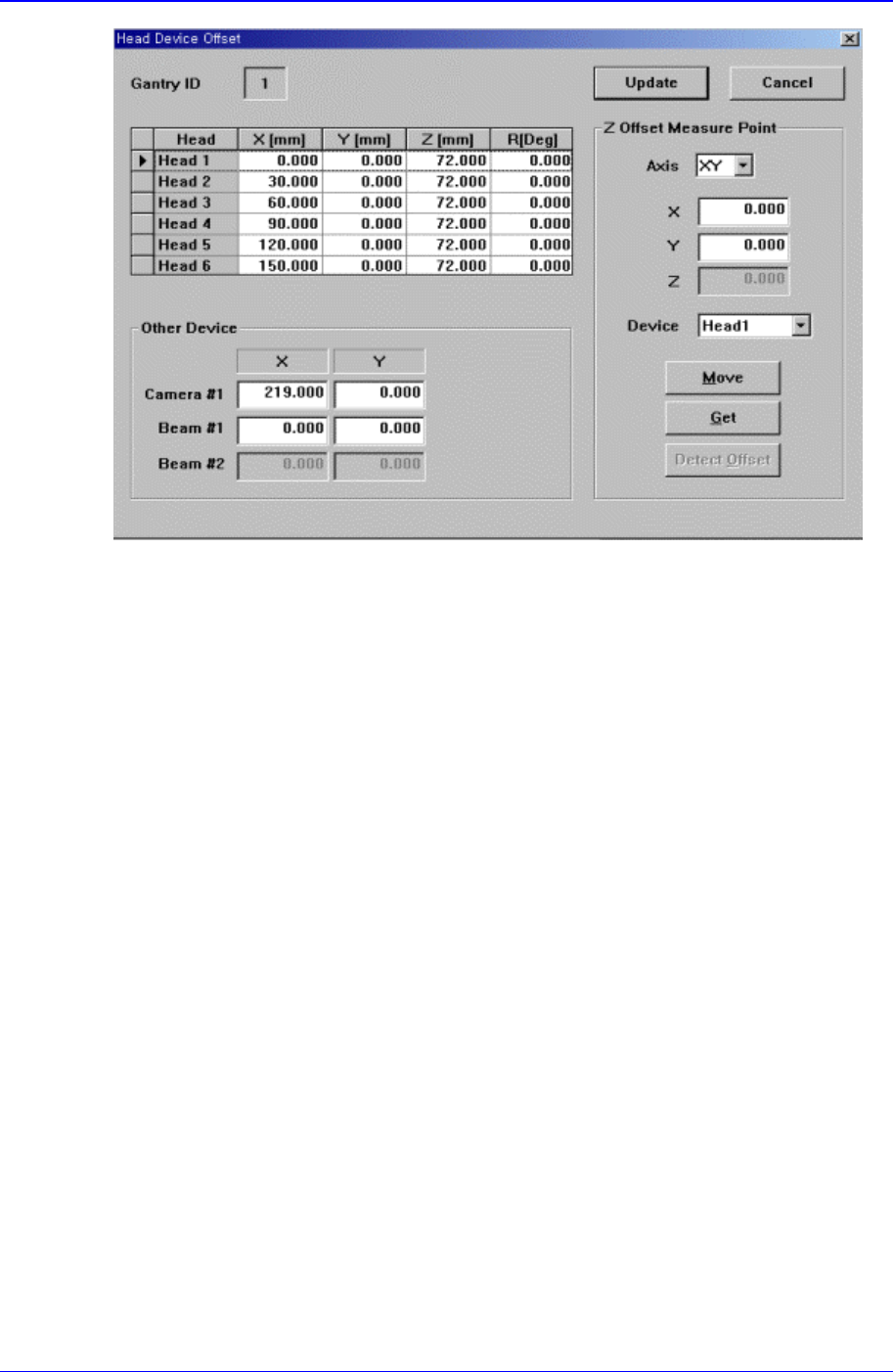
Figure 15-5. “Sys. Setup : Head Device Offset” dialog box
<Gantry ID Select> Static box
Displays the ID of the gantry to which the head block is attached.
<Grid> group
Set the offset value between the heads.
<Head> column
Displays the head number.
<X> column
Set the X offset value. Consider the X position of head1 when the XY axis is
Home as 0 and set the offset value based on this value.
<Y> column
Set the Y offset value. Consider the Y position of head1 when the XY axis is
Home as 0, and set the offset value based on this value.
<Z> column
Set the Z offset value. The base of offset value is the top of PCB when the PCB
board is loaded.
<R> column
Set the R offset value.
<Other Device> group
Set the offset values for the devices other than the head.
<Camera#1 X> edit box
Set the offset value for Camera1.
<Camera#1 Y> edit box
Set the Y offset value for Camera1.
<Beam#1 X> edit box
Sys.Setup Command
15-7
Set the X offset value for Beam1.
<Beam#1 Y> edit box
Set the Y offset value for Beam1.
<Beam#2 X> edit box
Set the X offset value for Beam2.
<Beam#2 Y> edit box
Set the Y offset value for Beam2.
<Z Offset Measure Point> group
Set the X, the Y and the Z values for the Z Offset Measure Point of each heads.
<Detect Offset>button
Set the Offset values of each heads automatically.
<Update> button
Transmits the set data to the equipment and closes the dialog box.
<Cancel> button
Ignores the set data and closes the dialog box.
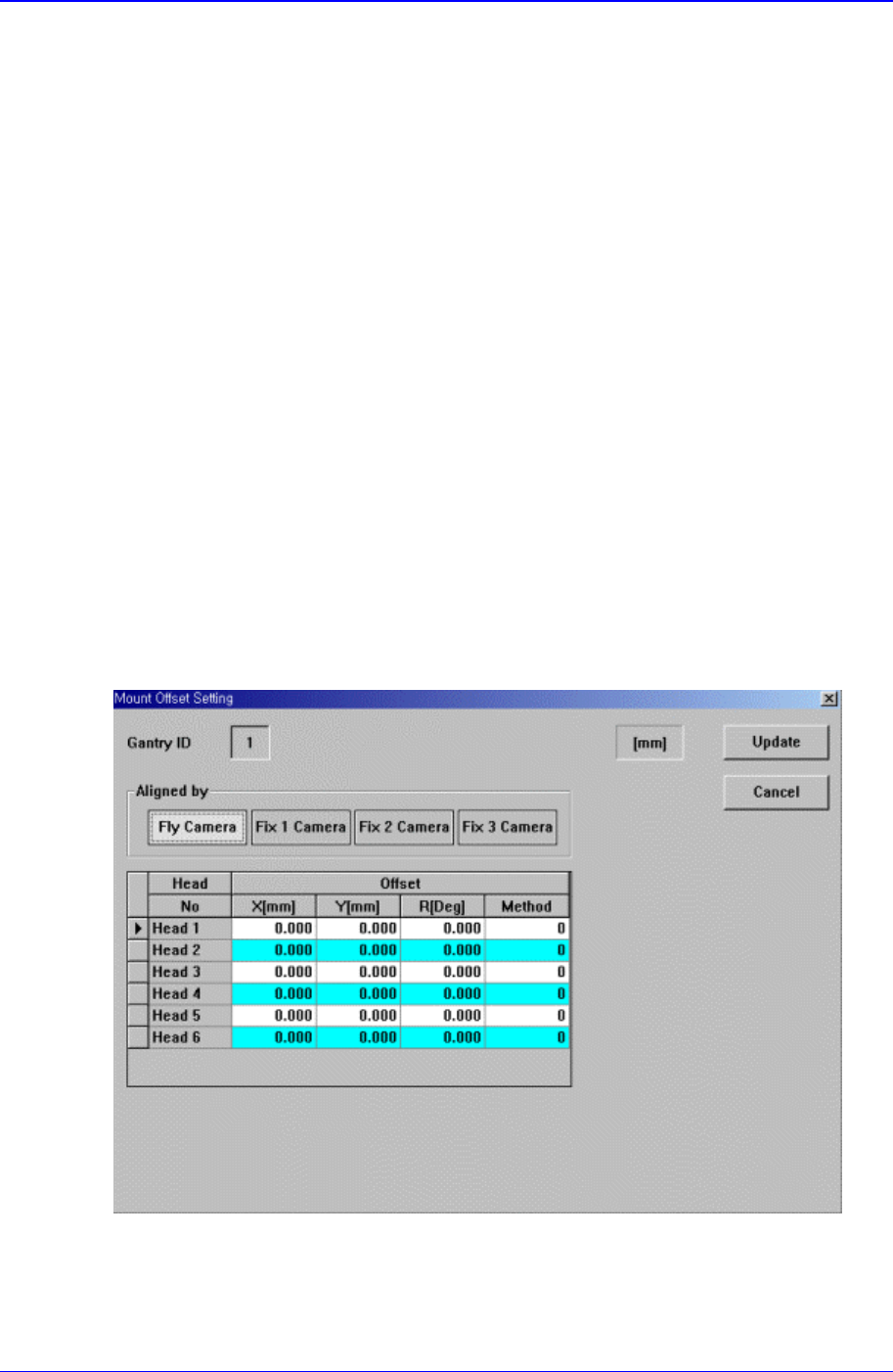
15.4. Offset [F5]
Sets the Offset value of the equipment.
When this button is clicked on, the following dialog box is displayed.
Figure 15-6. “Sys. Setup : Offset Setting” dialog box
Samsung Component Placer CP-45F(V)/FS Operations Manual
15-8
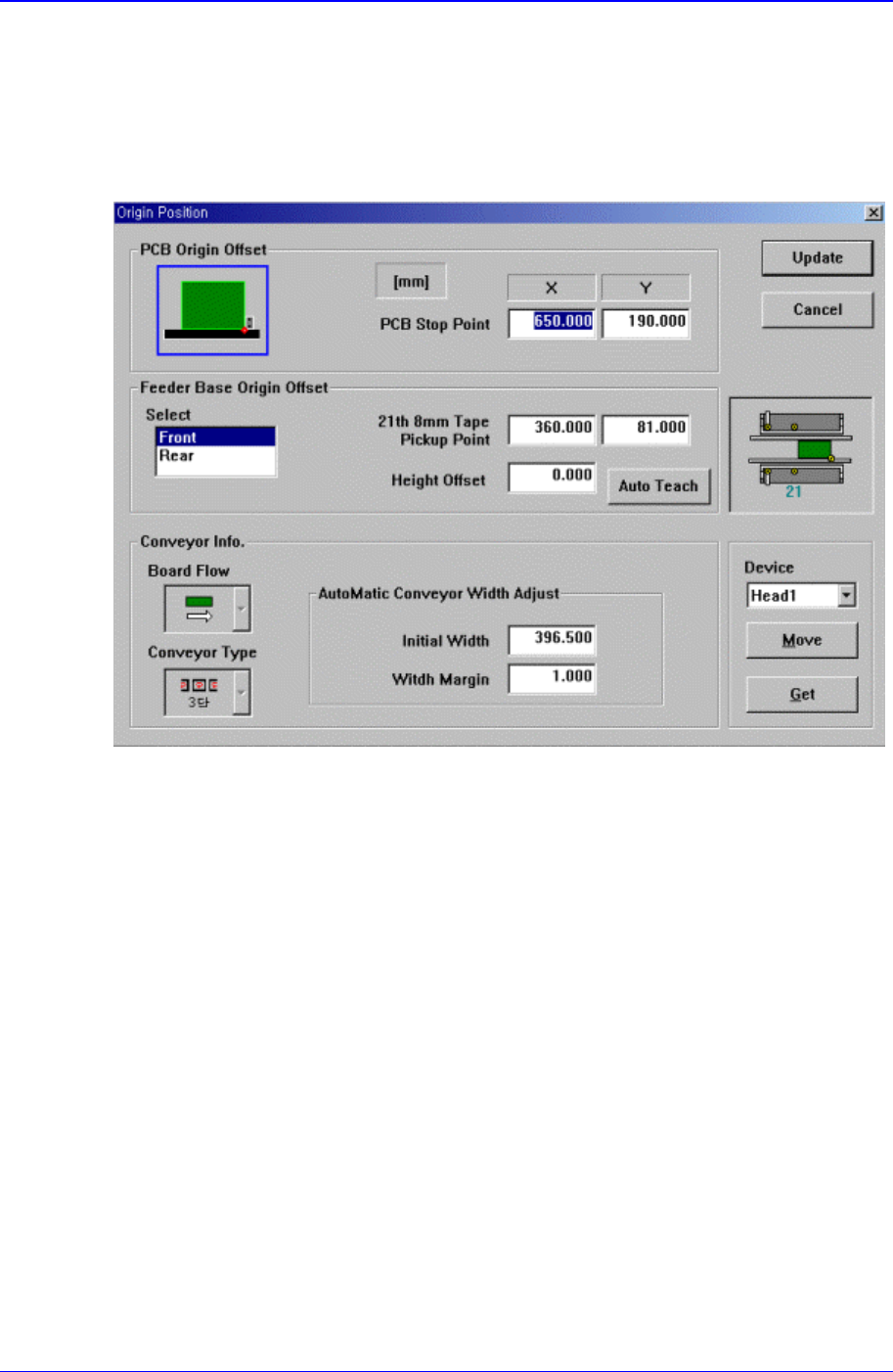
15.5. Origin [F5]
Sets the origin of each factor.
When this button is clicked on, the following dialog box is displayed.
Figure 15-7. “Sys. Setup : Origin Position” dialog box
<PCB Origin Offset> group
Set the offset value between the equipment origin and the PCB board origin.
<PCB Stop Point> edit box
Set the PCB board origin.
<Feeder Base Origin Offset> group
Set the data on feeder base.
<Select> list box
Select the front or rear feeder base.
<21th 8mm Tape Pickup Point> edit box
To set the feeder base origin, install a 8mm tape feeder in the 21st slot of each
feeder base and set the feeder base origin by using the pickups point of this
feeder.
<Height Offset> edit box
Set the Z value of the feeder base origin.
<Conveyor Info.> group
Set the data on conveyor.
<Board Flow> combo box