operation-cp45.pdf - 第161页
PCB Edit Command 11 - 7 corresponding device. A vailable devices are as follows. Move Cam: Selects T eaching Camera. Head1: Selects Head1. Head2: Selects Head 2. Head3: Selects Head 3. Head4: Selects Head 4. Head5: Selec…
Samsung Component Placer CP-45F(V)/FS Operations Manual
11-6
Select the method for PCB arrangement.
Hole Fixer: A method of arrangement by inserting the pins in the holes of
the PCB.
Edge Fixer: A method of arrangement by pushing the PCB from the side
with a device attached on the conveyor.
Edge Fixer2: : It is the same as the “Edge Fixer” method, but it is a
method of pushing twice from the side.
<Wait Type> combo box
Select the waiting position of the head block when the PCB board is loaded
Auto: the equipment determines the waiting position automatically.
System: waiting at the position specified by the system.
<Move Z>
Set the minimum distance between the top of the PCB and the end of the head (if
a nozzle is attached, to the end of the nozzle) during PCB operation.
<Array…> button
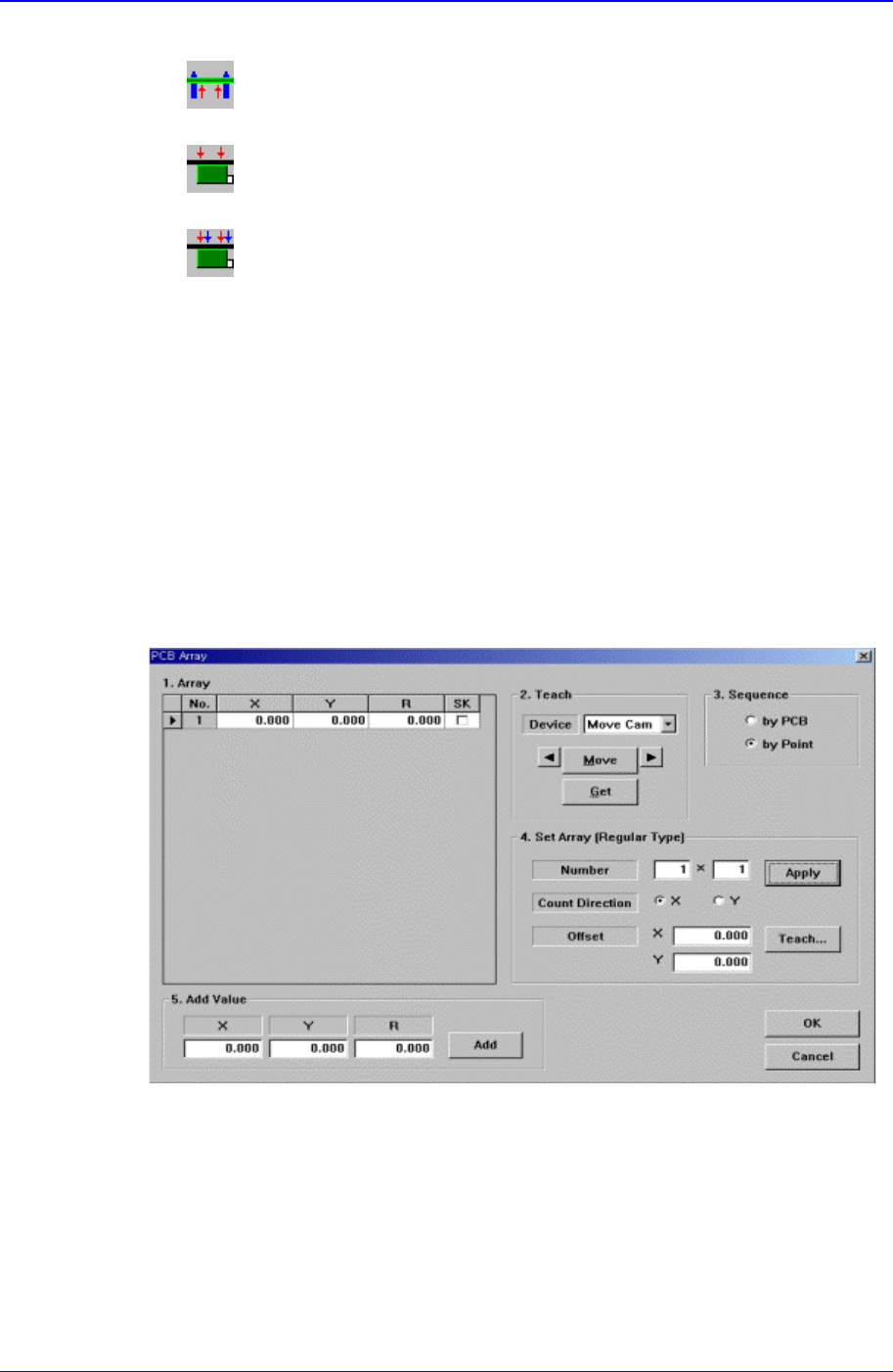
If the Array PCB is more than one, set the offset value between the origin of each
Array PCB and the placement origin of PCB. When this button is clicked on, the
following dialog box is displayed.
Figure 11-8. “PCB Array” dialog box
<1. Array> group
Set the offset value of Array PCB from the “Place Origin” of the PCB.
<2. Teach> group
Used to move the XY and R axes of the equipment to the specified position or to
read in the current position of the XY and R axes.
<Device> combo box
To move or to read in the position of the XY and R axes, select the
PCB Edit Command
11-7
corresponding device. Available devices are as follows.
Move Cam: Selects Teaching Camera.
Head1: Selects Head1.
Head2: Selects Head 2.
Head3: Selects Head 3.
Head4: Selects Head 4.
Head5: Selects Head 5.
Head6: Selects Head 6.
Beam: Selects Beam.
<Move> button
Moves the XY and R axes to the device selected in <Device>. Before
executing “Move”, the cell in the grid corresponding to the desired position
must be clicked on with a mouse.
<Get> button
Reads in the current position of the XY, and R axes of the device selected in
<Device>. Before executing “Move”, the cell in the grid corresponding to the
desired position must be clicked on with a mouse.
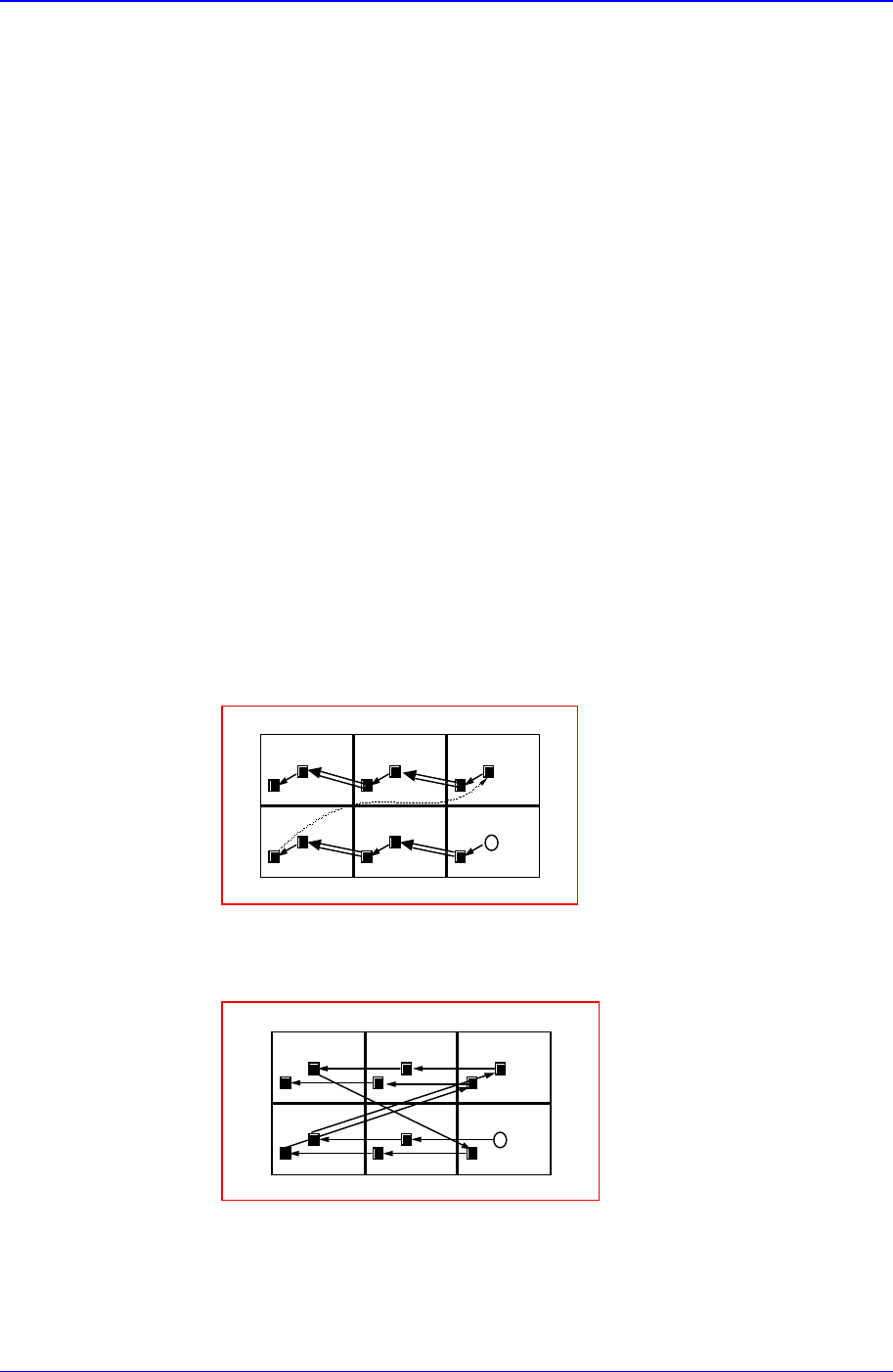
<3. Sequence> group
Select the Array PCB operation method.
<By PCB> option button
A method of completing one Array PCB operation and then executing the
next Array PCB operation.
13
4
2
56
<By Point> option button
A method of completing an operation cycle to all array PCBs and then
executing the next cycle operation.
13
4
2
56
<4. Set Array (Regular Type)> group
Initializes the Array PCB. This function sets the offset value of each Array PCB
automatically when the arrangement of array PCB is regular.
<Number> edit box group
Samsung Component Placer CP-45F(V)/FS Operations Manual
11-8
Enter the number of Array PCBs as follows.
X=3
Y=2
<Count Direction> option button group
Select a method of numbering Array PCBs.
XDir
인경우
123
4
56
YDir
인경우
135
2
46
<Offset> edit box group
This value is used to set the offset value of the origin of Array PCB
automatically.
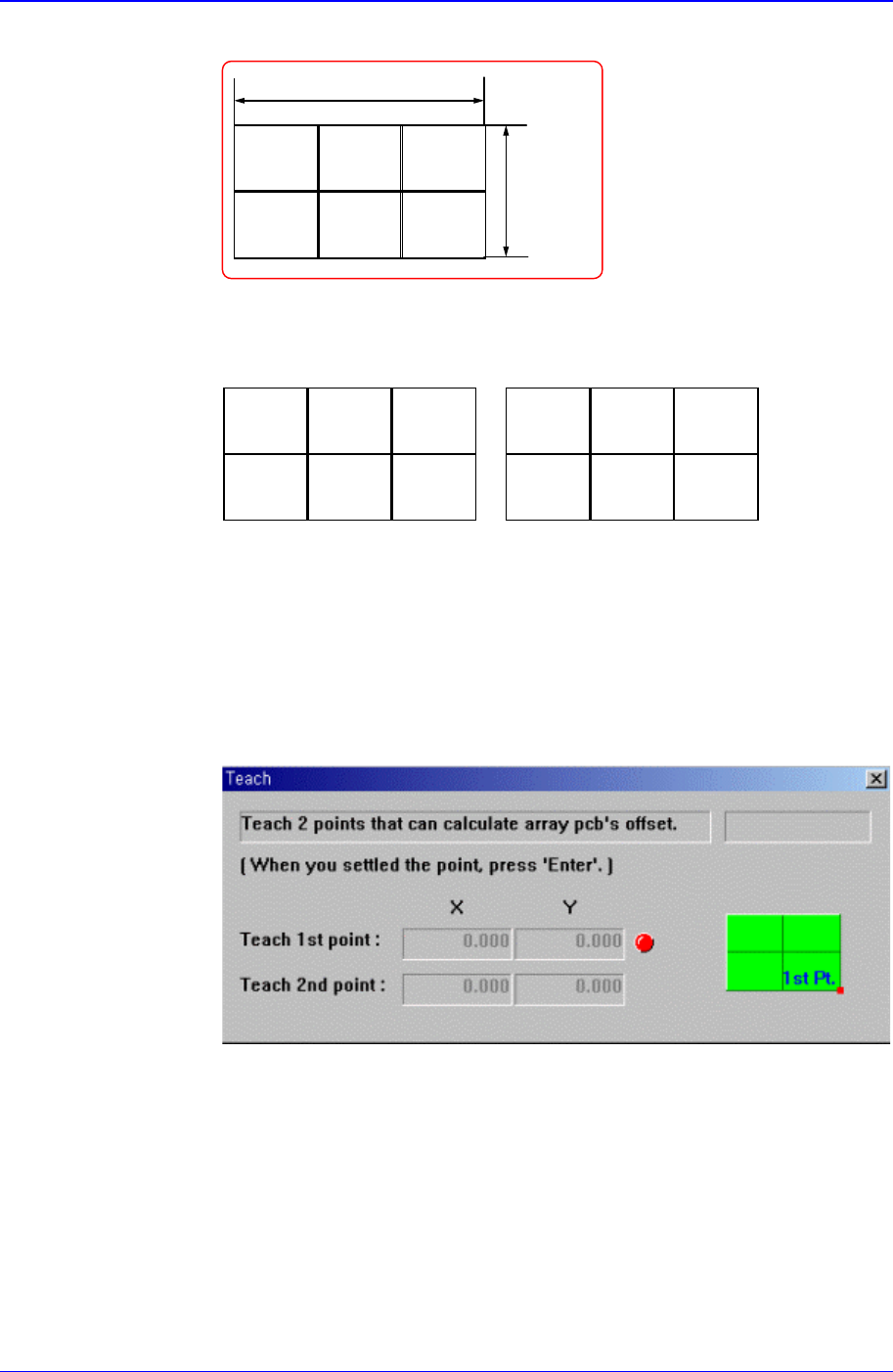
<Teach> button
This button is used to teach the offset value of Array PCB in the same way as
teaching the PCB size. When this button is clicked on, the following screens
are displayed in succession.
Figure 11-9. Screen showing first point teaching for Array PCB Offset
Teach the origin of Array PCB 1. When the “Enter” key is pressed after
teaching, the following screen is displayed.
When the X Direction is selected When the Y Direction is selected