operation-cp45.pdf - 第187页
PCB Edit Command 1 1-33 11.1.1. CHIP-Circle component data setting Set the align data for circular CHIP components. Figur e 1 1-23. “ Align T ype = V ision,, Package Gr oup = CHIP-Cir cle ” dialog box <Camera No.>…
Samsung Component Placer CP-45F(V)/FS Operations Manual
11-32
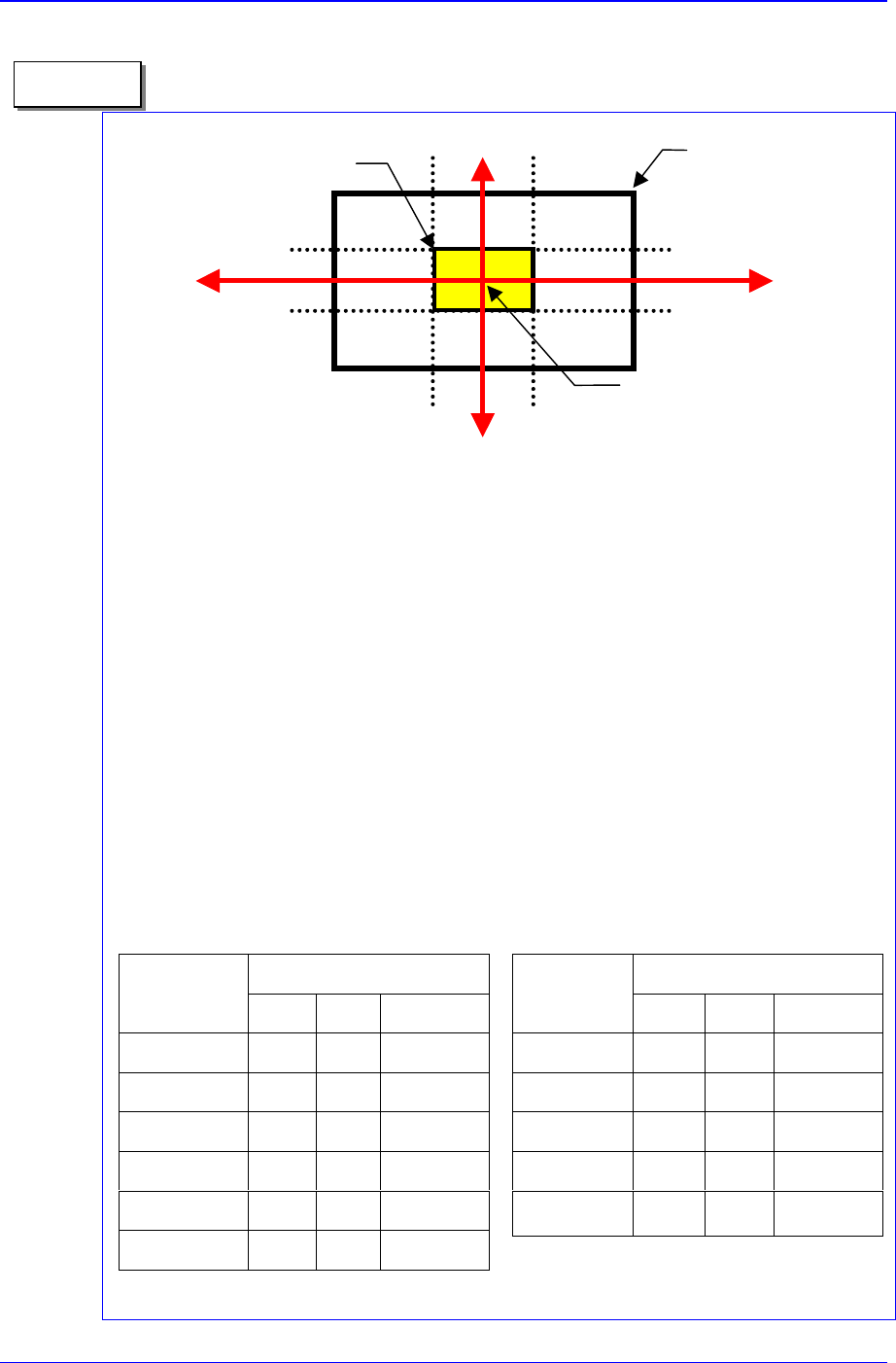
1. On 1/3 area of component pocket
First, check if the feeder is normally installed on the feeder base. If a feeder is
installed while a chip is stuck on the feeder base, the pickups position will be
deviated to that extent.
It is all right to use the feeder position (or pickups position) without changing it if the
crossing point of the red arrows on the vision monitor is within 1/3 area of
component pocket. When the feeder is installed normally, but the pickups position
and the crossing point of the red arrows are on the outside of 1/3 area of component
pocket, the feeder is considered to be abnormally installed. In this case, change the
feeder, teach again, and install it.
2. Component pickups point
Do not change the component pickups position if possible. Use the original coordinate
and it is recommended to use a value between 0.00 and 0.50 for Z axis coordinate.
3. Data value for normal chip components (1005 ~ 3216)
The equipment speed and time delay when registering regular chip components
are as follows. The data differs according to the chip size. As chip components
0603 and 1005 are tiny, it is best to place them under a condition different from
the one for other chip components.
However, they are not absolute. Rather, it is best to
use a value in these ranges to avoid putting strain on the equipment.
Component pocket area
1/3 area of component pocket
Crossing point of the re
d
arrows on the vision
monitor
1/3
2/3
1/3
2/3
Memo
Speed
Item
0603 1005 1608~3216
XY 1 1 1
R 1 1 1
Z Pick down 1 3 1
Z Pick up 3 2 1
Z Place down 1 1 1
Z Place up 1 1 1
Time Delay
Item
0603 1005 1608~3216
Pick up 0 20 30
Place 25 25 10
Vacuum off 0 0 0
Dump 100 100 100
Vacuum vac.
off
0 0 0
PCB Edit Command
11-33
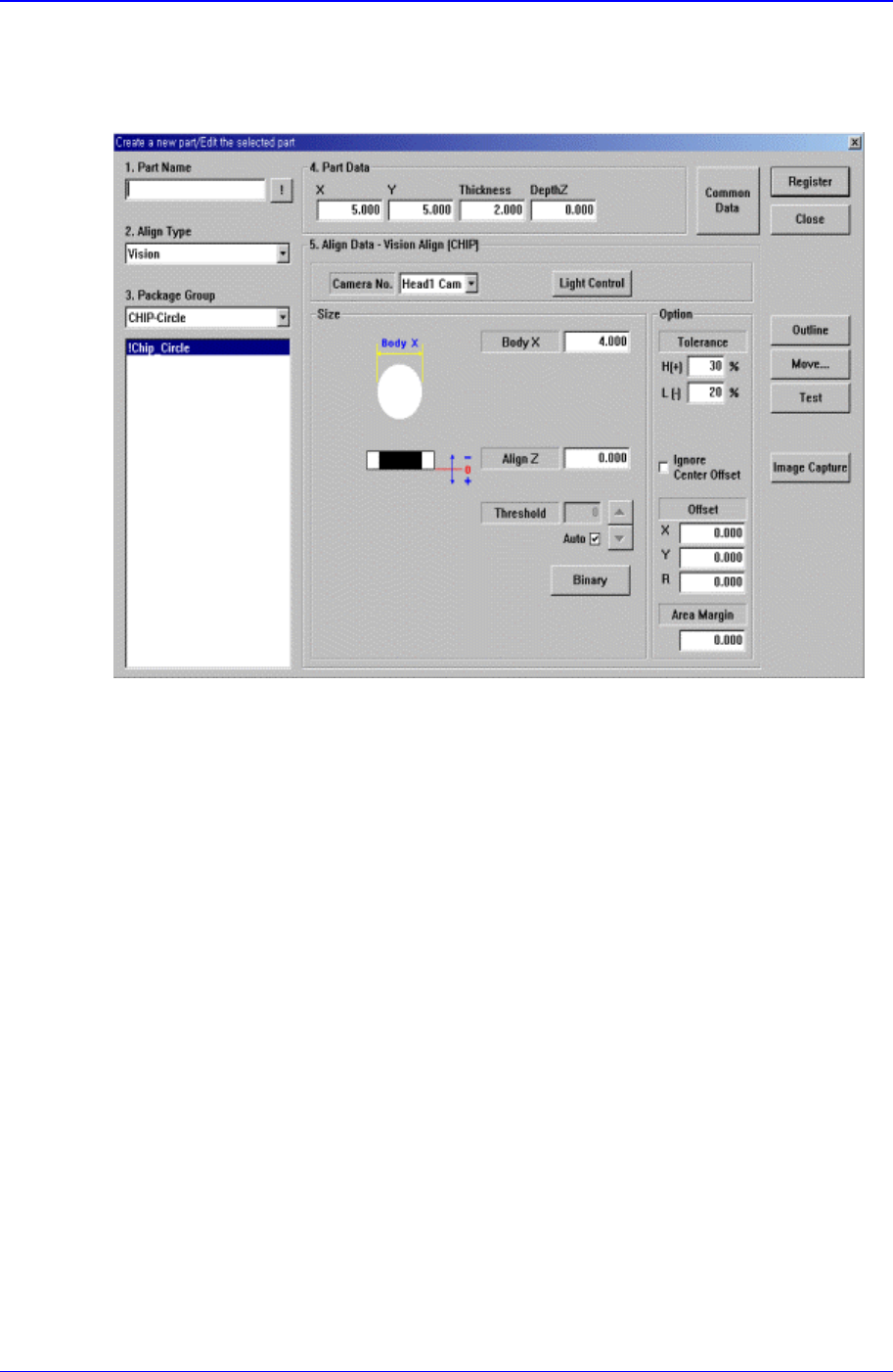
11.1.1. CHIP-Circle component data setting
Set the align data for circular CHIP components.
Figure 11-23. “Align Type = Vision,, Package Group = CHIP-Circle” dialog box
<Camera No.> combo box
Select the camera to recognize the component. Available cameras are as follows.
Fix1 Cam: Fix Camera1. (If Fix Camera1 is installed)
Fix2 Cam: Fix Camera2. (If Fix Camera2 is installed)
Fix3 Cam: Fix Camera3. (If Fix Camera3 is installed)
Head1 Cam: Fly Camera for Head1.
Head2 Cam: Fly Camera for Head2.
Head3 Cam: Fly Camera for Head3.
Head4 Cam: Fly Camera for Head4.
Head5 Cam: Fly Camera for Head5.
Head6 Cam: Fly Camera for Head6.
<Light Control> button
Sets the lighting for the camera to recognize the component. When this button is
clicked on, the following dialog box is displayed.
Samsung Component Placer CP-45F(V)/FS Operations Manual
11-34
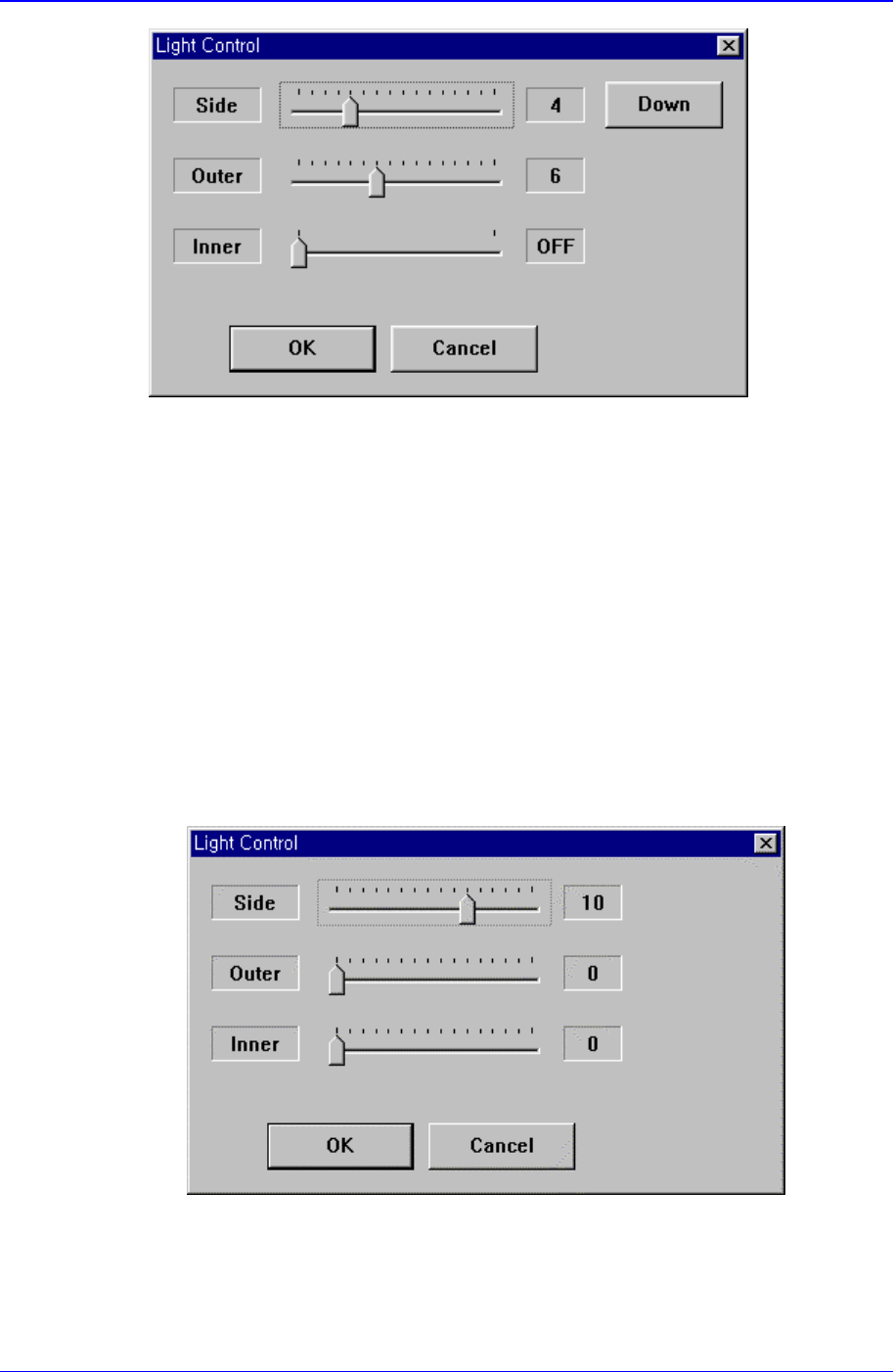
Figure 11-24 “Camera No. = Head Camera “ dialog box
<Side>
Set a value for the side light(0 – 15)
<U/D> button
Moves up or down the side light.
<Outer>
Set a value for the outer light. (0 - 15)
<Inner>
Set a value for the inner light. (ON, OFF)
<OK> button
Saves the set light value and closes the dialog box.
<Cancel> button
Closes the dialog box without saving the set light value.
Figure 11-25. “Camera No. = Fix Camera “ dialog box.
<Side>
Set a value for the side light. (0 – 15)
<Outer>