operation-cp45.pdf - 第130页
Samsung Component Placer CP-45F(V)/FS Operations Manual 7-6 When the pull down menu is displayed, ente r the underlined letter of each command using the keyboard. Use shortcut keys. When the command is underlined, pr…
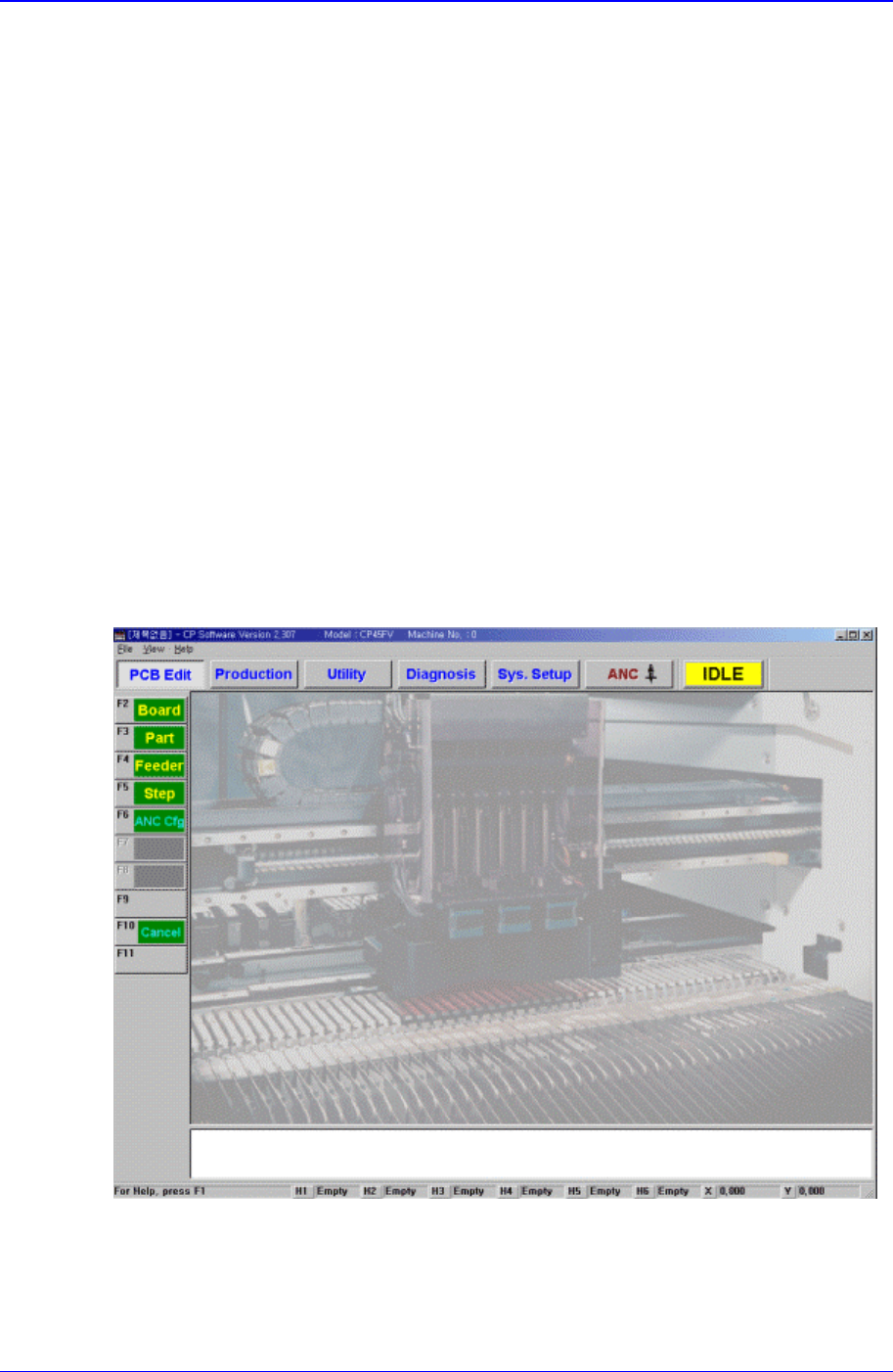
Structure of MMI Menu
7-5
value of the equipment.
Origin
Sets the origin of each component of the equipment.
Tray Feeder Setup
Sets the data related to the Tray Feeder.
Dump
Sets the data related to the Dump Box.
Camera
Sets various data on the Camera and executes camera calibration.
Preference
Sets various options necessary for equipment operation.
Device
Manages data related to the Tape, Stick, and Nozzle.
7.1.2.4.6. ANC menu tool-bar
Register various information on ANC(Auto Nozzle Changer).
7.1.2.5. Methods for selecting a command
Figure 7-2. MMI main screen
The methods for selecting a command are as follows;
When the icon is displayed, click on the desired icon.
Display pull down menu and click on the command.
Samsung Component Placer CP-45F(V)/FS Operations Manual
7-6
When the pull down menu is displayed, enter the underlined letter of each command
using the keyboard.
Use shortcut keys. When the command is underlined, press Alt + the underlined letter,
and the cursor moves to that position or executes the command.
For the command that is marked Ctrl (or Alt)+□ after the pull down menu command,
shortcut keys can be used. The shortcut key is a method to select a command directly
without using the cursor by pressing Ctrl (or Alt) key together with the designated key
simultaneously. In this manual, shortcut key is indicted by a “[ ]” after the command.
Example: New [Ctrl+N]
Memo
File Commands
8-1
Chapter 8. File Commands
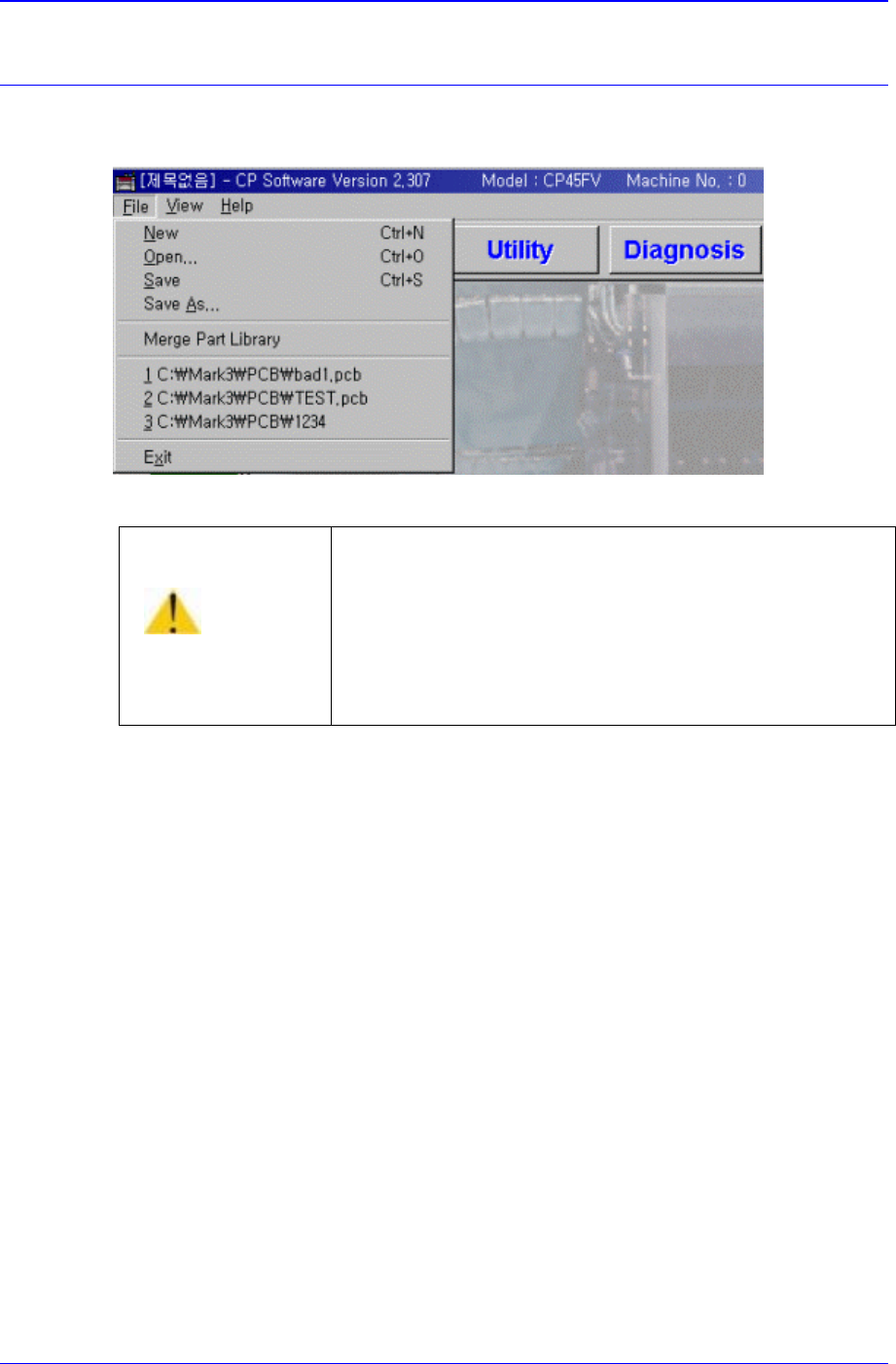
The <File> menu is composed of the following six command submenus: New, Open,
Save, Save As, Merge Part Library, and Exit.
Figure 8-1. File Menu and Submenus
8.1. N
ew [Ctrl+N]
<New> command is used to create a new PCB file. When the <New> command is
selected, the following dialog box is displayed.
Caution
Except the PCB file, deleting or moving a system file or
data file arbitrarily could lead to the operation failure of
MMI program.
Except the PCB File, do not delete or remove a system
file or data file arbitrarily.