operation-cp45.pdf - 第141页
V iew Commands 9-1 Chapter 9. View Commands The <V iew> command is co mposed of the si x submenus: Manual T ool, Current Position, System Error Message, Dump Information, T ool bar Position, Mark3TSG. When a submen…
View Commands
9-1
Chapter 9. View Commands
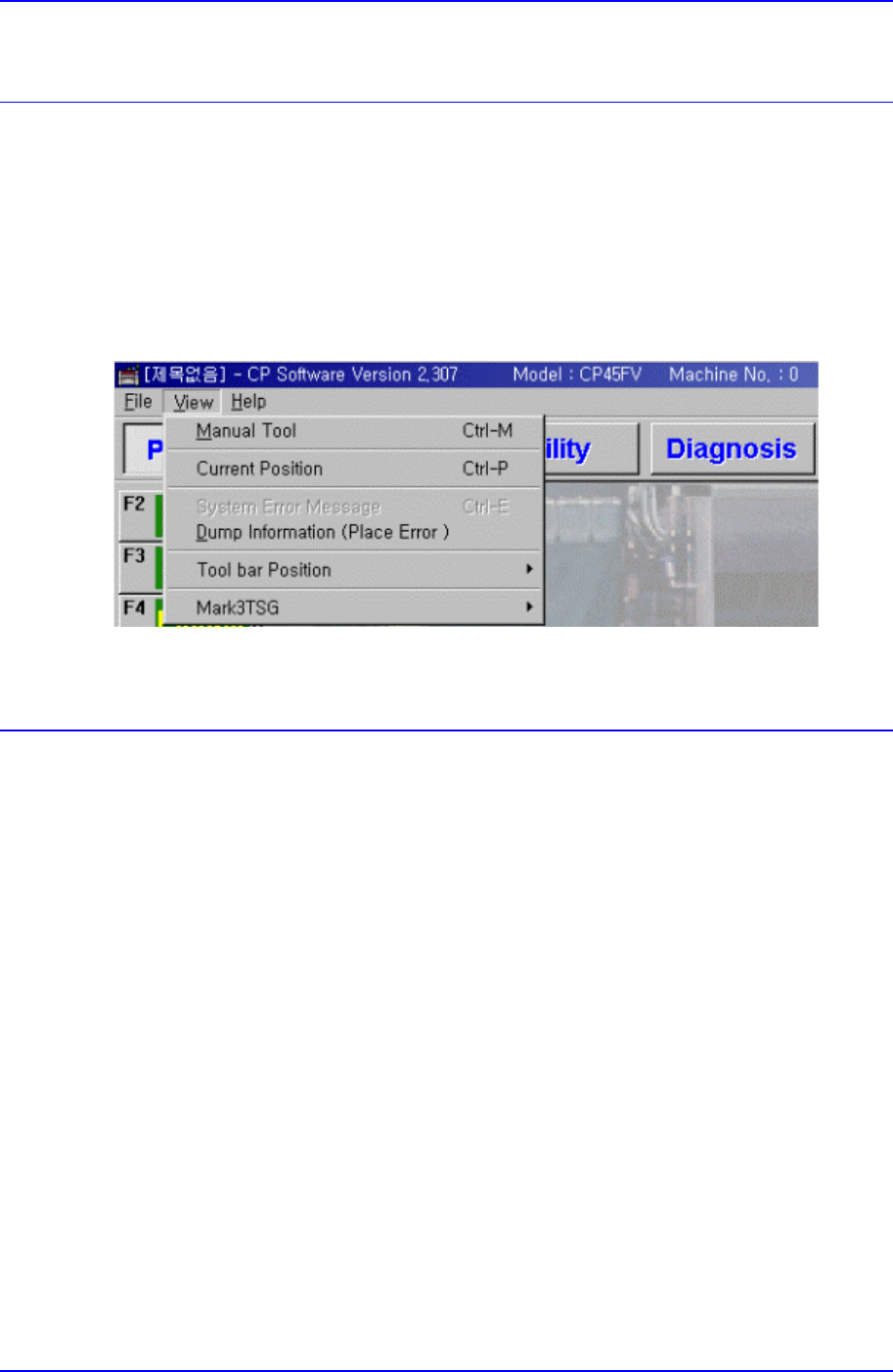
The <View> command is composed of the six submenus: Manual Tool, Current Position,
System Error Message, Dump Information, Tool bar Position, Mark3TSG.
When a submenu of <View> command is selected, check mark() appears in front of the
submenu (except for some commands), and the corresponding message box is displayed
on the main screen. If the menu is selected again, the check mark disappears and the
corresponding message box also closed.
Figure 9-1. View Menu and Submenus
9.1. Manual Tool
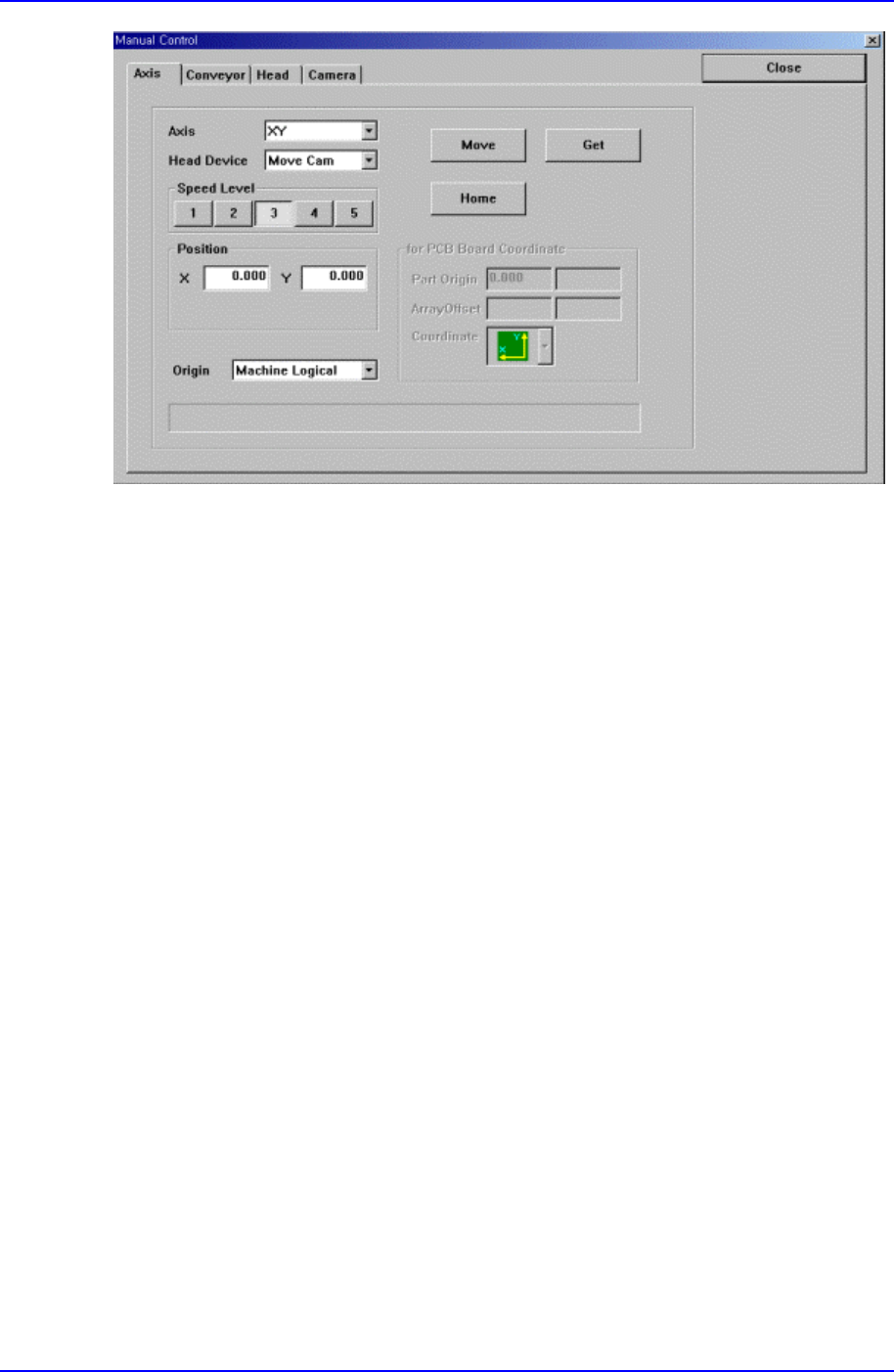
Executes a manual operation of the equipment. When this command is selected, the
following dialog box is displayed.
9.1.1. Axis Moving Dialog Box
Used to move or to read in the current position of each axis.
Samsung Component Placer CP-45F(V)/FS Operations Manual
9-2
Figure 9-2. “Manual Tools – Axis Moving” dialog box
Axis combo box
Select the axis to move. Available axes are as follows.
XY: Selects XY axis.
Z: Selects the Z axis of the head.
R: Selects the R axis of the head.
Mirror: Selects the mirror axis of the fly camera.
Width: Selects the axis of the conveyor width.
<Head Device> combo box
To move to the axis selected in the <Axis> combo box or to read in the position,
select the corresponding device. Available devices are as follows.
Move Cam: Selects Teaching Camera.
Head1: Selects Head1.
Head2: Selects Head2.
Head3: Selects Head3.
Head4: Selects Head 4.
Head5: Selects Head5.
Head6: Selects Head6.
Beam: Selects Beam.
<Speed Level> group