operation-cp45.pdf - 第275页
Diagnosis Command 14-1 Chapter 14. Diagnosis Command The Diagnosis command is composed of 6 submenus: I/O , Conveyor , Light, V acuum, Jogbox, and T ray . This commands perform s a module test on each part. When a submen…
Diagnosis Command
14-1
Chapter 14. Diagnosis Command
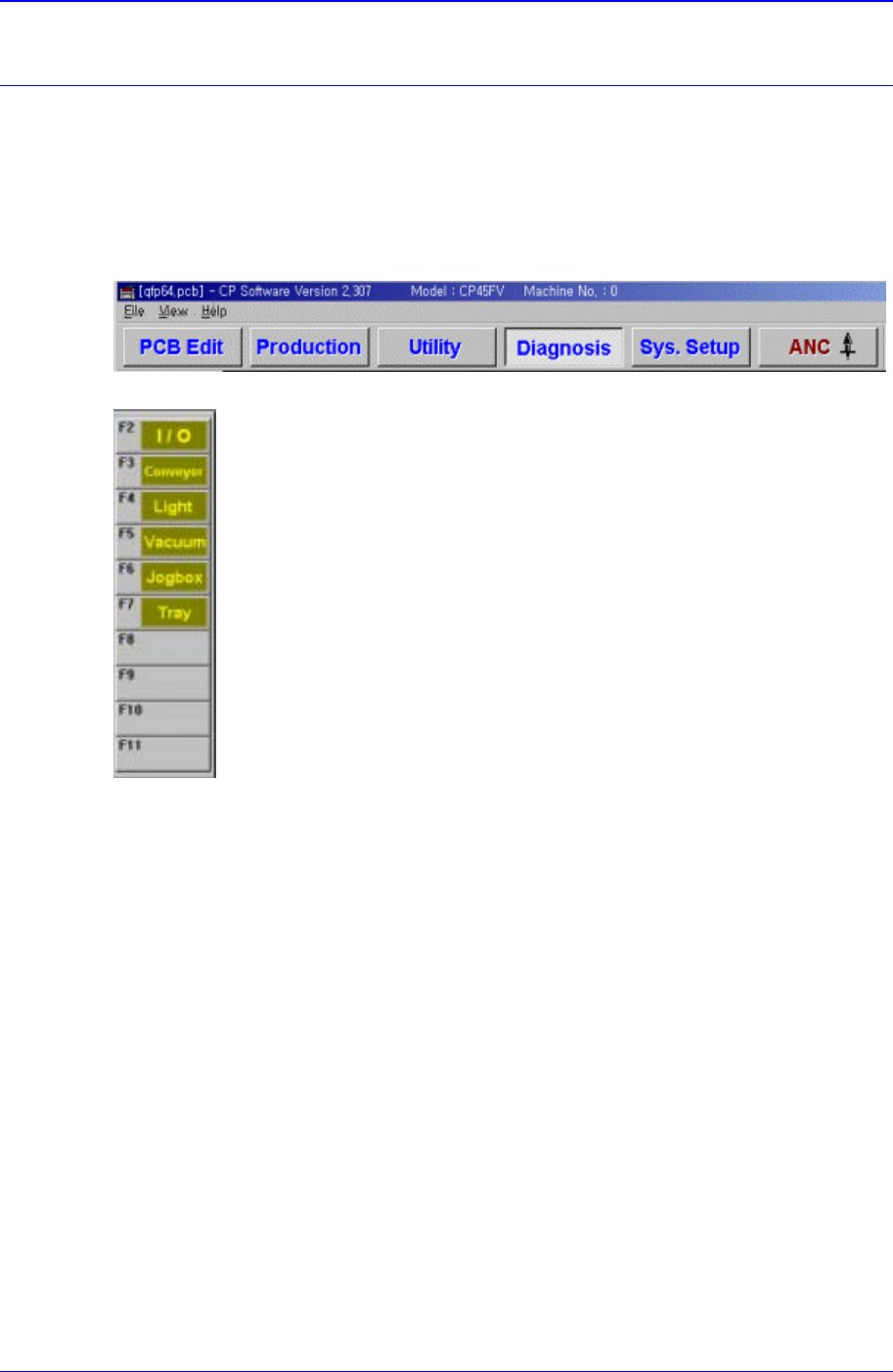
The Diagnosis command is composed of 6 submenus: I/O, Conveyor, Light, Vacuum,
Jogbox, and Tray.
This commands performs a module test on each part.
When a submenu of the <Diagnosis> command is selected, the corresponding dialog box
is displayed on the screen. While the corresponding dialog box of the submenu is
displayed, selecting the menu again activates the dialog box.
Figure 14-1. When the Diagnosis command is selected
Figure 14-2. Submenus of the Diagnosis command
14.1. I/O [F2]
The <I/O> command sets or displays the status of various I/O (input/output) sensors on
the equipment.
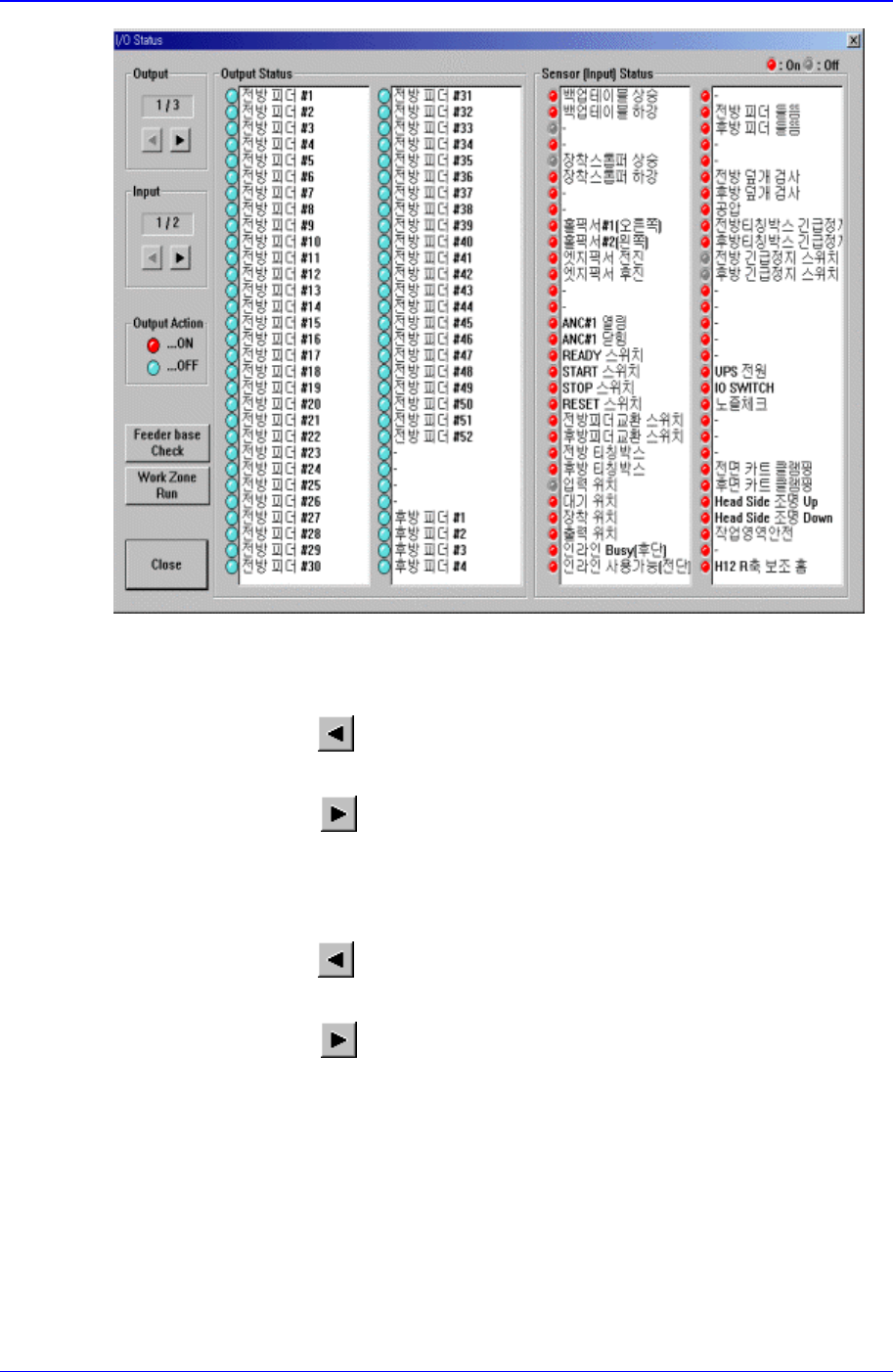
When this button is clicked on, the following dialog box is displayed.
Samsung Component Placer CP-45F(V)/FS Operations Manual
14-2
Figure 14-3. “Diagnosis : I/O Status “ dialog box
<Output> group
Select the output block to display. There are 3 blocks in total for output.
<Prev Block>
button
Displays the previous block of the current block.
<Next Block>
button
Displays the next block of the current block.
<Input> group
Select the input block to display. There are 2 blocks in total for input.
<Prev Block>
button
Displays the previous block of the current block.
<Next Block>
button
Displays the next block of the current block.
<Output Status> group
Display the sensor status of the selected output block. Red indicates on status, and
blue indicates off status.
Selecting the sensor to set and double clicking on the left button of a mouse or
pressing the space bar reverses the sensor status.
<Input Status> group
Display the sensor status of the selected input block. Red indicates on status, and blue
indicates off status.