operation-cp45.pdf - 第112页
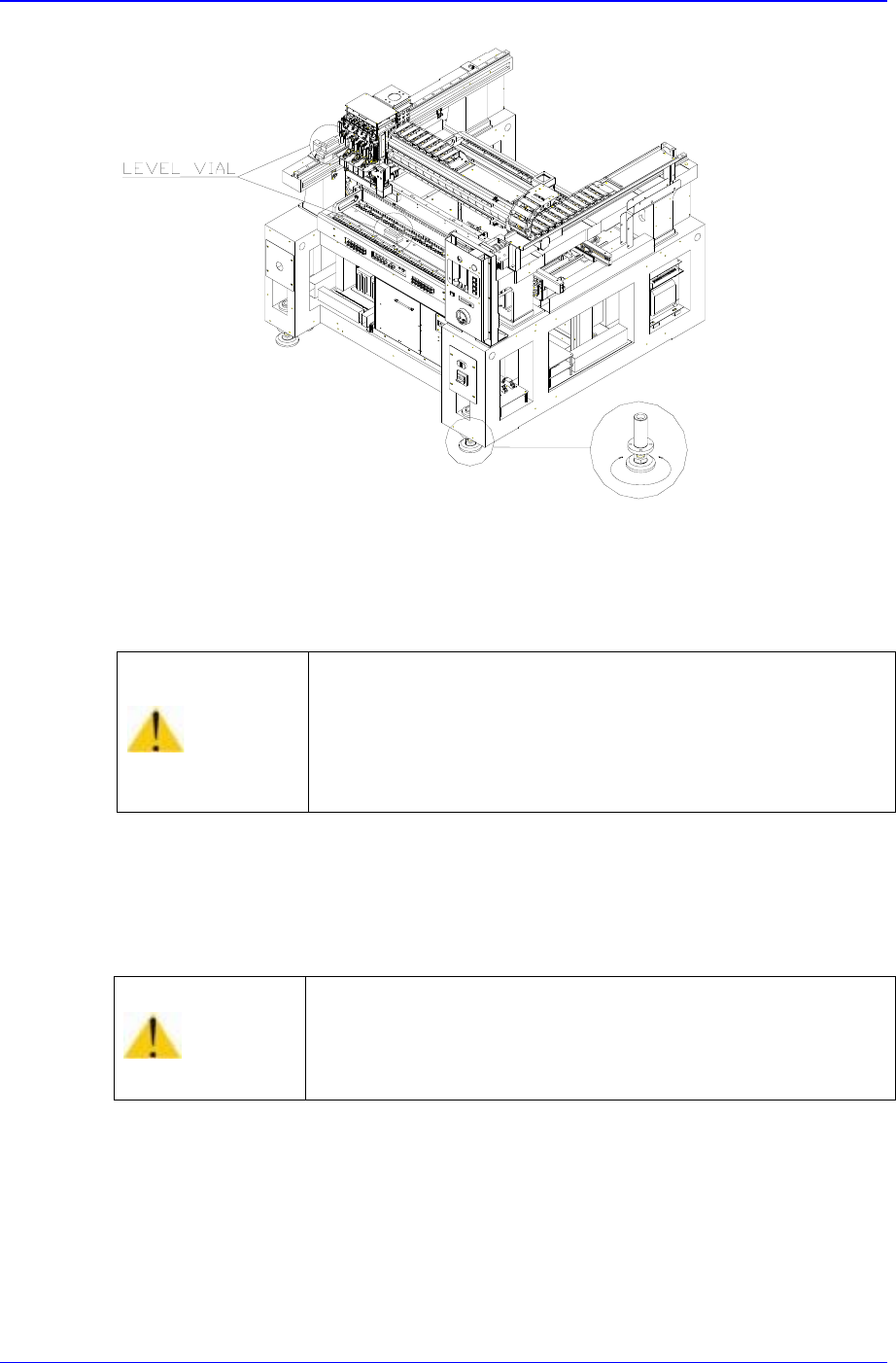
Samsung Component Placer CP-45F(V)/FS Operations Manual 5-4 Figur e 5-1. Height Adjustment of Equipment - Use a spanner supplied 5. Ensure the level surface by placing a leve ling device on top of the feeder base and L/M…
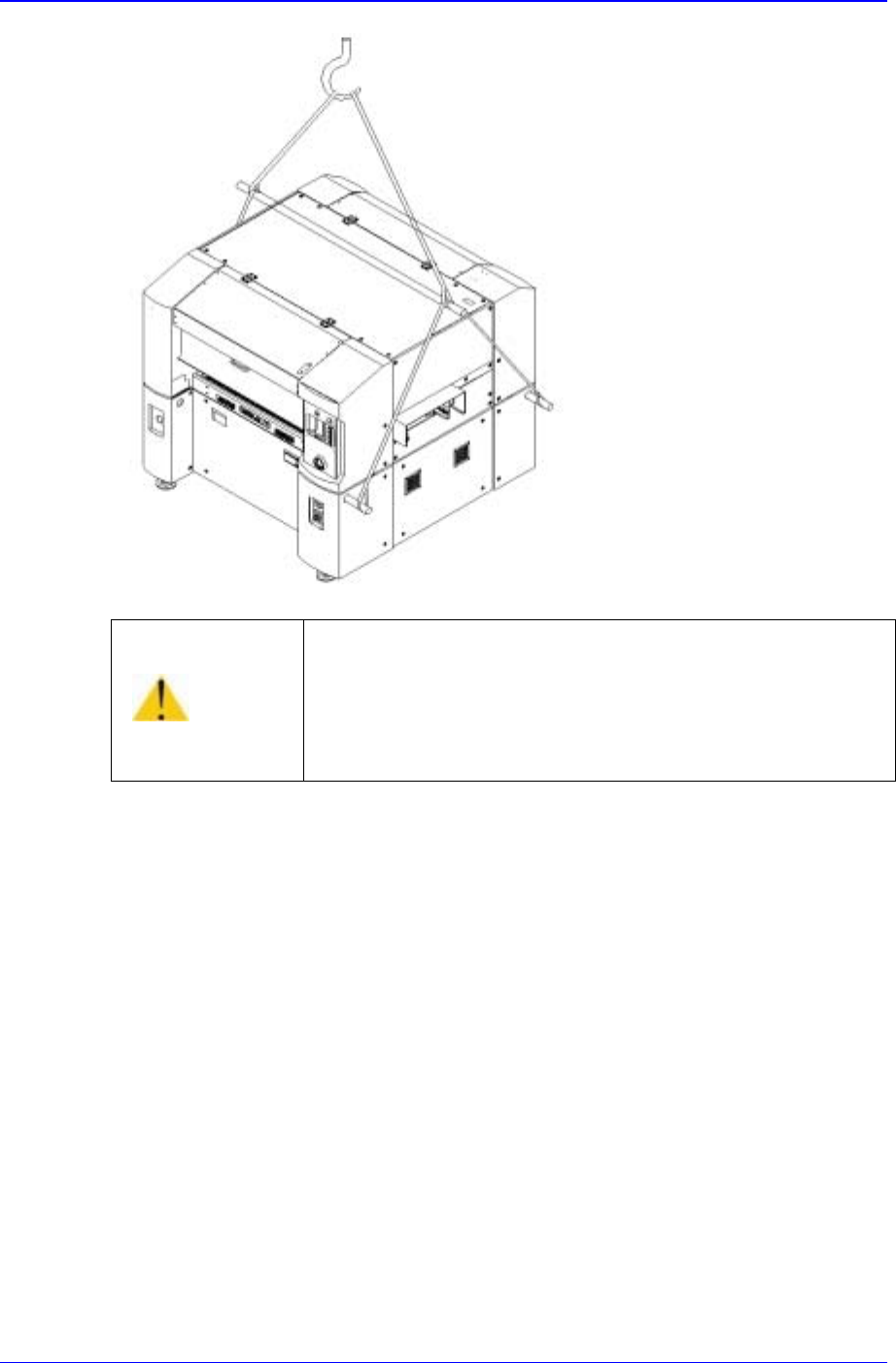
Transfer & Installation Procedure
5-3
3. U
nwrap all packing materials covering the exterior of the main body of equipment, and
remove desiccants for preventing moisture buildup.
4. In case of in-line installation, adjust the height of the conveyors connecting the
equipment parts for the previous machine and next machine by turning the screws in
the foot.
Caution
If the machine is located on a surface that is not firm or
made of shock absorbent material such as wood, excessive
vibration could occur during operation of the machine.
Be sure to install the machine on a firm surface.
Samsung Component Placer CP-45F(V)/FS Operations Manual
5-4
Figure 5-1. Height Adjustment of Equipment - Use a spanner supplied
5. Ensure the level surface by placing a leveling device on top of the feeder base and
L/M guide of Y1 axis.
6. I
n
stall the keyboard, mouse, and mouse pad on the front upper cover after leveling the
surface, and then install the teaching box.
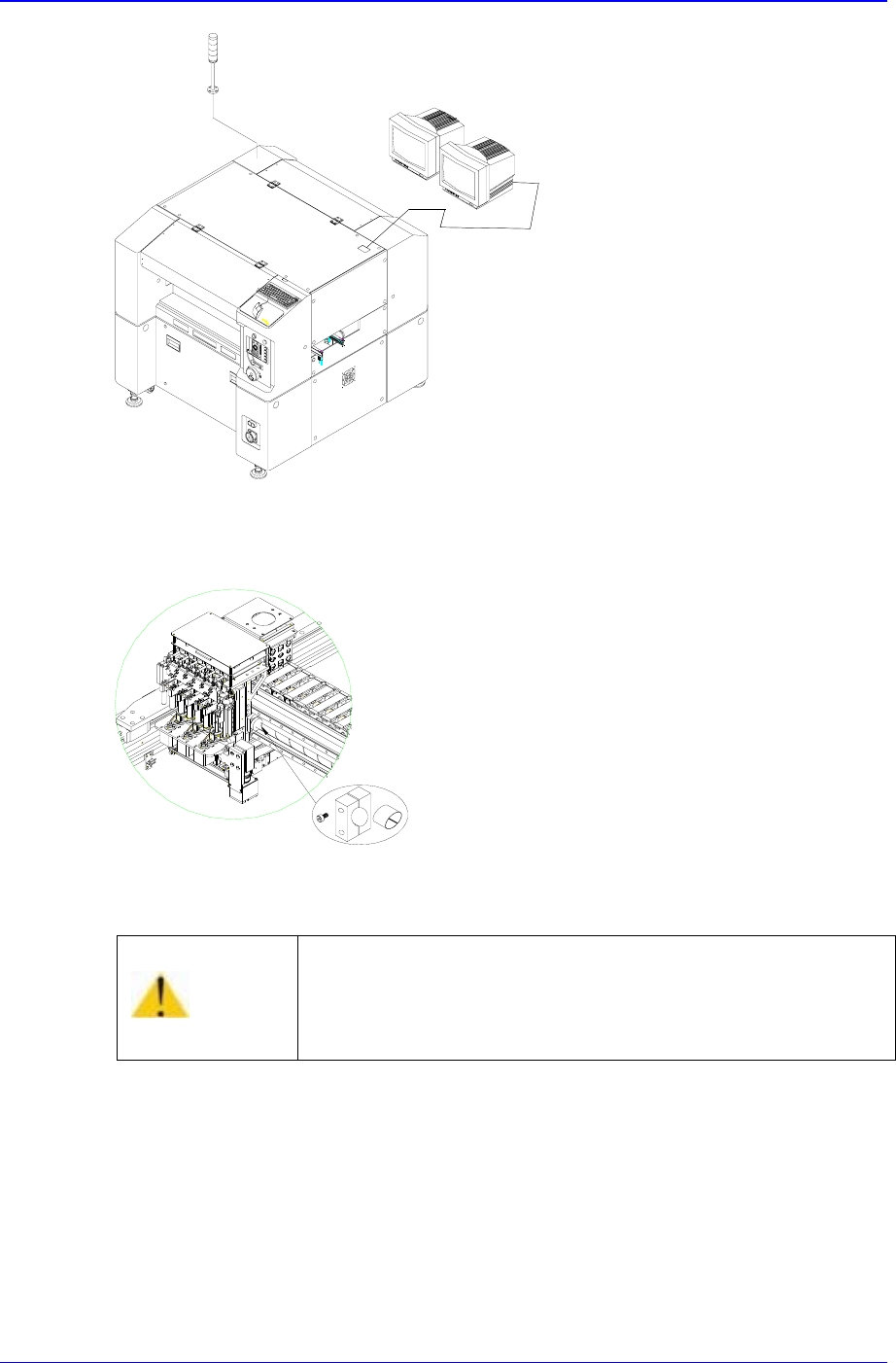
7. Install the monitor and signal tower.
Caution
If the machine is not level, the level of machine precision
could be affected.
Be sure to keep the machine level and check if the feet are
tightened properly.
Caution
If two monitors are placed side by side, the life span of
monitors could be affected.
Leave an interval of 30 cm or more between two monitors.
Transfer & Installation Procedure
5-5
Figure 5-2. Installation of Monitor and Signal Tower
8. Remove Clamp X (including the urethane cushion).
Figure 5-3. Method of Removing Clamp X
9. Then remove Clamp Y (including the urethane cushion).
Caution
If the machine is operated when the clamp X, Y has not
been removed, the machine could be damaged.
Be sure to remove the clamp X, Y before supplying power.