CM602all_EJM8AESM_Service Manual.pdf - 第1015页
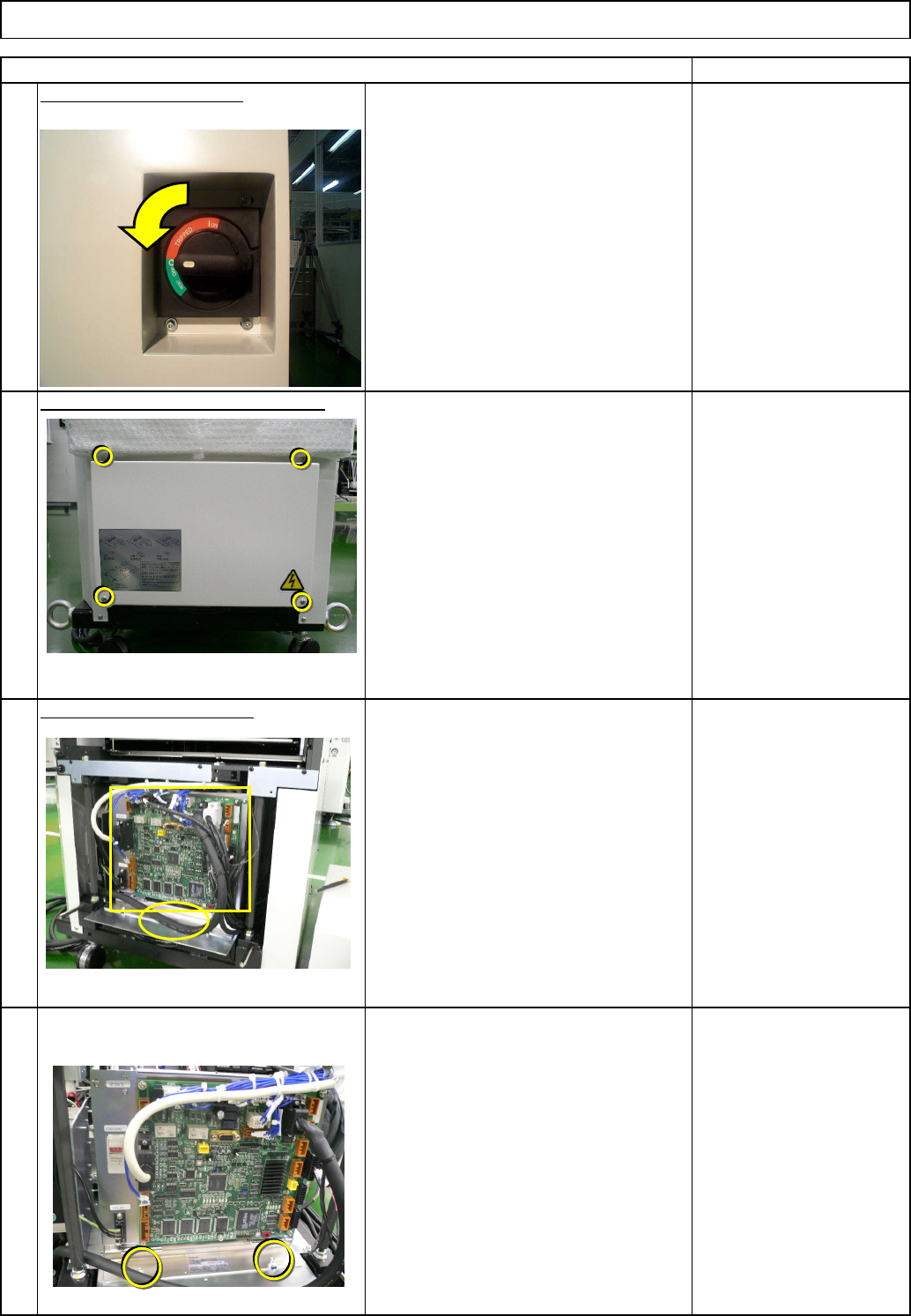
4 Remove the control-box front cover. • Remove the box-holding screws. 3 Remove the control-box front cover. Remark 2 Turn off the power switch. Remove the lift-axis driver. • Remove all the connectors from the front of …
kgs.
30
Direct Tray
• This section describes the procedures for replacing the lift-axis driver.
Total Part Weight
280
7-2-5 Lift-axis Driver Replacement
None
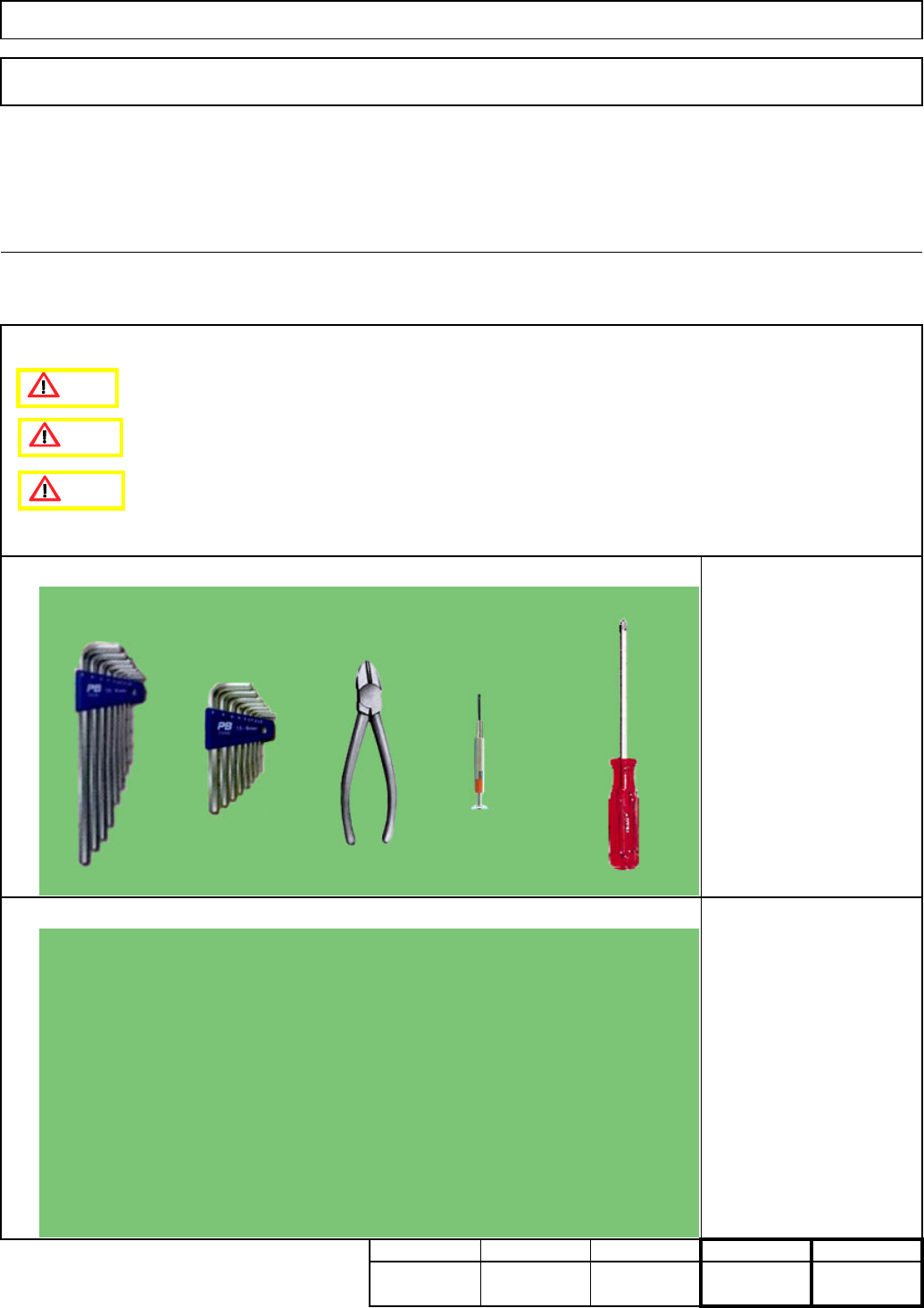
Phillips screwdriver #2
Precision screwdriver
Nippers
Allen key M4
Teaching
Assembly/AdjustmentRemoval/Disassembly
30
Min. Min. Min.
20
Tool
Jig
Min.
Tray
Caution
Danger
Warning
EJM8A-E-SMA070205-A01-00
Page 7-2-5-1
4
Remove the control-box front cover.
• Remove the box-holding screws.
3
Remove the control-box front cover.
Remark
2
Turn off the power switch.
Remove the lift-axis driver.
• Remove all the connectors from the
front of the control box and from the
board.
• Remove the cable tie from the front of
the control box.
Tray
1
Item
Direct Tray
EJM8A-E-SMA070205-A01-00
Page 7-2-5-2
8
6
7
5
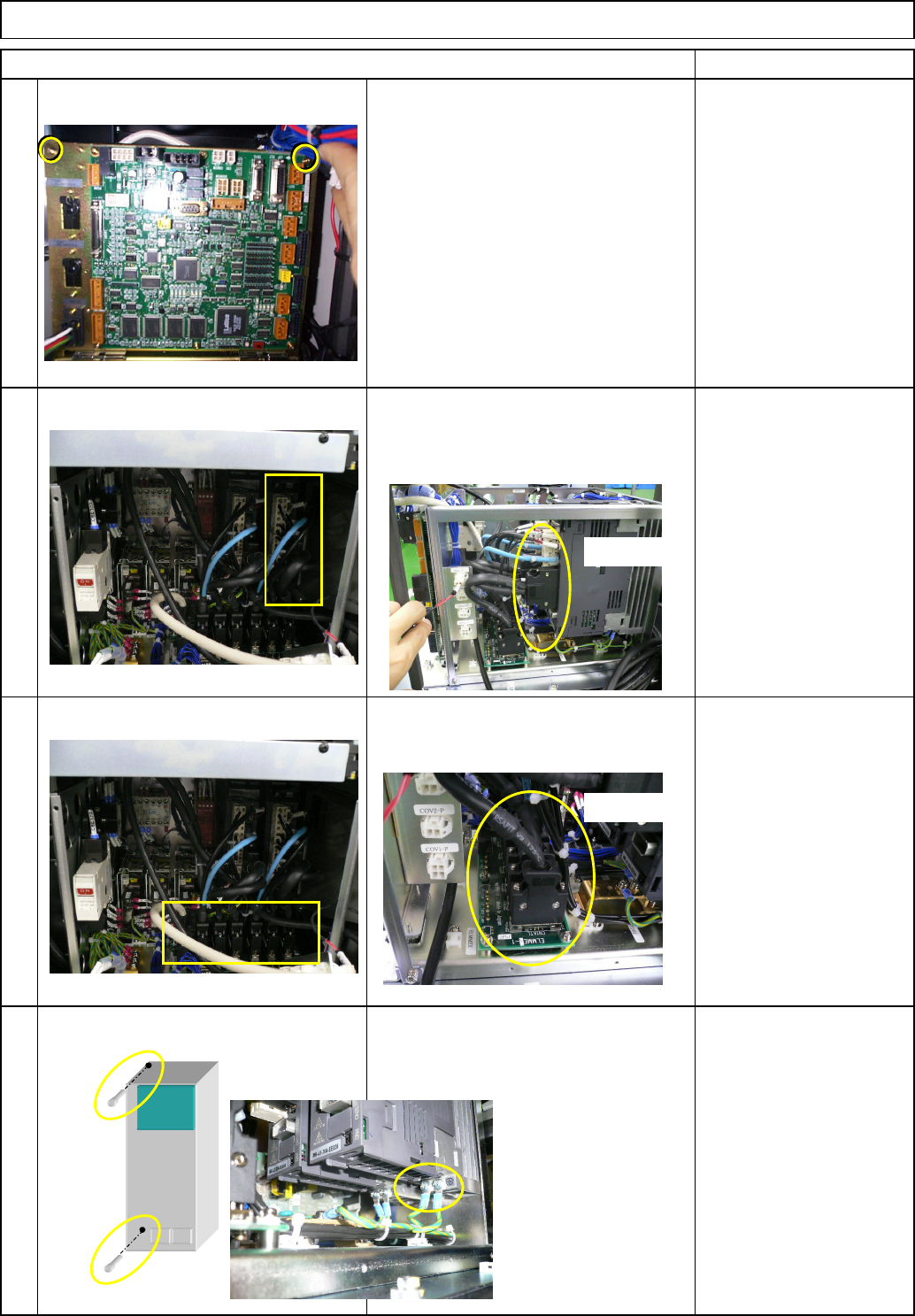
• Remove the relay connector.
• Remove the earth cable and the driver-
holding screws, and then the driver.
Item
Direct Tray
Remark
• Pull the box towards you so that the
driver can be removed easily. Remove
the driver connectors.
Tray
• Remove the two screws from the upper
front side of the box.
Ref. Side
Ref. Side
EJM8A-E-SMA070205-A01-00
Page 7-2-5-3