CM602all_EJM8AESM_Service Manual.pdf - 第847页
Remarks Option Part and Accessory Replacement Item PCB-Warp-Sensor Unit Remove the amplifier connectors. Cut off the cable tie. - (1) Cut off the cable tie. - (2) Remove the sensor connector. 8 7 5 6 Cut off the cable ti…
Remarks
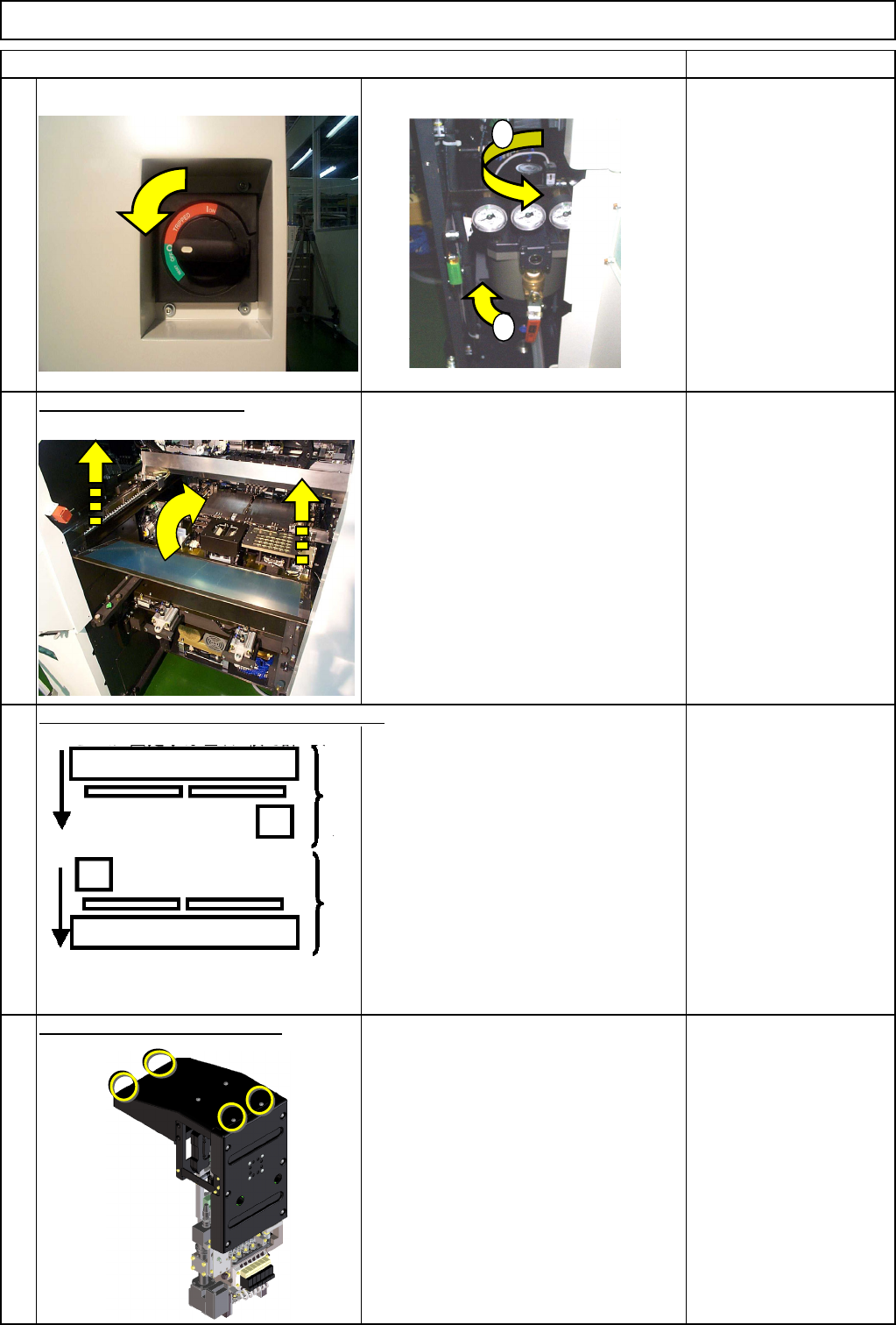
Turn off the power and air supply.
Remove the feeder cover.
Allen key 3 mm
Screw M4 4 pcs.
Remove the head upper cover.
Phillips screwdriver #2
Truss screw M4 4 pcs.
Option Part and Accessory Replacement
Item
1
2
3
4
Move the front and rear beams towards you.
PCB-Warp-Sensor Unit
1
2
Rear Front
EJM8A-E-SMA060502-A01-01
Page 6-5-2-2
Remarks
Option Part and Accessory Replacement
Item
PCB-Warp-Sensor Unit
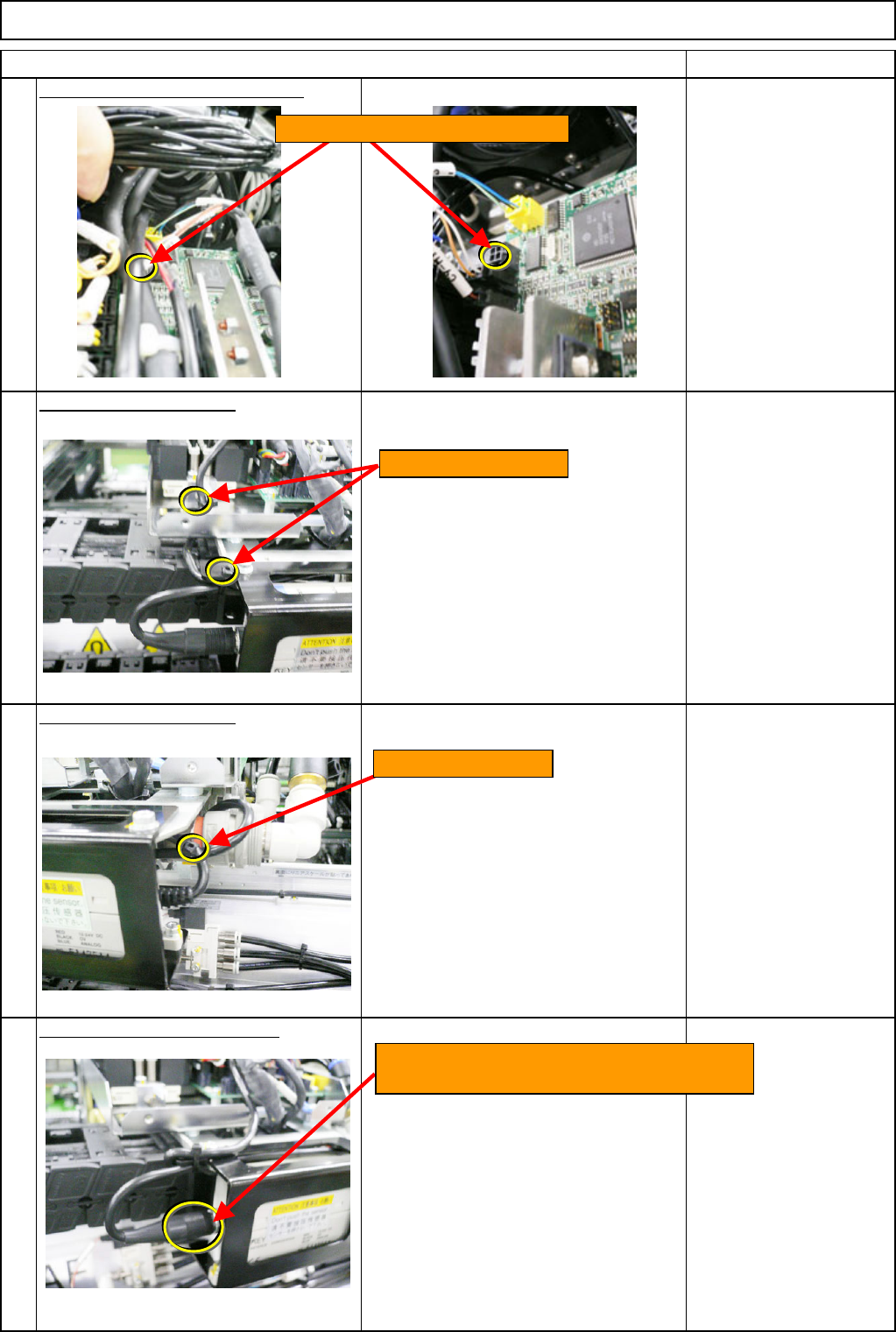
Remove the amplifier connectors.
Cut off the cable tie. - (1)
Cut off the cable tie. - (2)
Remove the sensor connector.
8
7
5
6
Cut off the cable ties.
Remove the amplifier connectors.
Cut off the cable tie.
Turn the sensor connector (to the amplifier)
to the left. Remove the connector.
EJM8A-E-SMA060502-A01-01
Page 6-5-2-3
Remarks
Option Part and Accessory Replacement
Item
PCB-Warp-Sensor Unit
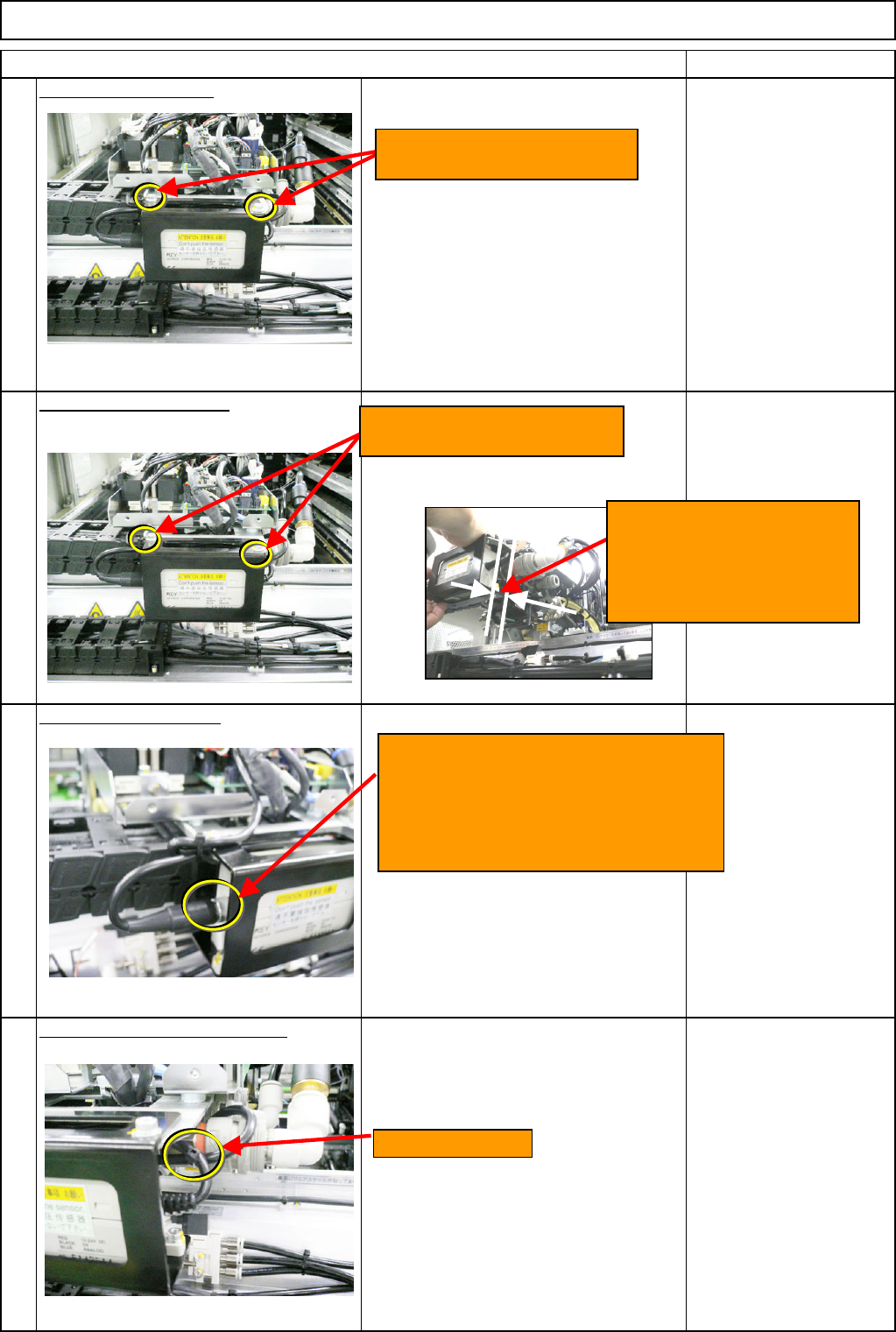
Remove the amplifier.
Wrench M4
Hexagon bolt M4
Install the new amplifier.
Wrench M4
Hexagon bolt M4
Connect the connector.
Secure the amplifier cable. - (1)
* Put the cable behind the amplifier, and
to the left. Secure the cable at the
specified position with a cable tie.
12
10
11
9
Cable-tie position
Loosen the two M4x12L bolts.
Remove the amplifier.
Tighten the two M4x12L bolts.
Install the new amplifier.
<Caution>
Create a 2-mm gap between
the amplifier and the plate
when installing the amplifier.
Insert the sensor connector (To
amplifier), aligning the pin position.
Turn the cap screw, which is positioned
at the end of the cable, to the right. Fix
it in place.
EJM8A-E-SMA060502-A01-01
Page 6-5-2-4