CM602all_EJM8AESM_Service Manual.pdf - 第48页
CM602- L Se r vi c e Manual 48 3. Handli ng NOTICE In handling floppy disks, be sure to obser ve the fo l low ing item s. Keep away m agnets. Av oid attac hing a new label ov er an old one. Keep the di sk aw ay from …
CM602-L
Service Manual
47
Handling of floppy disk
The data and program for this machine, which are managed by PT basically, can also be saved to and
loaded from a floppy disk if necessary. In order to protect important data and programs, this section
describes the instructions for protection and handling of floppy disks.
NOTICE
It is only 3.5-inch 2HD (1.44 MB format) floppy disks that this machine can use. The
2DD type cannot be used.
1.
Backing up data and program
A floppy disk is a compact and lightweight storage medium that is convenient for storage and carrying;
however, the stored data may be erased or may not be loaded owing to an improper handling.
Be sure to back up the program and data in order to guard against the loss of data. Backup means
making an identical copy of a floppy disk.
For information on how to back up, see the disk copy procedure under file operations.
2.
Write protection
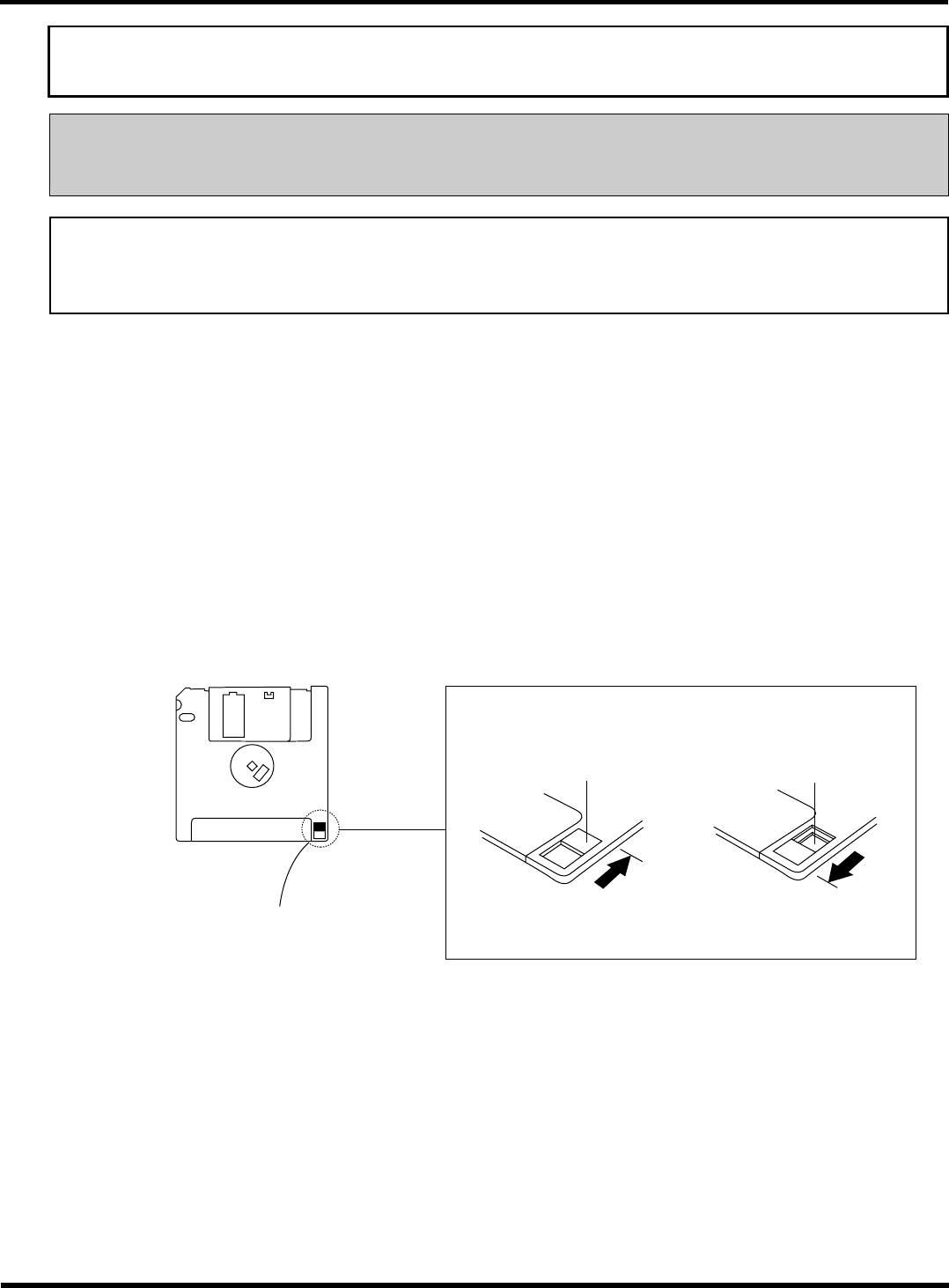
It is possible to mechanically protect the stored data from an accidental erasure or rewrite.
∗
Write protection can be set or disabled by sliding the write protect tab located in the lower part of a
floppy disk with a ballpoint-pen tip or the like.
The hole is closed.
Reverse side
Write protect tab
“Released” position
Enables deleting and
saving.
“Protected” position
Disables deleting and
saving.
The hole is open.
Slide this with a ballpoint-
pen tip or the like.
4Z4C-018E
EJM8A-E-XXA00-A05-01
CM602-L
Service Manual
48
3.
Handling
NOTICE
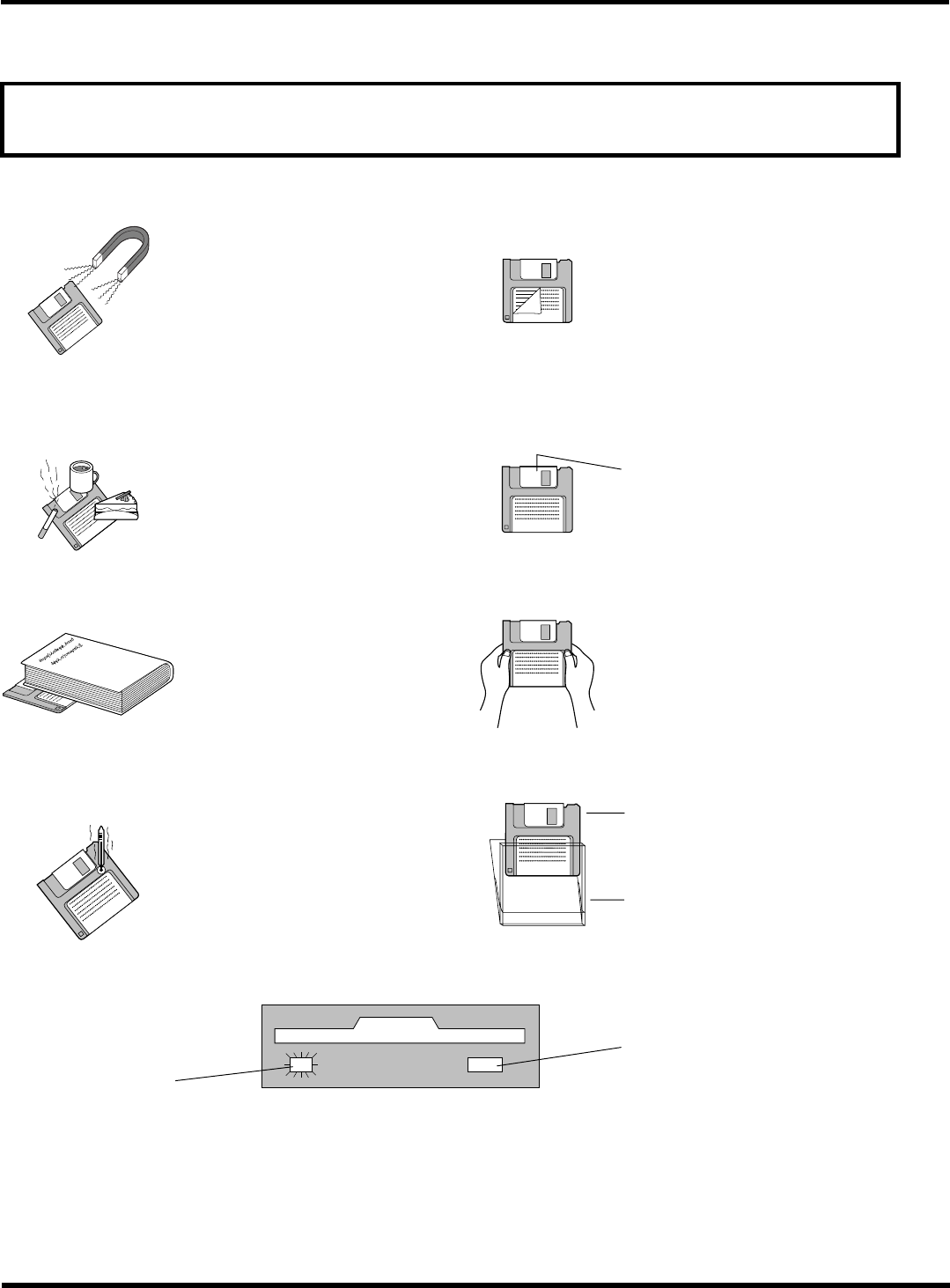
In handling floppy disks, be sure to observe the following items.
Keep away magnets.
Avoid attaching a new label over an old one.
Keep the disk away from magneti
c
fields, such as a motor, a monitor,
a TV, or the like.
Any loose labels should be
replaced with new ones.
Refrain from smoking, drinking, and eating close to the
disk.
Avoid opening the automatic shutter.
Avoid touching particularly the magnetic substance
inside the disk.
Automatic shutter
Avoid placing heavy objects on the disk.
Avoid applying an excessive force to the disk.
Avoid storing and leaving the disk in areas exposed to
the following conditions.
Avoid using such a case as is not provided for storage
and carrying.
High or low temperature
High humidity
Dusty
Direct sunlight
Floppy disk
Case
While the disk-drive access indicator lamp is lit, avoid ejecting a floppy disk or turning off the power supply.
Access indicator lamp
Eject button
While the access indicator lamp is
lit, never press this button.
EJM8A-E-XXA00-A05-01
CM602-L
Service Manual
49
Serial plate
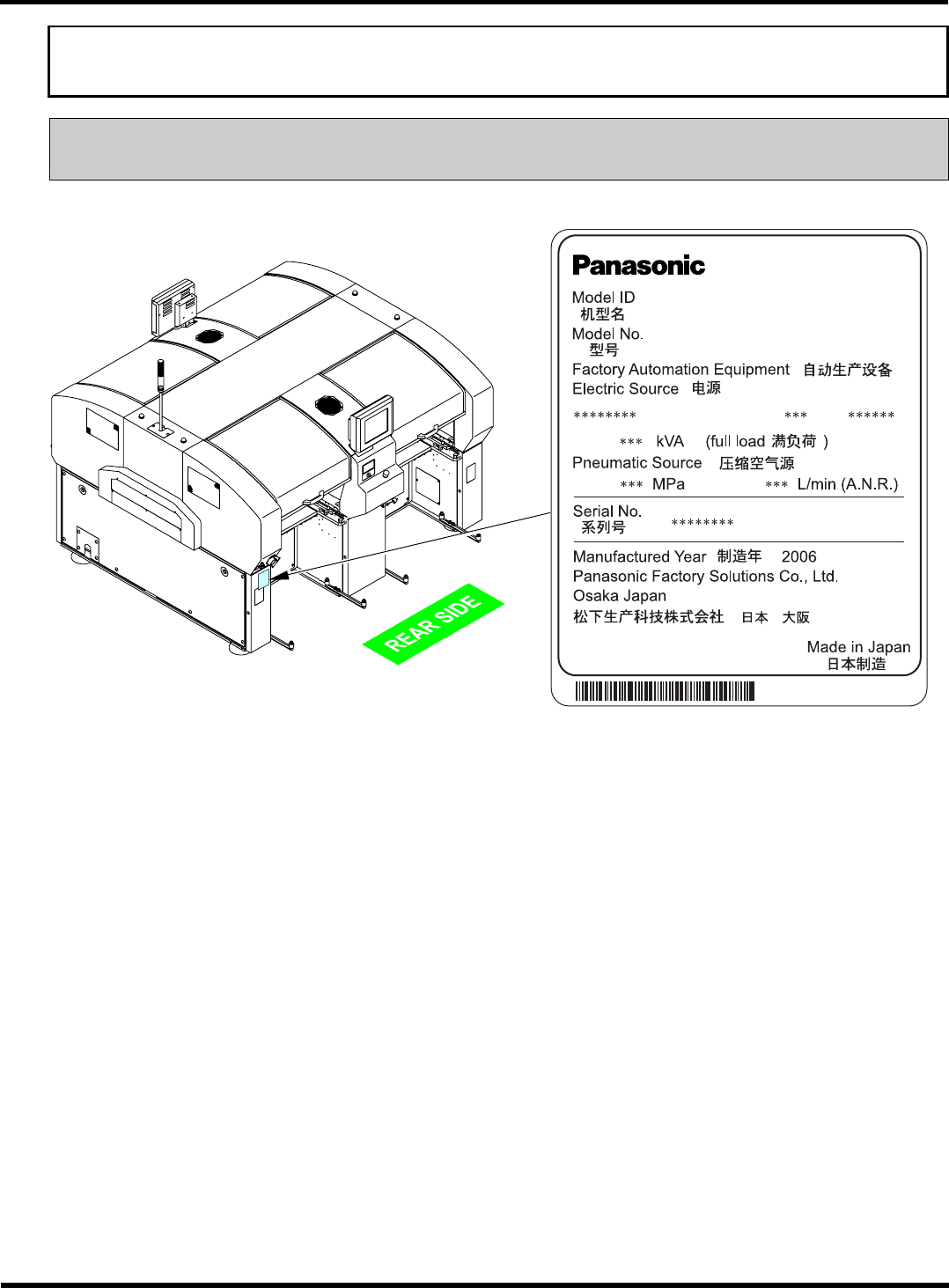
The serial plate indicating the nickname (Model ID) and production number (Serial No.) of the machine is
pasted on the following location.
CM602-L
Actually,
∗
is replaced with a numeric value.
EJM8A-E-XXA00-A05-01
EJM4A-AB01
CM602-L
NM-EJM8A